15 Powerful Task Management Techniques

task management techniques

Effective task management techniques are essential for anyone aiming to stay organized and productive, whether in personal projects or professional pursuits.

Task management, at its core, is about structuring, prioritizing, and tracking tasks in a way that aligns with specific goals, helping reduce stress and enhance efficiency. Different task management techniques are proven to manage tasks efficiently based on their unique workflow needs.

In this guide, we will explore 15 powerful techniques that can transform how you approach daily tasks and manage complex projects. From prioritizing urgent tasks to breaking down larger goals, these strategies are designed to help you optimize both time and focus, making it easier to achieve more without feeling overwhelmed.

Let's begin!

1. Prioritize Tasks with the Eisenhower Matrix

The Eisenhower Matrix is an effective task management technique. In this method, we prioritize tasks based on urgency and importance. The tasks are organized into four distinct quadrants:

  • Urgent and Important: These tasks demand immediate attention and usually have pressing deadlines or significant consequences if delayed. Examples include project delivery deadlines, critical client issues, or health-related emergencies.
  • Important but Not Urgent: These tasks are essential for long-term success but can be scheduled for later. Examples might include strategic planning, professional development, or setting personal goals.
  • Urgent but Not Important: Tasks in this quadrant are often interruptions that don’t necessarily contribute to long-term goals. For instance, answering non-essential emails, handling minor requests, or attending non-critical meetings.
  • Neither Urgent nor Important: These tasks don’t require immediate action and typically don’t impact overall objectives. Examples include unnecessary administrative work, excessive social media scrolling, or sorting through unimportant emails.

By regularly assessing tasks using this matrix, you can maintain focus on what matters most while minimizing time spent on less impactful activities.

2. Break Down Goals Using the SMART Method

The SMART method is a well-established approach for setting clear, actionable goals by focusing on five key attributes:

  1. Specific: Goals should be precise and clearly defined. For example, instead of a broad aim like “get healthier,” a specific goal would be “exercise three times a week.”
  2. Measurable: A goal needs to be trackable to assess progress. “Read 12 books this year” is measurable, allowing you to check your pace over time.
  3. Achievable: Goals should be realistic, given the time and resources available. If you’re new to running, aiming for a marathon next month may not be achievable, but training for a 5K might be.
  4. Relevant: Each goal should align with your broader ambitions or values. If your focus is career development, a relevant goal might be to “complete a professional certification this quarter.”
  5. Time-bound: Assigning a timeframe creates urgency and helps prevent procrastination. A time-bound goal could be “finish drafting my article by Friday.”

Breaking down large objectives into SMART goals allows you to take manageable steps, keeping motivation high and progress consistent. 

3. Master Time Blocking for Structured Days

Time blocking is a productivity method that involves scheduling specific blocks of time for particular tasks or activities throughout the day.

By dedicating distinct periods to focused work, meetings, and even breaks, time blocking helps eliminate distractions and maintain a structured workflow. This approach allows for a clear day overview, making it easier to stay on track and avoid multitasking.

The advantages of time blocking are numerous. It encourages a deep focus on one task at a time, reducing the mental fatigue of constantly switching between activities. It also makes it easier to set boundaries, allowing for more intentional breaks and preventing work from spilling into personal time.

Modern task management tools integrate with calendars, enabling seamless time blocking. By syncing tasks with your schedule, these tools can streamline time allocation, helping to reinforce boundaries and keep each day well-organized and productive.

4. Embrace the "Two-Minute Rule"

The "Two-Minute Rule" is a simple yet impactful technique designed to handle small tasks immediately rather than letting them pile up.

The rule suggests that if a task takes two minutes or less to complete—whether it’s replying to a quick email, organizing a file, or making a brief call—it’s best to do it immediately. You can prevent these minor tasks from accumulating into a daunting backlog by addressing them as they arise.

Applying the Two-Minute Rule leads to quick wins that can create positive daily momentum. No matter how small, each completed task reduces the mental load and frees up mental space. This makes concentrating on larger, more complex projects easier without the lingering stress of unfinished minor tasks hanging in the background.

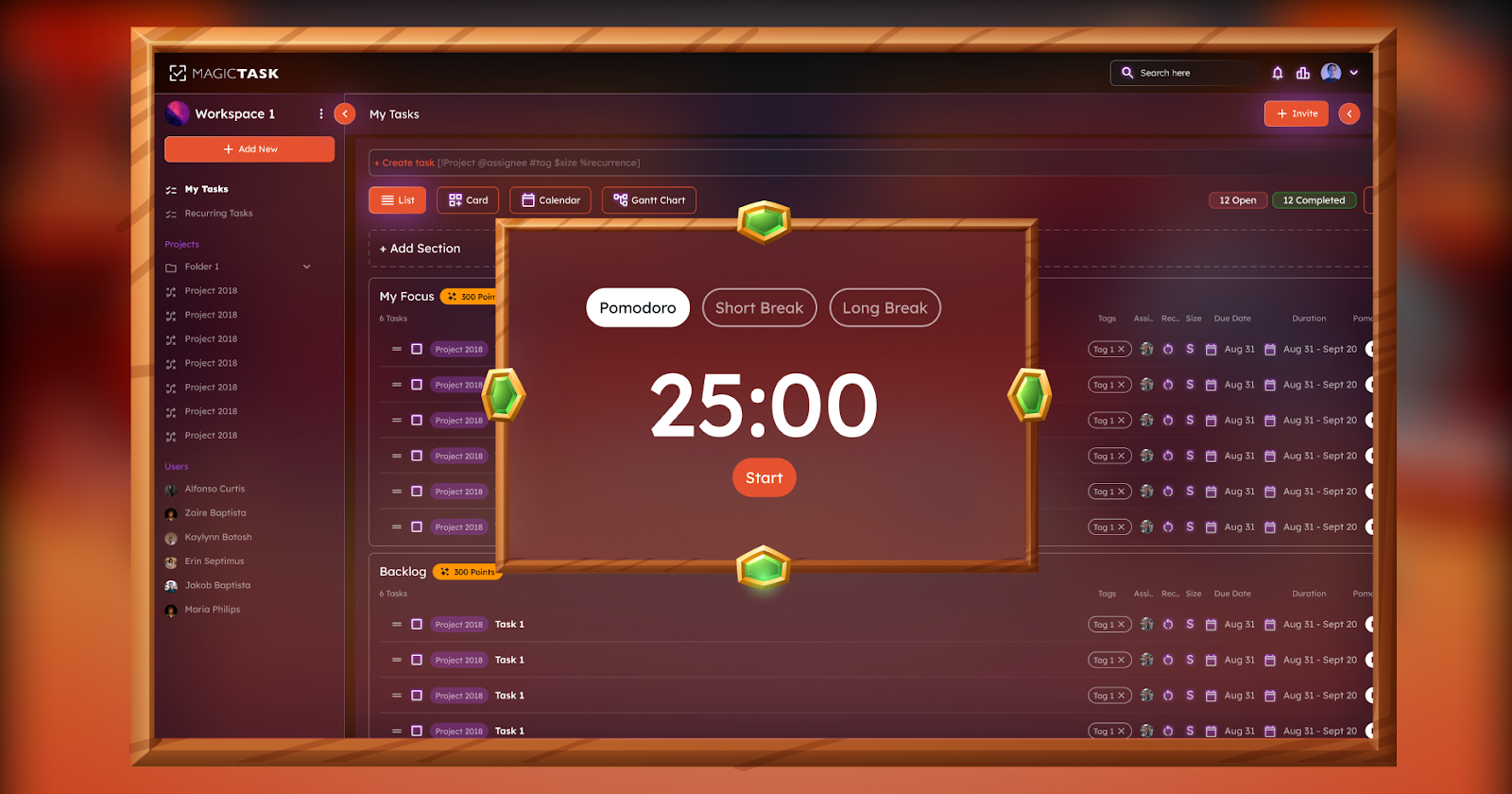
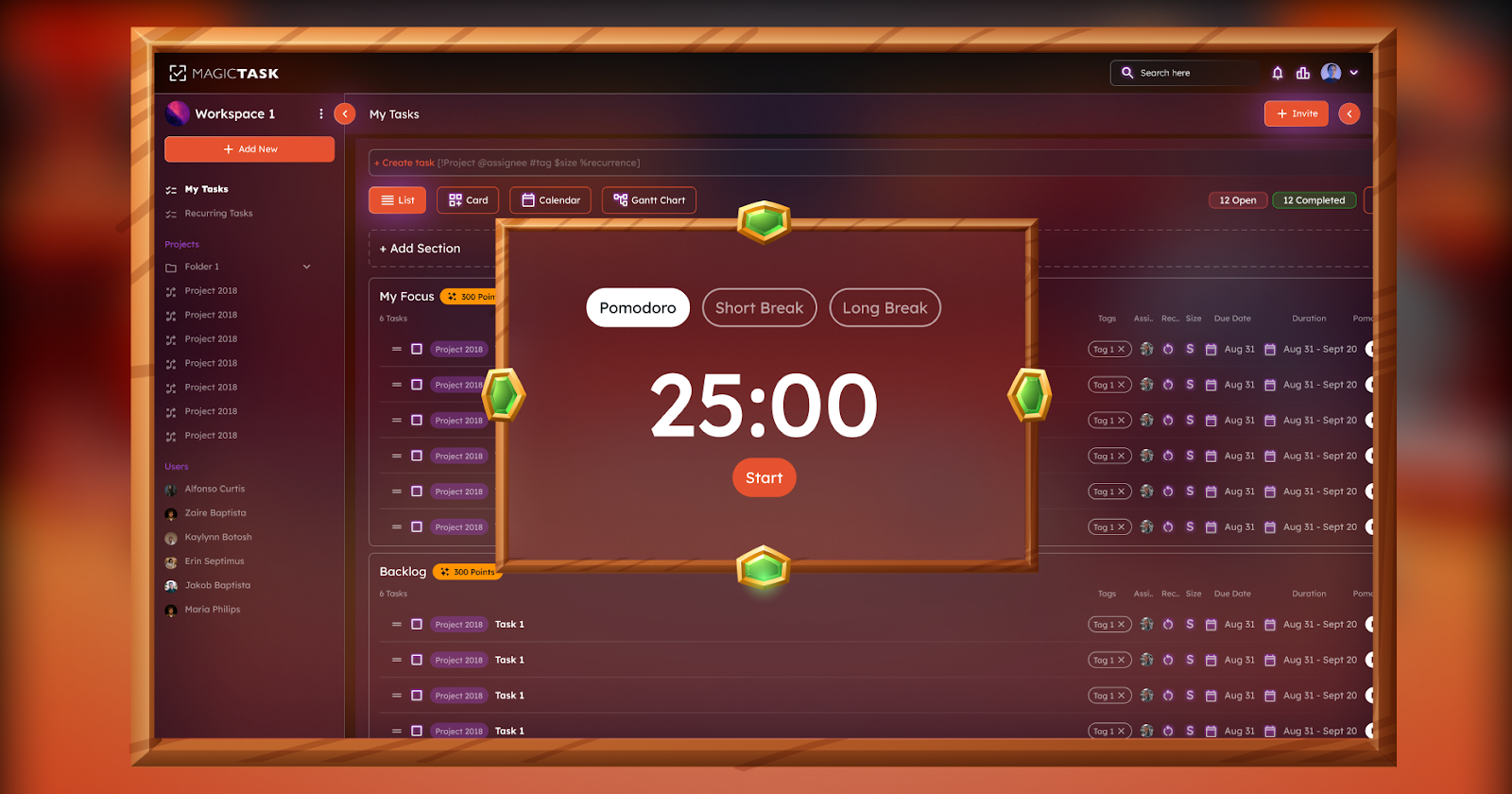
5. Apply the Pomodoro Technique for Focus
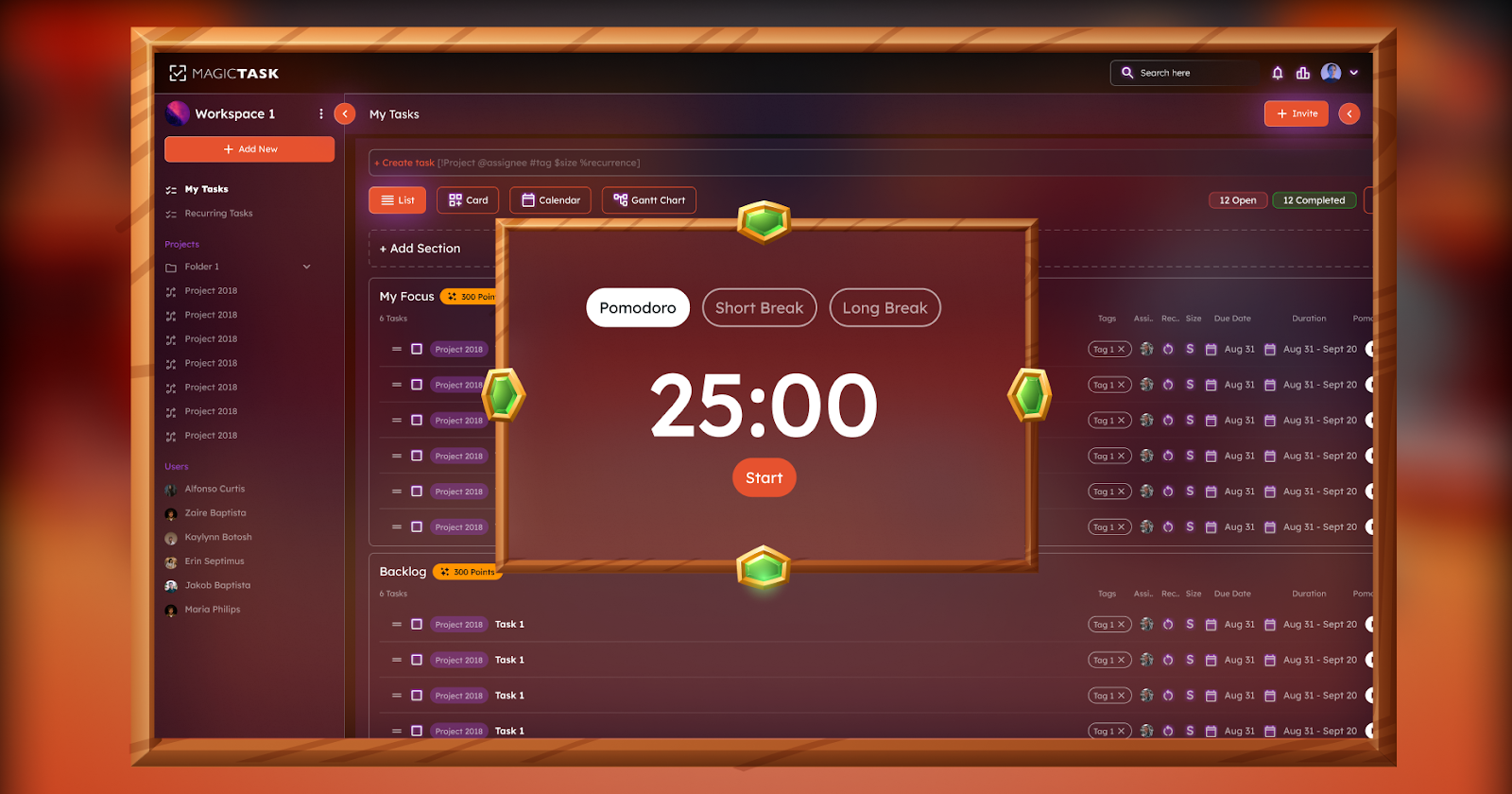
pomodoro technique

The Pomodoro Technique is a time management method that breaks work into intervals, traditionally 25 minutes long, followed by a 5-minute break. Developed by Francesco Cirillo in the 1980s, this technique aims to maintain focus and prevent burnout by working in short, focused bursts. After completing four "Pomodoros," or work intervals, a longer break of 15–30 minutes is taken to recharge.

To get the most out of the Pomodoro Technique, try these tips:

  • Choose a single task to focus on for each Pomodoro to avoid the distraction of multitasking.
  • Set a timer for the 25-minute interval, and commit to working on that one task without interruptions.
  • Use the short breaks between intervals to step away from your workspace, stretch, or refresh with a quick walk.
  • Evaluate and adjust your tasks at the end of each more extended break, ensuring that your remaining tasks align with your goals for the day.

This technique is effective for those who struggle with focus or feel overwhelmed by large tasks, making it easier to make consistent progress without feeling exhausted.

6. Delegate Tasks Wisely

Delegating tasks is essential for effective time management, especially when managing multiple responsibilities or working within a team.

Knowing when to delegate is vital; tasks that are routine, time-consuming, or can be handled by someone with the right skills are ideal candidates for delegation. This approach lets you focus on higher-priority responsibilities requiring direct involvement or specialized expertise.

When delegating, it’s essential to communicate clearly. Provide a clear brief, outline expectations, and set deadlines. This ensures the person taking on the task has all they need to complete it successfully.

Additionally, regularly check in on progress without micromanaging. Use collaborative tools that make it easy to assign tasks, set deadlines, and monitor progress, helping the delegator and the person taking on the task stay aligned and productive.

By delegating wisely, you can free up time for critical tasks, reduce burnout, and create an environment of shared responsibility.

7. Use Task Batching to Reduce Context Switching

Task batching is a productivity technique in which similar tasks are grouped and completed, minimizing the mental energy wasted switching between unrelated activities. By focusing on one type of task at a time, you can maintain a steady rhythm, improve efficiency, and reduce the stress of multitasking.

For example, designate a specific time block for addressing all emails simultaneously instead of responding to emails sporadically throughout the day. Similarly, if you’re working on content creation, allocate a batch of time to focus solely on writing or editing multiple pieces. This way, your mind remains engaged with similar tasks, allowing you to work more smoothly without the constant disruption of shifting gears.

Task batching is particularly useful for reducing context switching, making it easier to stay focused and accomplish more in less time.

8. Build a Realistic To-Do List

Creating a realistic to-do list is key to managing your workload without feeling overwhelmed. One practical approach is focusing on 3-5 main daily tasks. By narrowing down your daily priorities, you can concentrate on what truly matters without getting bogged down by an overly ambitious list. This approach helps prevent the discouragement that often comes from leaving tasks unfinished.

When building your list, prioritize tasks based on urgency and importance, and be mindful of your time constraints. Choose tasks that align with your main goals for the day, and avoid adding unnecessary items just to fill space. This practice fosters a sense of accomplishment, allowing you to finish each day with tangible progress on essential tasks.

9. Conduct Regular Progress Reviews

Regular progress reviews are essential for aligning your tasks with your long-term goals. Setting aside time each week and month to assess your progress can help you identify what’s working, what needs adjustment, and how to prioritize your upcoming tasks.

Weekly reviews allow you to track short-term achievements and address any obstacles before they become larger issues. On the other hand, monthly reviews give a broader perspective, helping you evaluate whether you’re on track with your goals and whether adjustments are needed in your overall strategy. By consistently checking in on your progress, you can maintain focus, stay accountable to your goals, and make informed decisions that drive you forward.

This habit boosts productivity and ensures that your daily efforts contribute meaningfully to the bigger picture.

10. Minimize Distractions

Creating a distraction-free workspace is key to maintaining focus and productivity. Here are some practical tips to help minimize interruptions:

  • Declutter your workspace: A clean, organized space reduces visual distractions and makes it easier to focus on tasks.
  • Set boundaries: Communicate with those around you, whether at home or in the office, to let them know your focus hours. Wearing headphones can also signal that you're in a work mode.
  • Limit digital distractions: Turn off non-essential notifications on your devices, and consider using apps or browser extensions that block distracting sites while you work.
  • Schedule breaks: Allow for short, intentional breaks throughout your day to step away from work and recharge, making it easier to return with renewed focus.

Reducing distractions helps you stay on task and accomplish more in less time, creating a work environment that promotes both focus and productivity.

11. Set Deadlines for Accountability

Setting realistic deadlines is a powerful way to stay motivated and keep tasks on track. When you assign a specific due date to a task, it creates a sense of urgency, making it easier to prioritize and focus on completing it. Deadlines help break down larger projects into manageable steps, each with its timeline, preventing procrastination and ensuring steady progress.

Deadlines also build accountability, especially when paired with reminders that prompt you to stay on schedule. Task management tools simplify this process by allowing you to set due dates, receive reminders, and track the status of each task.

This structure helps you stay organized, boosting both motivation and efficiency by ensuring you’re consistently moving forward.

12. Follow the Pareto Principle (80/20 Rule)

The Pareto Principle, commonly known as the 80/20 Rule, suggests that 80% of outcomes are often the result of just 20% of efforts. In terms of productivity, this means that a small number of high-impact tasks can lead to the majority of your results.

Identifying and focusing on these critical tasks allows you to maximize efficiency and make substantial progress without feeling overwhelmed by less essential activities.

To apply the Pareto Principle effectively, start by evaluating your tasks and asking yourself which ones directly contribute to your primary goals. Prioritize these high-impact tasks, which are likely to drive the most value.

Regularly reassess your workload to ensure you spend most of your time on activities that make a meaningful difference. This approach lets you streamline your efforts, concentrating on what moves the needle.

13. Keep a Task Journal

Maintaining a task journal is an effective way to track progress, celebrate small wins, and identify areas for improvement. By recording daily accomplishments, you create a space to acknowledge your efforts, boosting motivation and providing a sense of achievement, no matter how small the tasks.

A task journal also allows you to observe patterns over time. Noticing which types of tasks you consistently complete and which tend to linger can offer insights into your productivity habits and help you adjust your approach as needed.

By regularly reviewing your entries, you can identify obstacles, refine your workflow, and set realistic goals based on what works best for you. Over time, this journal becomes a personal roadmap to productivity, showing your growth and helping to keep you on track.

14. Use Visual Task Management Boards

Kanban boards are a powerful tool for visualizing progress and managing tasks.

By displaying tasks as cards on a board, typically organized into columns like "To Do," "In Progress," and "Done," Kanban boards offer a clear view of where each task stands in the workflow. This visual approach helps with task prioritization, makes it easy to identify bottlenecks, and keeps your focus on the current tasks without losing sight of what’s completed or upcoming.

The drag-and-drop functionality of modern task management tools makes using Kanban boards even more intuitive. Moving tasks between columns feels natural and allows you to quickly update progress, creating a dynamic system that adapts as priorities shift. This hands-on approach to task management enables a seamless, organized workflow where progress is visible at a glance.

15. Learn to Say No

Learning to say "no" is an essential skill for effective task management. Protecting your time and energy allows you to focus on tasks that align with your goals and priorities, helping you avoid the burnout that often comes from over-commitment.

When you take on too many responsibilities, your productivity and well-being can suffer, making it harder to accomplish what truly matters.

To decline tasks politely, try expressing appreciation for the opportunity and briefly explaining your current commitments.

For example, you might say, “I appreciate you thinking of me for this, but I’m focusing on a few key projects right now.” If appropriate, suggest another person who could help or offer to assist later when your schedule allows. Setting these boundaries with respect and clarity allows you to maintain positive relationships while staying true to your priorities.

Conclusion

Mastering task management can transform how you approach daily tasks and long-term goals. Using these strategies, you can prioritize effectively, stay focused, and progress steadily.

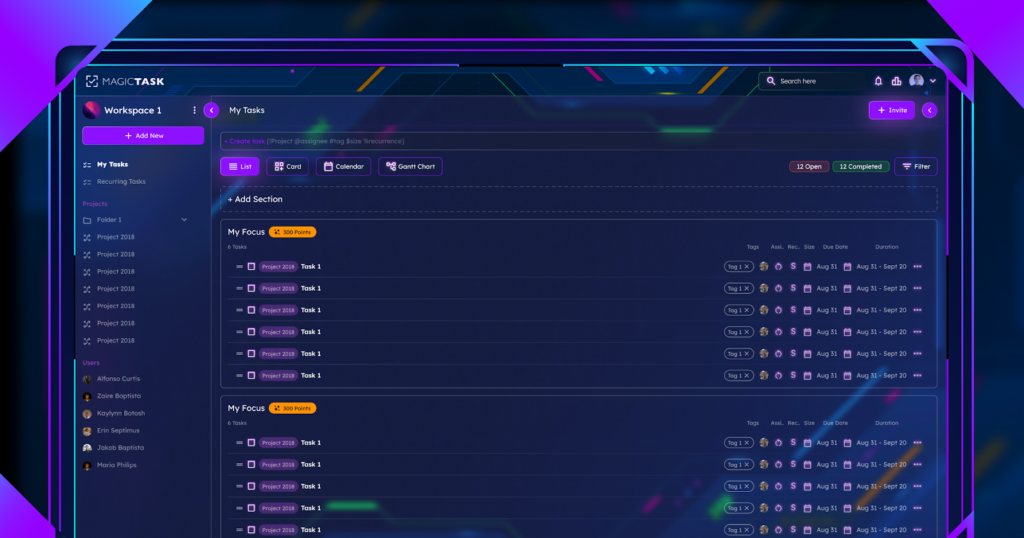
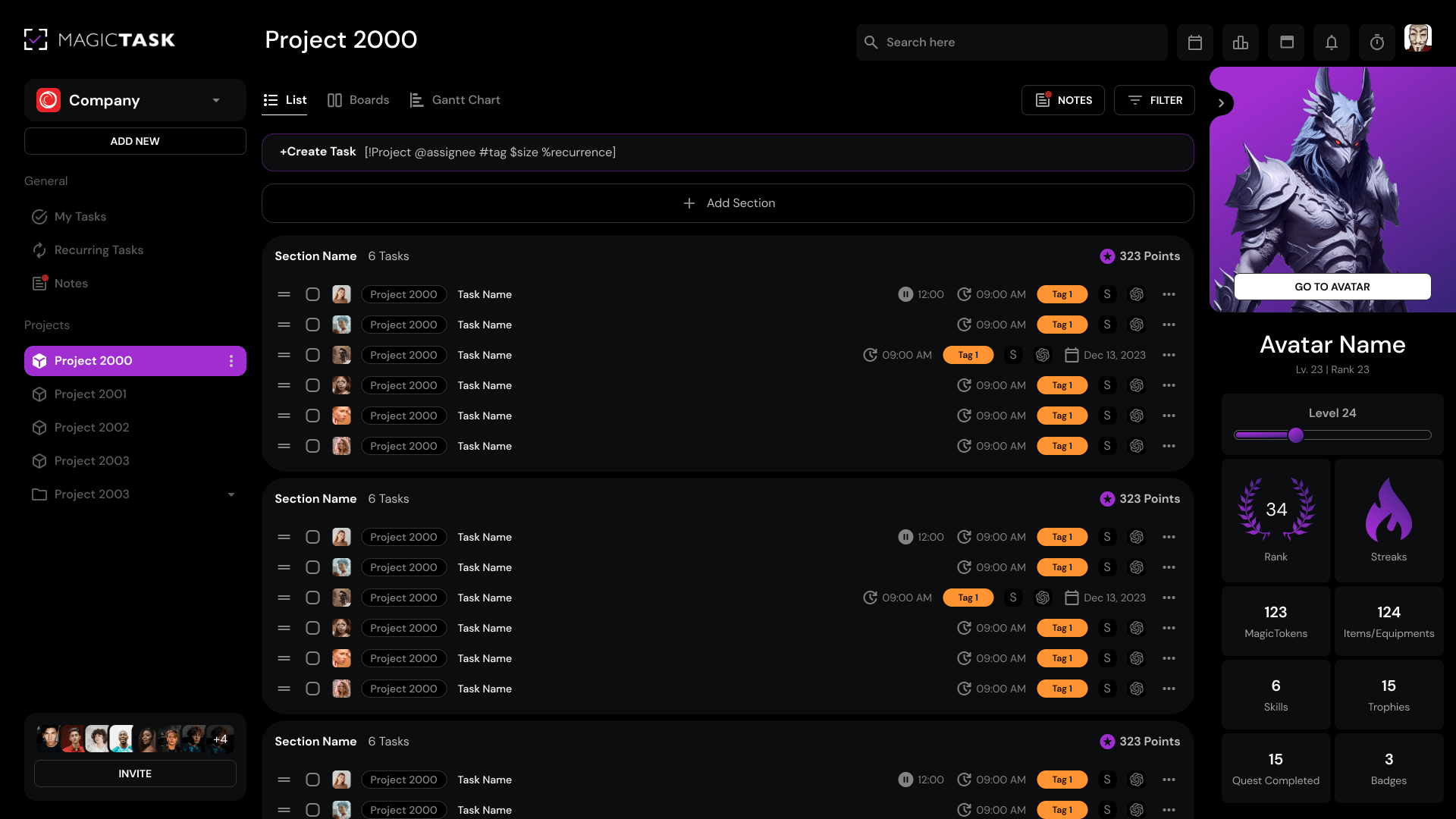
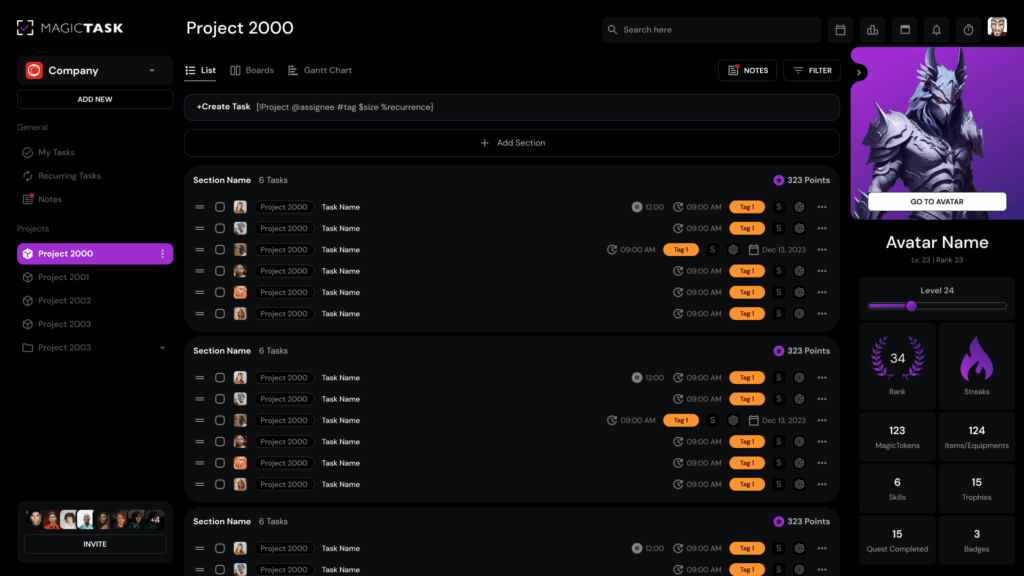
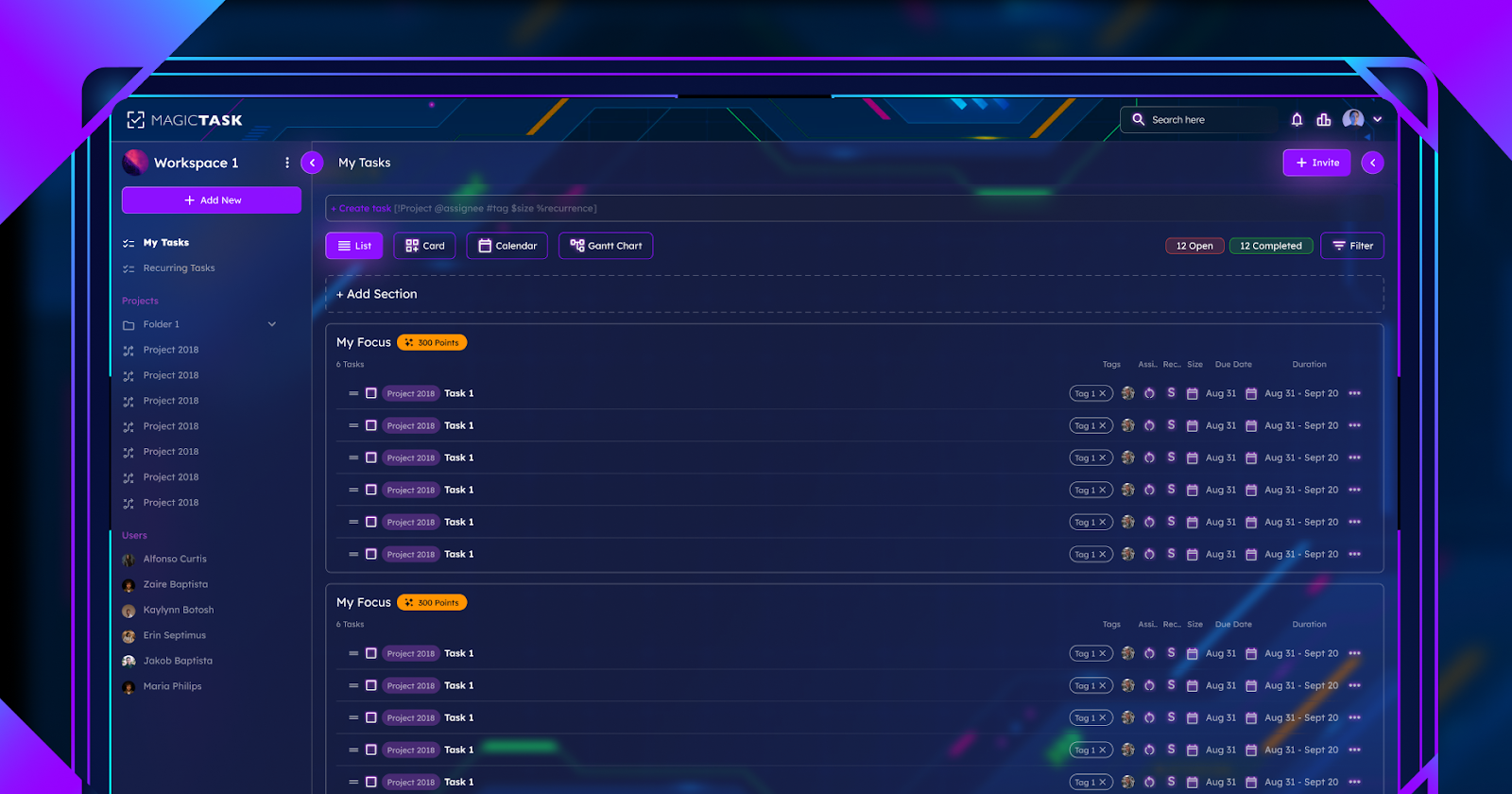
Adding tools like MagicTask can help you fine-tune your task management approach. MagicTask offers the features you need to bring these methods to life, from clean, fast tasks UI to recurrent tasks and themes.

Ready to take control of your productivity? Explore MagicTask and see how it can help you achieve more with less stress.
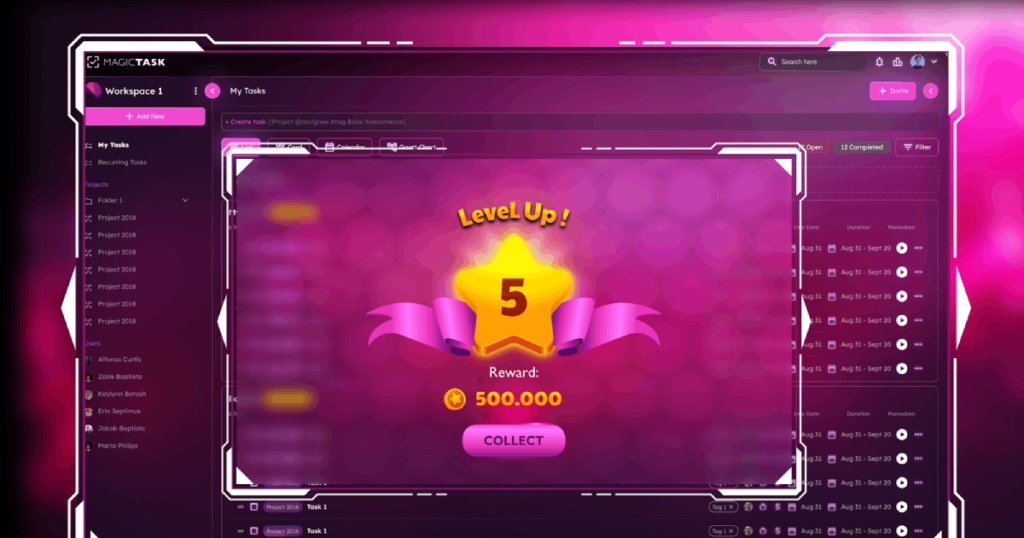
10 Work-From-Home Hacks to Level Up Your Productivity

Work from Home Productivity Hacks

Have you ever wondered whether working from home makes you more or less productive? According to the latest research, fully remote employees are surprisingly less productive than their in-office counterparts. 

Now, this doesn’t necessarily mean working from home is a bad idea. In fact, several studies have shown that hybrid workers – those who work from home on some days and from company premises on other days – are just as productive as their office-bound colleagues. 

This proves that remote work arrangements have their fair share of benefits. The trick for remote workers is to make deliberate choices that maximize their productivity. This article highlights ten tried-and-tested work-from-home hacks for improved productivity. 

1. Creating a Dedicated Workspace

Working remotely affords you the flexibility to work from anywhere, be it your living room, gazebo or kitchen countertop. Still, it’s important to have a designated work zone that allows you to concentrate on work and minimize distractions. 

If you have a spare room, this is the best place to set up your home office. But even without an extra room, you can improvise and convert other unused areas into workstations. The space underneath a staircase, an unused corner in the living or dining room, a loft, closet space, the nightstand section—all these areas can be transformed to serve as home offices. 

What’s important is ensuring that your workspace has the following:

  • Natural or overhead lighting – the area should be well-lit to prevent unnecessary fatigue and eye strain. 
  • Ergonomic furniture – should have ample space to fit an ergonomic desk and chair for optimal comfort.
  • Storage options – incorporate storage units to store your office supplies, such as wall-mounted shelves.

2. Structuring Your Day Like an Office Workday

As a remote employee, it can be tempting to work without a routine. After all, one of the greatest perks of this arrangement is the freedom to set your own working hours. 

However, you should structure your day like an office workday to maximize your productivity. In fact, you should create a work-from-routine that suits your lifestyle. 

Start by establishing your working hours. You’ll want to set these for when you’re most productive. For some, this could mean the typical 9-to-5. However, others might prefer 8-to-4 or 12-to-8 or other. What matters is that you follow the routine to the letter. 

Once you’ve determined your work hours, create blocks of time and assign tasks accordingly. Figure out the most vital tasks and schedule them when your focus is at its highest. At the same time, determine the lower-priority tasks. Such activities should be tackled when your focus starts to wane. 

3. Utilizing Technology and Tools

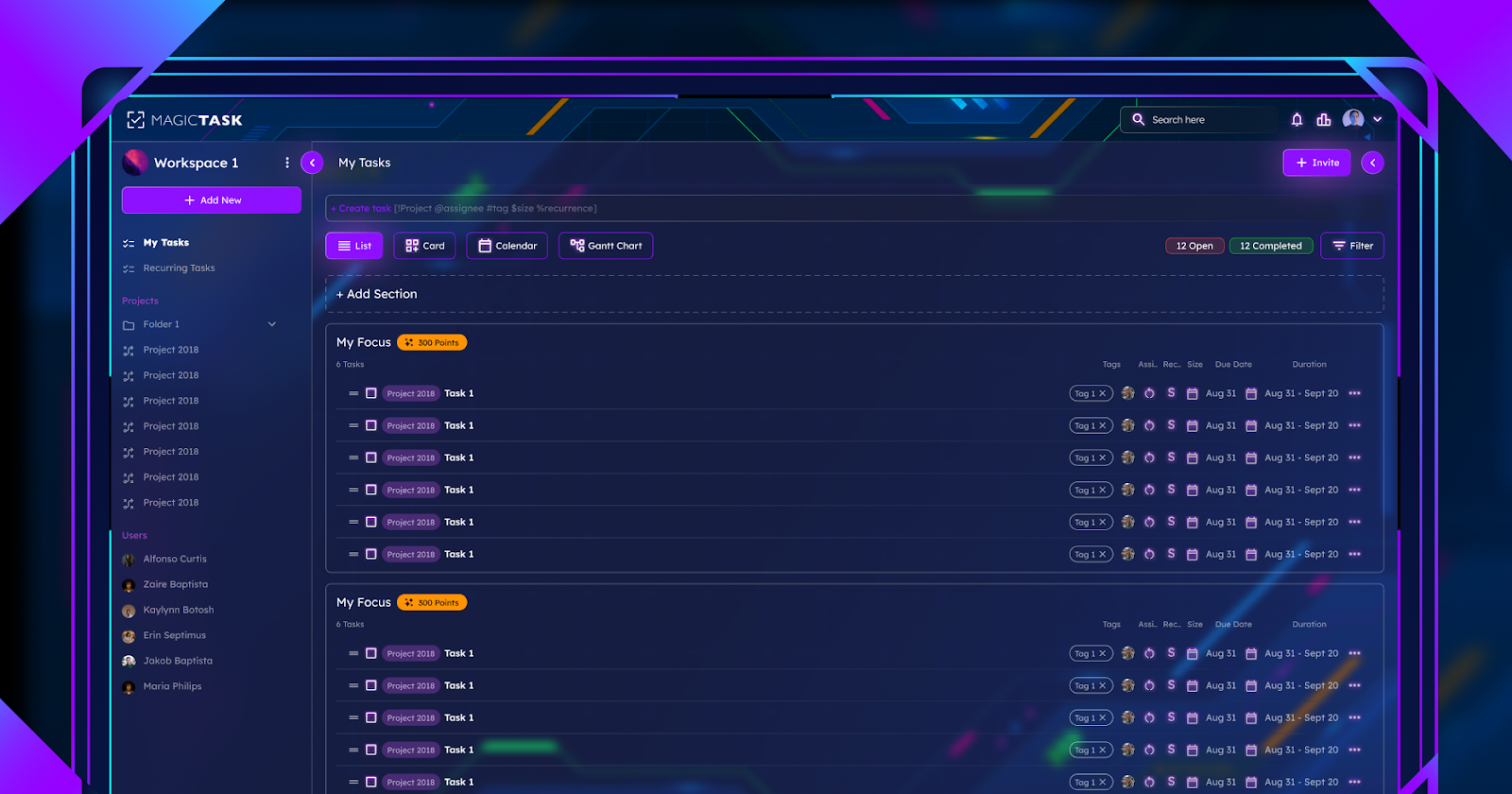
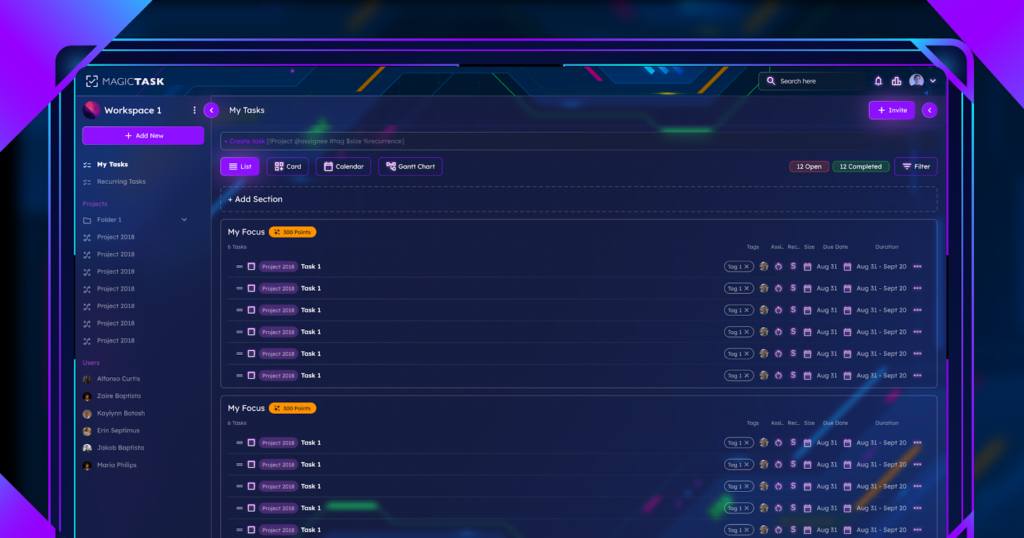
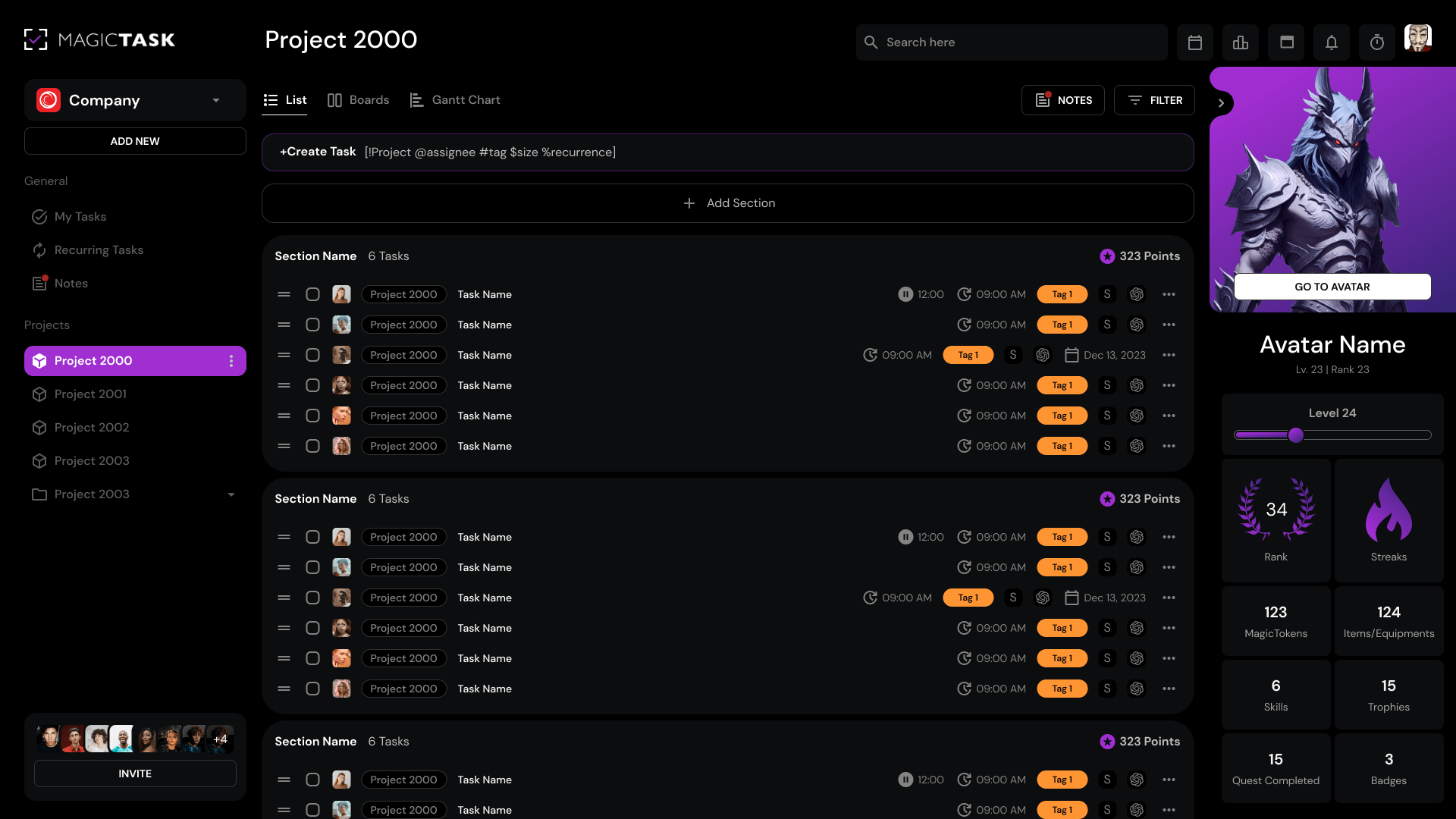
magictask v3 tasks dashboard

Leveraging tools can also boost your productivity when working from home. These technologies aid in managing tasks, coordinating with colleagues and accessing/ storing crucial information. Each of these tasks contributes to your overall productivity. 

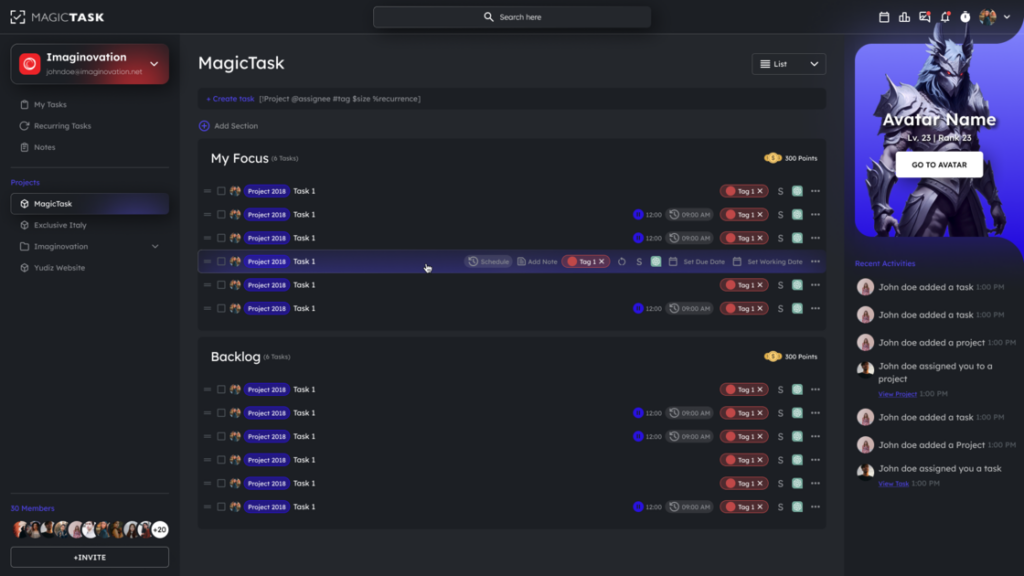
Task management tools like MagicTask can be particularly beneficial. This platform lets you organize tasks into lists and assign priority levels. 

This then makes it easy to identify the tasks that should be handled first and the ones that should be handled later. This tool also facilitates collaboration by allowing users to share tasks with team members. 

4. Managing Distractions at Home

You might not realize it, but distractions are among the biggest killers of productivity. Every interruption interferes with your ability to focus, making it harder to embark on the task at hand. 

In fact, research shows that it takes nearly 23 minutes to refocus once you’ve been distracted. If you do the math, you lose a whopping one hour of productivity if you’re distracted thrice. To avoid this, here are a few tips to help you manage distractions when working from home:

  • Set time-bound goals – creating goals with specific timeframes will help you maintain focus for that predetermined period. You're less likely to fall for distractions since you’re working towards completing the goal.
  • Turn all notifications off -Another way to maintain razor-sharp focus is to turn off all notifications. Set aside time during your long breaks to check them so you’re not distracted during your working hours. 
  • Block social media – This might seem extreme, but it’s necessary if you can’t control your social media usage. Install an app or website blocker restricting access to these social networks while working.
  • Avoid multitasking – don’t be tempted to juggle work and house chores, as this can easily hamper your productivity. Instead, create a schedule and stick to it. If it’s time to work, then focus on that. If it’s time to unplug, then step away from work and relax or do chores.


5. Keeping a To-Do List

Creating a to-do list is another hack for maximizing your productivity as a remote worker. It offers two main benefits: accountability and structure. 

Writing down everything you need to do helps you see the big picture. You can then break it down into small, manageable tasks or milestones that can be tracked. This will ensure that you stay on top of projects and remain organized

And with tools like MagicTask, creating a to-do list is a breeze. Once you have an account, you can create task lists with their respective details, deadlines, and priority levels. 

6. Setting Clear Boundaries With Household Members

You may find it challenging to be productive when you’re always distracted by family members. 

So, one thing you should do is establish clear limits. Let your family know they can’t disrupt you during work hours. Adding a visual symbol—like a “Do not Disturb” or “Stop” sign—is an excellent way to set boundaries, especially for kids. Having a designated workstation also helps to enforce these boundaries. 

At the same time, it’s important to unplug at the end of the day. Once you’re done working, detach yourself from work-related activities and spend time with your family. When you make time for them, they will also find it easy to respect your work boundaries the rest of the time. 

7. The Importance of Regular Breaks

While some remote workers easily fall for distractive activities, others become workaholics. Here’s the thing: both of these extremes negatively impact your productivity. In fact, a 2014 study revealed that workers’ output starts plummeting after a 50-hour work week. This shows that working longer or harder doesn’t necessarily make you more productive. 

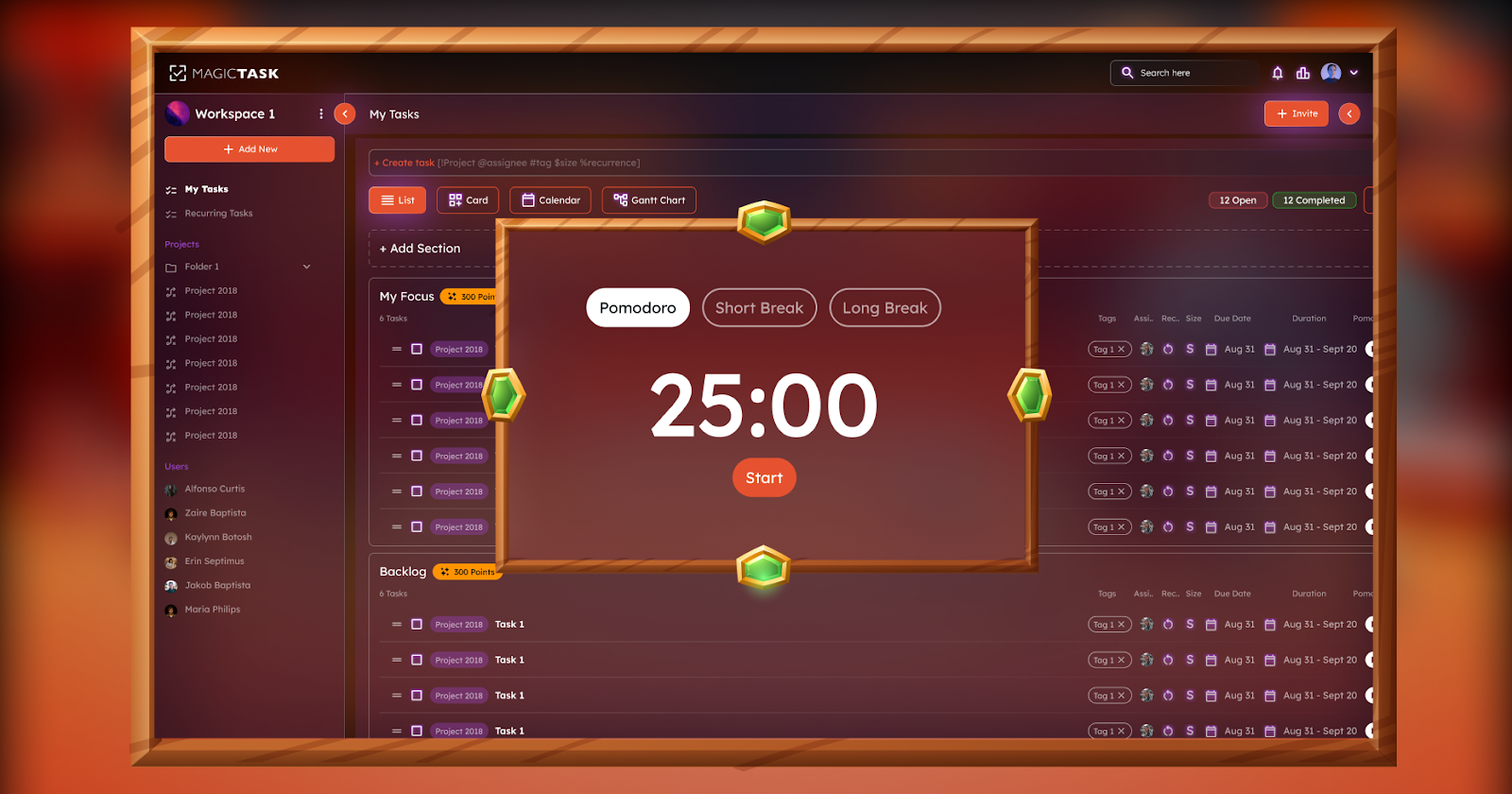
So, instead of working nonstop, take regular breaks. Create a routine that incorporates these breaks. Better yet, use time management hacks like the Pomodoro, which slots in breaks after every 25 minutes of work. 

Allowing your mind and body to rest helps you rejuvenate. This allows you to resume work with greater creativity, focus, and decision-making ability. 

Pomodoro Timer

8. Staying Physically and Mentally Healthy

Just because you’re working from home doesn’t mean you put your physical and mental health on the back burner. In fact, these areas should take center stage if you want to boost your productivity. 

Prioritizing self-care ensures you have a clear mind and relaxed body to tackle the day’s activities. You can make better decisions, be more creative, and maintain focus for longer. In a recent survey, the respondents cited greater productivity as one of the perks of indulging in self-care. 

Here are a few tips to keep you physically and mentally healthy when working from home:

  • Nourish yourself – prepare nutrient-rich meals and snacks, and hydrate regularly
  • Schedule regular workouts – They don’t have to be strenuous, though. This can be as simple as going for a stroll or stretching at your desk.
  • Get sufficient sleep – ensure you sleep for the recommended 7 to 9 hours every night. This gives your body time to relax and re-energize. 
  • Schedule time off – don’t skip your vacation or leave days. Taking time off is essential to recharge your body and mind. 
  • Look for hobbies – spare time to engage in leisure activities outside your work routine. These are great for destressing and boosting your creativity.


9. Regular Communication

Working remotely doesn’t mean you have to cut off connections with colleagues. On the contrary, it’s more important to maintain connections with coworkers. 

Maintaining a collaborative environment is sure to boost your productivity and morale. As a bonus, it also minimizes loneliness and isolation, which you’re vulnerable to due to the nature of your work. Here are a couple of tactics that might help:

  • Arrange virtual breaks – whether taking a coffee or lunch break, consider inviting fellow remote workers to join you.
  • Learn new skills together – whether a sport, work-related skill or other shared interest, invite your coworker and learn together. For instance, you can learn a new language together, especially if it contributes to your career development.
  • Use visual collaboration software – these programs allow you to communicate with your team in real time. Mural is a good case in point. It allows remote workers to connect, correspond, brainstorm, and plan on a shared platform.


10. Reviewing and Adjusting

You might not get your work-from-home routine right the first time. So, it’s important to review your schedule and practices regularly. This will help you determine what is or isn’t working and adjust accordingly. 

For instance, if you realize you’re more productive in the afternoon than in the morning, you could switch things around. This means tackling lower-priority tasks early in the morning and the high-priority ones during peak productivity hours.  

Conclusion

Working from home can blur the lines between your professional and personal lives, compromising productivity. The key is realizing this early on and making necessary changes to maximize productivity. 

Some of the most effective productivity tips for remote work include having a designated work area and creating a to-do list. Additionally, set clear limits, manage distractions, and leverage productivity tools and technology. Keeping in touch with coworkers and taking regular breaks also helps you operate optimally.

The Evolution of Productivity Tools Over the Years

Productivity Tools

The evolution of productivity apps from basic task organizers to complex ecosystems indicates a dynamic change driven by changing work habits and technological advancements.

Initially, productivity tools were mere task and project management applications, but they have morphed into platforms incorporating automation, AI, and advanced user interface designs, among other technologies.

This change reflects the broader trend toward digital optimization, which aims to enhance individual productivity and team collaboration.

To understand the evolution of productivity tools better, we look at how the tools have developed over the decades.

The Genesis of Productivity Tools

The history of productivity tools can be traced back to the 18th and 19th centuries. At the time, people relied on pen and paper to document or express their thoughts and ideas. The emphasis here was on patience and meticulousness, not efficiency.

As expected, pen and paper were slow, tedious, and yielded little productivity, especially in spaces that handled many transactions, such as banks.

The typewriter overcome these challenges, revolutionizing productivity. Christopher Latham Sholes invented the first typewriter in the 1860s, paving the way to its popularity and invaluable role in offices and homes for decades.

Although the typewriter increased productivity in workplaces, earlier models often jammed, and the lack of shift keys to switch between capital and lowercase letters reduced efficiency. Sholes experimented with many other designs, culminating in the typewriter we know today, along with the famous QWERTY keyboard layout.

By comparison, this development enhanced users’ efficiency, speed, and productivity. Typewriters were famous for several decades until personal computers emerged in the 1980s.

The computers came equipped with word processors like WordPerfect and WordStar, which simplified formatting, editing, and spell-checking capabilities, solving most problems encountered when using the typewriter.

The emergence of Microsoft Word software further enhanced productivity in workplaces because it made writing, sharing digital files, and editing even simpler.

Another tool that shaped the genesis of the productivity tools was the Rolodex. Developed in 1956, it was the earliest CRM system invented. The device stored customers’ contacts to enable companies to track customer interactions.

However, finding contacts using the Rolodex was painstakingly slow and tedious, especially for sales and marketing professionals who needed to be in constant liaison with customers. As such, developers invented CRM software which centralized customer data and enhanced productivity.

The discovery of the Internet in the 1990s saw CRM applications take a giant leap forward. Developers could now harness its capabilities to allow businesses to access customer data from anywhere in real time. This feature is still handy in modern workplaces for employees working remotely.

Today, CRM software is an all-in-one solution, helping sales, marketing, customer service, and data analytics departments to tailor interactions and deliver the best customer experiences. An all-in-one solution enhances productivity and enables businesses to save costs because they don’t need to set up software for each department.

The Era of Internet-based Tools

The emergence of the Internet in the 1990s significantly revolutionized productivity tools. It led to the discovery of new tools that have transformed how we communicate, store, and share documents.

Email, or electronic email, was one of the productivity tools developed during this period. It was created in 1971, but its prevalence increased in the 1980s and 1990s. It has since evolved into a personal and business communication tool, as evidenced by renowned email clients like Hotmail and Yahoo.

Google entered the scene later, and it has since dominated this space. The company introduced an electronic email program and a tool to store documents, providing up to a gigabyte of storage. This incentive attracted many users to the program.

Today, email has become an invaluable part of our lives and enhancements such as multimedia content, security, and personalization make it a critical communication and productivity tool.

Marketers send personalized emails to potential clients based on preferences, user behavior, and demographics. Extra features like videos, images, and GIFs make the texts more engaging than plain texts, capturing the user’s attention longer.

Cloud computing is another productivity tool discovered during the Internet era. Although the concept can be traced back to 1963, it only became prevalent in the late 1990s with Salesforce being the first company to apply the technology.

Cloud computing allowed anyone with internet access to access programs. As a result, purchasing software on demand was easy, saving businesses time and money.

While emails eased communication between professionals, they needed to collaborate when working on a common task. This need birthed another productivity tool: collaborative software.

Its roots can be traced back to the 1940s, but it wasn’t until the 1980s that it became a buzzword. The pioneer, educator C.A. Skip Ellis, developed it to support groups of people working on a common task, and he referred to it as groupware.

The software became prevalent in the 1990s as developers leveraged the Internet and cloud computing to develop Internet-based applications that enhanced collaboration and the formation of online communities.

Collaborative software has since evolved from mere communication tools to conferencing mediums and now to coordination tools. Today, professionals can work on a single document via collaborative platforms like Google Docs.

The Mobile Revolution and Productivity

The mobile revolution has undoubtedly transformed the work landscape. Just as smartphones have become invaluable in our lives, they also make an employee’s life more comfortable and satisfying.

A study of 1500 U.S.-based workers found that 62% of the respondents agreed that mobile devices played a vital role in enhancing productivity. Smartphones now support sophisticated email, video conferencing, instant messaging, and collaboration apps, allowing employees to work from anywhere at any time.

Whether working from home or the local coffee shop, workers can work on complex projects, communicate with team members, and coordinate tasks using mobile devices. This level of flexibility motivates employees to do their best.

Moreover, task management tools, private clouds, and video conferencing software help manage tasks, share information, and communicate in real time.

That’s why more corporations provide their employees with apps to facilitate remote business operations. And, these mobile device management solutions are optimized to avoid data and network security breaches.

Also Read: Revolutionizing Workplace Culture with MagicTask V3: A Game-Changer for Company Owners

A.I. and Automation in Productivity Tools

MagicTask V3 Dashboard

While flexibility at the workplace is critical, more organizations are shifting focus to maximizing efficiency and effectiveness. AI-powered productivity tools help meet these needs by optimizing work processes, augmenting output, and facilitating more intelligent decision-making.

AI productivity tools can be traced back to the mid-20th century, when AI was primarily developed to mimic human thinking to help solve complex problems. Machine learning and computing power followed suit, further enhancing AI capabilities by introducing task automation.

That’s why modern AI productivity tools can perform tasks autonomously, ranging from data analysis to communication and information retrieval. They help organizations automate repetitive tasks like data organization and scheduling meetings, freeing up valuable time for employees to focus on high-value tasks.

Tools like Google Calendar and Microsoft Outlook use AI to suggest optimal meeting times and automatically organize tasks.

Similarly, virtual assistants like Apple’s Siri, Google Assistant, Amazon’s Alexa, etc, help manage tasks through voice commands, set reminders, answer questions, and control other smart devices, enhancing overall productivity without manual intervention.

Thanks to advancements in artificial intelligence, machine learning, and evolving workplace dynamics, future developments in productivity tools are poised to be transformative.

The integration of blockchain technology, for example, will likely enhance security and transparency during data handling, addressing the growing concerns about data in this digital age.

We’ll also see a surge in integrating virtual and augmented reality technologies to create more immersive and interactive user experiences.

When used with AI and automation, these advancements signal a future where productivity apps enhance efficiency and reshape how we conceptualize and execute tasks.

A shift towards cloud-based development environments will also increase to provide flexible and scalable solutions that cater to the dynamic needs of developers and businesses alike.

The premise is to create environments that enhance team collaboration, minimize operational costs, and streamline app development processes. This makes cloud-based development environments attractive to organizations of all sizes.

Embracing the Hybrid Work Model

We can’t overlook the evolving nature of modern workplaces. Many organizations now support hybrid work models to allow employees to work as they please.

Some employees work better in an office, while others prefer working from home without commuting, and balancing their needs enhances productivity.

Productivity tools are critical in supporting hybrid work environments by improving communication, collaboration, and an organization’s overall efficiency.

Messaging platforms like Zoom, Slack, and Microsoft Teams facilitate real-time communication, while project management software like Trello and Asana help teams manage tasks, track progress, and collaborate on projects efficiently.

Cloud storage services like Dropbox and Google Drive allow teams to store and share documents in real time, allowing remote and in-office employees to collaborate seamlessly.

Final Thoughts

The evolution of productivity tools is a testament to our relentless pursuit of efficiency, collaboration, and innovation. From the humble beginnings of pen and paper to the sophisticated AI-powered tools of today, we've come a long way. As technology continues to advance at an unprecedented pace, the future of productivity tools is incredibly exciting. We can anticipate even more integrated, intelligent, and intuitive tools that will seamlessly blend into our work and personal lives, empowering us to achieve more than ever before.

If you're ready to experience the next generation of productivity tools, look no further than MagicTask. Our gamified task management system is designed to make your work more enjoyable and rewarding. With features like themes, rewards, and challenges, MagicTask transforms mundane tasks into engaging experiences. Don't get left behind in the productivity revolution – try MagicTask today and unlock your full potential!

9 Essential Goals to Boost Your Productivity in 2024

MagicTask V3 Tasks Dashboard

The benefits of productivity are well known. You get to finish projects faster, be happier, and feel less stressed. 

The question of how to be productive is what many struggle with. How can you ensure that you’re spending your time wisely? What’s the best way to avoid distractions at work?

The secret is to set and maintain productivity goals. Working with objectives creates attention and urgency while giving you a sense of purpose. This article lists nine essential productivity goals that will make you more fruitful in your endeavors.

1. Define Clear and Measurable Goal

Goal-setting is an excellent first step in helping you achieve productivity. 

However, you need to ensure that you’re creating specific and quantifiable goals. According to the goal-setting theory proposed by psychologists Gary Latham and Edwin Locke, setting specific goals can boost productivity by up to 25%

Other studies show that the more precise you are with your goals, the higher the likelihood of achieving them. This raises the question: how do you set clear goals? Here are a few tips for effective goal setting:

  • Define an objective – state the outcome you’d like to see by accomplishing the goal.
  • Write down the goals – jotting them on paper provides a visual reminder.
  • Set a timeline – create a deadline for achieving your goals. This way, you will have to take the necessary steps to accomplish the goal within the set timeframe.
  • Choose measurable goals – this is necessary to track your progress. For instance, your goal could be to work undistracted for eight hours daily.

2. Prioritize Tasks and Responsibilities

Creating a to-do list is an excellent way to ensure you’re getting work done. But, it doesn’t necessarily help you achieve productivity. You could spend all your time and energy on non-essential tasks while deadlines for vital projects loom.

Enter task prioritization– it entails defining the order in which you will complete tasks. Prioritizing forces you to sort tasks based on their relevance so that you can work on them in the correct order. 

Ultimately, this helps you spend your time, energy and other resources wisely. And the best part? There are several task prioritization techniques available, making this process a breeze. Examples include:

  • Eat the Frog First: This approach requires you to identify and tackle the hardest task first before everything else. 
  • The ABCDE method involves rating tasks based on their significance level. A represents the most vital tasks (accorded top priority), while E represents the least important. 
  • Eisenhower Matrix this method requires you to classify tasks into four groups as follows:
    • Urgent and important – these are the tasks you should prioritize.
    • Urgent but not important – feel free to delegate these tasks to teammates.
    • Not Urgent and not important – these tasks shouldn’t be on your to-do list to begin with.
    • Important but not urgent – these tasks can be scheduled for later.

3. Enhance Time Management Skills

Many are aware of the importance of managing their time effectively. Yet statistics show that 82% of individuals don’t have a distinct time management strategy. If you fall under this category, consider adopting one. This will ensure that you’re spending time on the most crucial tasks, thus, maximizing your productivity. 

Time management goes hand in hand with task prioritization. After creating the order of completing tasks, allocate time for each one. Here are three time management techniques that might come in handy:

  • Time Boxing involves assigning time intervals to tasks. This approach requires ample discipline, as you must stay within the predetermined timeframe. Essentially, you cannot continue with the task once the duration elapses, even if it’s incomplete. The intervals can range from a couple of minutes to several months. 
  • Time Blocking entails dividing your work week or day into specific time slots. Then, you assign a time block to each task.
  • Pomodoro: With this approach, you spend 25 minutes on a specific task and then take a 5-minute break. Repeat this cycle four times before taking a longer 15- to 30-minute break.

Pomodoro Timer in MagicTask V3

4. Develop a Routine for Success

For some, the word routine conjures up images of monotonous, boring tasks. However, routines don’t have to be dull. More importantly,  they’re among the most powerful tools for achieving productivity. 

Studies show that following a routine boosts one’s cognitive ability. Cognitive ability constitutes memory formation, concentration and reasoning. 

That nap you take every afternoon might seem trivial. But this short period is what gives your body time to relax and rejuvenate. This way, you can focus better on the afternoon tasks. Here are a few more habits you should incorporate into your routine for optimal productivity: 

  • Start your day with a morning routine 
  • Schedule breaks
  • Adopt healthy habits: healthy meals, getting sufficient sleep, exercising regularly
  • Break down projects into smaller, manageable tasks

5. Embrace Continuous Learning

Investing in continuous learning is another productivity goal that should be at the top of your list. This means being deliberate about expanding your knowledge and skill set. 

The beauty of this is that you can choose the learning mode that suits you best. This could involve taking a formal course, informal learning, attending a training program, or shadowing your colleagues. 

“**What do I stand to gain?**” For one, this helps you hone your current skills and retain crucial knowledge related to your profession. This, in turn, enhances your work performance and productivity. 

Secondly, it makes you more adaptable. We live in a fast-paced world where market conditions, regulations and technologies change on a whim. Ongoing learning helps you keep abreast of the latest trends. Thanks to this, you can adapt easily and remain competitive in your field. 

6. Implement a Digital Detox

Did you know that the average American looks at their phone a whopping 96 times? Furthermore, those aged between 18 and 24 years glance at their cell phones twice as much! 

With such statistics, it’s clear that we have become overly dependent on our mobile gadgets. This higher dependency decreases focus, increases stress and lowers productivity.

Digital detox has emerged as an effective means of curbing the addictive nature of tech devices. This doesn’t necessarily mean you ditch technology altogether (although you can if you want to). Rather, it means striking a healthy balance between technology use and productive activities. 

Unplugging helps your body and mind to reset. This way, you can resume work more energized, boosting productivity. Here are a few tips for a digital detox:

  • Downgrade your phone – buying a phone that supports fewer apps makes it easier to unplug.
  • Schedule time away from technology – if you use tech gadgets for your work, schedule time away from screens. 
  • Create zero-tech zones – ban phone use from your bedroom, dining area and more.


7. Improve Physical and Mental Well-being

If you’re like most employees, you’re always juggling between work and familial obligations. This forces you to put physical and mental well-being on the back burner. 

But as research shows, improving productivity means prioritising overall health. In fact, this study involving call centre respondents found that a 1-point increase in happiness led to a 12% productivity boost.  Here are a few ideas to help you stay physically and mentally healthy:

  • Make time for physical activity – exercising not only boosts your energy but also increases blood circulation to the brain. This sharpens your focus and alertness, which translates to better work performance and productivity. 
  • Follow a healthy diet – whether eating a snack or a full-blown meal, look for nutritious options. 
  • Get a good night’s sleep – aim for 7 to 9 hours of uninterrupted sleep. Creating an evening routine can help you achieve this more easily.

8. Foster a Productive Work Environment

Access to technology, effective communication channels and workplace culture are examples of factors that affect your productivity. 

But did you know that your work environment has just as much impact? That’s right, this setting can make or break your productivity. Whether you work remotely or in a traditional workspace, pay attention to these factors if you want to be more productive: 

Reduce noise levels

Do you prefer to work in complete silence? Or, would you rather play a bit of music in the background? If it’s the latter, stick to manageable noise levels to minimize distractions. 

Leverage natural lighting

Poor lighting can lead to eye fatigue, lower concentration and sometimes cause headaches. Consider working in a well-lit area and leveraging natural light whenever possible.

Consider ergonomic office furniture

Contrary to popular belief, ergonomic furniture is not some fancy equipment reserved for the affluent. Rather, it’s a fundamental requirement for every office worker. This furniture supports your natural curvature as you work, increasing your comfort and productivity in the process.

9. Set Up Accountability Systems

Do you struggle to commit to your personal goals? If you do, setting up an accountability system might help. 

The easiest way to do this is to share your goals with someone you trust. This individual will check in regularly to ensure you stick to your objectives. That said, you’ll need to find a cheerleader in your life. The kind who supports you, not one who constantly makes you doubt yourself. 

If finding a trustworthy individual is challenging, technology offers a great alternative. Task management apps like MagicTask can help you track your tasks and goals, ensuring you stay on course even without a personal cheerleader.

MagicTask V3 Dashboard

Final Thoughts

Increasing your productivity in 2024 is easier than you think. You just have to take the first step of setting productivity goals. With consistency and determination, you will find yourself being more productive than you were. 

Examples of these goals are creating a productive work environment, setting up a routine, and adopting a time-management technique. Similarly, embrace continuous learning and prioritize your physical and mental well-being.

How to Set Team Goals to Maximize Efficiency and Productivity

Set Team Goals

It’s difficult for workers to achieve company goals when they don’t understand their respective roles. 

Sadly, the majority of employees sail in this boat. According to Gallup’s research, in which they questioned company employees globally, only about 50% of them “strongly agree” that they know what’s expected of them at their workplaces. 

One of the primary responsibilities of a team leader is to assist their employees in setting and achieving goals. However, as the above study reveals, they aren’t handling this responsibility efficiently. 

To help you out, this article provides a detailed overview of team goal setting. Read on to learn how you can set goals for your team.

The Importance of Goal Setting in Teams

Before we look at the ‘how’, it’s important to highlight the benefits of setting team goals. These perks include:

Facilitates Easy Collaboration

One reason why leaders should set team goals is that it enhances collaboration. It encourages employees to share skills with their colleagues and help each other when faced with challenges. This leads to a strong comradeship that enables the company to succeed.

Offers Direction and Purpose

Team objectives act as a roadmap, ensuring employees have a clear sense of direction. 

Communicating the desired results enables each member to understand their roles and contributions. This, in turn, improves their work performance. Research shows that setting team goals yields 20% to 25% improvement in work performance. 

Improves Employee Satisfaction

Accomplishing the personal goals you set in life elicits a sense of joy and pride. Team goals are not any different. 

When team members accomplish the goals you set for them, they feel more fulfilled. This improves employee satisfaction, which is linked to other benefits like reduced absenteeism and higher retention rates. 

Identifying Team Goals That Maximize Efficiency

If you’re a team leader, you’ve probably thought of numerous objectives you would like your team to achieve. However, having multiple goals doesn’t automatically mean your team will achieve them. And, if you try to force them on your team, you’ll likely be disappointed. 

A better way to approach this is to work with the members to identify realistic, achievable goals. This is how you should go about it:

Examine the Company’s Objectives

Before diving into the specifics of team goals, it’s essential to have a clear understanding of the company's overarching objectives. These are the primary targets the organization aims to achieve, such as increasing revenue, enhancing customer satisfaction, expanding market share, or innovating new products. These goals provide a foundation upon which team goals are built, ensuring alignment and coherence across all levels of the organization.

Brainstorm Ideas With Your Team

Once you have a clear understanding of the company’s overarching objectives, the next step is to involve your team in the goal-setting process. Brainstorming with your team ensures that the goals are realistic, achievable, and aligned with both the company’s needs and the individual aspirations of team members. This collaborative approach not only fosters a sense of ownership and commitment but also brings diverse perspectives and innovative ideas to the table.

Align Team Goals With Individual Goals

After gathering feedback from everyone, identify team goals that align with the members’ aspirations. 

For instance, assume that the company’s core objective is to improve its online presence. 

One of your team members wishes to become a successful influencer and already has a large following on their social media accounts. 

Instead of hiring an external social media manager, you can assign that particular role to your team members. This way, they can boost the company’s online presence while simultaneously honing their influencing skills (more on goal alignment later in the article.)

Tools and Techniques for Setting Team Goals

There are several tools and methods you can use to establish team goals. The most commonly used are:

SWOT Analysis

This acronym stands for Strengths, Weaknesses, Opportunities, and Threats. It helps you identify suitable objectives by analyzing the company’s strengths and weaknesses. Follow these steps to set team goals using SWOT:

  • Sketch your SWOT matrix – draw a four-section grid and label the four sections: strengths, weaknesses, opportunities and threats.
  • Brainstorm ideas to fill each quadrant – With the help of your team members, evaluate the organization’s strengths and weaknesses. The remaining quadrants (O and T) deal with external factors. So, analyze your industry to identify market gaps and potential challenges.
  • Form action plans – Having identified the four factors, it will much easier to determine the next steps. What actions can your team take to overcome weaknesses or seize available opportunities? These actions represent the team’s goals.


Gamification

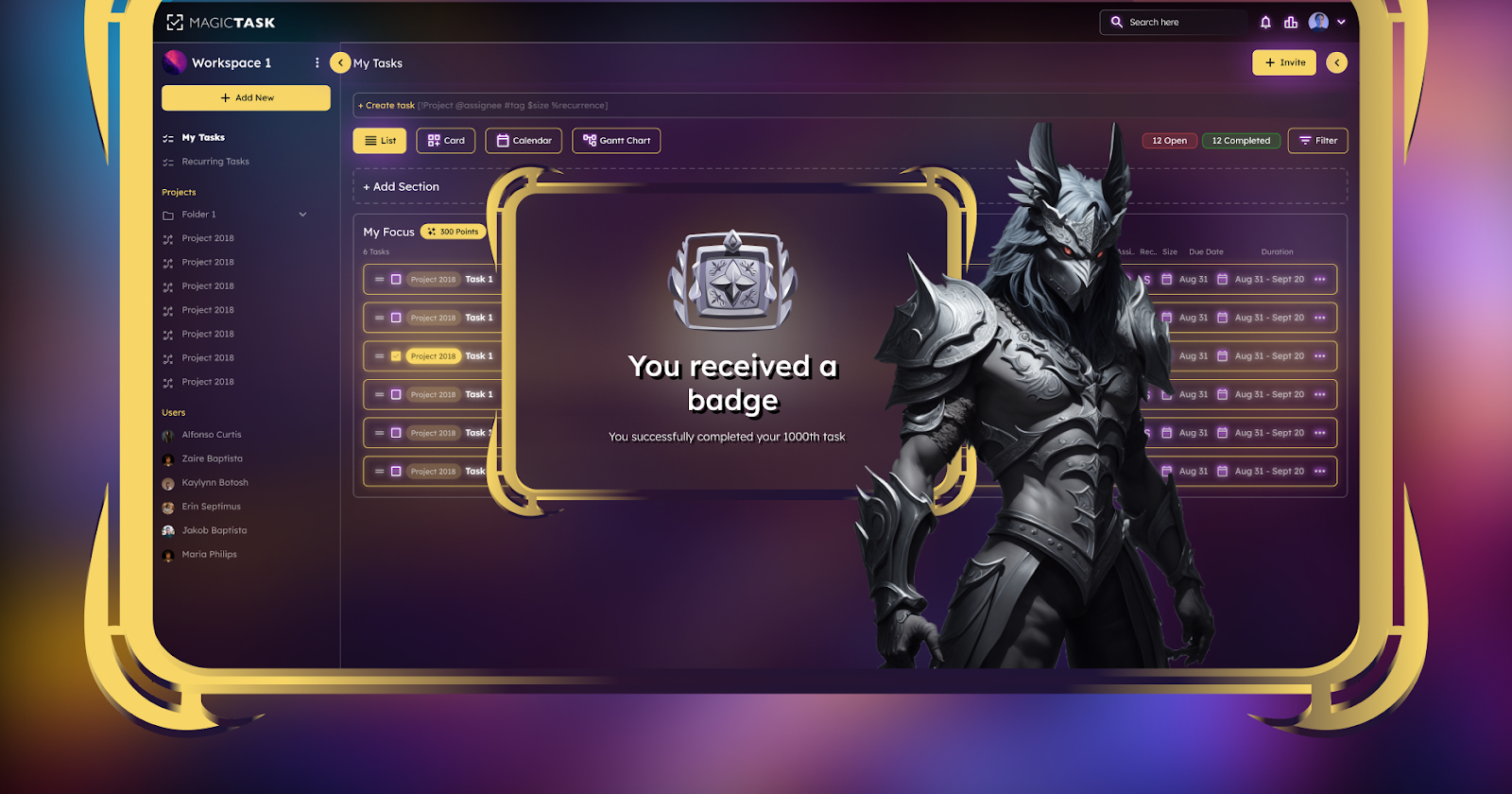
Badges

If the SWOT analysis feels complicated, gamification is an alternative approach for team goal setting. 

This simply means integrating gaming elements into the goal-setting process. Using such a technique encourages employee engagement, and boosts motivation and productivity. Here’s how to go about it:

  • Identify core objectives – Using the tips mentioned earlier, identify the main goals. Do you wish to increase company sales? Or, perhaps, improve customer service?
  • Choose a gamified task/project management tool – The next step is to select a gamified task/project management tool. Ideally, the platform should fit your goals and easily integrate into your business workflow.
  • Develop challenges – Look for challenges that correspond to the team’s goals. These activities should be equal parts fun and challenging. The idea is to encourage participation of the entire team. 
  • Identify meaningful rewards – Choose suitable rewards that will motivate your team. These can be extra vacation days, gift cards, or opportunities for career development.


Are you thinking of setting your team’s goals using this approach? If so, consider using MagicTask

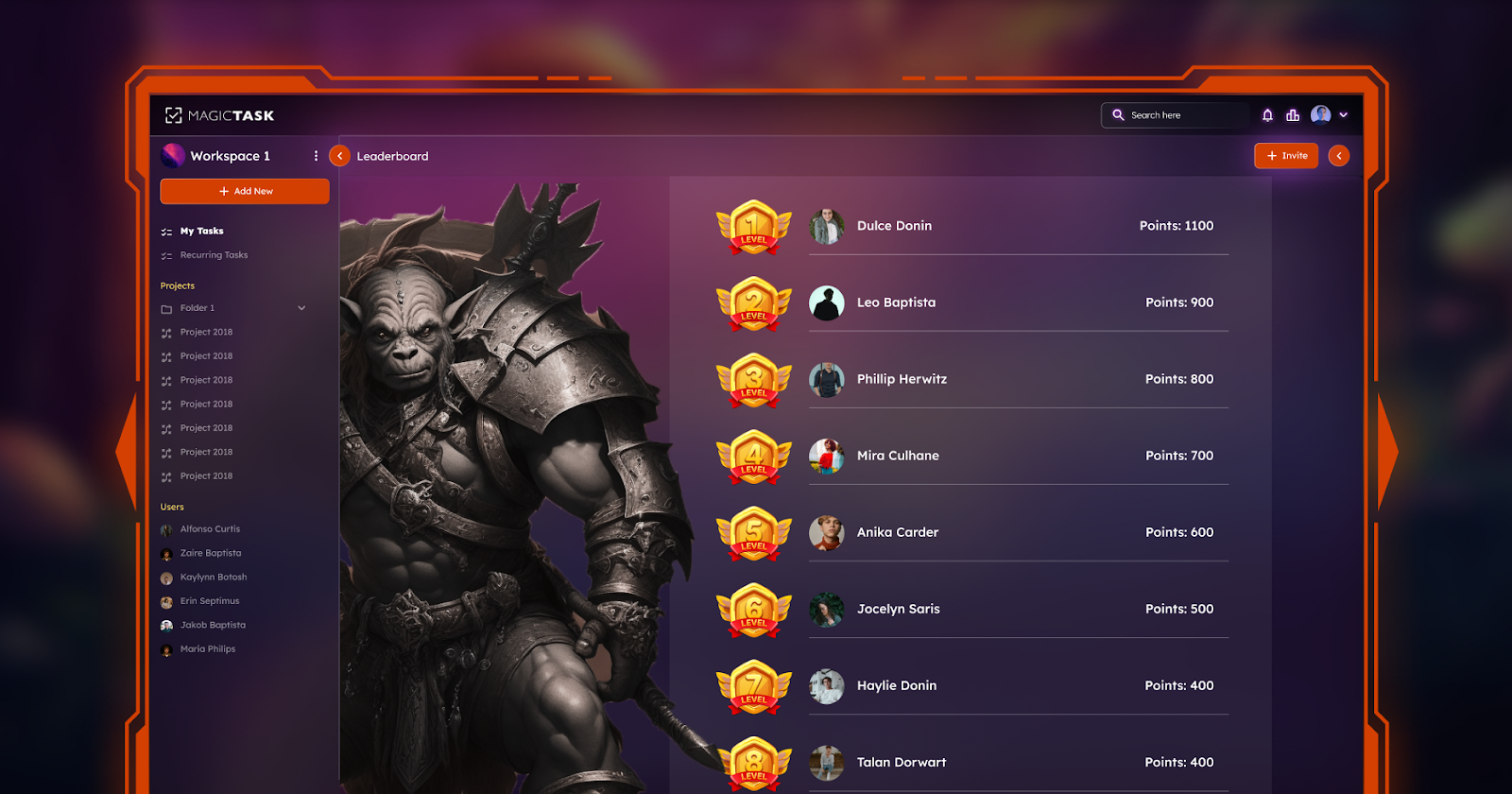
The tool makes goal setting easy and fun by incorporating gaming features. You earn points whenever you create or assign tasks to team members, and team members earn points by completing assigned tasks. 

An added bonus of using this tool is that it makes goal-monitoring management feel like child’s play. You can track your members’ to-do list items and provide feedback accordingly. 

Setting SMART Team Goals

Regardless of the tool you use, there are a few points you should keep in mind when setting team goals. 

To be more specific, aim to set SMART goals. This acronym represents specific, measurable, achievable, relevant, and time-bound goals. Let’s look at each of these aspects in more detail:

  • Specific: state the particular result you’d like when you achieve the goal, e.g. increase social media following by 30%
  • Measurable: whenever possible, choose goals whose progress or success can be quantified.
  • Attainable: while it’s good to be ambitious, set goals that your team can achieve. 
  • Relevant: the goal should correspond to the firm’s vision and values.
  • Time-based: develop a timeframe for accomplishing the specified goals.

Aligning Team Goals with Individual Aspirations

By now, you should have a solid understanding of how to identify goals for your team. However, it’s a bit more complicated than it sounds. That’s because you also have to ensure that team goals align with those of individual team members.  

This alignment ensures that every individual’s objectives are in sync with the organization's wider mission and vision. It also means that every team member knows how their roles contribute to the business’s success. So, why is goal alignment so crucial?

1. Improves Employees’ Motivation

One benefit of goal alignment is that it motivates employees by giving them a sense of purpose. A vivid understanding of how their roles contribute to the firm’s success motivates them to work on the team's goals.   

2. Boosts Productivity

With greater motivation, it’s not surprising to learn that goal alignment also improves productivity. According to Gartner, it can increase by as much as 22%.

3. Easier to Review Employees’ Performance

Aligning goals allows you to create a framework for reviewing individual employee performance. It helps you to figure out what success means for every team member. This way, you can monitor their progress and offer relevant insight and support.

The perks of aligning team goals with individual member goals are clear. The only question left is, how do you achieve this alignment? Here are a few tips that might help:

Communicate company goals from the top down

The role of the CEO is to relay the company’s mission and vision to the executives. 

Once they do, it’s your responsibility as a team leader to communicate this information to your team. This does not mean relaying the same message verbatim. Instead, you should translate how this information applies to your department and individuals.  

Acknowledge individual wins

Another way to achieve goal alignment is to celebrate individual wins. If a team member makes a significant contribution, acknowledge them. This helps them feel valued, hence, boosting their motivation. 

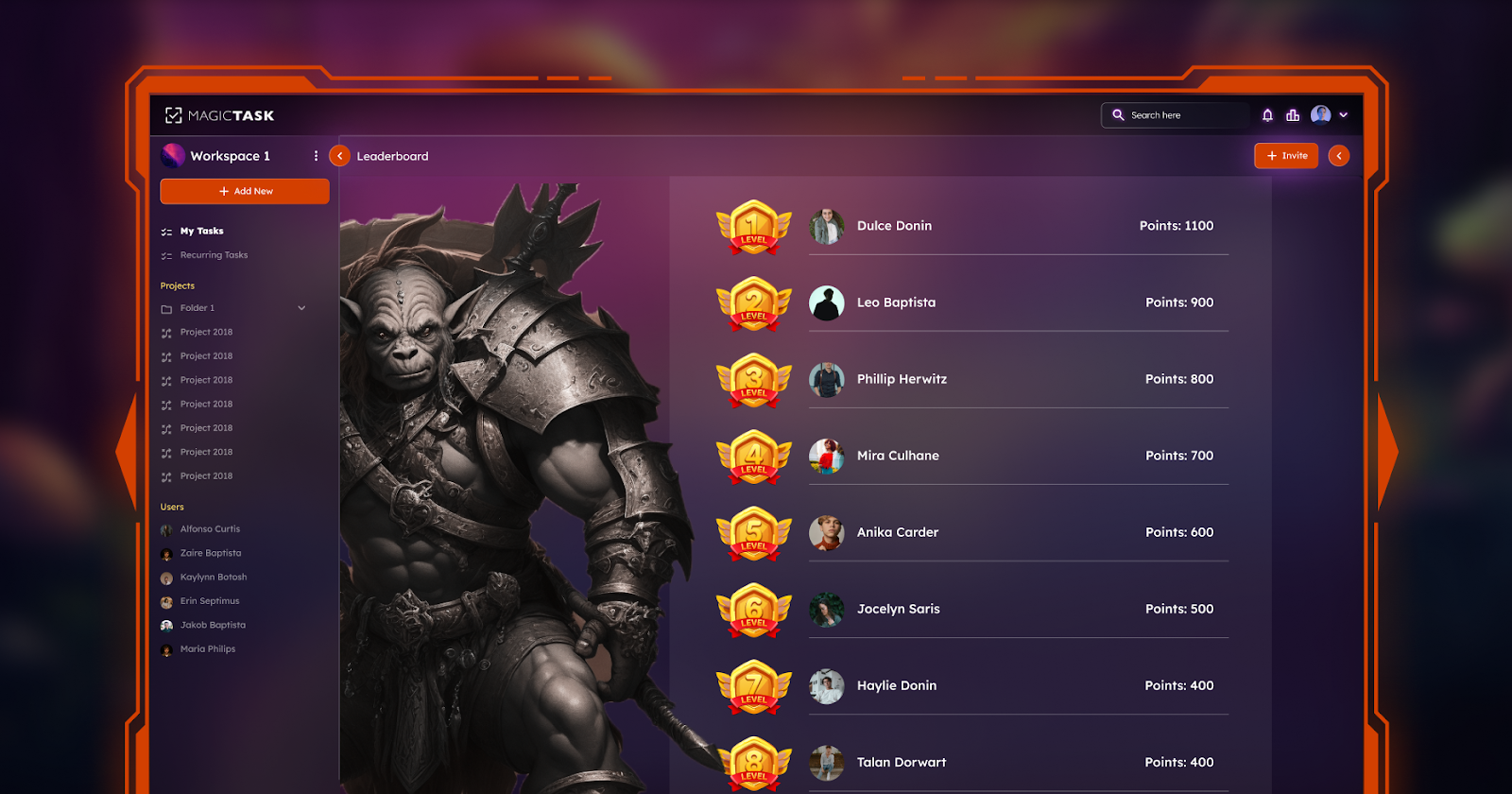
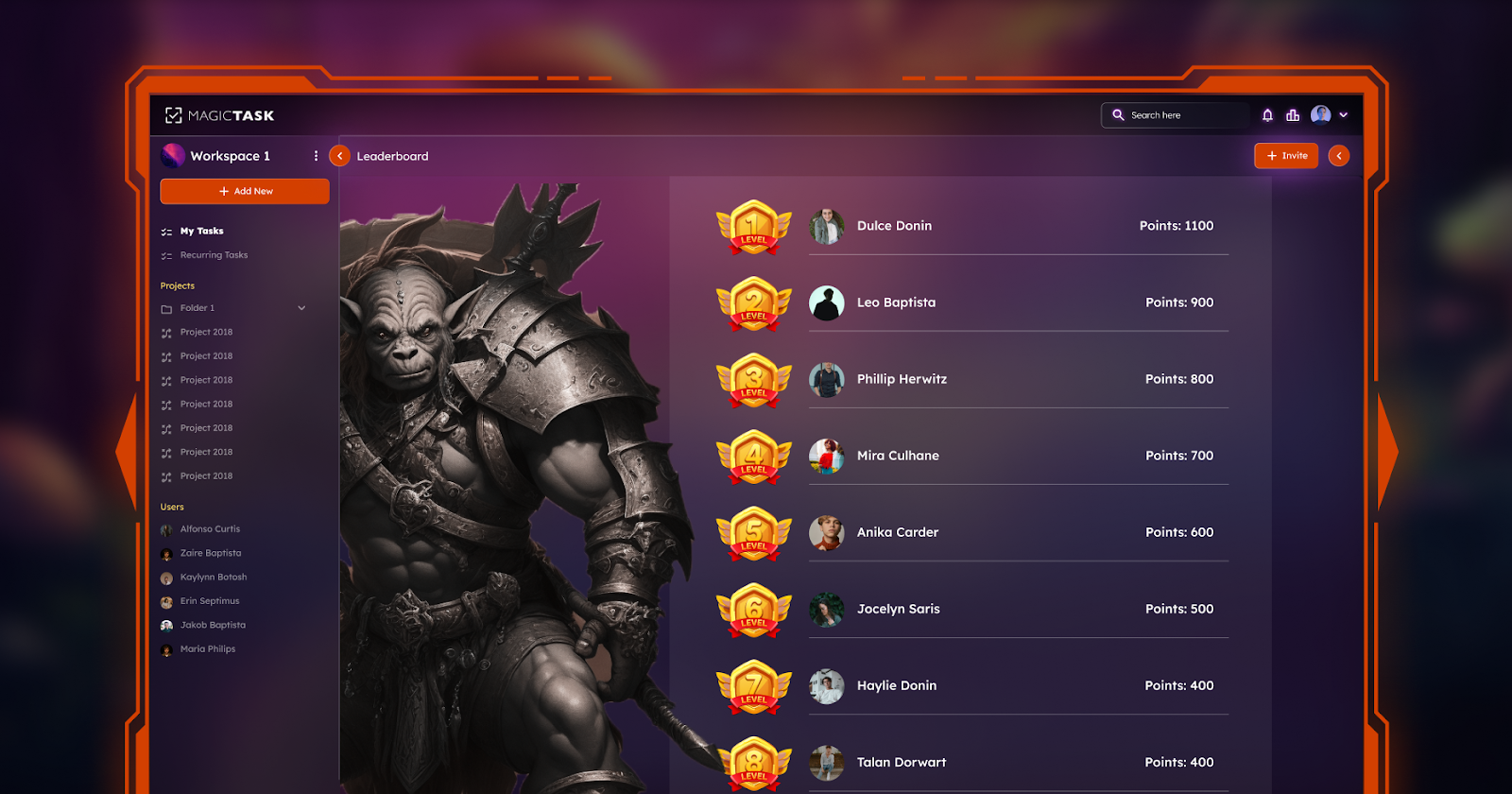
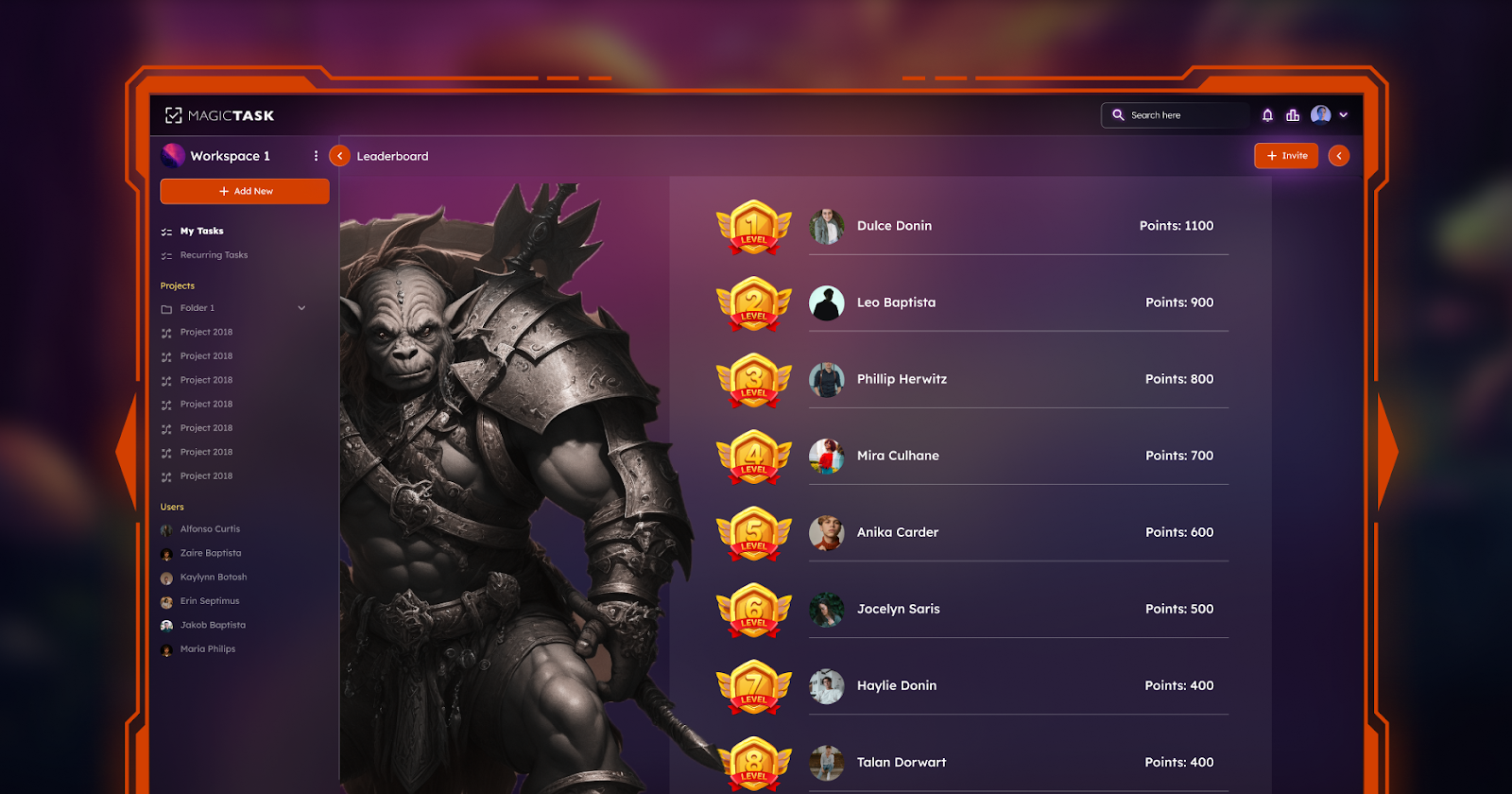
Leaderboard

Monitoring and Measuring Goal Progress

Every once in a while, it’s important to evaluate your team’s performance. This will help you know their progress towards achieving goals. Plus, it can shed light on team members’ strengths and weaknesses. Here are a few recommendations on how to do this:

Monitor Key Performance Indicators (KPIs)

There are a couple of metrics you can use to evaluate your team’s performance, such as:

  • Output quality – Start by assessing the consistency of results across the board. Is each team member delivering premium-quality work?
  • Client satisfaction—Soliciting feedback from customers can also illuminate team members' performance. If possible, ask clients to rate their experience on a scale of 1 to 10. This will tell you whether team members are delivering excellent or subpar services. 
  • Error recurrence – There’s nothing wrong with making mistakes. However, this is not an excuse for employees to repeat errors. If one of your team members constantly makes the same mistake, it means they’re not paying attention, and it reflects poor performance.

Assess Attendance and Completion

You can also assess your team’s performance based on their absenteeism and completion rate. 

A team member who is constantly absent affects the team’s efficiency in accomplishing goals. Similarly, one who submits projects past the deadline compromises the team’s workflow. 

On the other hand, workers who are always present and complete their projects within the specified timeframes boost the team’s performance. This also shows they understand their respective roles in the team’s dynamics. 

MagicTask can also help you monitor your team's progress. It contains an in-built analytics module, which uses several KPIs to show each member’s input. As such, you’ll be able to see the best- and worst-performing members by checking their daily, weekly, or monthly MagicTask points. 

Also Read: How to Use Task Management Tools to Track Your Goals

Conclusion

Setting and communicating team goals is vital for a company’s overall success. It gives employees a sense of purpose and direction, thus, improving their efficiency and productivity. Besides, several tools are available to help you set team goals. You can use a SWOT analysis, gamification, and backward goal-setting, among others. 

Whichever approach you use, be sure to set objectives that are specific, measurable, realistic, and relevant to the organization. It’s also wise to consult your team when setting goals. This way, you can set up ones that benefit the company and align with the ambitions of the team members.

10 Simple Habits to Help You Get Organized at Work

Task Organized in MagicTask V3 Dashboard

Have you been racking your brain on the best ways to improve your productivity at work? Here’s one idea you might not have considered: organizing your workplace environment. Although it sounds rather simple, it has a massive effect on your work performance. 

Maintaining a clean workspace improves concentration, minimizes stress, and increases motivation, all of which boost productivity. A Staples Corporation study found that 94% of employees reported feeling more productive when they worked in an uncluttered environment. 

The good news is that organizing your workspace doesn’t take much. This article lists ten simple workplace habits to help you get organized. 

1. Declutter Your Workspace

Many workers need to realize the strong link between cleanliness and mental well-being. A messy workstation can make you feel overwhelmed and stressed. 

That’s why decluttering your workspace is so important. More than tidying up your desk, it gives you control over your work environment. This minimizes unnecessary stress and anxiety, improving your focus. Follow these four steps to declutter your workstation:

  1. Remove everything: Start by removing all your work supplies from the desk and arranging them neatly on the floor. 
  2. Sort the items: Laying everything on the floor makes sorting them into relevant and irrelevant categories easier. Go through each item, placing it in one of three piles: keep, store, and junk. The first pile is for frequently used items, while the second comprises essential but less frequently used items. The last pile consists of things you don’t use.
  3. Place the items in their respective spots: Once you’re done sorting, place each item in its rightful place. Arrange the first pile neatly on your desk. Store the second batch of items in drawers, shelves, or boxes. Donate or, better yet, throw the last pile in the trash.
  4. Declutter daily: At the end of each day, spare five minutes to put your items in their designated storage areas. This keeps your work environment and mind organized.


2. Prioritize Your Tasks

A high workload can lead to disorganization. With so many tasks demanding your attention, you can quickly lose track. 

Instead of managing all these tasks simultaneously, consider classifying them based on relevance. This process is known as task prioritization. It helps you maintain organization by deciding which tasks are most vital to focus your time and energy on. 

For illustration purposes, let’s examine a task prioritization technique like the Eisenhower Matrix. This tool requires you to organize tasks into four groups based on urgency and importance. Here are the four categories and how to treat each one:

Important and Urgent

Failure to do these tasks has severe repercussions. As such, you should prioritize and work on them immediately.

Important and Not Urgent

These tasks don’t have distinct deadlines. However, they play a part in your overall success.  This category of tasks can be scheduled for later.

Urgent but Not Important

Although these tasks matter, they don’t require your individual input. As such, you can delegate them to your colleagues or junior staff. 

Not Important and Not Urgent

These are merely distractions. Remove them from your schedule completely.

3. Set Clear Goals

Another simple habit that’s guaranteed to improve your organizational skills is setting goals. 

Goal setting involves two things: creating an objective(s) and setting a realistic timeline for achieving the goal. The latter part, allocating a specific timeframe, helps you stay organized. It ensures that you’re focusing your time and energy on only tasks that align with your end goal. 

When it comes to setting goals, avoid being vague. Experts recommend using the S.M.A.R.T. acronym to get the most out of this. This means setting goals which are:

  • Specific: setting clear objectives increases the likelihood of achieving them.
  • Measurable: set goals that can be measured. This will make it easy to monitor your progress.
  • Attainable: create objectives that you can actually achieve within the predetermined timeframe.
  • Relevant: identify the “why” behind creating each goal. Is it well-intentioned? Does it align with your overall ambitions?
  • Time-bound: set a deadline for achieving your goals.

4. Implement Time Management Techniques

Learning how to get organized at work also requires you to implement time management techniques. 

Any one of the methods below can help you plan your schedule properly. This reduces the risk of spending time on unnecessary or distractive activities. Examples of these time-management techniques are: 

Pomodoro

Implementing the Pomodoro technique is fairly straightforward. It involves working on a specific task for a predetermined period before taking a short break. 

Typically, an individual works uninterrupted for 25 minutes and then takes a 5-minute break. After undertaking four such Pomodoro sessions, you’ll take a slightly longer break of 15 to 30 minutes. 

Pomodoro Timer in MagicTask V3

Time-Blocking

As the name implies, this approach requires you to split your day/week into time blocks. Next, allocate a task for each block. For instance, you can decide to hold client meetings between 9 a.m. and 11 a.m. every day.  

5. Develop a Filing System

An International Data Corporation report found that employees spend a staggering two and a half hours looking for information. 

So, if a typical work day is eight hours, you spend more than 30% of your time searching through drawers or sifting through piles of digital documents. This wastes valuable time and leads to disorganization. If you want to be more organized, implement a filing system for your digital and physical files. 

For physical documents, you can use any one of these options:

  • Numerical: create a cross-reference index that can be used to organize files numerically.
  • Alphabetical: this technique allows you to arrange files based on clients’ names, places, or subject matter.
  • Chronological: ideal for organizing files that involve dates or deadlines.


For digital files, consider one of the following tools:

  • Google Drive: this is a cloud-based suite that lets you keep, organize, and even share electronic files. 
  • Dropbox: stores documents in different formats, including heavy CAD files and videos with 4K resolution.

The idea is to store your paperwork more neatly, enabling easier accessibility. 

6. Limit Multitasking

For a long time, companies have listed multi-tasking as one of the skills they look for in candidates. In fact, many employees are asked to undertake additional tasks and projects that weren’t included in their job descriptions.

This is because multi-tasking has always been regarded as a means of increasing efficiency. But as new studies reveal, this couldn’t be further from the truth. 

The human brain is not wired to tackle multiple projects simultaneously. Multitasking only compromises your ability to focus and retain details. This, in turn, slows you down and makes you less efficient. Instead of juggling numerous tasks concurrently, try focusing on one at a time. 

7. Schedule Regular Breaks

Some people assume that working non-stop for numerous hours helps them achieve more. But this is a far cry from the truth. 

Research shows that workers who take frequent breaks are more productive than their so-called “work martyrs.” A break lasting between 30 seconds and 5 minutes can boost productivity by up to 13%.

Taking breaks helps you decompress, so you resume work more rejuvenated and relaxed. Additionally, breaks present an opportunity to reassess your day’s goals. You get to pause and take inventory of the tasks you have or have not done, leading to better organization.  

8. Create Routines

MagicTask V3 Dashboard

Another simple habit that’s guaranteed to help you achieve work organization is creating a routine.

A routine is a series of pre-determined activities you undertake during the day. In other words, it means planning your day’s tasks in advance. This gives you a framework for how you’ll spend your time; thus increasing productivity and efficiency. 

Another benefit of working with a routine is that it eliminates decision fatigue. Having to go back and forth about which tasks to do, when to do them, and how long to spend on each, quickly depletes your mental energy. A preset schedule prevents you from wasting such 

time and energy. 

9. Learn to Say No

Saying "no" to anyone, let alone your boss, is difficult. Many fear disappointing their employers, while others feel overwhelmed by guilt if they say no.

Regardless, learning to say no is important, especially if it's for the right reasons. If you can only manage your current workload, you shouldn’t be signing up for additional projects. 

This will only hurt your productivity. You'll find it harder to concentrate on your current tasks and feel unnecessarily anxious and stressed. Here are a few instances where you should stand your ground and say No:

  • You have a tight schedule
  • There are alternatives (delegating the task to a colleague)
  • The extra task(s) does not align with your work
  • The task is not a match for your skills

10. Continuous Improvement

Adopting the habits mentioned above is a great first step. However, it’s also good to review your progress regularly. Spare a few minutes every week to evaluate how the new strategies impact your organization and work performance. 

Is the filing system you implemented helping? What about the time management techniques? Did you accomplish the goals you created at the start of the week? 

Answering these questions offers insight into your progress. They’ll help you determine which habits are helping and which ones need some tweaking. 

Conclusion

Maintaining organization at your workplace can boost your productivity and reduce overall stress. The beauty of this is that it doesn’t take a lot to be organized. Simple habits like decluttering your workstation, setting specific goals, and adopting a filing system can improve your organization. 

Other productivity tips that can help you be more organized include taking regular breaks, creating a routine, and limiting multitasking. Lastly, it’s important to learn the art of saying No. This way, you can focus on the tasks at hand, leading to higher-quality results.

What Makes MagicTask V3 the Ultimate Tool for Remote Teams?

MagicTask V3 for Remote Teams

Today's remote teams need tools that facilitate seamless collaboration while also improving productivity. MagicTask V3 is an innovative solution designed to meet the specific needs of remote teams. As the latest version of the popular task management platform, MagicTask V3 offers a multitude of new features and improvements that streamline workflows and encourage teamwork. Here are a few factors that make MagicTask V3 the ultimate tool for remote teams, helping them conquer challenges and succeed.

Understanding MagicTask V3

MagicTask V3 is a significant improvement in task management tools, especially for remote teams. V3 builds upon the framework laid down by its predecessors and incorporates a variety of improvements and innovations to remain up to date with the changing environments and demands of remote work. 

V3’s main updates and improvements are the new user interface redesign that ensures the software is more intuitive and readily accessible across different platforms and devices. Thus, team members who work remotely can easily collaborate and manage their tasks regardless of their location or device of choice. 

It improves the ease of collaboration among remote teams, and the examples include shared task lists, real-time commenting, and file attachments. These features are designed to enhance communication and the ease with which knowledge can be transmitted among remote workers. 

It also comes equipped with robust time tracking and statistics tools, which help teams evaluate the use of their time and the progress of their various projects. By tracking task-based time utilization and measuring performance, teams can learn from their steps and optimize their processes.

Key Features That Set MagicTask V3 Apart

Key features of MagicTask V3 are as follows: 

Task Prioritization and Organization

V3 comes with an enhanced task prioritization and organization tool that allows remote teams to manage their workload adequately and meet deadlines. The platform comes with customizable task lists and drag-and-drop ease that enables team members to place tasks in order of importance and urgency. Moreover, users can assign categories to their tasks and set their due timeframes, providing a clear definition of responsibilities.

Collaborative Workspace

It enables remote teams to work on their tasks as a group through a collaborative workspace tool. This feature allows team members to add comments to a task, attach files, and mention others using “@” to collaborate on tasks in real-time. The platform thus fosters greater transparency and information sharing among team members even when working from different locations.

Customizable Workflows

It is flexible enough to meet varying needs among remote workers, courtesy of the customizable workflows tool. The platform allows teams to tailor the use of MagicTask V3 in line with their processes, workflows, and project management structure. Users may create task statuses, automate different workflows, and even integrate with other tools, making it more convenient to use it .

Integration Capabilities

V3 integrates with a myriad number of platforms and tools, connecting it with other preferred programs that teams use for remote working. It integrates well with communication tools like Slack and Microsoft Teams and project management programs such as Trello and Asana, among others.

User-Friendly Mobile App

Users who work remotely or are always on the go can access their tasks and manage their projects using their smartphones or tablets. MagicTask V3’s mobile application also allows colleagues to communicate and track each others’ progress. The mobile app interface is easily accessible anywhere, allowing users to be in the office, traveling on a business trip, or working in a home office for a different team member halfway around the world. Mobile functionality increases flexibility and allows remote teams to be productive and stay connected, even when they cannot be near their desks.

MagicTask V3 Mobile App

The Impact of MagicTask V3 on Remote Team Productivity

MagicTask V3 significantly boosts the productivity of remote teams to help them overcome challenges and achieve their targets quickly and efficiently. MagicTask V3 boosts productivity for remote teams in the following ways:

Streamlined Task Management

MagicTask V3 provides a centralized platform for remote teams, eliminating the chaos of scattered communication channels and disjointed workflows. By consolidating tasks, deadlines, and project-related information into a single, easy-to-navigate interface, MagicTask V3 makes task processes more manageable and reduces the likelihood of misunderstandings or lost information. Teams can assign tasks with clear deadlines and priorities, ensuring everyone knows what needs to be done, who is responsible, and when it is due.

In addition to centralizing task management, MagicTask V3 includes automated reminders and notifications, keeping everyone informed and on track. The platform supports collaboration by allowing team members to add comments, share files, and provide real-time updates on task progress, fostering a seamless and transparent work environment. With these features, MagicTask V3 enhances productivity and efficiency, making it an indispensable tool for remote teams.

Enhanced Collaboration

MagicTask V3 provides collaborative workspaces to support efficient and easy communication among remote team members. Real-time comments, file attachments, and @mentions enable team members to work together on tasks and share important information. This creates unity and a sense of cohesion among teams despite their distance which boosts productivity and project performance.

Improved Time Management

Time tracking and analytics features are crucial for remote teams striving to enhance time management and resource allocation. By providing detailed insights into how time is spent on various activities, teams can identify inefficiencies and bottlenecks that hinder productivity. This visibility allows team members to make informed decisions about how to adjust their workflows and prioritize tasks, ensuring that time is used effectively and that the most critical tasks receive the attention they need.

In addition to tracking time, MagicTask V3's analytics tools help teams monitor productivity metrics and performance trends. This data-driven approach enables teams to optimize workflows and allocate resources more effectively. By understanding where time and resources are being utilized, teams can make proactive adjustments to improve efficiency and productivity. Ultimately, this leads to better project outcomes and a more efficient use of time.

Accountability

It promotes accountability in remote teams by offering transparency and visibility to Task IDs and progress. Customizable task lists, due dates details, and task status help team members know what is required of them and when. Team members are, therefore, accountable and committed to meeting deadlines and deliverables.

Integration

V3 easily integrates with common tools that remote teams use to communicate and complete their tasks. It integrates with remote communication tools, project management tools like Trello, Asana etc. V3 makes it easier for team members to use their existing and preferred tools while enhancing communication and productivity.

Efficient Resource Allocation

It allows remote teams to allocate resources efficiently through exposing task dependencies, workload distribution, and resource availability. Task dependencies and resource allocation on MagicTask V3 will facilitate teams to understand the linkage between resources and where efforts should be allocated to prevent over allocated or underutilized resources. This way, teams can optimize their project timelines and resources and consequently improve the success ratio of their projects and resources utilization.

Portfolio

Integrating MagicTask V3 into Your Remote Workflows

Integrating MagicTask V3 into your existing remote workflows offers a simple but effective way to boost productivity and collaboration among your teammates. With the following integration tips, you can quickly incorporate MagicTask V3 into your remote work practices. Steps on integrating MagicTask V3 are: 

Assess Your Team's Needs

Evaluate your current workflows, processes, and the areas of frustration among your team members. Understanding these pain points is crucial for a smooth transition to MagicTask V3. Engage with your team to gather feedback on what works well and what doesn't in your existing system, focusing on areas where efficiency and productivity can be improved.

Identify how using MagicTask V3 could help streamline collaboration, task management, and productivity. By pinpointing specific challenges such as communication gaps, missed deadlines, or disjointed task tracking, you can tailor the integration process to address these issues directly, ensuring that the new system meets the needs of your team.

Customize MagicTask V3 to Fit Your Workflow

MagicTask V3 is highly customizable, so tailor the platform to your team’s processes and preferences. Adjust elements such as task lists, status columns, and workflows to align with your current methods. This customization helps prevent disruption and makes the transition smoother for your teammates.

Adapting the software to your workflow as closely as possible minimizes resistance and enhances acceptance. It allows team members to see the value of the new system without feeling overwhelmed by drastic changes. A seamless fit into existing practices ensures that productivity remains high during the integration phase.

Provide Training and Support

Ensure to train your team members on how to use MagicTask V3. Provide comprehensive training resources such as tutorials, videos, and hands-on sessions to help your team get acquainted with the platform. Effective training ensures that all team members are comfortable with the new tool and can utilize it to its full potential.

Offer ongoing support to address any questions or issues that arise during the initial phases of integration. Having dedicated support channels or personnel available can help resolve problems quickly, maintaining the momentum of adoption and ensuring that the team continues to use MagicTask V3 effectively.

Encourage Adoption and Collaboration

Encourage your team members to use MagicTask V3, making it the go-to platform for managing tasks. Highlight the benefits, such as increased transparency, better communication, and greater productivity, to motivate your team to fully embrace the tool.

Create a culture of collaboration by showcasing success stories and positive outcomes resulting from using MagicTask V3. Reinforce the importance of the platform in daily operations and provide incentives for consistent usage, fostering a collaborative and productive work environment.

Leverage Integrations

MagicTask V3 allows you to fully integrate this tool into your existing stack with integrations with communication tools like Slack and Microsoft Teams. These integrations streamline communication and ensure that all project-related discussions and updates are centralized.

Additionally, integrating with project management platforms like Trello and Asana can further enhance your workflow. By connecting MagicTask V3 with other tools your team already uses, you create a cohesive system that reduces the need to switch between different platforms, ultimately boosting efficiency and productivity.

Final Thoughts

MagicTask V3 is a game-changer for geographically dispersed teams. The platform has multiple features that improve productivity in exceptional ways. It ensures every team member is up-to-date with the task management irrespective of their location. It enables a sense of oneness, which is essential in teamwork. Its time tracking capabilities play a crucial role in helping teams to understand their priorities to ensure data-driven decisions on productivity. 

It promotes accountability in remote work environments by ensuring all tasks have visible reporting to allow meeting deadlines. Easier integration with other tools used in remote work environments also enhances workflow between platforms. Teams can easily adapt to the changes and prosper in the remote work environment by leveraging these platforms.

How to Transform Your Daily Grind into an Epic Adventure with MagicTask V3

MagicTask V3 Avatar Screen

The next-generation gamified task management platform, which is built with hyper-simplicity, is called MagicTask. Gamers created the MagicTask, and it is built for gamers and businesspersons with a game-themed approach.

In the busy pace of our everyday lives, the repetition of routines can frequently be taxing on our emotions and diminish the vibrancy of our experiences. A ground-breaking idea that aims to bring the magic of an epic journey into every second of our everyday grind is presented by MagicTask V3.

Fundamentally, there are parameters of conventional productivity tools, such as MagicTask V3. It is a doorway to a world where the commonplace is transformed into the extraordinary and the mundane is infused with possibilities and magic. It is also more than just a work management tool.

Picture your work list calling out to you with an invitation to adventure instead of hearing the moan of duty when you wake up every morning.

With gamification concepts, MagicTask V3's ability to seamlessly integrate cutting-edge technology is the key to its revolutionary potential. It stimulates our natural curiosity and investigation, transforming even the most boring duties into exciting challenges through the gamification of routine tasks.

Characteristics of MagicTask V3

Gamification Elements: In terms of gamification features, Magictask V3 incorporates them to make task management engaging and enjoyable. As users complete their tasks, turning mundane activities into exciting challenges, they can earn rewards, badges, and experience points.

Customizable task boards: Users can create customizable task boards tailored to their specific needs and preferences with MagicTask V3. For individual workflows, this flexibility allows efficient organization and prioritization of tasks.

Goal Setting and Tracking: Users can set clear goals and milestones, providing a sense of direction and purpose with MagicTask V3. By gaining valuable insights into their productivity habits and performance, users can track their progress in real time.

Collaborative Features: Through shared task boards, group challenges, and team competitions, MagicTask V3 fosters collaboration and teamwork. By promoting a sense of camaraderie and accountability, users can collaborate with colleagues, delegate tasks, and celebrate achievements together.

Cross-Platform Compatibility: Across multiple devices and platforms, such as web browsers, desktop applications, and mobile devices, MagicTask V3 is accessible. In users' daily workflows, this ensures seamless integration, regardless of their ideal devices. To monitor productivity and performance over time, MagicTask V3 provides visualizations and reports. These reports are very effective and useful for achieving success in upcoming projects. Therefore, this tool is perfect for getting success.

MagicTask Attack Screen

Importance of MagicTask V3

Finding Joy in Routine

Every day we have multiple tasks, both big and small, that figure out the material of our survival. In an ever-changing world, from waking up to making breakfast, lunch, and dinner, doing our work, and finishing daily tasks, our routines provide structure as well as stability.
Unleashing the Power of Productivity

In terms of task management and productivity boosts, Magic Task V3 is a paradigm shift. Fundamentally, Magic Task V3 is an all-inclusive software program made to improve productivity, inspire drive, and optimize processes.

In contrast to conventional task management systems, Magic Task V3 goes beyond simple prioritization and categorization. It increases productivity, which presents a gamified method by adding enjoyment, challenge, and reward to jobs.

Your Path to Productivity Excellence

MagicTask V3 is both simple and transformative, which is embarking on your journey. Magic Task V3 offers a user-friendly experience that empowers you to take control of your workflow and accomplish your goals with ease when you are a newcomer to the world.

The initial step to getting started is creating your account with MagicTask V3. You can sign up and gain access to a world of possibilities with just a few clicks. Through the setup process, by logging in, you'll be greeted by an intuitive interface.

In the next step, to understand Magic Task V3's features and capabilities, spend some time examining all the processes. From task creation and deadline setting to workflow organization and teamwork, Magic Task V3 delivers an extensive toolkit to fulfill your demands.

Turning Mundane Tasks into Epic Adventure

In terms of productivity, routine tasks frequently act as roadblocks to our feelings of satisfaction and success. But with MagicTask V3's cutting-edge features, these routine tasks become grand adventures brimming with thrills, challenges, and rewards.

Magic Assignment V3's distinct gamification features, which give each assignment a feeling of direction and adventure, enable it to accomplish this feat. To transform from ordinary to extraordinary, MagicTask V3 plays an important role by adding features like quests, challenges, and awards. Users are encouraged to approach their chores with newfound vigor and resolve.

Enhancing Productivity and Motivation

The most important factor that propels the pursuit of productivity and personal development is motivation. MagicTask V3 recognizes the basic fact that it is intended to boost motivation and productivity beyond anything seen before.

The core of productivity-enhancing features is described by MagicTask V3's capacity to define goals and milestones. By setting their targets, users may stay focused, stay on course, and make consistent progress toward their goals.

By giving users insightful information about their productivity patterns and behaviors, MagicTask V3 makes it easier to track accomplishments and progress. With the help of easy-to-use analytics and reporting tools, users may celebrate their triumphs and pinpoint areas for development, which creates momentum and a sense of accomplishment.

By turning tasks into interesting adventures and challenges, MagicTask V3 incorporates gamification into the productivity space. Leaderboards, badges, and incentives in the Magic Task V3 encourage players to go above and beyond their comfort zones and aim for perfection in all they do.

MagicTask V3 Leaderboard

The Power of Connection with MagicTask V3

Success and innovation are largely dependent on teamwork in the linked world. MagicTask V3 provides a comprehensive feature set aimed at encouraging user participation and teamwork by acknowledging the value of cooperation.

The ability to set up shared task boards, which facilitate easy team collaboration on initiatives and projects, is the most notable feature of MagicTask V3. With real-time updates and notifications, team members can stay informed and coordinate, which guarantees that everyone is working toward the same objectives and is in agreement.

MagicTask V3 also promotes participation with features like team challenges and tournaments. To accomplish amazing results by creating goals and benchmarks together, teams can come together and harness the power of cooperation. Magic Task V3 gives teams the tools they need to recognize and celebrate their successes together to finish a project ahead of schedule or outperform performance goals.

Furthermore, Magictask V3 gives team members a forum to exchange opinions, suggestions, and insights. Groups can use the combined expertise and inventiveness of their colleagues to propel breakthroughs in innovation and problem-solving by employing cooperative dialogue and ideation sessions.

MagicTask V3 essentially goes above and beyond typical task management by encouraging a culture of involvement and cooperation. People can become able to reach their goals and realize their full potential in a cooperative and encouraging setting by uniting people and offering resources for efficient communication and teamwork in Magic Task V3.

Difficulties and roadblocks are unavoidable on the path to increased productivity and personal development. However, if the users have Magic Task V3's advice and support, they can overcome these obstacles with resiliency and determination. By giving users the tools and techniques they need to stop putting off tasks and remain goal-focused, MagicTask V3 tackles the issues. Magic Task V3 helps users resist the urge to put off doing things by breaking jobs down into small chunks and providing features like progress monitoring, deadlines, and reminders.

There is a big problem with users’ distractions, whether they originate from inside thoughts or outside sources. To maintain the user's attention in the face of distractions, Magic Task V3 encourages time management skills and mindfulness. Users can reduce interruptions and optimize efficiency through the establishment of priorities and the allocation of specific time slots for tasks.

The fact that failures and setbacks are inevitable components of learning is recognized by MagicTask V3. Users are encouraged to perceive failures as opportunities for learning and progress rather than as obstacles to overcome by MagicTask V3.

To go past difficulties and hurdles on the path to success and personal fulfillment, MagicTask V3 gives the users the resources, attitude, and encouragement. The users come out stronger and may overcome misfortune and become more resilient than ever before by embracing perseverance and resilience.

Unleashing Your Full Potential with MagicTask V3

The main points are that ongoing learning, development, and self-discovery are the paths to both professional and personal growth. By thanking MagicTask V3's transformational power and opening doors to new levels of fulfillment and success along the way, users can set out on this path with confidence and purpose.

Magic Task V3 acts as a catalyst for both professional and personal development by giving users the instruments and resources they need to set challenging objectives, monitor progress, and recognize accomplishments. Users can learn a great deal about their advantages, disadvantages, and areas for development with tools like goal-setting, milestone monitoring, and progress visualization. I would like to recommend this tool to all industries.

Furthermore, as a chance for improvement, Magic Task V3 promotes a growth mindset in its users, seeing obstacles and failures. Magic Task V3 enables users to surmount challenges and emerge with greater strength and resilience than before through the cultivation of a resilient and adaptable culture. Using this tool offers success and complete peace of mind to gain success in the projects.

Teamwork, personal development, and information exchange among users are promoted by MagicTask V3. By utilizing the combined knowledge and experience of their peers through group projects, shared tasks, and team challenges, users can increase their success and creativity.

In the end, the best platform is MagicTask V3 for both professional and personal transformation, rather than merely a productivity tool. Individuals can unleash their complete potential and attain unparalleled degrees of accomplishment and contentment in every facet of their lives through the utilization of goal-setting, teamwork, and ongoing education. This is beneficial for educational uses.

Conclusion

The transformative and empowering tool on the path of productivity and personal development is MagicTask V3. It is evident that MagicTask V3 surpasses conventional task management instruments and turns into a driving force behind transformation and accomplishment upon contemplating the diverse attributes and potential of this inventive platform.

During this investigation, we have examined MagicTask V3's gamification components, teamwork tools, and productivity-boosting attributes. We have already seen how ordinary chores can become extraordinary journeys, how teamwork inspires creativity, and how resiliency and persistence may overcome obstacles.

Furthermore, being productive means living life to the fullest and seizing the possibilities and challenges that present themselves. MagicTask V3 is a helpful reminder. Outside of our comfort zones, take chances, and bravely and resolutely follow our passions; it inspires us to venture.

Let's not forget that the path to increased productivity and personal development is never-ending as we wrap up our investigation of MagicTask V3. It calls for commitment, tenacity, and an openness to change. We can confidently go out on this trip with MagicTask V3 at our side, knowing that we have the resources and assistance required to realize our objectives and bring our dreams to life.

How to Use MagicTask V3 to Master the Art of Efficient Project Management

MagicTask V3 for Project Management

Managing projects efficiently is essential for staying ahead of the curve in the dynamic landscape of modern organizations. MagicTask V3 is a modern project and task management tool. It is designed to transform how teams manage projects.

It has a wide range of superior features that help to streamline workflows and promote cooperation with team members. Use MagicTask V3 to tap into the full potential of effective use in the management of a project. Bid farewell to the past methodologies by using MagicTask V3 to propel project management to the next level.

We are pleased to take this route with you by introducing how MagicTask V3 can dramatically alter your approach and catapult you and your organization to the top.

What are MagicTask V3's Core Features?

MagicTask V3 redefines the project management landscape with an impressive range of indispensable core features. These features serve to ensure that the users can complete their tasks efficiently and accurately to navigate project completion smoothly. They also ensure that a user is able to actively engage with other users. Below are some features that set MagicTask V3 for success:

Task Management

The core feature of MagicTask V3 is its task management capabilities. The user can create, assign, prioritize and track tasks with other team members to ensure the project’s alignment and completion within the set duration. Customizable categories, labels, and statuses enable the team to organize and manage tasks according to its needs, including its progress level. In addition to simplifying task delegation, the system is transparent and accountable during the execution of the agenda. 

Team Communication

It plays a vital role to ensure team members interact seamlessly. It opens communication lines within the platform, ensuring that every person is updated, involved, and on the same page as far as the project goals are concerned. MagicTask V3 provides messaging, commenting, and notification functionalities for real-time information sharing and feedback. 

The team members can communicate well using the platform, eliminating confusion and ensuring all team members are on board continuously. For example, proper communication is needed when a member wants to clarify some issues on a specific task or immediately address a problem.

File Sharing

Collaboration will no doubt involve sharing files with other team participants. MagicTask V3 enables the team to upload, host files, and access them when needed. The system allows users to share project-related files without needing external storage space. The shared files range from word documents and spreadsheets to multimedia files, and no team member will lack access to the information needed to execute their duties. 

Project Tracking

Track Your Project Progress

Effective projects demand projects to keep track of progress and failures while tracking potential bottlenecks. The Visual project timelines reflect milestones and dependencies to alert the user about the possibility of the service endpoint. 

Tracking tools also provide analytics and report possible measurements to improve the aerosolized completion rates, the allocation of resources, and the freight health of the project. Teams can rely on this system to manage projects by collecting data that reduces risks, creates opportunities for enhanced success based on available data.

Deadline Management

The deadline management feature of MagicTask V3 promotes accountability among project team members. Project managers consistently set a clear deadline for every task and milestone covered under the project. It communicates the pressure and necessity of the respective activities for the team members. In MagicTask V3, users configure deadlines for each task and get reminders when the due date is near. The system makes the team members complete the task on time within the stipulated period. 

Project managers can easily monitor progress on the system using the forms and reporting tools, which track how fast your team is moving. If the tracking system identifies a loophole in the stakeholders’ implementation, it raises the flag, and the necessary corrective actions are taken. MagicTask V3 motivates employee responsibility by letting the team members know their responsibilities and allowing them to complete them on time.

Also Read: Task Management Tools vs Project Management Tools: Which is Best for you?

Integrating MagicTask V3 into Your Project Management Workflow

Introducing MagicTask V3 into your project management workflow is a strategic endeavor that can be delineated into several essential steps for a successful transition and the optimal impact of the software. The followings is an all-encompassing guide to seamlessly integrating MagicTask V3 into your project management workflow:

Setting Up Projects

Create projects in MagicTask V3 that are aligned with your organization’s goals and initiatives. Defining clear project goals, milestones, timeline, and deliverables provides a sense of direction to your team. Use customizable project templates to make the setup process easier, and maintain consistency across tasks. Creating clear parameters for your projects allows you to lay the groundwork for successful execution.

Onboarding Team Members

Introduce your team members to the platform and ensure that they are comfortable with MagicTask V3’s features. You should organize training sessions that include platform tutorials, including, interface, navigation, and its key functions segments. Assign roles and permits for them according to the access requirements and responsibilities that correlate with their onboarding. Establish a culture of participation to create a collaborative atmosphere as you launch.

Customizing Settings

Customize settings for MagicTask V3 according to specific needs in your projects. You can customize tasks’ labels, categories, and statuses to match your workflow and unique terminologies. Configure notification systems to ensure that team members receive updates that are accurate and timely concerning their tasks, deadlines, and clear important milestones. MagicTask V3 is flexible to adapt to projects with the various levels of scope, complexity, and stakeholder preferences.

Integration with Existing Tools

Integrate MagicTask V3 with tools and platforms you are already using in your organization. Whether you use communication tools like Slack or project documentation tools like Google Drive, MagicTask V3 should fit like a glove and make your workflow even more efficient. Use various API integrations or third-part bridges available as plugins to boost MagicTask V3’s performance and enable more advanced cooperation across departments 

Training and Support

Provide constant training and assistance to make sure your team members feel comfortable and motivated enough to use MagicTask V3. Develop user guides, FAQs, and get-started materials to eliminate the most common questions and concerns. Implement a support system where your team can turn to anytime, for example, a help desk or a community forum.

Best Practices for Using MagicTask V3

MagicTask V3 Leaderboard

Regular Review Meetings

Ensure regular review meetings are being done to assess the project’s progress, discuss any challenging factors or roadblocks and make alterations to the project’s plan where necessary. These meetings enable team members to update on tasks, discover dependencies and agree on priorities. This helps to keep all members in the know, and able to address problems proactively, ensuring they are solved before they become a challenge to the successful completion of a project. 

Utilize Analytics for Project Insights

Make the most of the analytics feature in MagicTask V3, to gain insight into team performance, task completion percentages and project time frames. Data analysis helps in identifying areas needing improvement, better resource distribution and risk assessment and mitigation areas. Upon analysis of the data patterns, decision making becomes easy, and you shall be able to develop strategies that work. 

Foster Continuous Improvement Through Feedback

Support a feedback culture in your team, enabling team members and stakeholders to give feedback about MagicTask V3. This does not only help in improving the application but also helps in opening up to new ideas, which may be beneficial to task authorities. Seek feedback from team members on their experience using MagicTask V3, and what they think could be done to make the application more effective and user-friendly. 

Standardize Workflows and Processes

Create standardized workflows and processes in MagicTask V3 by establishing guidelines on how to create and prioritize tasks and how to make assignments. This ensures that all members know what to do at any one time, and the established methodology is adhered to. By making the workflows possible, potential confusion and errors are minimized, leaving room for increased collaboration.    

Encourage Collaboration and Communication

Enable all team members to communicate and collaborate by using MagicTask V3 in-app messaging, comment options and notifications. A team may find it hard working together without open communication and collaboration channels. 

Final Thoughts

MagicTask V3 is an innovative solution that can redefine your approach to project management. It improves efficiency by automating workflows through combining analytics. Teams eliminate unnecessary repetition and delays as well as optimize resource use leading to improved productivity and reliable achievement of project milestones. 

The solution promotes collaborative work environments. With its messaging, commenting, and document sharing functions, team members can communicate seamlessly and share their opinions in real-time. It is more than just a project management tool. With this innovative tool, organizations are well on their way to transforming their project management efforts to deliver end-to-end productivity. Therefore, fast track your projects with MagicTask V3 and transform your project environment.

How to Cultivate a High-End Work Environment Using Gamification Techniques

Cultivate Work Environment with Gamfication

Want to Turn Your Office into a Fun High-End Space? Learn How Gamification Can Make Work Awesome. The concept of gamification has become a popular one in the workplace in order to get employees more involved and productive. It has gamification features like getting points, badges, and the leaderboard to motivate employees to perform better. These tools are used by companies to make work more interesting and to inspire employees to better themselves.

This article talks about how gamification is used on the job today, and how it can be applied in practice. Also, it discusses successful cases from well known companies such as Salesforce and Deloitte. They show how gamification can be used to make every employee feel more powerful and stimulated. Gamification is an important aspect for businesses since it increases the efficiency of work and promotes teamwork.

Gamification in the Workplace

Gamification is like doing your job but playing games at the same time. It can make work more enjoyable and entertaining. This is significant because when people love their job, they do it better. Gamification includes the elements that games have, such as points, badges, and leaderboards, in order to transform the work tasks into games.

In the workplace gamification is very relevant. It can add a fun element to work and encourage employees to perform to the best of their abilities. For example, say your manager will give you points whenever you complete a task. It will make you feel good and you will be looking for ways to get even more points.

The other thing that gamification does, is that it promotes healthy competition. It is to say that everyone tries to outperform each other in a healthy way. An illustration of this would be a leaderboard displaying who is the most productive. As a result, everyone may work harder in order to make it to the top. This can add some spice to the office making it more friendly and pleasant.

Besides that, gamification contributes to the development of a culture of everlasting enhancement. This means being always better at what you do. The implementation of gamification will make it possible to track the employees’ performance and identify areas of improvement. For example, if someone receives credit for a great job done, then they might try to get another badge which would mean doing an even better job.

The Impact of Gamification on Employee Engagement

Points

Gamification turns work more entertaining and enjoyable for employees. If workers are happy with their job, they experience more engagement. This means their interest in their job grows, and they do it better. Gamification applies points, badges, and leaderboards to encourage staff to do their very best.

Research has unveiled the fact that gamification leads to significant increases in employee motivation and satisfaction. For instance, it was discovered that organizations that employed gamification in their workplaces harbored employees that were happier and felt more bonded to their jobs. This is because, through gamification, employees have goals to fight for and are rewarded for their good performance.

Wouldn't it be great if your manager or boss presented you with a reward every time you completed a task? You will feel proud of yourself and you will do as many tasks as you can to earn more rewards. It is the core of gamification. It helps create an environment in which the employees are happy and feel they are part of something important.

Furthermore, gamification has an ability to boost employee loyalty. When employees feel valued and compensated for their efforts, they are most likely to remain in the company. Likewise, if there is a leaderboard that shows who the more worked, employees may work harder to be on top. This helps create a positive workplace environment where everyone is appreciated.

Gamification helps to make the feedback more enjoyable as well. Not only can employees got feedback from their boss, but also they can get the badge or rewards from the system for doing well. Thus, they are encouraged to do better and not give up.

Also Read: Gamification in Task Management: How It's Changing The Way We Work?

Strategies for Implementing Gamification

The gamification in the workplace can be both intriguing and useful to the employees. Here are some strategies to help organizations effectively integrate gamification into their practices:

1. Set Clear Objectives

Having really clear goals is the key to success when using gamification in the workplace. First of all, find out your goals with gamification. It can be making people work harder, making them happier, or helping them work together better. Say it clearly and briefly. This gives everybody an insight into the motivation of the gamification. It also keeps their attention on the same issues and makes their teamwork better.

2. Choose the Right Tools

Proper gamification tools selection is the key to successful execution. Analyze the various alternatives offered in the market and pick a platform that matches with your organization's aims and objectives. Look for some of the best features that have a possibility of a point system, different badge designs, and interesting leaderboards. Make sure that the tool is intuitive and can be smoothly connected with other systems to make employees interested in it.

3. Customize the Approach

Organizations work with different cultures, styles of management and business objectives. Thus, the strategy of gamification has to be tailored to your organization's specific environment. Take into account the size of your team and the nature of the work to design games for gamification the needs of your employees. The way you link your interaction with your personnel leads to better outcomes of effectiveness and engagement at work.

4. Provide Regular Feedback

Giving feedback is a key requirement in gamification. It is a way of showing the workers how they are performing and what they have achieved. The game platform can easily inform them when they are done with tasks or have achieved goals. Moreover, managers could hold regular daily conversations with employees or teams. They can give feedback on what’s going well and give praise for a job well done. This is a source of motivation that pushes workers to work even harder.

5. Encourage Collaboration:

Collaboration via gamification builds the spirit of teamwork and comradeship among the staff members. Enhance team-based challenges, competitions, or projects with mutual obligation to accomplish shared goals. You create a better environment for the people to work in a way that boosts their enthusiasm and dealings. Collaboration also promotes a positive work environment that is conducive to learning, knowledge sharing, and collective achievement celebrations.

Gamification Best Practices and Success Stories

The use of gamification in the workplace also requires careful planning and consideration. Here are some best practices to ensure success and examples of companies that have successfully implemented gamification techniques: Here are some best practices to ensure success and examples of companies that have successfully implemented gamification techniques:

1. Define Clear Goals and Objectives

Before you start gamification, be clear about your goals and objectives. Define your objectives that can be connected to higher productivity, increased employee engagement, or better collaboration. Having specific goals will guide your gating strategy and evaluate its effectiveness.

2. Provide Meaningful Rewards

Provide rewards that are significant and appropriate to employees’ preferences. This could be about recognition, promotion opportunities or material rewards such as gift cards or additional days off. Make sure that your rewards are aligned with the company’s values and the culture so that employees can be motivated to optimum level.

3. Foster Healthy Competition

Leaderboard in MagicTask V3

Encourage friendly competition among employees through use of leaderboards or challenges. It will motivate people to work and maintain a good atmosphere and cooperation in the work area. This will lead to tightening of competition between the employees that might result in their stress and pressure.

4. Ensure Accessibility and Inclusivity

Make sure your gamification feature is simple and also available for all staff members including those that have less education or are disabled.

Emphasize language, cultural elements and physical accessibility when designing gamification activities. This is how we will make sure that every person can participate and feel engaged.

Success Stories

Example 1: Salesforce

Salesforce, a cloud software leader, has raised productivity through the application of gamification in its sales process. The company introduced leaderboards, badges, and rewards to the sales team to promote competitiveness and achieve higher sales goals. In turn, the sales grew, and employee spirit was lifted.

Example 2: Deloitte

Deloitte, a multinational professional services firm, implemented gamification to increase learning and development of employees. Deloitte used e-learning modules that were interactive and used game elements to involve employees and encourage them to be active participants in the learning process. A result was the high retention rate of employees and their better performance at workplaces.

Also Read:

Final Thoughts

Lastly, gamification is the best way to improve employee engagement and motivation as well as productivity by making the workplace more entertaining. The effective application of gamification strategies is possible through goal setting, selecting correct tools and methodology. Meaningful rewards, fair competition and the inclusive principle are also necessary for success. The companies like Salesforce and Deloitte have demonstrated how gamification impacts both the employees’ productivity and job happiness.

According to the above information, you might be able to use gamification mechanisms in your organization. Through the use of gamification you can create excellent working conditions where employees are encouraged, valued, and are excited to offer their best efforts along with others working towards the same goals.