7 Tips to Meet Your Deadlines and Finish Tasks on Time

Tips to Meet Your Deadlines

Deadlines aren't always the most pleasant aspects of projects or tasks, particularly as they get closer. Nobody is excited about that conversation with your manager, client, or professor as the deadline gets nearer and you need an extension.

Even if it's your personal goals, we're hit with an aching sense of dread if we won't be able to meet them by the deadlines.

Failing to meet deadlines can have a long-lasting impact on our reputation, affect our future business prospects and career growth, and keep us from fulfilling our personal goals.

But as much as most people dislike them, deadlines are an essential and powerful tool for project management. This blog post explores the importance of deadlines and how you can meet them easily.

What Are Deadlines, and Why Do They Matter?

Deadlines are the time or date by which the responsible person or team has to complete a task or achieve a goal. They're commonly used for everything from large-scale project management to submitting a high-school assignment.

Deadlines are a powerful communication tool.

They make it clear among team members, clients, and stakeholders when they should have the results or deliverables. It removes any ambiguity among the personnel involved in a project or task.

Picture a client telling a graphic designer they need a design ASAP. The designer may deliver the work as soon as possible after covering all of their commitments, or they may prioritize them over others. Or if an HR tells managers there's no rush on conducting employee evaluations, they may put it off indefinitely or do it whenever they're free.

There's no clarity among the involved parties in both of the above situations. It may go perfectly well for all of them, but there's a high likelihood of miscommunication.

They play a huge role in ensuring projects are delivered on time.

Large-scale projects have a lot of people working on them and will be made of many interdependent tasks. If a few of them are delayed, it will create a bottleneck that holds back the rest of the project.

But setting deadlines for each task will keep the complete project on track. It makes it easy to plan the next steps when project managers are sure they'll have the rest of the tasks completed and deliverables prepared on time.

They make our goals SMART.

Deadlines help us track where we're with our goals and tell us whether to keep the pace steady or step it up. Deadlines give us more visibility and control over our goals.

Goals

It helps teams plan well.

Deadlines offer more flexibility for team members and help them prioritize their tasks. With deadlines, team members can decide what they need to tackle on a particular day instead of asking their managers for specific instructions. It gives more freedom to the team members and avoids micromanagement from the team leaders.

They keep us accountable.

Deadlines help us push ourselves to reach our goals. Even if it's for our personal goals or ambitions, without deadlines, they are just dreams. We may achieve them at some point and call it a win. Deadlines help us avoid procrastinating and push for our goals.

7 Best Tips on How to Meet Your Deadlines

here are the 7 best tips for meeting deadlines and getting things done. From setting clear goals to using the right task management tools, you'll find practical strategies to help you stay on track and achieve your goals.

1. Set realistic deadlines

The first step to meeting your deadlines on time is to set realistic timelines. Setting impossible deadlines are setting yourself up for failure. Short deadlines will also significantly affect the quality of work.

For instance, if you're tasked with completing evaluations of 100 employees within a week, you'll either miss the deadline or the evaluations will be useless.

When setting your goals, consider your existing projects and responsibilities and the time you'll have to dedicate to the new task. It's also important to consider the time and resources the new task will take before you set the deadlines.

If your manager is setting your deadlines, ensure they're aware of your responsibilities and the effort it will take you to complete the new task. If your manager is unaware of your processes or abilities, they may give you a very extended deadline or a short one.

A simple rule of thumb will help you set realistic deadlines:

'Cheap, good, and quick: pick two and forget about the third.'

If you want something done quickly with minimal resources, you won't get the best results. If you want something done well with minimal resources, it will take a lot of time; if you want something done well and quickly, you'll need a lot of resources.

It's also important to keep in mind that a bit of extra time will give you or your time to polish the results, but too much spare time and it becomes inefficient.

2. Break down goals into smaller tasks

Large goals tend to be intimidating, and it may be tough to get started on them. They may also not be actionable; to reach your goals, you need a detailed step-by-step approach.

When you set long-term goals, break them down into small individual steps. For instance, if you're planning to build a million-dollar business within ten years, decide where you have to be at the end of every year. Break them down into what you must achieve at the end of every month and what you must do daily.

Large long-term goals often don't give us enough clarity. It isn't easy to track where we are and if our efforts are in the right direction or at the right pace. If we set goals for the end of the year, we may keep procrastinating till the deadline and then try to do all of it in one month or less.

But by breaking the larger tasks into small ones and setting individual deadlines, it becomes easier to keep track of them. You can quickly figure out if you're on top of it or need to up the pace a bit.

3. Use a task management tool.
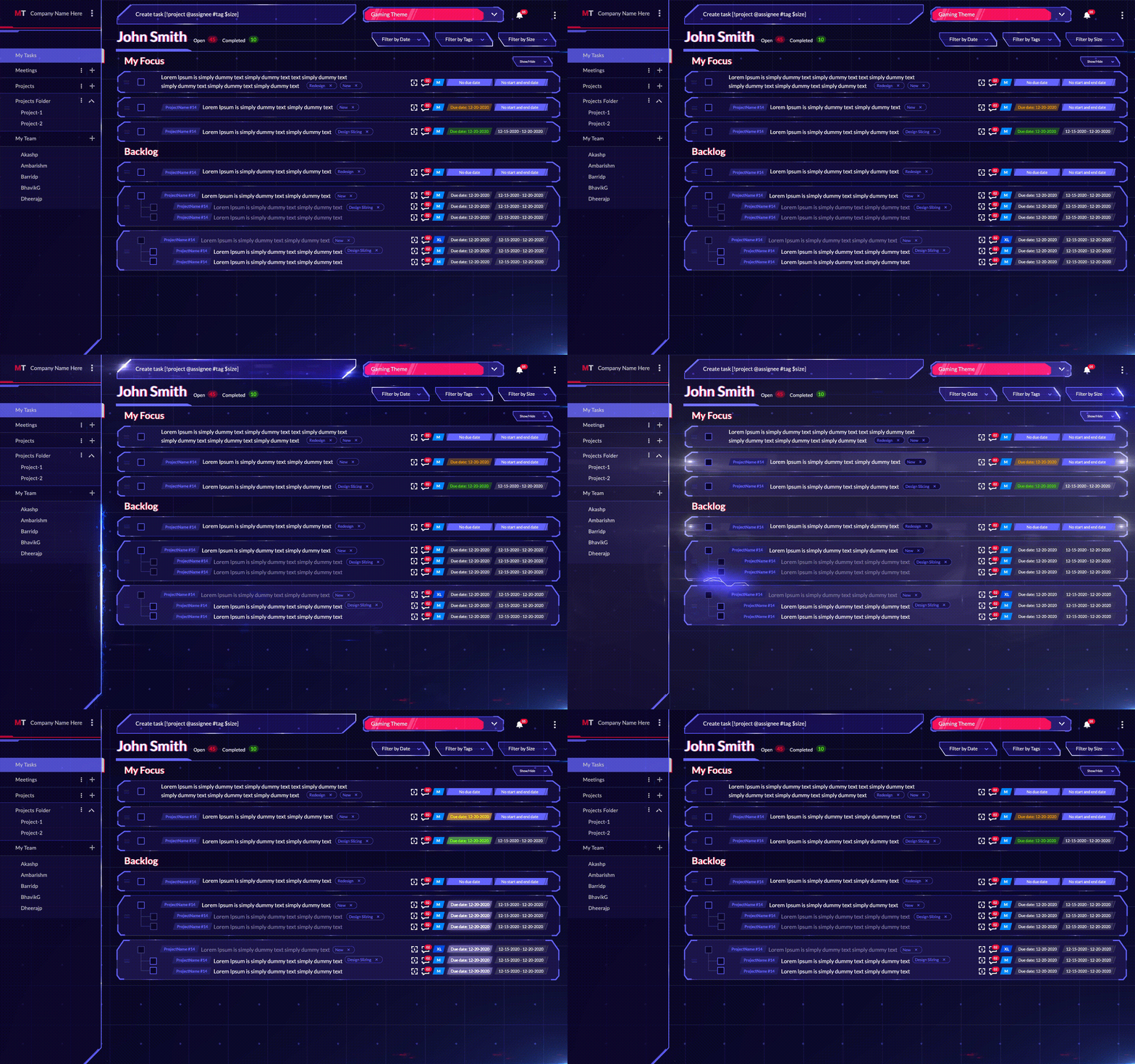
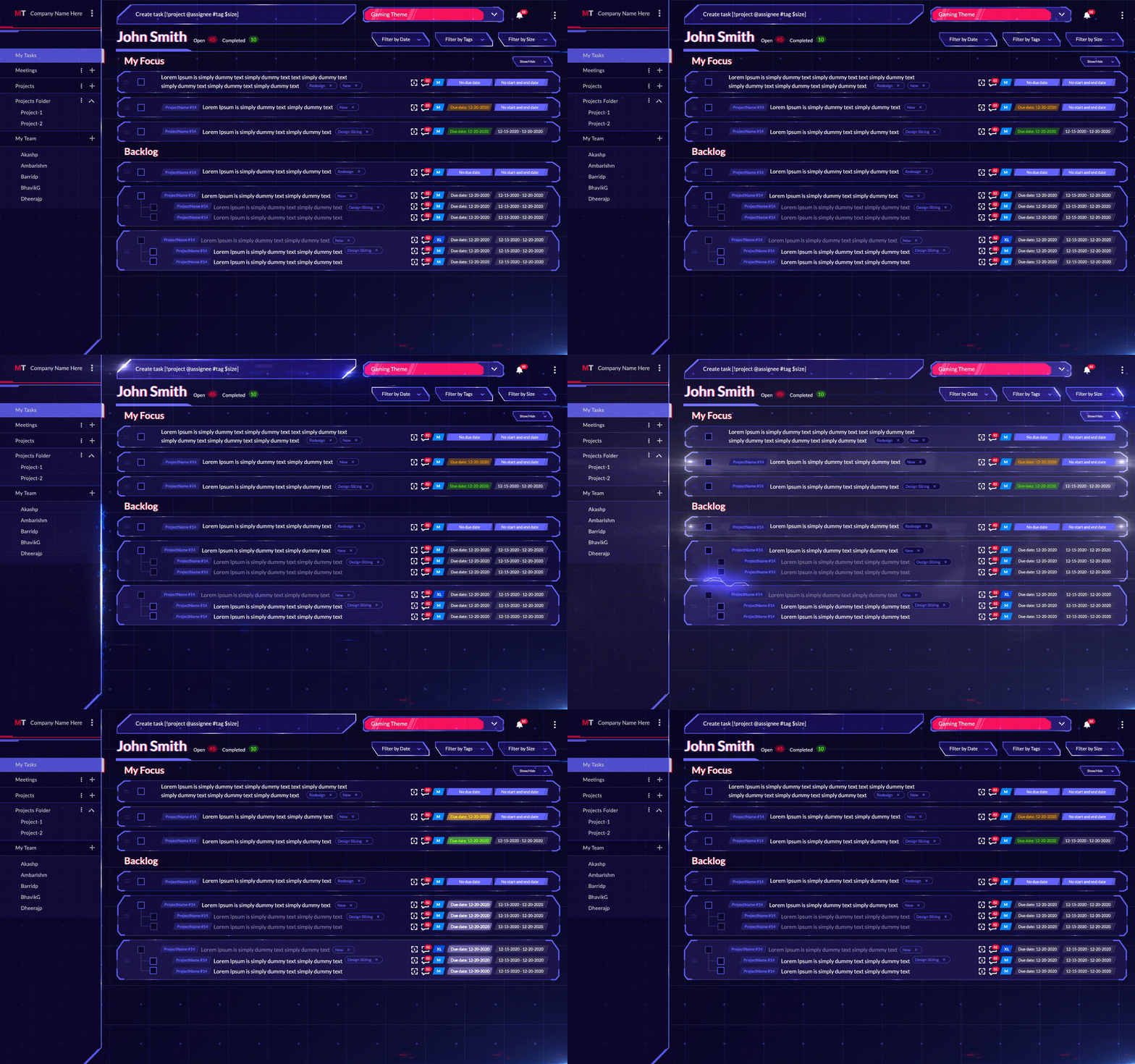
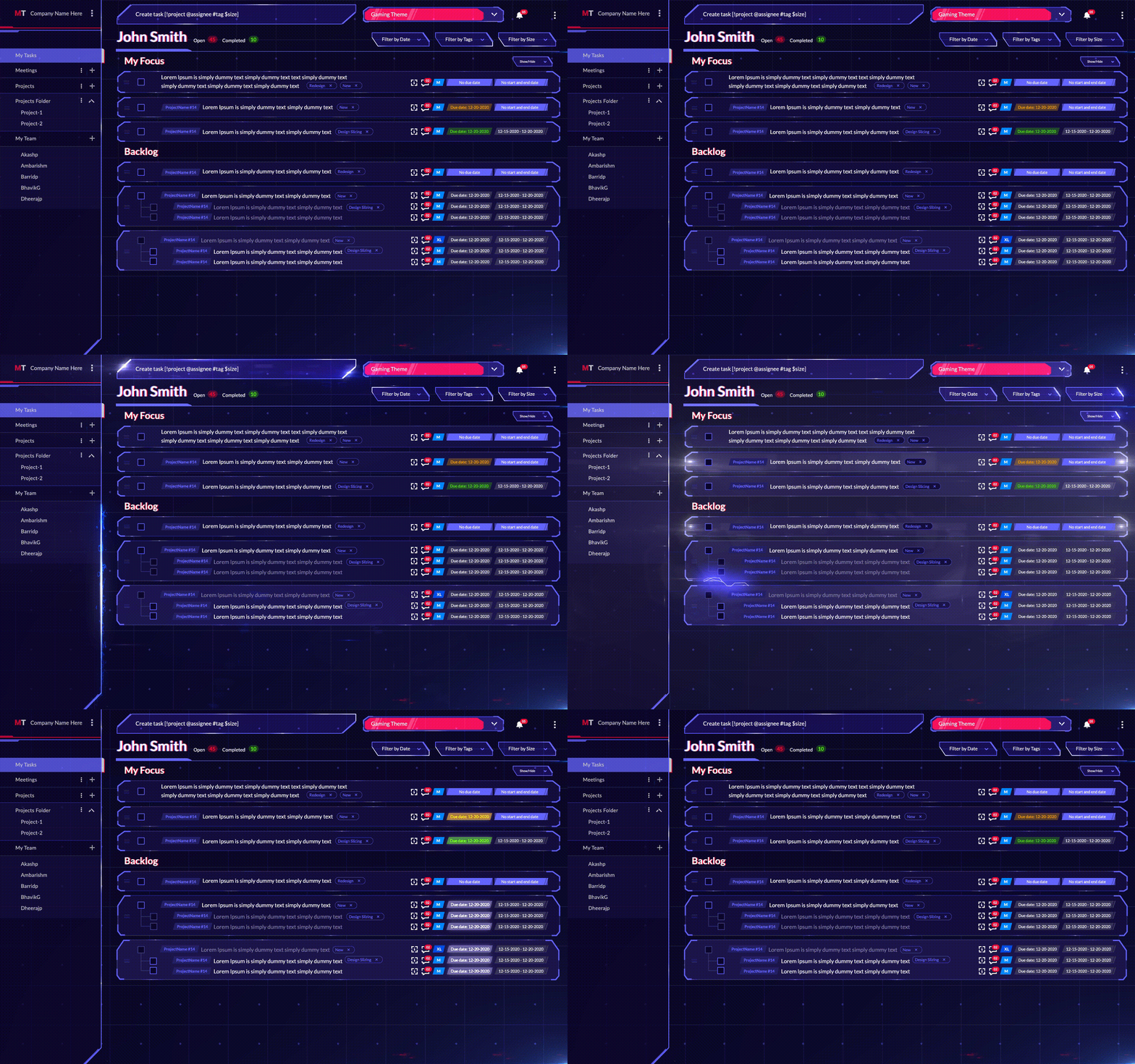
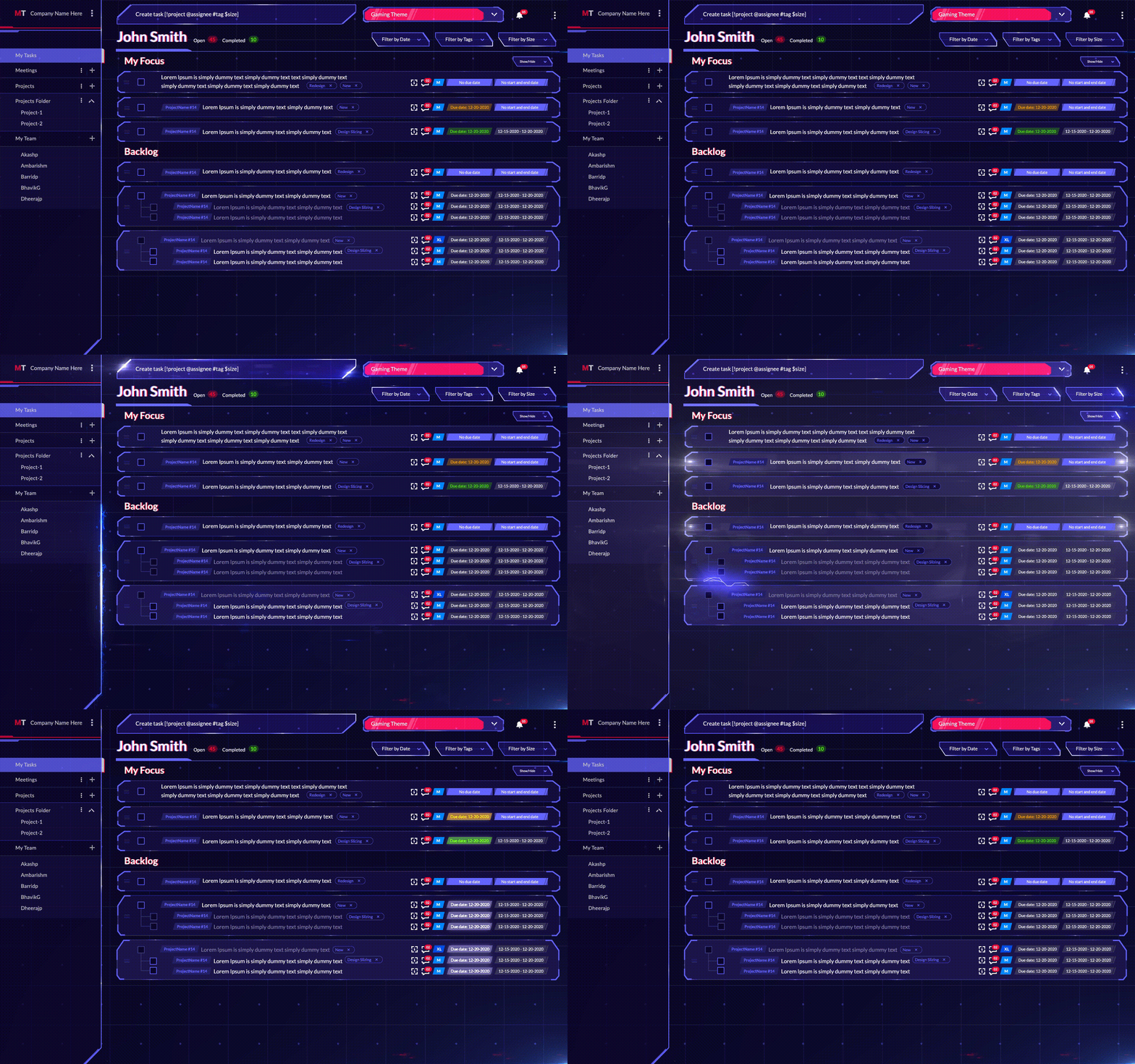
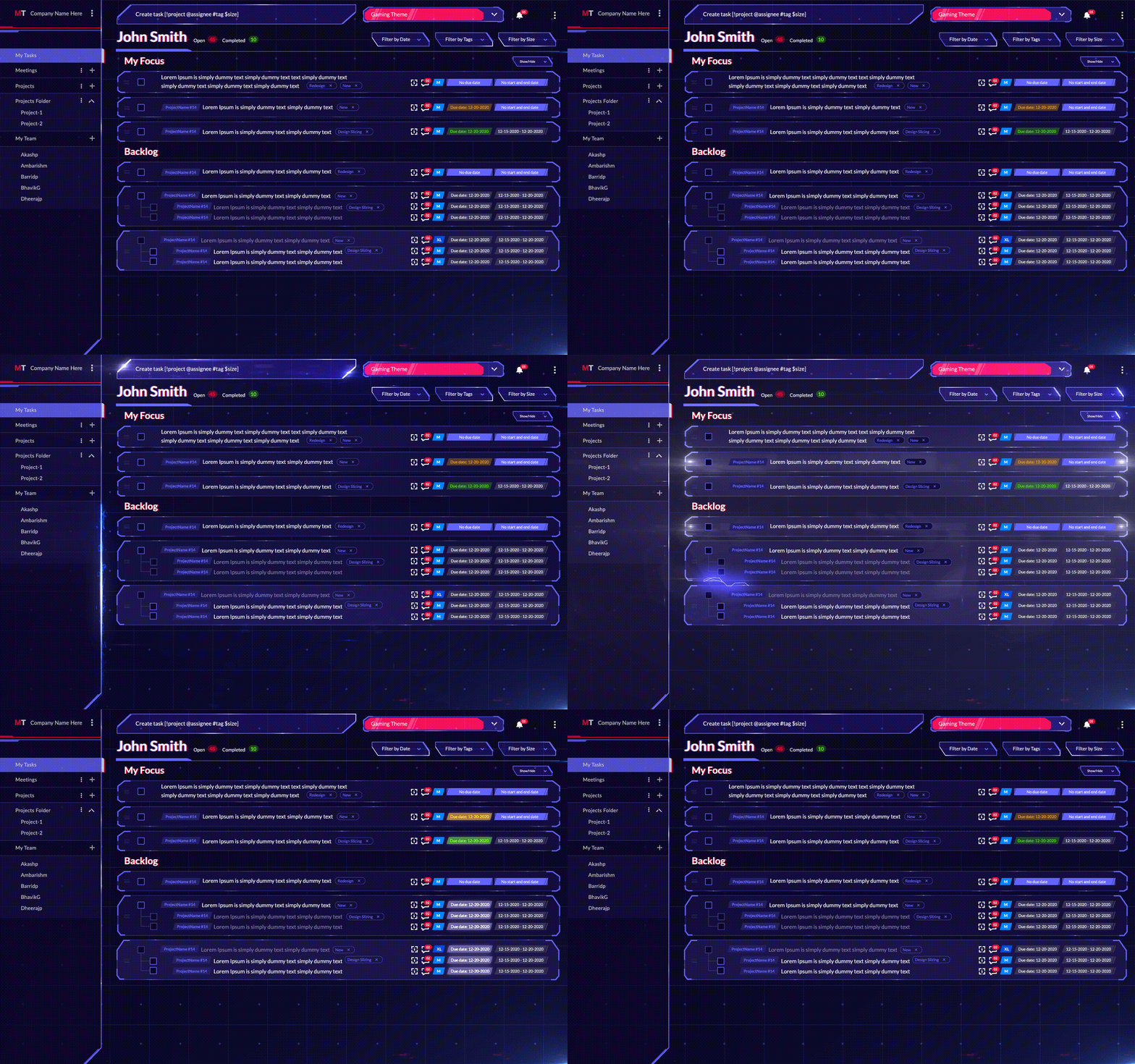
MagicTask Dashboard

Task management tools offer a single platform to store all your task-related information and easily track them. It provides complete visibility into all of your tasks, their status, and their deadlines and helps you organize and prioritize better.

Task management solutions like MagicTask allow you to collaborate easily with your teammates and share regular updates. You can also set clear deadlines and get reminders as they approach.

Task management tools help you stay on top of your deadlines. It helps you quickly figure out what you need to tackle in a day and focus on them easily. They allow you to prioritize and handle multiple tasks and projects easily. With a task management tool, you can easily break down your long-term goals and projects into small daily tasks and see if you're on track.

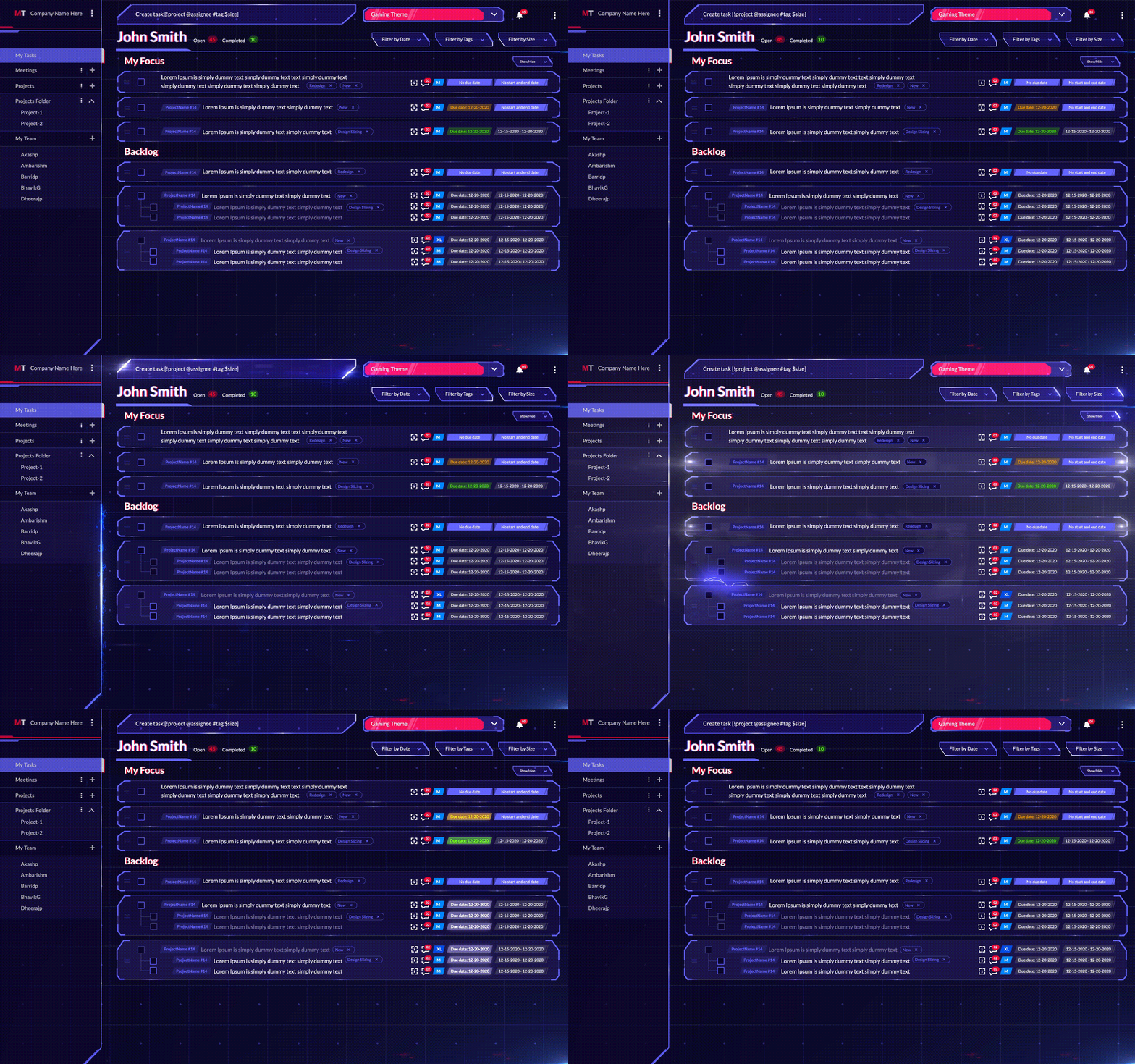
In the case of MagicTask, it is also highly gamified and has lots of themes to keep you excited. The platform also gives you points when you complete tasks with which you can compete with your teammates or MagicTask users across the globe.

4. Use a productivity technique that works for you.

Over the last two decades, many productivity techniques have gained much popularity. These productivity techniques are built on different philosophies or perspectives and are often designed to help you resolve specific issues with your work style.

There's no hard rule that dictates which technique will work for you; in fact, your productivity may take a dip if you spend too much time trying to learn all of them. Just pick one, stick with it for a while, and see if its works for you.

If you struggle to focus on your tasks and find yourself getting distracted, the Pomodoro technique may work for you. Work for 25 minutes, take a five-minute break; do this four times. Then take a more extended 30-minute break.

If you find yourself procrastinating on large or complex tasks, try the Eat The Frog method; in fact, you can combine this with other techniques as well. It's simple; do the most difficult or intimidating task the moment you start your day.

The Getting Things Done method may work for you if you work all day long but do not reach your goals.

5. Delegate, delegate, delegate

You don't necessarily have to take on all the tasks yourself; you just have to get them done. If someone else can do it cheaper and in a shorter time without compromising the quality of the work, delegate it to them.

Delegating the tasks will give you more room to breathe and do well what you can do best. When you have little time and are rushing to check every box, the quality of deliverables will decrease. You'll also have less time to focus on the bigger picture.

If you're building a business, you don't necessarily have to design the logo and put up the billboards by yourself.

Delegating the tasks will help you build a better team and understand their capabilities. You can get more work done in a shorter time. You'll also have more energy and better clarity in your mind.

6. Communicate well

Communication with team mates

Clear communication is essential to meet deadlines. Everyone involved with the task or project needs a clear picture of the deliverables and the deadline.

If you're working with a client or your manager, ensure everyone is on the same page about the goals and expectations. It may be a good idea to communicate regularly and share updates on the status of complex projects or tasks to ensure you're on the right track.

It's also essential to build a culture of clear communication within your team. When multiple people are collaborating on a project or task, it's vital that everyone keeps up with the pace.

It's important to communicate if you're unable to meet the deadline or if there will be any delays. Early updates can help the team tweak its plan and look for alternatives. More time you give them, the more options they have.

7. Make sure you have the resources you need

Before you start working on a project or commit to it, ensure you have all the necessary resources. You want to avoid running around looking for the tools or personnel to help you as the time runs out. You also must ensure that you have the proper training and qualifications to execute the tasks before you start.

Even if you don't, you can still commit to the project; just as long as you can acquire the resources and tools for the task. In these situations, consider these factors when setting deadlines.

Get Things Done With MagicTask

MagicTask is a task management platform that can supercharge your project management capabilities. The platform helps you stay focused and get things done on time without compromising quality. MagicTask's gamification features will help you stay motivated throughout your projects and avoid procrastinating.

The MagicTask platform is also designed to help you collaborate seamlessly with your teammates. You can assign tasks, set deadlines, and get constant updates through the app.

Check out MagicTask and hit your deadlines right on the head.
8 Ways to Stay Focused While Working From Home

Stay Focused While Working from Home

The last two to three years have seen a surge in companies offering remote work opportunities to their employees. While the pandemic triggered it, most employees have started demanding WFH from their companies. Many organizations have also recognized that remote work has fewer overheads and that productivity is almost consistent or, in some cases, better than in-office work.

Compared to in-office work, remote work offers more flexibility and work/life balance to employees. Most surveys have shown that employees prefer completely remote or hybrid work.

But remote work can be challenging in some aspects. Some employees have found it difficult to focus on their work, surrounded by distractions in their homes.

Here are eight effective ways to stay focused while working from home.

1. Build a Routine

Building a steady routine is essential to stay focused. While there are no pressures of going to the office or being stuck in rush hour traffic, having a regular schedule is necessary when working from home.

While we cannot afford a very tight schedule, we must set times to wake up, work out, start working, and have meals. We must create a daily plan that includes our everyday tasks and the breaks in between and ensure that we have enough energy throughout the day.

Without a routine, we'll be making ad-hoc plans throughout the day. When we're in the middle of some work, our minds will wander toward our pending tasks or activities. We'll also find it challenging to manage our energy levels throughout the day. If we don't go to sleep at regular times, we may feel tired throughout the day.

But when we build a schedule, we're fine-tuning our biological clock. We're giving our bodies advance notice of our activities so that they can plan their energy levels. We can fall asleep more quickly; our body understands and keeps us awake when it's time to work.

A steady routine ensures we can stay focused throughout the day.

2. Plan Your Day

plan your entire day

In many situations, when we start our day, we sit in front of our laptops and start doing the first thing that comes to our minds. This approach is straightforward and takes little effort, but it can distract us throughout the day. At the end of the day, we may need more time or energy for the most critical tasks. You may also find that you're unable to reach your long-term goals.

But by planning your day, you'll have more energy for your tasks.

Before you start your work day:

  1. Take a look at all of your pending tasks.
  2. Write down the estimated time it will take you to complete those them.
  3. Prioritize them based on their importance, their deadlines, and whether other tasks depend on them.

Based on this, figure out the tasks you want to tackle and the order in which you want to finish them. Make sure you allocate enough time for breaks and take care of yourself.

Once you have a solid plan, you'll notice that it's much easier to go through your day. You will be less distracted, and you'll be completing all of your essential tasks.

3. Use Asynchronous Communication Methods

One of the biggest roadblocks to productivity is probably messages and calls from your colleagues. They can take you out of your 'zone' and reduce productivity. Once you're disturbed, it will be a while before you can entirely focus back on your tasks.

Asynchronous communication is a method or approach to communication that lets you ignore messages and focus on the task at hand. Once you finish your tasks, you can check your messages.

The approach is fairly easy to understand. It's mostly about sticking to asynchronous modes of communication. They are the communication channels that don't require all the participants to be available simultaneously. For instance, if you're talking to someone directly, you need to listen to what they're saying and give back instant replies. The same is true when you're in a Zoom meeting or chatting with someone over instant messaging apps.

But when you're emailing someone, both participants can be available at different times. Both of them can reply at their own pace.

To apply asynchronous communication to your workplace, treat every message on instant communication platforms like an email. Make sure that all messages have complete information for the other person to send a reply, and don't expect the other person to reply instantly.

If a meeting can be an email, ensure it is, but if it can't be, schedule it in advance. Reserve calls only for emergencies.

4. Use the Pomodoro Technique

The human brain can only focus for a limited duration, no matter what we try. After a point, our mind will wander to other things. But by appreciating this fact, we can keep our minds in the sweet spot and stay focused. This is what the Pomodoro technique does.

The Pomodoro technique is a productivity method designed to help keep our minds at peak productivity levels. The technique is fairly simple; work for 25 minutes and then take a five-minute break. After the break, start working for 25 minutes and take another break. After four 30-minute cycles like this, take a more extended break for thirty minutes.

While you can use many apps and tools to implement this technique, practitioners suggest a low-tech approach. That's one of the advantages of this technique; just a kitchen timer and a to-do list are all you need to implement this technique.

The Pomodoro technique appreciates our minds' limitations. The method understands that as much as we like to claim otherwise, we can't focus on something for hours without getting distracted by other things.

5. Use a Task Management Tool

MagicTask Dashboard

Task management tools can help you manage your activities and tasks with the least effort. These tools ensure you have the time and energy to complete your tasks on time.

When you have a lot of tasks to handle and keep all of that in your head, you won't be able to focus on the task at hand. You'll constantly be thinking about what to do next and how to finish your next week's tasks. With the help of a task management tool like MagicTask, you can create a second brain and reduce your cognitive load.

With MagicTask, you can create multiple workspaces to collaborate with different groups of people. If you need help from someone else, you can assign tasks to them, set deadlines and due dates, and describe what you want.

The goal of this approach is to create more cognitive space for yourself. If you find yourself overwhelmed by your tasks, using a task management tool can help you. You can also use the GTD or the Getting Things Done method to reduce your cognitive load and give you more energy to focus on your tasks.

6. Make Sure You're Physically Well

It may be tempting to skip your meals or go to bed later to catch up on some extra work or complete some assignments. But while it may give you results in the short term, it will affect your productivity in the long run.

If you're not physically healthy, it will also reflect on your mental health. You may have noticed that you're more irritable or anxious when you have a fever or a bad cold. If you pay attention, you can also see yourself unable to focus on the task when you're hungry or sleep-deprived.

Focusing well when you work from home ensures you're physically well. Invest in your health by attending the gym regularly or engaging in physical activity.

Make sure that you have your meals on time. Stay hydrated throughout your work day and take regular breaks. If your work requires you to sit in front of a laptop all day long, make sure you walk around now and then and stretch your legs.

Sleep is another crucial factor affecting your ability to focus on different tasks. If you're sleep-deprived, you may nod off now and then, and even if you force yourself to stay awake, you won't be able to focus. To prevent this, ensure you get enough sleep and have a regular sleep cycle.

7. Create a Home Office Space

Setup Home Office Space

There are many different ways in which a home office can help you focus. For starters, it gives you all the space to organize the tools you need carefully. You can set up your laptop, phone, keyboards, notepads, and everything else you need at arm's length.

Once you've set it up, you won't have to run around the house looking for your headphones or notepad when you want to jump into a meeting or get started on the day's tasks.

A home office will also train your mind to jump into 'work' mode and prepare you to focus on your tasks. If you work all over your house — at the kitchen table or on the balcony — you'll find that it will take longer to focus when you sit down to work. This is why working in your bed is a bad idea.

By creating a designated home office space, you can start focusing on your daily tasks when you sit down. You won't have to keep fidgeting until you find a comfortable seating position, you won't have to run around looking for your tools, and you won't have to create a space every time you sit down to work.

8. Maintain a Work/life Balance

The boundaries between work and life often get blurred when you're working from home. You'll be forced to take on tasks from your personal life when logged into work and take extra time to complete your tasks from your job or business.

But you'll burn out quickly without a proper work/life balance. You'll find yourself unable to disengage from work even after you've logged out. Even when you're having dinner or going out with your family, you may think or talk about business. This can put a strain on your relationships and your mental health. And you won't be able to focus on your tasks — from your personal or professional lives.

To improve your focus while working from home:

  • Create a proper work/life balance.
  • Make sure you log off from work on time and that overtime is not the norm.
  • In your workplace, make it clear that you won't be available after your hours unless it's an emergency.

With a good work/life balance, you'll have more energy throughout the day. You can focus on your tasks and complete them without draining yourself.

Stay Focused and Productive With MagicTask

MagicTask is a task management platform designed to help users stay focused on their assignments. Users can remain motivated throughout their workday with its exciting themes and gamified approach.

It also offers extensive collaboration opportunities for its users and helps them create an efficient plan to tackle their tasks.

The platform also has a dedicated 'My Focus' section to reduce your cognitive load as you go through your day; you can just pick your tasks without spending a lot of time thinking.

Check out MagicTask to manage your projects and tasks and focus better on them.

How To Set The Right Goals and Crush Them

How To Set The Right Goals

Professionals and organizations worldwide invest a lot of time and resources to help them achieve their goals. They try learning new productivity techniques and invest in project and task management tools to help them hit the metrics and achieve what they want in their lives and careers.

These tools allow users to align their everyday activities with their long-term plans. They help users ensure that what they do daily adds up to get them what they want.

But many users fail to set proper goals even as they invest energy to achieve them. This blog post explores what reasonable goals are and how you can get them.

What Are The Right Goals?

As you can imagine, the 'right goal' will vary a lot between individuals, and it should. No two people are alike; neither are their ambitions, what they want to achieve, or where they want to be.

But often, people have very vague statements about their goals. For some, it could be to create a better life for their family, it would be making a lot of money, and for some, it may be getting a better car. But the problem with these goals is that they're more or less like dreams. And dreams aren't actionable and rarely work out in real life.

Right goals, however, are actionable; it's not a wish but something you're working towards. For your goals to be right, they must matter to you and showcase your priorities. And they should be SMART.

Right goals prioritize what matters to you.

There are many things you can achieve and attain in this world. You can adopt ten cats, get a promotion, and win an Olympic medal. But your goals must be what matters to you and what you care about. Because while you can achieve anything in this world, you can't have everything.

The right goals should consider your energy, your time, and the fact that you're just one person. And it should prioritize what matters to you and focus on it. Without prioritizing, you won't be able to concentrate well when other things come up. You may find yourself being dragged in different directions.

While having multiple goals is essential, prioritizing them is also vital.

Your goals must be SMART

Smart Goals

SMART stands for Specific, Measurable, Attainable, Relevant, and Time-Bound. These elements are the difference between a goal and a wish. They make your goal actionable and well-defined.

Let's have a look at what these terms mean in this context.

Specific: One of the biggest mistakes when people set goals is that they're often very vague. For instance, goals like "I want to be rich" or "I want to have a better lifestyle" are open to interpretation. They don't keep you accountable either; you could be making ten dollars more a year in twenty years, and you can say that you have become more affluent. The right goals are highly specific.

For instance, 'I want to be rich is vague, but 'I want to increase my net worth by two million dollars' is specific. Instead of saying you want a better lifestyle, set your goals to buy a particular car or stick to a healthier diet.

Measurable: You should be able to tell when you have achieved your goals. For instance, if you set buying a better home as your goal, you may not always know if you have reached it. You have to define a better home, which won't be the same for everyone.

Achievable: When you set unattainable goals, you're setting yourself up for disappointment. And the line between impossible goals and daydreaming is pretty thin. Understand your limitations, the resources you have, and your priorities, and set goals you can achieve.

Relevant: Your goals must be relevant to you. These goals should bring you happiness and should be connected with your life.

Time-bound: Without a strict schedule, your goals aren't much different from your wishes. You can't hold yourself accountable without a time-bound goal. Your goal should not be to gain 20kgs at some point in your life, but rather in the next ten months or a year.

Why It's Important to Set The Right Goals?

Here are seven reasons why you should set the right goals.

It will help you better plan your daily tasks

With a well-defined set of goals, you can quickly figure out what you need to do daily. When we have too many things to do, deciding what to focus on is challenging. The same is true when we have a lot of unclear or vague goals.

But by setting clear goals, you can figure out what to dedicate your energy to and plan your days easily.

It will motivate you and push you with a purpose

A ship without a destination will be adrift in the vast ocean. When we don't know where we want to be and what we want to achieve, all our efforts will be spread without direction. It will also be challenging to keep pushing every day when we don't know what we are working for.

You can point your boat in that direction by defining your goals well. And when you think about your goals, it will give you the energy you need to get out of bed every morning.

It forces you to evaluate your priorities and see if they work for you

When you set your goals and define them, you must consider all the different aspects of your life and decide what matters more. We're essentially planning what we want in the next few years of our life. This makes us reevaluate our life, the way we do things at the moment, and if it's working for us. It makes us define our priorities and determine what we need to focus our energy on.

It makes you more disciplined and focused

Stay Focused

When you don't know what or where you want to be or what you want to achieve, it's easy to get distracted. We'd invest our limited energy stores and resources into tasks that may get us nowhere. Having reasonable goals, and knowing what you want to do, makes us more disciplined. Even when we come across other opportunities that may give us short-term happiness, or even when it appears that we're not making much progress, clear goals help us stay focused.

Well-defined goals will help you become more productive

The focus and energy from having clear goals will make you more productive. You won't have time to figure out what to do next or which task to tackle. Knowing what you want can help you drive away distractions and take the next step.

Reasonable goals will help reduce your stress

When too many ideas or dreams are running in your head, or when you're worried about too many things, it's bound to build up your stress. You'll find it difficult to calm down when too many things are striving for your attention. It could be the loans you need to pay off, stress about your kids' education, pressure from work, or even your physical health.

But when you have a well-defined set of goals and work towards them, you'll have much less to worry about. It will give you more peace.

Step-by-Step Process to Set The Right Goals and Achieve Them

Are you struggling to set goals or achieve them? Here's a step-by-step guide.

1. Write down the different areas of focus in your life

The first step to setting the right goals is to write down all the different areas in your life and determine your priorities. This includes both your personal and professional life. Write down everything that matters to you and everything you need to work on.

This could be your career, a business you want to start, your health, and it could be your family. If you want to focus on your hobbies (maybe you have a stamp collection, perhaps you are into origami), or if you want to learn a new skill, write those down.

It would be best if you also wrote down aspects of your lifestyle you want to work on; it could be owning a new car or quitting any addictions.

List of Tasks or Goals

2. Write down how you want these aspects to be in one, two, three, five, and ten years

Once you've written down what matters to you most, decide where you want to be in this area in a decade. And break these goals into smaller segments.

For instance, if buying a house is an area of life you want to focus on, write down where you want to be in ten years. You may want to own it in ten years, or you want at least 50% of the down payment in your account. Then you write down how much savings you want to be at in five, three, two, and one years.

Similarly, do this for other aspects of your life as well.

3. Next to each of these goals, write down what you already have and what you don't to achieve them

Consider buying a house; you may have around 10% of the downpayment you need as savings. And you may have a job that gives you enough to build up your savings to 60% of what you need in the time frame you've set yourself.

In this case, what you don't have would be 90% of the down payment and a source of income that helps grow your savings quicker.

4. What you'll tackle next year to bridge the gap between what you have and what you need

To achieve your goals, you must figure out how to bridge the gap between what you already have and what you don't. And for this, you need a step-by-step plan. To create this, write down what you'll do about your goals in the next year.

If you need a promotion, you'll have to learn new skills. If you want to make an alternate revenue stream, you'll have to figure that part out. You'll also have to do the same for the rest of your goals.

5. Break down these steps into twelve months and set what you need to achieve at the end of every month

If you have to learn a new skill by the end of the year, write down where you would be at the end of every month. If you want to build a business by the end of the year, write down what you'll have to complete by the end of every month.

6. Plan your weekly tasks for the next month based on the above steps

Based on this, set the goals for your next month and every week of the month. Once you have your weekly goals, you should be able to figure out what you need to do daily.

Planning an entire month or week may not be the best idea; life happens, and you'll need more flexibility. But planning the goals for every week should give you enough flexibility and still reach your goals.

Crush Your Goals with MagicTask

Are you struggling to manage your tasks or behind on your goals? Try MagicTask.

MagicTask is a mighty task and project management tool designed on years of research and development. The platform is intuitive and pushes users to complete their tasks on time and efficiently.

Check out MagicTask, and crush your goals effortlessly.

7 Best Taskade Alternatives for Task Management in 2022 [Free & Paid]

Best Taskade Alternatives

Over the last few decades, professionals have become more concerned with productivity. Businesses all over the world are investing more in tools that help their employees do more. This has motivated developers to make new task and project management tools that do more than make lists and set reminders.

Modern task management tools offer better collaboration features and make tasks more exciting. They aim to help users complete their assignments on time and manage their energy.

Taskade is among the latest set of productivity and task management tools that have recently garnered much interest. This article explores Taskade and its main features. We also list the top seven alternatives to Taskade if it doesn't work for you.

What is Taskade?

Taskade is a project management and digital workspace tool for teams and individuals. It was launched in 2017 and is part of the S19 batch in Ycombinator. The platform is designed for remote teams to collaborate efficiently.

The platform comes with a suite of task management tools. With it, users can create tasks, set reminders, due dates, collaborate with teammates, and more. Taskade also lets users chat with each other, get on video calls, and share their screens.

Taskade has different project and task views; you can view them as lists, boards, calendars, and more. The solution also offers different templates for users to customize Taskade for their needs.

Taskade

The platform is available on Android, iOS, Chrome, and as a desktop app. The app is available in more than 15 languages and offers single sign-on with Google, Facebook, and Twitter.

One of the best aspects of Taskade is that almost all the features are free. This includes adding guests to your workspace and unlimited team members. You also get data encryption and regular backups with just the free plan.

But if you want unlimited storage, company branding, priority support, and training, Taskade will cost you $5 per month per person.

Why Do You Need a Taskade Alternative?

Taskade offers a fantastic set of tools for teams and individuals to tackle their tasks. It provides a good combination of features with which users can collaborate well and deliver their projects on time. But Taskade is relatively new. Many users have complained about teething issues with the app and its features. While it does look like the team is looking into these issues, you may not want it to hold back your productivity or projects.

For instance, many users have complained that the apps are sometimes slow or lag a lot. In a review, one user said that the app gets slower as you add more documents to tasks. They also pointed out that the app sometimes glitches when you add new tasks or documents.

In another case, a user mentioned that the app is too flexible for collaboration — 'it's almost too easy to ruin someone else's work' — they said. This may not necessarily be a problem for all users. In fact, Taskade offers different permissions that admins can customize for their team members.

Another significant issue is that Taskade has very limited integrations with other apps. Users can integrate Loom, InVision, Figma, and SoundCloud. But if you need more integrations, you're out of luck. Many users have complained about the lack of Zapier integrations.

Taskade also doesn't support typical project management methodologies like Ghant charts or the waterfall method as of now. If your team relies on these methodologies, you may find Taskade limited. Taskade does keep rolling out new features, and they have promised Ghant charts soon, but there's no definite date on this.

Another aspect is that most users appear to be using the solution for small projects and relying on other tools for more complex projects. This could vary between users, but this does raise concerns for teams handling large-scale projects.

While Taskade does have a good UI, it doesn't have built-in gamification features. Project managers may rely on other tools to implement gamification in their teams.

7 Best Taskade Alternatives for 2022

Here are the top seven alternatives for Taskade.

1. MagicTask

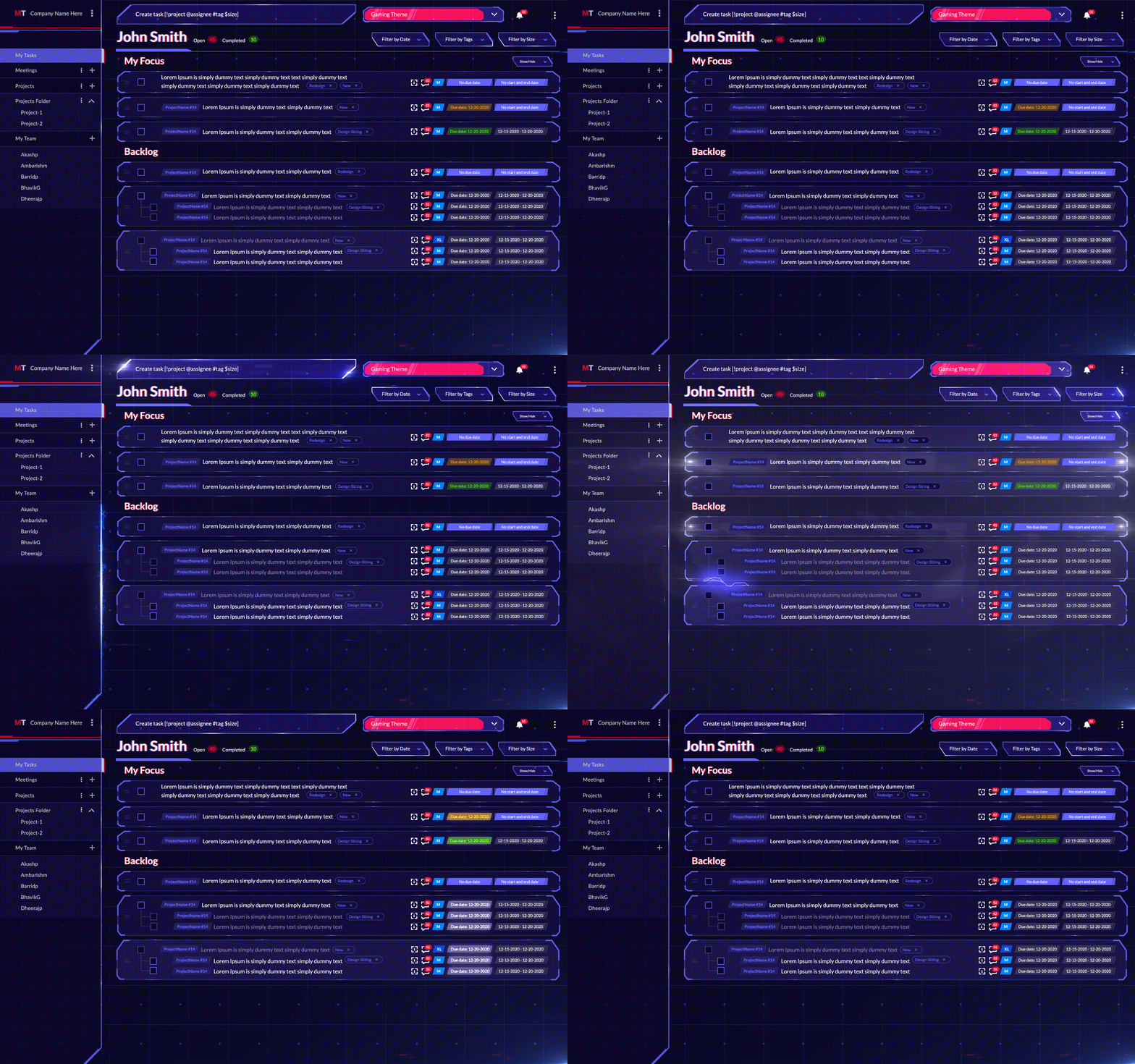
MagicTask Dashboard

MagicTask is a powerful task management tool for both teams and individuals. The solution is built to work for everyone and anyone and doesn't limit you to one particular way of getting your tasks done. It takes a lot of elements from popular productivity techniques and can work with almost all of them.

It comes with all the features of a project management tool. You can create tasks and assign them to your teammates. Besides the due date, you can also set start and end dates for different tasks on MagicTask. It also lets you set priorities for your tasks.

One of the most interesting aspects of MagicTask is that the platform is highly gamified. Users get points when they complete different tasks with which they can compete with their team members. If they're working alone, they can compete with the entire MagicTask user base worldwide.

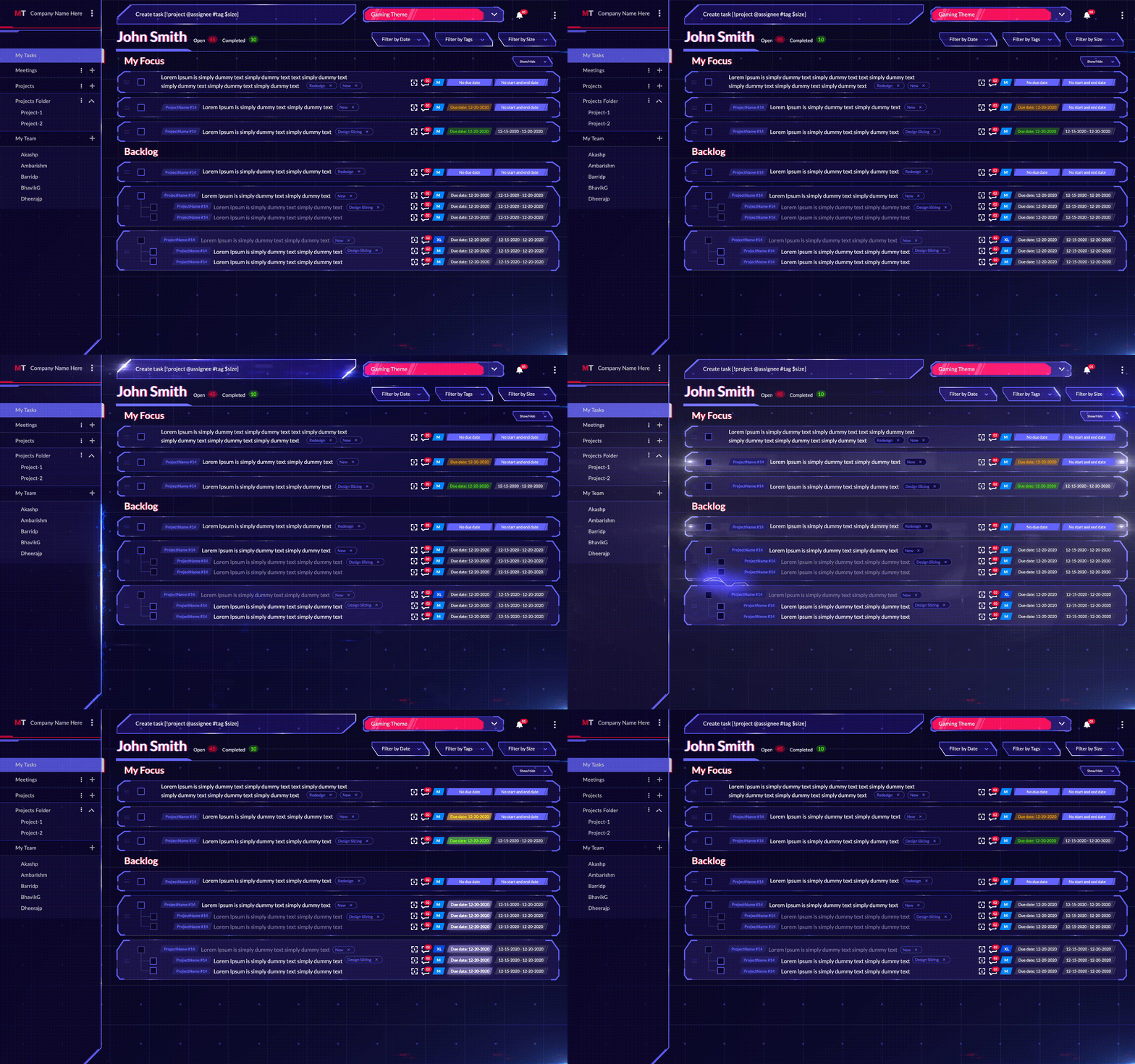
The platform also has a separate list of tasks labeled 'My Focus' where users can move their most urgent tasks to the ones they want to focus on.

Pros

  • The platform is highly gamified
  • MagicTask doesn't limit you to one way of working
  • Lots of themes that keep work exciting
  • Easy to learn and start using
  • It is free

Cons

  • Currently, they don't support sign-in using Google or Facebook, so you will have to use your email.

2. Simplish

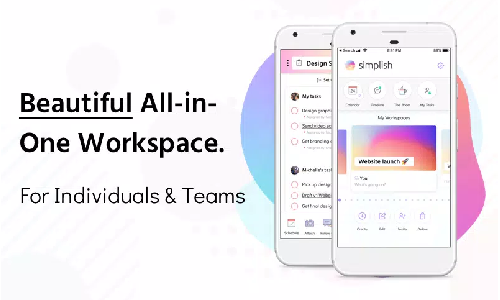
Simplish is a simple and easy-to-learn task and project management tool available on iOS and Android platforms. The solution is built based on the Getting Things Done method and is designed like a day planner.

The platform promises to help users with their most complicated tasks and projects. Simplish has a drag-and-drop interface and offers real-time collaboration across multiple users. You can even chat with your team through the app. One of the unique features of Simplish is that it provides real-time customer support within the app. The team will help you set up the app and learn how to use it.

Simplish is designed to motivate users to complete their tasks with designer themes curated with years of research.

Pros

  • Easy to learn and use
  • Real-time customer support
  • Seven-day free trial

Cons

  • Limited to iOS and Android only
  • It may be too simple for large and complicated projects.

3. DoSheets

DoSheets is a collaboration platform designed to organize tasks, ideas, and discussions efficiently. The platform lets users create projects, add notes, and make them accessible to the entire team.

The platform realizes that a large part of project management is creating good documentation. It also realizes that teams spend considerable time looking for documents and information to carry out their tasks.

DoSheets also acknowledges the importance of processes to make an organization efficient. It also takes into account that the problem only grows as the organization scales up.

DoSheets help solves this problem by making information readily accessible. It acts as a searchable online whiteboard for remote teams.

Pros

  • DoSheets make information easily accessible
  • Easy to keep track of and update documents and ideas
  • The tool is great for brainstorming ideas.

Cons

  • The platform often faces temporary but distracting glitches and downtime.

4. Height

Height is a complete project management tool with a comprehensive set of features. The platform claims to be an all-in-one project management tool, and it comes with a range of tools to manage your tasks and activities.

With Height, you can create tasks, assign them to your team members, set due dates, and add descriptions. You can view your tasks in a list view, as a kanban board, as a calendar, a Ghant chart, and even a spreadsheet if you prefer.

Height also offers a great set of integrations with tools like GitHub, Gitlab, Zendesk, and more. It has a great collection of communication tools. You can chat with your teammates about specific tasks and keep track of them right next to the chats.

Pros

  • Highly feature packed
  • It offers a lot of integrations

Cons

  • The free plan offers limited security features
  • Only G-suite SSO is available.

5. Planny

Planny is a productivity app that promises not just to help you make notes and to-do lists but to do them. It's one of the few apps that use advanced AI to create intelligent plans and schedules.

Users can create tasks on the fly and get a clear picture of what awaits them the day or the next. Besides time-based reminders, you can also make the app remind you of tasks based on where you are. For instance, the app will remind you to buy groceries when you're near the store.

Planny is wholly integrated with the Apple ecosystem and works with iPhone, iPad, Apple TV, and Apple Watch. The app motivates users to do more with a set of productivity statistics.

Pros

  • Available on all Apple devices and completely integrated with the ecosystem
  • Great reviews and recognitions

Cons

  • Available only for Apple users
  • Some functionality is limited to premium subscribers.

6. ProcessKit

ProcessKit

As the name suggests, ProcessKit is designed to help users build repeatable processes. The platform is designed mainly for businesses in the service sector. The application allows users to manage their clients through well-defined processes.

ProcessKit offers users templates for onboarding clients and working with them in the long run. Users are also free to make templates on their own.

ProcessKit also helps you improve your processes with detailed tracking and status updates. The app allows users to change individual procedures and then apply them to the entire clientele. The platform also comes with collaboration features allowing teams to work together seamlessly.

ProcessKit has a suite of automation to help you make decisions faster and reduce your workload.

Pros

  • It helps you build processes
  • It lets you automate a lot of tasks

Cons

  • The platform is designed mainly for agencies and for onboarding processes. Other organizations or processes may find this difficult.

7. 2-Minute Habits

The 2 Minute Habits is an iOS app based on the Getting Things Done productivity technique. It helps users to build habits through two-minute activities.

The idea is that building habits take consistency, but we often look at a large activity and procrastinate on it. The app aims to help users by breaking down large activities into two-minute blocks.

The app has a simple UI. Just pick a category and add your tasks to it. You can later check off the tasks with the help of a two-minute timer.

Pros

  • Easy to get started with
  • Simple UI
  • Small learning curve

Cons

  • The app is available only on iOS

Bottom Line

The above list is a testament to the fact that there are plenty of task management tools. But most of these tools focus on just one or two work styles and limit the user to it. And they're rarely built on scientific research and mostly rely on fads.

MagicTask is designed for teams to work as they want to. It motivates users to get the most out of their days with the least effort.

Check out MagicTask now — it's free, and you'll love it.

Task Management Tools vs Project Management Tools: Which is Best for you?

Task Management vs Project Management

As we go through different phases in our lives, we are faced with different responsibilities and duties. In school and college, it could be finishing assignments on time and getting good grades. Once we have a job, we have a new set of tasks and responsibilities.

One of the constant aspects of life appears to be that we have to keep a to-do list in our heads and track its progress. These lists often tend to be our most prominent contributors to stress. This is where task management or project management tools can help you. Both of these tools aim to help you manage your tasks more efficiently and effectively and reduce your stress.

But task management and project management tools are not built the same. Let's explore what they are and how they are different and figure out what's best for you.

What is a Task Management Tool?

Task management tools are designed to plan and carry out tasks efficiently and on time. They're generally simple tools and are often targeted toward individuals to help them plan their day or weeks.

Users can manage simple tasks with a task management tool, such as getting groceries, doing the laundry, or paying the bills. While you can add and manage more complicated projects using task management tools, they're not designed for that.

Many task management tools are available these days, both for individual and enterprise use. The capabilities of these tools often vary wildly. Some of them let you make a checklist of tasks, while others come with automation and other features.

Initially, task management tools were rather a to-do list, often with a reminder. Even now, many prefer such an approach and use tools like Google Keep to plan their tasks. But over time, we better understand how the human brain works. And soon, developers started coming up with solutions designed to keep the user at maximum productivity.

Modern task management tools are rarely a calendar or a list of tasks. They're designed to help users complete their tasks efficiently, on time, and with the least effort. They have evolved to become productivity management tools. In fact, some of the task management tools are designed around productivity techniques like the Pomodoro technique.

task management tool

Productivity techniques were also designed to best use task management tools. For instance, the Getting Things Done method helps users to reduce cognitive load with the help of task management tools.

Generally, a modern task management tool allows users to

  • Add tasks, describe them in detail, and add reference materials.
  • Set due dates and reminders.
  • Add labels to the tasks.
  • Set priorities and sort the tasks into separate lists.
  • Set intelligent automation for recurring tasks.
  • Get a bird's eye view of all the tasks.

What is a Project Management Tool?

Project management tools help teams and organizations manage large-scale projects and events. Project management tools are usually designed for teams. They often come with many features for effective collaboration.

Managing a project is more complicated than checking off tasks one by one. Projects usually involve more than two or three people and have many tasks to execute.

The people involved will have different roles depending on their skills and expertise. They will be responsible for handling various aspects of the project. Some tasks may be executed parallelly and independently of others, while others may have dependencies. For instance, imagine you're building a website. Here the UI designers must deliver the interface before the front-end engineers can develop it.

Each of these tasks will have due dates, and so will the deliverables for the entire project. Project managers will also have to ensure the quality of the deliverables. Project managers may have to include other stakeholders or testers to check the quality of deliverables for a task before they can be used to carry out the next step. The team members for a specific project may simultaneously be involved with other projects.

A project management tool, therefore, will have to help teams manage all of this and help them streamline their workflow. It should improve the overall productivity of the team and the individual team members.

project management tool

Project management tools have had a long history and have evolved a lot over the decades. They have their beginnings in construction and military projects. The software development industry gave them huge boosts as well. Most of the project management tools currently in existence mainly cater to software development teams and companies.

In general, management tools allow users to

  • Create tasks and assign them to different team members
  • Set due dates and reminders
  • Set priorities and add labels
  • Keep track of the task status
  • Give an overall view of the various tasks in a project
  • Keep track of the tasks of an individual team member and what they're working on at the moment.
  • Allow different types of access to users.
  • Automate parts of their task management duties.

Task Management Tools vs. Project Management Tools: What is the key difference?

While there are plenty of similarities, task and project management tools are not the same. Here are some of the differences between the two:

Task management tools are more for individuals. Project management tools tend to be geared toward collaborations.

Task management tools, in general, are made for individuals. They can use it to handle their personal and professional tasks easily. Individuals can use them to plan their day or week and ensure they have plenty of time to manage their tasks. They can prioritize the different tasks, set reminders, and define the deliverables in detail.

Project management tools are designed with collaboration in mind. They're built to help teams work together on a project and simplify communication between them. Project management tools allow team members to assign tasks to each other and communicate the details effectively.

That said, many task management solutions do allow you to collaborate on different tasks. But it will make little sense to collaborate with multiple users on a large project with the help of a task management tool.

No rule says that project management tools must be used by more than one individual. A single user can also use a project management tool to sort their tasks and effectively get more visibility into them.

Task management is designed to manage individual and often unrelated tasks. Project management tools are created to manage multiple tasks connected to larger goals.

Task management tools are designed to help manage one-off tasks. You can also manage recurring tasks, but these tools aren't intended to combine tasks under a single umbrella. For instance, you can use them to remind yourself to buy paint and brushes, but there are better ideas to manage painting your living room.

On the other hand, you can use a project management tool to keep track of related tasks or even dependent on each other. For instance, picture your team working on a client project. Here, you can use a project management tool to plan different modules of the project and assign those to team members.

Project management tools act as task management tools for the team members.

For the project manager or the team leader, the project management tool will give a comprehensive view of the entire project. They can also find out what the individual members are working on.

But from the perspective of an individual team member, the project management tool will be more like a task management solution. They'll focus primarily on their own tasks while seeking help from others every once in a while. They can undoubtedly view the rest of the tasks and get the big picture, but they don't have to be much involved here.

Of course, this varies quite a bit with team members and their roles.

Project management tools often offer more comprehensive analytics and data for the admins.

Task management tools do give users data on their productivity. But these analytics are primarily for helping themselves improve. The goal of analytics in task management tools is for the user to become more productive and to help find strategies that work for them. Hence these tools place little importance on analytics suites.

With project management tools, analytics are a necessity. Project managers and team leads need these tools to objectively assess their team's performance. This data can play a role in employee evaluations and assessments. It may be necessary for billing purposes as well.

Use MagicTask for Project Management as well as Task Management.

MagicTask isn't designed just for project management or task management alone. One of the main design principles of MagicTask was to let the user decide how they want to use it, which also applies to this. It's up to the user to determine if they want MagicTask to handle their day-to-day task, use it to manage their projects, or both.

As common with task and project management tools, MagicTask lets users create tasks, add a detailed description, and set start dates, end dates, and due dates. They can assign different tasks to other users as well.

With MagicTask, project managers can create projects, add their team members, and streamline their workflow. The platform allows team members to collaborate efficiently. And it makes the whole process fun and exciting.

MagicTask Dashboard

The platform is gamified, and users get points when they complete different tasks. They can use these points to compete with their team members and the global user base of MagicTask. Users can treat MagicTask as a task or project management tool with this approach.

Users can also use these points to get new themes that give the task management tool a fresh appearance. As users complete more tasks, the theme upgrades itself automatically and unlocks new features.

If you're a project manager using MagicTask, you can set priorities for your team on different tasks. You can also set a size for the tasks; you can set them as small, medium, large, and extra large.

Your team members can move their pending tasks to the "My Focus" area in MagicTask and create a small to-do list. You can use the same feature even if you're using MagicTask as a task management tool; you can drag the tasks for the day to this section.

Try Out Magictask for Managing Your One-off Tasks and Projects

MagicTask is designed to be simple and easy to use and lets users use it however they want to. Be it your personal or professional life, with MagicTask, users can handle their tasks in their own styles.

The platform is gamified even if you work on the tasks by yourself or with the help of a team. It will motivate you to be more productive and complete your tasks on time. Check out MagicTask, it's free, and it will supercharge your task and project management capabilities.

How to Build a Simple Productivity System: Essentials Steps and Tools

Build Simple Productivity System

If your career is at least six months old, or even if you're a student working on your degree, you must have realized that there are more efficient ways of doing your tasks than taking them one after another.

We can't rely on a list to manage our tasks effectively. We need a flexible system to accommodate sudden changes while keeping us on track to achieve our long-term goals.

We need a system that helps us quickly decide which task needs to be done next. At the same time, we need something that gives us enough space to avoid making hard choices on our priorities.

This is where a productivity system becomes valuable.

What is a Productivity System?

A productivity system is a process that lets users complete their tasks on time. It helps them perform at their peak productivity level consistently. It helps users plan their tasks and ensure they have enough time and energy to complete them before the deadlines.

Productivity systems are designed to help overcome some of the common hurdles to efficiency. It could be procrastination, inefficient time management, unpredictable delays, and other issues. Most systems are designed to overcome one or more of these pain points.

A sound productivity system is about more than just pushing people to work until they're exhausted. It should understand and appreciate how the human brain works – what holds it back, what drives it, how it can work best, and other aspects. It understands the strengths and weakness of human brains in general and how it varies between individuals. A well-designed productivity system (and productivity tools) should be able to adapt to different styles of work.

Productivity System

Over the years, many productivity experts and consultants have developed their own productivity systems. Each of these systems has its pros and cons, but they generally help individuals overcome different struggles. For instance, the 'Eat The Frog' approach helps users overcome procrastination. On the other hand, the Pomodoro Technique helps practitioners stay in the 'flow' state.

Studies and anecdotes have proven that productivity systems help practitioners in many ways.

Why Do You Need a Productivity System?

Here are some of the key reasons why you need a productivity system

It will help you execute your tasks effectively and efficiently.

This is one of the main reasons why you design a productivity system in the first place. When you have too many tasks, it becomes difficult to figure out which ones to tackle first and which you can put down for later. Even if you decide once, you may still have to keep making changes on the fly. It becomes challenging to keep track of these without a productivity system.

With a well-defined system, you can be on top of your tasks and complete them with minimal effort.

It will help you achieve your goals.

A productivity system is about more than just completing as many tasks as possible in the shortest time. It's also about helping you prioritize these tasks based on how they will help you with your long-term goals.

When there are too many tasks for you to take care of — both in your personal and professional life — it may become difficult to figure out which tasks you need to give more energy to and which you can handle later. And you may lose sight of your long-term goals when you're occupied with your daily tasks.

A productivity system can help you reach your long-term goals through your daily schedule.

It will help you understand yourself better.

You can better understand yourself when you plan your daily tasks regularly and track how you execute them. A productivity system forces you to think about what you value the most, your priorities, and your long-term goals.

And when you execute your plans and track your progress, you can understand what works for you and what doesn't. Maybe you work better at night, or perhaps you focus better on a full stomach. You can also figure out what is holding you back — be it your processes or your skills — and then decide how to close that gap.

It will help you take care of your mental health.

Mental Health

An effective productivity system doesn't just keep track of your time or the tasks you complete. It also takes your mental health and energy levels into account. It will ensure you have enough breaks and time to relax and decompress. It recognizes that a relaxed and calm mind is key to productivity.

A personal productivity system will also help you complete your tasks quickly. It will help you stay on top of tasks and avoid last-minute stress. A productivity system allows you to handle your tasks at your own pace instead of being rushed through to avoid delays.

It will offer you a better work/life balance and more control over your time.

Many professionals struggle to find a proper work/life balance due to commitments at work. While they may have too many things to do in some instances, a little planning can give them more space in others.

A productivity system can help employees switch off from work at reasonable times by ensuring that their tasks are completed on time. Even if you have a business or are freelancing, a productivity system can help them find more time for your personal life.

Step-by-Step Guide to Building an Effective Productivity System

While there are many productivity systems, not all of them or all aspects will work for you. You need a productivity system that works for you and your style to get the best results. Here's a step-by-step guide to building an effective productivity system.

1. Identify your pain points

First, understand yourself and your struggles to build an effective productivity system. Before you make one, you need to think about why you need one – and let these pain points drive your system. Once you have understood why you're not able to be productive, you can then devise a plan that can solve this issue.

For instance, if you struggle to get started or procrastinate a lot, you can take elements from the 'Eat The Frog' method. If you wear many hats and struggle to keep track of everything, you can try creating a 'second brain.'

While the goal is to create your own productivity method, it doesn't mean you have to reinvent the wheel or start from absolute scratch. There are many productivity methods and techniques people have found to be helpful. Many of these are designed to overcome particular challenges, as we discussed above.

Even if none of these productivity methods work perfectly well for you, you'll get general ideas or rules of thumb. You can then use different bits and pieces that work for you from these techniques while building your own productivity method.

3. List the approaches that fit you well and solve your pain points.

From these methods, list out the techniques that solve your problems. They don't have to be complete methods, just the parts or aspects that worked for you.

For instance, if you find yourself distracted or unable to sit through a task, setting a 25-minute timer may work for you. If you feel as if you forget the different tasks you do, you can write down the quick capture system from the Getting Things Done method. And if you are procrastinating on large tasks, you can take the 'doing the hardest tasks first' approach from the 'Eat The Frog Method.'

In the end, you may throw away some of these ideas or tweak them to fit your style better. But these would give you a point to jump from.

4. Design a simple productivity system and stick to it

MagicTask Dashboard

Once you know what may work for you, plan it out and design the process. You can use MagicTask to put this into a system. For instance, you can use labels if you want a system that classifies different tasks based on their status or progress. Or imagine your productivity system needs you to quickly identify your most demanding or essential tasks. In this case, you can set priorities or sizes for them.

This is not yet your final productivity system, but you must stick to it for a while.

5. Track your productivity

As you use your initial design for a productivity system, see if you can improve your productivity. If you struggled to get started early or complete tasks on time, check how much you have improved. There may be some difficulty in establishing your system and getting yourself on track, so an initial dip in productivity may be expected. It may appear as if you're wasting time trying to be more productive.

But keep noting down any difficulties you face and see if that changes over time. And see if you can perform more tasks in a given time or be more productive.

6. Check your metrics and iterate your system.

Once you've tracked your productivity, you'll be able to understand what has to change. Maybe you're productive in the mornings so that you can set your most important tasks first thing in the day. If you find out you're the least productive after your lunch, you can set up your breaks then and take a power nap.

If elements or aspects of your system are not working, see if you can tweak and improve them or throw them out and use whatever is working. Iterate constantly until you're able to reach the goals you've set.

But at the same time, don't become too obsessed with productivity instead of getting your work done. High productivity is the way, not the destination.

Whatever system you end up with, MagicTask will work right for you.

MagicTask is not designed to force you into a productivity method or workflow but to assist you in doing what you do best. You are free to use it however it works, whatever makes you the most efficient.

The platform is highly flexible, and the team developed it over years of research and internal testing. Even if you work by yourself or if you work with a group, the platform will work for you.

Check it out now and let us know how your productivity system fits with MagicTask.

How to Use the Two-Minute Rule To Beat Procrastination

Two-Minute Rule To Avoid Procrastination

Procrastination is your worst enemy when you're trying to be more productive and get more things done. It's like the static friction we must all overcome before we start doing something.

Frequent procrastination can make us habitually late or delay our projects. It can make our life more stressful as we try to reach our goals in a shorter time.

With procrastination, we are our own worst enemies. So how can we procrastinate less? How can we motivate ourselves to get up and start doing what we've postponed?

This is where the two-minute rule can help you.

What is The 2-Minute Rule?

Procrastination is like the static force of friction that keeps us from moving a large box on the ground. Once we get the box moving, we can see that we need much less force to keep doing that. But it takes much more force to get it moving when it is resting.

Similarly, once we start doing the task, we can finish it easily; but just getting started on it often looks like a massive boulder in our path.

The two-minute rule can help us overcome this initial difficulty and avoid procrastination. David Allen introduced this concept for the first time in his book 'Getting Things Done.' The rule is designed to make it easy to build new habits.

The approach understands procrastination usually stems from the size of a task or the time it may take to finish it. For example, if we have a load of laundry to take care of, we may look at our dirty clothes, estimate that it may take an hour or so, and become afraid to commit that much time. Or sometimes, we spend way too much time thinking about it and not doing it.

2 Minute Rule

The two-minute rule also explains how we often plan our tasks and assign time, even for small things in our life, to avoid doing them. We end up piling up even small tasks like responding to an email or making an appointment until we just can't handle the stress of not doing it.

It is part of the Getting Things Done method, a popular productivity strategy. The GTD method is an attempt to reduce our cognitive load and focus on a task at a time while making us focus on our long-term goals.

Since its introduction, the two-minute rule has become very popular among CEOs and entrepreneurs. There are many famous figures who constantly try to supercharge their productivity using the rule. The approach has been featured in Forbes, CNBC, Business Insider, and many other news outlets.

Advantages of the 2-Minute Rule

Below we have enlisted some key advantages of the 2-minute rule:

1. It helps you avoid procrastination.

Many productivity techniques and methods help you plan out and get the maximum number of tasks done in a day. But these methods will only work if you do the tasks you've planned. In fact, the sheer number of tasks can cause you to freeze up and procrastinate further.

The 2-minute rule helps you tackle the tasks one after another without procrastinating. It enables you to break down your tasks into small pieces that add up together and check them off your to-do list. The approach is particularly great for the tasks that take little time but those you keep putting off.

2. It's simple and easy to implement

Most productivity techniques involve a lot of effort from your end. For instance, the Getting Things Done method requires you to write down all of your tasks, sort them based on different criteria, use multiple tools, and plan out how you'll tackle the various tasks. With the Pomodoro Technique, you have to list your tasks, set timers, and stick to a schedule.

These productivity methods help you achieve your goals and complete your tasks in the shortest time. But they all require considerable effort from your end. But the 2-minute rule is simple and hardly takes any time or resources to implement. You can be sure that you won't procrastinate on your productivity method.

3. It helps you build long-lasting habits.

To achieve long-term goals, you need to identify the tasks that contribute to them and make them a habit. For instance, if you want to finish a marathon the following year, you'll have to work out daily and build your stamina.

But we all know how we're way too excited when starting but soon lose interest and quit before achieving our goals. This is why gym memberships often skyrocket every new year, but members stop coming soon after.

When the results are not immediate, it isn't easy to stay on track. The 2-minute rule can help you stay on course by giving us small wins throughout the way.

4. It helps you get started.

Get Started

The most challenging part of completing a task is to get started, particularly when the task is time-consuming. Just like pushing a boulder, it becomes easier to take it to the finish line once we get going.

But often, we look at the tasks, consider the time and just put it off for later. Sometimes we do it even for the most minor tasks, such as writing down the grocery list.

The two-minute rule reduces the force we need to move the boulder. Instead of staring down an enormous task, we take care of a small part of it and then move on to the next once we get the ball rolling.

5. The approach demands the least effort from you.

The two-minute rule doesn't demand that you work at a specific time or follow a set of steps to finish your tasks. It doesn't need you to invest in productivity tools or equipment. The two-minute rule is designed to free you of the stress from the tasks you're pushing ahead.
The approach helps you finish your task on time without stressing you out. This is not something a lot of productivity techniques can claim. Some productivity techniques, while helping you manage more tasks, often require a lot of effort. The two-minute rule requires the least from you and offers you a lot.

How Does 2-Minute Rule Work?

There are two ways you can look at the two-minute rule.

First approach:

The first is that if you have a task that takes less than two minutes, do it the moment you define it. This part fits into Getting Things Done method. Within GTD, you have to either do, delegate, or defer your tasks. The two-minute rule is related to the 'do' aspect of it.

When you start, write down the list of tasks you must do. Of these, pick the tasks that will take you less than two minutes. And do it just then instead of setting aside time for it or planning it further. Of course, if you need assistance from someone else on the task, you can delegate it.

The theme behind this approach is that the time spent planning a task that takes less than two minutes is time you shouldn't be wasting. Or simply put, don't plan tasks that don't need planning, but rather just finish them.

For instance, don't set aside time to make a short phone call or reply to just one email. When you get the task, finish it off instead of setting reminders or adding it to your to-do list.

Second approach:

The second way to look at the two-minute rule is to take a large goal that will take a lot of time and energy and make it small.

For instance, imagine you've set a goal to write five pages of a book before you go to bed. This is a rather large goal and will take significant time and effort on your part to achieve. Instead of this, set a smaller goal that will take you just 2 minutes to complete. Maybe you can write just one paragraph before you go to bed every night, or you can write a general outline for the page.

Instead of doing an enormous task, you can take the first step, which will take you just two minutes. For instance, imagine you want to start painting 30 minutes a day from the next day onwards. Instead, for the next day, you can just ensure you check if you have all the equipment. If you don't, the next day you can just make sure you decide what you'll need.

It may look like you're not doing anything at a glance. But the fact is we often overestimate what we can do in a day and underestimate what we can do in a year.

Many people decide on their birthdays or New Years' eve that they'll start spending an hour in the gym or quit smoking from the next day onwards. They may try hard for the next two weeks or stick to this, but they most likely won't be able to. And when they fail to achieve this goal one day, they'll drop the plan altogether instead of trying to accomplish it the next day.

It's like telling yourself that you'd deadlift 75 kgs the day you start going to the gym. Instead of setting unattainable goals, set a very small goal, achieve it, and ride on that success all the way to the top.

If you find it difficult to form a habit, set ridiculously small goals for yourself and stick to them for a while. Don't try to climb Everest on the first day; just putting on your boots is enough for day one.

Supercharge Your Productivity and Overcome Your Procrastination With the Two-minute Rule

The two-minute rule is one of the very few productivities hacks you can implement right now. You can use plenty of tools, but you really don't need them for the two-minute rule.

If you want, you can list your tasks to figure out, which will take two minutes. Once you have the list, go through them and just check them off one by one.

How Can Freelancers Use MagicTask to Complete More Projects?

How Can Freelancers Use MagicTask

The last two years have seen a lot of full-time workers move on to build freelancing careers and create successful businesses. Compared to a regular 9-5 job, freelancing generally offers more flexibility and choice in how you work. Freelancers set their hours, choose who they work with, and have much more flexibility in their services.

But this doesn't mean that freelancing is easy. Unlike a full-time job where you'll be handling just one role, with freelancing, you're responsible for your entire business.

Let's explore the different challenges that freelancers face and how they can use MagicTask to manage them effectively.

Task Project Management Challenges Faced by Freelancers

One of the most important factors determining freelancer success in their processes. Seasoned freelancers and marketers would say that it's not one viral story or one huge client that gives you results; it's consistency.

To be successful, freelancers must build stable and robust processes that help them provide the best results to their clients.

Imagine you're a graphic designer who works with marketing organizations. You can't just wait around for inspiration to strike to get started. You need a process that helps you understand your client briefs and get you going.

Just about all the task management challenges that freelancers face revolve around this.

Onboarding

Most people who hesitate to freelance cite the potentially inconsistent stream of clients as one of the main reasons. Finding new clients is certainly one of the biggest challenges, but the process continues beyond a client saying yes to your pitch.

To find a steady stream of clients, you must consistently network, find potential leads, and follow up regularly. Once you identify a potential client, you have to work on a good pitch and speak to the client. If the client wants to work with you, you'll have to discuss how you will work together, draft a contract, and close the deal.

Every freelancer has processes to approach this that works with their style, the industry they operate in, and the nature of their work. What works for a copywriter in health tech may not work for a UI/UX designer in fintech. But this doesn't mean you can create a new process with every new client. You need a clear pipeline from identifying a new client to closing the deal. Building and maintaining this process is one of the main challenges freelancers face.

Managing multiple clients

Managing Multiple Clients

Freelancers rarely work with just one client. Depending on their workload and bandwidth, they handle anywhere from 3 to 10 clients simultaneously. This is often a necessity. Clients may cancel a project or stop working with them for some reason at any random time. In such situations, freelancers may find no work until they can find new clients.

More clients usually mean a higher monthly income and a consistent load of assignments. But managing them can be complicated. You have to be on top of all the assignments and deadlines and ensure that you maintain the quality of your work.

Compared to a full-time job, freelancers don't have a project manager who'll inform them of the tasks they must complete within a week or work on a given day. They have to consider the different deadlines and priorities and predict the effort they'll have to put in. Based on this, they must make decisions on the fly while keeping track of their energy.

Handling multiple projects

Some freelancers can treat individual clients as projects. This is common if they offer services that involve just one task, such as website copywriting services or graphic designing. Here the clients will hand them a brief, and they can run with it.

But for some freelancers, this approach won't work. Sometimes they offer a more extensive set of services, or their services include multiple types of tasks. For instance, consider a freelancer offering social media management services. They may be responsible for producing the content, creating the visuals and design, engaging with the audience, and maybe even collaborating with influencers and other brands. A similar situation arises when freelancers offer a complete app or website development services, product launch planning, or other services that require them to keep track of multiple projects.

Some freelancers may work with others in a similar industry to deliver a complete package to the client. To take the above example, a social media manager may get someone to prepare the graphics and another freelancer to work on the videos. They may focus on the overall strategy in the meantime.

Many freelancers often have their projects as well. Some offer courses on the same industries they freelance in, and some offer consultations.

Freelancers often get very good returns on such projects. Businesses also often find it easier to work with them since it's a much more hands-off approach. But this approach is challenging, takes a while to get the hang of, and can go wrong without proper planning.

Juggling different activities

Mult-tasking

Freelancers also have to focus on other aspects of their business besides the assignments from clients. They need to market their services and make their target audience aware of them. They must build a professional brand even if they don't establish an official business.

For some freelancers, this means building relationships within their industry. To make the most out of this, they must constantly research the events they want to participate in. They'll have to figure out who will be there, how to present their business, and plan their pitch. They need to allocate considerable resources for this, and they have to do this continuously.

In a different approach, some freelancers use social media to find their clients. For this, they need to constantly update their social media presence. They have to constantly produce content that presents themselves as experts in the industry. Different freelancers have their approaches to this. Some focus on just one platform, while others may have different platforms they get clients from.

Juggling these different activities means taking on the roles of the CEO, COO, marketing director, business development executive, and just about every position a business needs. And this can get overwhelming very soon.

Constantly changing deadlines and calendars.

Freelancers can have a rough idea of what's coming in the month ahead. But it's not easy or may not even be possible to plan what they'll do every day of the month.
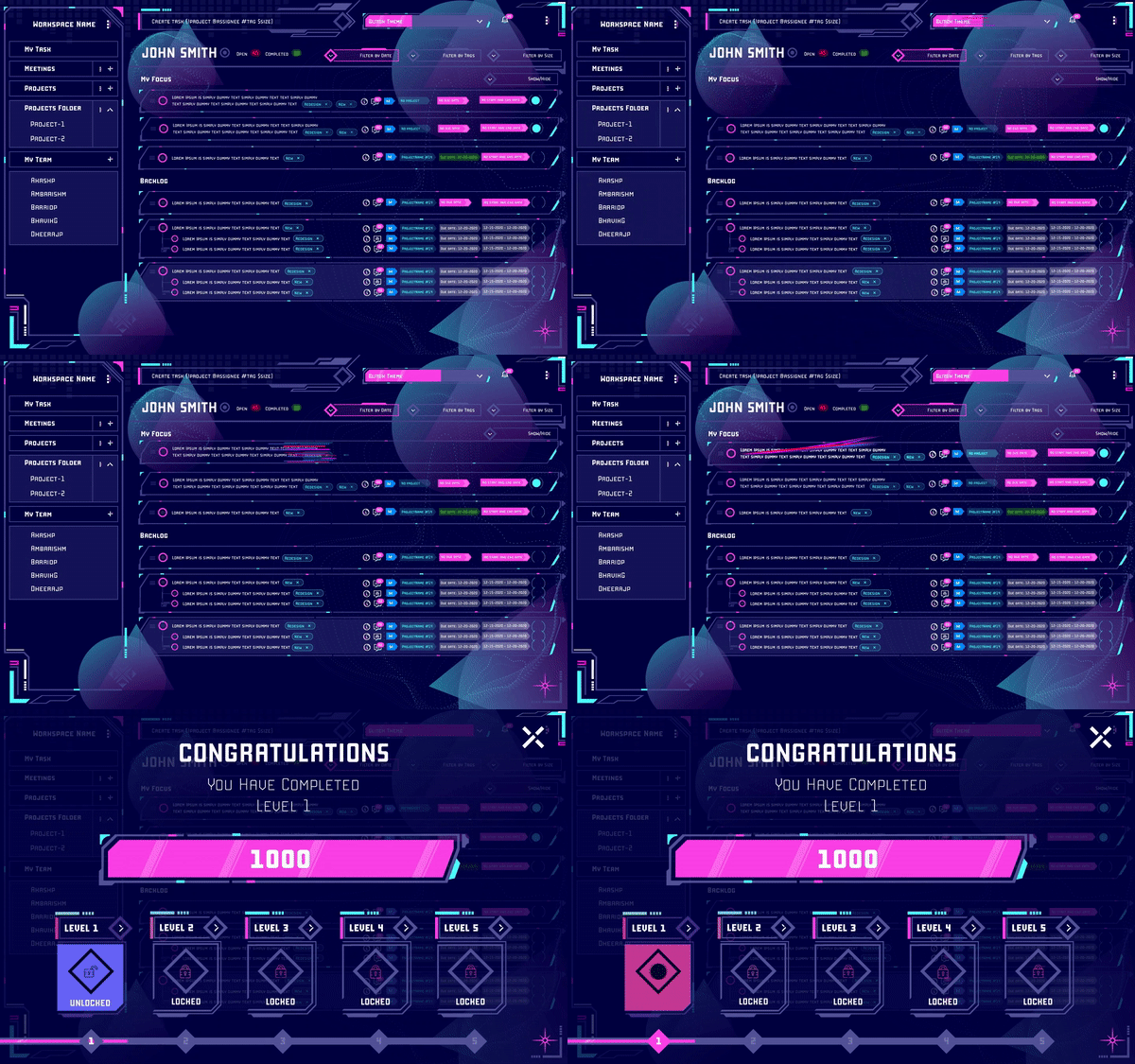
Clients may assign projects throughout the month with different deadlines. Based on this, freelancers will have to constantly update their schedules. They have to take into account the deadline for other projects from various clients. And they may have to do this every day.

Unlike full-time employees, freelancers don't get paid per day. They may get paid by the hour, but in most instances, they get paid per assignment. So more work they can take up, the more they get paid. But if they're unavailable, the client may assign the work to someone else. They may even have to look for more work later that week if things go really wrong.

They can't miss deadlines either unless they have a really good reason. If there are delays in deliverables, it will affect their reputation, and they may find it challenging to find work later in their career. And failing to plan well is not a good enough reason for late deliveries.

How to Use MagicTask for Your Freelance Projects

MagicTask is a task management system designed to streamline the workflow for individuals and teams. Here's how you can use MagicTask to manage your freelance career efficiently.

MagicTask Dashboard

1. Create projects for different clients

When you onboard a new client, start a project on MagicTask. Add all your tasks related to the client to this new project. This will help you get a clear picture of the tasks from different clients, just like putting new assignments into separate inboxes.

2. Use labels to mark your tasks

MagicTask lets you add labels to your task. Users can use these labels as they see fit. Freelancers can use these labels to track the progress of their tasks. If you're into graphic design, you can tag different activities as 'received briefs,' 'in progress,' 'in review,' 'completed,' and other labels.

Freelances can use labels to handle their projects as well. They can use labels to mark the status of different tasks under these projects.

3. Set deadlines and due dates

MagicTask allows users to set start, end, and due dates, while most task management tools only have a due date feature. With these features, freelancers can effectively plan according to their working styles.

4. Use the My Focus area for the tasks for the day

Freelancers often need a lot of flexibility in their schedules, as discussed above. "My Focus" is a MagicTask feature freelancers can use to plan their day. When you start the day, you can look at your tasks and drag those you plan to tackle on the day to this section. This can help you make a quick list for the day instead of changing the plan throughout the day.

This feature will be helpful if you follow the Getting Things Done method. You can reduce your cognitive load and focus on what you're doing at the moment with this section.

5. Use theme levels and points to motivate yourself

One of the biggest questions people should ask themselves before they freelance is if they can motivate themselves. Can they push themselves out of bed every day and sit in front of the laptop? Especially when no manager calls you if you're late on your deliveries? Unlike a full-time job, the consequences of not being punctual or slacking off are not immediate. Neither are the benefits of putting all your energy into your work.

With MagicTask, you can gamify your workdays. The platform gives you points on tasks completed, which you can use to purchase new themes. The themes have a different look and feel and can keep you excited with sound effects and animations.

6. Set priorities on tasks

With MagicTask, you can set different priorities for your tasks.

With freelancing, priorities can change in a day or two. But it certainly helps to set priorities so that you can quickly figure out which ones to handle next.

While this can be helpful to give you a good picture of your pending tasks at a glance, this feature can also be beneficial if you work with a team. You can communicate which tasks need immediate attention and which can be done later.

7. Mark task size

Task size is a unique feature in MagicTask. You can mark your task as Small, Medium, Large, or Extra Large. But MagicTask doesn't give any specific meaning to it. It's up to you to decide what this means.

You can use these labels to denote the time it may take to finish a task or the revenue you may generate from it. Either way, this will help you give you a bird's eye view when you look at your tasks.

Manage Your Tasks and grow your freelance business quickly With MagicTask

MagicTask can give you a unified space to keep track of all your projects, clients, and deliverables, and with its gamified approach can keep you motivated throughout.

Try MagicTask and watch your productivity soar.

Eat The Frog Method: Do The Hardest Task First

Eat The Frog

Most people have this notion that productivity is about doing the maximum number of tasks in a day. While you can't deny the small dopamine rush of checking off a task on your to-do list, this approach may not always help you reach your long-term goals.

You may end up checking off all your small tasks first thing in the morning and get drained. You may end up putting off your more significant tasks that need more energy.

Inevitably you end up prioritizing more manageable tasks and procrastinating on the larger ones. The importance of tasks doesn't factor into your decisions.

If you think you're doing this a lot, you may find the "Eat The Frog" method useful.

What Does It Mean to "Eat The Frog"?

Eat the frog is a productivity method that productivity consultant Brian Tracy introduced in his book 'Eat That Frog!: 21 Great Ways to Stop Procrastinating and Get More Done in Less Time.'

He developed this technique to help practitioners focus all their energy on their day's most important tasks.

The technique advises practitioners to tackle their most important tasks first thing in the day. It doesn't necessarily mean the biggest task of the day; it could be what you dread doing or what you want to put all your energy into.

According to Brian Tracy, "the frog is the one you are most likely to procrastinate on if you don't do something about it."

Brian Tracy named this technique after the famous words of Mark Twain:

If it's your job to eat a frog, it's best to do it first thing in the morning. And If it's your job to eat two frogs, it's best to eat the biggest one first.

With this approach, you can focus your energy on what matters most. When you have too many tasks, you may put off your most difficult ones until the end. We often clear our easiest tasks first thing when we sit in front of our desks. At the end of the day, we may find that we didn't finish doing what's most important to us.

Another aspect of this is that when we focus our energy on completing the maximum number of tasks a day, we may forget to do what helps us reach our goals. We all have spent entire days cleaning the house or doing the laundry to justify not working on the budget or making a business plan. Eating the frog method helps us face our most challenging tasks head-on and help us reach our long-term goals.

How Does Eat The Frog Work?

Eat The Frog is easy to understand, even if it may take a while to implement it well.

Every day before you start your tasks, pick the most important one. As mentioned before, it can be something other than the one that takes the most time or a lot of effort (it could be). It's what you define as important, often the one you're dreading and most likely to procrastinate on.

Do this task before you do anything else. If you have two or more critical tasks, pick the difficult one first, finish it off, and then move on to the next one.

Make this a daily habit; tackle the most difficult or important task first thing in the morning before moving on to anything else. In the long run, this approach will help you overcome the fear of difficult tasks or stop procrastinating on them.

Combine Eat the Frog With Other Productivity Methods

Eat The Frog method can work for you even if you're using other productivity methods like Get Things Done or the Pomodoro Technique.

For instance, if you use the Get Things Done method and plan the tasks for the day or the week, add your most important task at the top of the list. Align your long-term goals with these tasks to these tasks. If you use the Pomodoro technique, try to finish your most important in the first 25 minutes or within the first Pomodoro.

You don't need to assign time for just one task alone first thing in the morning. You can set your targets according to your schedule and the nature of your work to figure this out. Some practitioners go for three or more important daily tasks aligned with their different goals. But it's important to find a steady number and stick to it, or you may procrastinate your tasks again.

Similarly, you can combine Eat The Frog with other techniques like time blocking, systemist, and other techniques. This method can augment your existing productivity techniques. It can give you that extra energy boost for the most critical tasks,

Key Tips to Eating Your Frogs

Here are a couple of tips to make the most out of this productivity method:

1. Choose Your Frogs Well

Choose your tasks

Your choice of frogs daily can determine how quickly you'll achieve your long-term goals. Generally, you should pick the task you're most likely to put off to another day as the first frog for the day.

But you should also consider your long-term plans when doing this. Picking the task we don't want to do is not always the right approach. For instance, it may not make sense to wash your clothes; the first thing in the day just because you procrastinate on your laundry.

When you pick your frogs, ensure you align them with your long-term goals.

2. Don't Procrastinate On Your Frogs

The whole point of this method is to stop procrastinating – to face your frogs. It is to help you reduce the starting friction and get you going.

But the technique is moot if you identify your frogs well but keep procrastinating. Plans and strategies are only as good as how you implement them.

When you procrastinate on your frogs, it can affect your entire day. They will keep hopping around inside your head, distracting you even if you manage to do the rest of your tasks.

Always eat your frogs' first thing in the morning.

3. Stick to It as You Would With Any Other Productivity Technique

Eat The Frog is not too complicated to implement. The Get Things Done method requires some planning to keep you going. The Pomodoro technique requires you to adhere to a schedule. Compared to this, Eat The Frog is easy.

It's as simple as picking the tasks you are likely to procrastinate on and doing them first thing in the morning.

So it's easy for you to forget this or not take it seriously. But to see the results, you must make this a habit and follow it regularly.

4. Don't Try to Eat More Than a Frog at a Time

Your frogs are usually the ones that drain your energy a lot or require all of your focus. One of the goals of this method is to give you that complete flow state when you can focus all your energy on one thing without any distractions.

Since these frogs are your most important daily tasks, you cannot afford to delay them or affect the quality of your output. Our brains are not parallel processors, they're more of serial processors. By trying to tackle more than one, we'll be overloading ourselves. This can affect the quality of your output.

5. Don't Decide Your Frogs Too Far in Advance

Plan your tasks in advance, yes, but don't plan your frogs at least until the night before.

Having a plan will help you manage all of your tasks effectively. It will ensure that you get everything done and on time. But life happens, priorities shift, and your plans must be flexible enough to include that. Planning the first thing you're going to do every day will take away this flexibility.

Every day before you start, look at your pending tasks and then identify your frogs. If you want to plan a bit, do this the night before.

6. Test and Figure Out How Many Frogs a Day Work Best for You

Not every productivity technique or method will work for everyone, however popular they're. You have to work with it for a while and tweak them as needed to make them work. Similarly, with the Eat The Frog approach, having just one frog a day may work for you. But if you wear a lot of hats at your workplace or in your personal life, you may need more than a single frog. In such situations, experiment with two or three frogs and find out which works for you.

Either way, remember that even if you have two or three frogs, you still have to pick one and then do it first, followed by the rest.

How to Eat Your Frogs With MagicTask

MagicTask Dashboard

MagicTask is a powerful task or project management tool for individuals and teams. The solution works around an individual's style instead of forcing users into a specific method. With MagicTask, users can keep track of their pending tasks and manage them effectively and efficiently.

It divides your tasks into two sections: Backlogs and My Focus. When you create a new task, it gets automatically added to the Backlog. This view is available for all the projects and workspaces and the task list for the individual users.

When Eat The Frog practitioners start the day, they can look at all their pending tasks and move their frogs to the My Focus section. This helps them keep track of their most important tasks for their day and check them off first.

Besides this, the platform also lets you collaborate with your team members. You can assign them tasks you need help or assistance on and give them the complete details within the card. MagicTask also lets you set deadlines for the different tasks and set priorities for them.

When your team members open MagicTask, they can quickly figure out which tasks are essential and which can be set aside for later in the day. With this, they can decide on the frogs for the day.

MagicTask also has a completely gamified environment that motivates users to complete their tasks. The platform has many themes, giving the environment a new interface. Users can also compete with their team members and the platform's global user base.

Check it out now, it's free, and it will take your productivity to a whole other level.

How MagicTask Helps You Manage Tasks in a Fun & Entertaining Way

Manage Tasks in a Fun & Entertaining Way

Plenty of task and project management tools promise to make you more productive or efficient. But almost all of them follow a general or traditional theme, and every one of them requires the user to conform to its style of managing the tasks. This is what sets MagicTask apart from the rest of the pack.

MagicTask is a brand-new approach to task management. It was built by analyzing the existing tools and figuring out what works for users and what doesn't.

Unlike other task management tools, it is designed for more than just development teams. And it wasn't designed just to help you go through your tasks as fast as possible; it's made to let you have fun while at it.

How Magictask Make Task Management Fun and Entertaining?

When coming up with MagicTask, its founders wanted a solution that worked for users. They didn't want to create a user base that worked around the solution. They wanted users to look forward to opening MagicTask and completing their tasks.

Here are a few features of MagicTask that make it fun and exciting.

1. It's Easy to Use With a Small Learning Curve

MagicTask

This may not seem like the most MagicTask's most exciting feature. But think about the last time you had to spend hours trying to figure out software or a platform.

There's nothing more frustrating than starting to work with a new solution that's supposed to simplify your projects, and you have to watch a Youtube tutorial to figure out how it works. While designing MagicTask, the team wanted to avoid just that. MagicTask is made to get you going the moment you sign up.

The team built MagicTask from the ground up to be modern and exciting. But they also made it to be familiar. The interface is easy to figure out, and so is creating tasks, and projects, inviting teammates, and just about every aspect of the platform.

Unlike most task management platforms, MagicTask was designed to work with different styles of working. It's made to augment users' workflow without forcing them to stick to a defined pattern. For instance, some users prefer working in a 'hyperfocus' mode – focusing on one task at the moment and moving on to the next.

Some like planning out their entire day before they get started and then checking them off the list one by one. MagicTask lets users work how they're used to, the way they're most productive.

2. It Simplifies Communication Across Your Team

Accessible communication makes work less stressful. When your team can easily understand each other, you can spend more time working and less time talking. MagicTask makes it easy to communicate different tasks and projects with your teammates.

When you want your teammate to do something, you can create a task and put all the details there. You can add reference materials, screenshots, and anything else they may need within the task itself. You can also set the due dates and priority for the task and assign the task to your team.

If your team have any update or questions on the tasks assigned to them, they can leave a comment there. The relevant person can then answer them within the task itself. This approach improves clarity within the team.

You can avoid a lot of back and forth in group chats and calls. The team can also avoid scrolling through chats to get the details of an assignment. It would also make sure that the team won't forget them either.

3. Theme Marketplace

Gaming Theme

When using MagicTask, you don't have to be stuck using the same interface all day, every day. MagicTask has a fun and exciting theme marketplace with which you can completely transform your workspace. Each theme changes the look and feel of your workspace. They essentially give you a brand-new experience – without affecting your tasks or projects.

As of now, MagicTask has around eight themes, each with its own UI. There's a clean theme that looks just like any other software – if you want a simplistic approach. If you prefer dark mode, there's a True Black theme or a Purple Haze if you want to keep it funky. If you wish to switch things up further, there are also Arcade, Gaming, Glitch, and Futuristic City themes.

MagicTask team is continuously working on new themes to keep things exciting. These themes aren't unlimited; each is available only for limited users. When you buy a new theme, you'll get a card with a number denoting how many users had got the theme before you did. For example, if you were the tenth person to buy the theme, your card would show the number ten.

The themes on MagicTask aren't static; as you use them and complete more tasks, you'll level up your themes unlocking more features and effects.

These themes help keep task management exciting on MagicTask.

4. Compete With Your Team as Well as Other Users

We're all familiar with how leaderboards can make you more productive. It brings out the competitive spirit in you. If you're working alongside a team, it motivates everyone to put their best foot forward and complete their tasks as quickly as possible.

MagicTask has built-in gamification that rewards users with points as they complete tasks. The system bases the rewards on a proprietary algorithm. The admins don't have to worry about creating a system that offers proportional rewards.

As users complete more tasks, the system will reward them with more points allowing them to level up and unlock new themes.

Even if you are using MagicTask to manage your personal or business tasks, you can still use the gamification features. MagicTasks lets users compete with the rest of the global user base. It comes with a leaderboard that shows where you stand among your team and other users worldwide.

It's a known fact that we want to be rewarded for our efforts. Ideally, the instant we complete a task. With MagicTask, you can automatically motivate and reward your team members for a job well done – with no effort.

5. It Clears Your Mind and Reduces Your Stress

You can't have much fun going through your tasks if you have a lot of thoughts running across your mind. If you're worried about pending tasks or need to remember an important appointment, you can't focus on the task at hand. MagicTask is built to throw just about any random thought in your head into an organized system.

The more tasks or reminders you have in your head, the more distracted you will be. It will be like trying to keep the tea from spilling out of a full cup while walking across a busy street. It will take all your energy, and you may still spill a few drops. You'll be stressed the whole way and may still forget to do a couple of tasks.

With Magic Task, you'll essentially be pouring your tea into a big flask. If you want to add references to a particular project, drop them into MagicTask and forget about it. If you have appointments or deadlines, just set them up on MagicTask and focus on what you're working on now. MagicTask gives you the confidence to dance across the street, knowing that your tea is safe inside the flask. It lets you have fun knowing that you do not forget anything.

You can stop worrying by adding your ideas, thoughts, references, tasks, appointments, and reminders to MagicTask. You can enjoy what you're doing and ace that.

6. Animations and Sound Effects

Glitch Theme

When we are working on a project or a task, we'll mostly be looking at results in the long term. If you're working on a social media post for your company, you'd be looking at customer acquisition in the long run. If you're writing a page or a section of a book, you'll be looking for returns once the book is published. But it's not easy to get through your task picturing potential gains in the future. A round of applause every once in a while can help you through.

While MagicTask can't get you a pat on the back from your boss, it can commend you every time you complete a task. The platform has fun and exciting animations and sound effects that go off every time you complete a task.

Each theme has animations and effects that make you feel like you're playing a game and not preparing the budget or clearing the invoices. Every theme has background music that plays when you open the app.

The platform plays a sound effect when you move through the menus, create a task, or even reorder the tasks. The idea is to make your daily work life more fun and exciting instead of the usual monotonous routine.

Make Work, Feel Like Play With MagicTask

MagicTask is centered around the user. The team is continuously collecting user feedback to understand what works for them and what doesn't. The solution empowers users with different working styles and task management approaches instead of limiting themselves to just one.

With its gamification features, MagicTask pushes users to be their most productive selves. It makes the tasks of personal and professional lives more fun and exciting. Your team will be excited to use it instead of being forced to.

Check out MagicTask – it's free and will change your perspective toward task management.