How to Create Your Perfect Daily Schedule Using MagicTask

Create Daily Schedule With MagicTask

To achieve our long-term plans and goals, we need to plan the daily tasks that help us reach there. We can rarely reach our dreams and ambitions without executing a well-defined time-bound plan. The tasks that we perform daily and the small achievements we make every day determine how we'll reach there.

This is where a proper daily schedule becomes useful. Most successful CEOs, entrepreneurs, and business executives regularly rely on detailed daily schedules.

With MagicTask, you can also create your daily schedules easily and reach your goals and achieve your vision.

What is Daily Schedule?

A daily schedule is a way of planning your tasks for the day and the time you've allocated. In straightforward terms, you can consider it a timetable for a given day.

A typical daily schedule lists all the activities the person plans to do on a given day in the order they're planning to do. Users may also add additional notes alongside the tasks to help them complete them. For instance, they may add a grocery list if shopping is on their daily schedule. They may add their contact information next to the task if they're supposed to call or meet someone.

While it is similar to a to-do list, a daily schedule is a bit more complex. A to-do list lists down all the tasks as a reminder. Making a daily schedule involves a bit more planning and includes tasks just for one day. The daily schedule is also time-bound. Unlike a to-do list, users take more time to create their daily schedule. They consider their projects, personal and professional lives, long-term plans and goals, and other aspects.

The Importance of A Daily Schedule

Here's why you should use a daily schedule to manage your tasks:

A daily schedule helps you reach your long-term goals.

Goals

Without a well-defined daily schedule, you'd be picking tasks at random to do. With this approach, you may keep putting away or forget tasks that help you with your long-term goals. You may remember to publish an article or evaluate your employees but forget to work on the business plan for the next few years.

A daily schedule forces you to think of your plans and ambitions daily and ensure you include tasks that help you reach there.

It ensures you complete the essential tasks for the day.

Suppose you keep choosing what to do next throughout the day; it's very likely that you may forget to do a couple of them. Some may be irrelevant or something you can put off for another day, but eventually, you may miss out on something important. It could be working on an article that you had to submit the day before or picking up the cake for your kid's birthday party.

With a proper daily schedule with clear priorities, you can be sure you will complete all necessary tasks.

A daily schedule can ensure you have enough energy throughout the day.

Planning a daily schedule is about more than just completing all the tasks in a day. It's also about ensuring you get enough breaks and are in the most productive state. Without a daily schedule, you may run behind on tasks all day without a clear idea of how much you have to do.

With a daily schedule, you know how much you have left to do and how much time each of the tasks will take. With this, you can decide if you need to increase the pace or slow down and take a break.

A daily schedule can keep you healthy in the long run.

A daily schedule helps reduce your stress throughout your work life. You won't be running around trying to finish your tasks before the end of the day. Nor will you be worried about delays or missing deadlines.

Another aspect of this is that your biological clock will align with your waking hours with a regular schedule. This will give you better sleep at night and more energy during the day.

A daily schedule reduces your cognitive load.

A daily schedule reduces the number of daily decisions you have to make. While creating a daily schedule, you'd be calculating the time you have and how much each of your tasks will take. You won't have to worry about missing deadlines or keep juggling your to-do list in your head. After you finish a task, you don't have to calculate and figure out which task you need to do.

It will help you focus on the task instead of getting distracted by the rest of your assignments.

A daily schedule helps you better manage your time.

Time Management

'Failing to plan is planning to fail' – the saying is very much true for an average day. Without a solid plan, you may spend more time on something trivial, leaving you less time for the rest. There's also the chance that you will start doing something and remember that you missed out on an important task. Then you switch to that, dropping whatever you were doing in the first place. These unnecessary back-and-forths will waste your time and let you do less in a day.

A daily schedule gives you a clear plan and priorities, which helps you avoid distractions and move on smoothly with your day.

Creating and working with a daily schedule helps you understand yourself better.

A daily schedule helps you plan your day well, but it also enables you to track how much you have achieved. It can help you understand how much time a task took you. This approach can help you know your skills and abilities better over time.

A daily schedule can help you create more accurate plans and schedules in the long run. It can help you accurately estimate the time you may take for a task and ensure you're not overloaded.

A daily schedule can motivate you to finish your tasks.

A daily schedule builds commitment; when you add a new task, you're telling yourself that you'd complete it. This motivates you to complete your tasks for the day. Seeing all of your planned tasks completed will encourage you to do so the next day.

Creating a daily schedule gives you a big picture of your tasks and projects.

Creating daily schedules forces you to look at all your projects and plans. It makes you look at the status of every large and long-term project you have and make sure you're on track.

7 Steps to Create A Daily Schedule With MagicTask

MagicTask is a powerful task and project management solution that can help you go through your tasks quickly and efficiently. Here's how you can create a daily schedule within MagicTask.
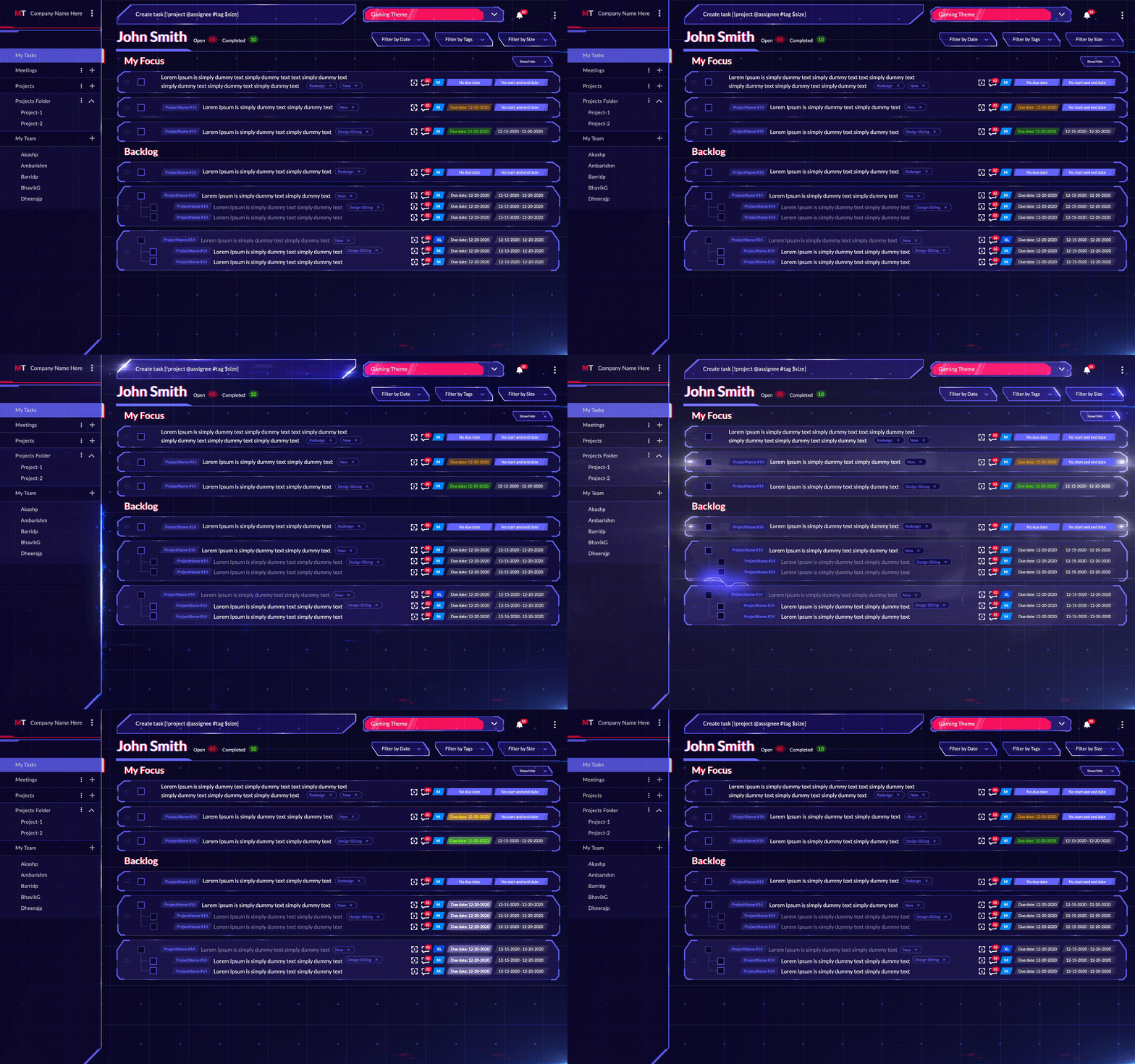
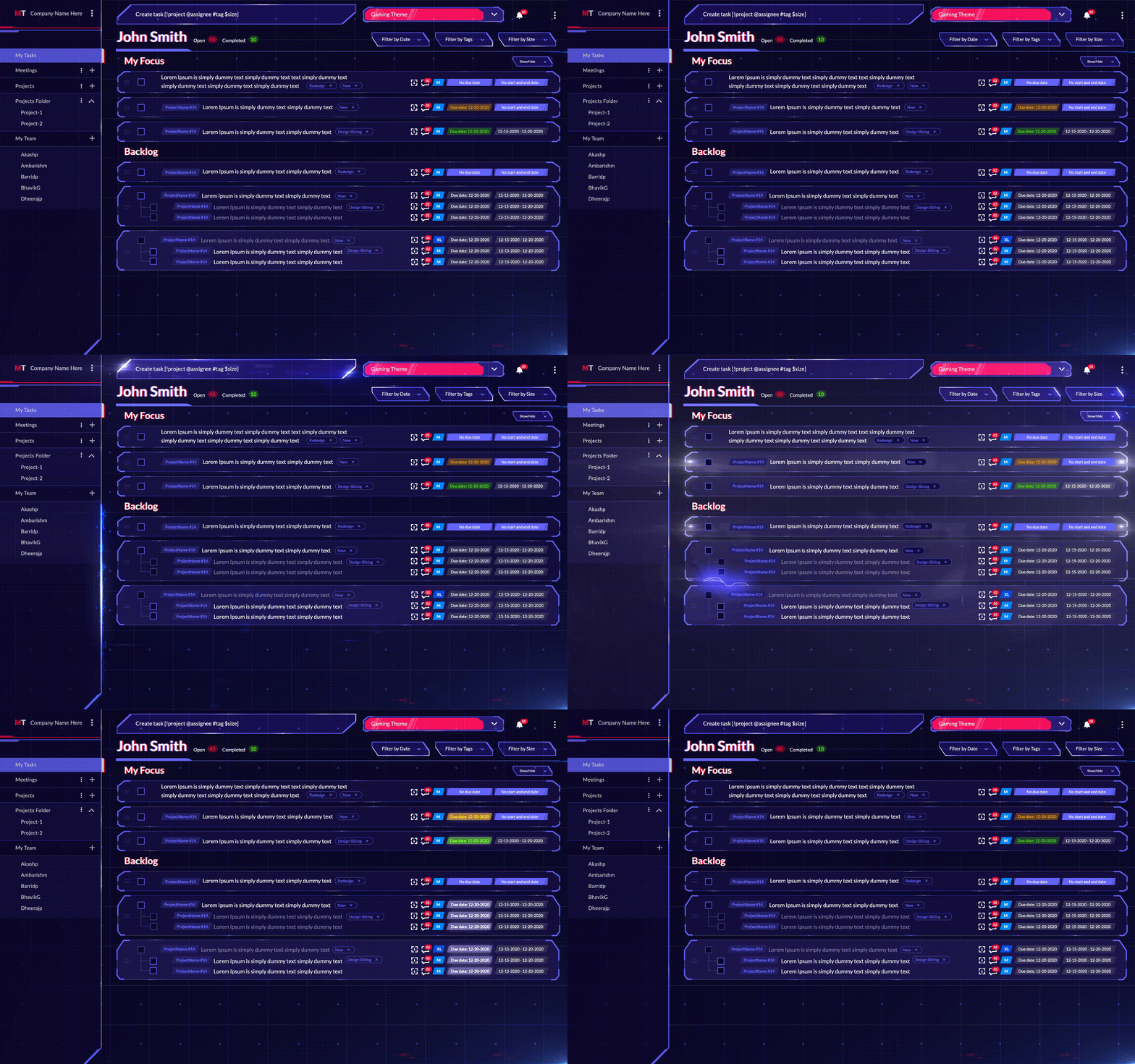
MagicTask Dashboard

1. Create a task for everything you have to do

Whenever you have something to do, open MagicTask and add them as a task. The Getting Things Done method may be an excellent approach to do this. Add every random thought in your head as a task when you're just getting started. Then go back through the whole list and plan them out. Describe each of the tasks and add them in MagicTask. If you have references for these tasks or any other information you want to add, put it as a comment or a description.

For instance, add their name and contact information if you have to call someone. If you're planning to write an article, add the brief and references.

If you have a large task, for instance, building a mobile app, add the steps as subtasks.

2. Add deadlines and due dates to the tasks

Once you have the tasks on MagicTask, consider all of its aspects and add deadlines and due dates. MagicTask lets you add start and end dates as well as due dates to each of the tasks.

These factors, while seemingly simple, helps you figure out what to add to your daily schedule. You can glance through all the tasks in the app and figure out which ones are late, which ones are pending, and which ones you need to do asap.

3. Add labels to the tasks as necessary

MagicTask lets you add labels to your tasks. Users can add labels as they see fit; for instance, if they have a task related to their personal life, they can add a label saying so.

Users can also use these labels to mark the status of the tasks. As with all of its other features, MagicTask lets people use it the way they want instead of forcing them to a specific method or approach.

Labels help users better understand their tasks at hand from a single glance.

4. Mark the size of the task

This is another tool in MagicTask with which users can quickly get a picture of their pending tasks. Users can mark their tasks as 'S,' 'M,' 'L,' and 'XL,' and the app will display them right next to them. Once again, how users use this depends on their approach. You can use it as the time it may take to complete a task or how difficult it is.

5. Identify and mark recurring tasks

It could be conducting your employee evaluation or calculating the salaries – recurring tasks help you automate MagicTask. Like any other task, you can add descriptions and labels and mark their size for recurring tasks as well. MagicTask will add the due date automatically and remind you when they're up.

6. Add the tasks for the day to the My Focus list

In MagicTask, the 'My Focus' list essentially acts as your daily schedule. When you create a new task, it gets automatically added to the 'Backlog.' Every morning, before you start, go through your list and add the task for the day to the 'My Focus' list. The list is just another place to keep the tasks that need your immediate attention.

7. Once completed, move on to the next task

Once you finish a task, mark the task as complete. Just click the check box on the left side of the task, and MagicTask will move it to the list of completed tasks.

Create Your Perfect Daily Schedule With MagicTask

MagicTask is your ideal application for building daily schedules. The app is decked out with features that let users quickly prioritize tasks. The app helps them quickly understand what needs immediate attention. It reduces cognitive load for users and simplifies daily schedules.
How to Prioritize Your Tasks With The Eisenhower Matrix Method

Eisenhower Matrix Method

Most of us often prioritize our tasks or assignments based on what exerts the most pressure on our heads. It could be pressure from our managers, family, or pending bills. Even if we may not do it, we at least want to get rid of or finish our most stressful tasks first.

Most people don't have a systematic approach to prioritizing their tasks; when there's no time to finish our tasks, we may end up doing the most effortless task or the one that stresses us the most, even if we have other important tasks.

What if we have well-defined rules that will help us prioritize better? That's what the Eisenhower Matrix is all about. This article explores the Eisenhower Matrix, how it works, and how you can prioritize your tasks using the method.

What is the Eisenhower Matrix?

The Eisenhower Matrix is named after its inventor Dwight D. Eisenhower, the 34th President of the USA. Eisenhower is one of the most decorated individuals in the US, having served two terms as President and becoming one of the five Five-star Generals in the US army.

Having served in these roles and often having to make quick high-stakes decisions, Eisenhower is one of the few individuals qualified to help others become more productive.

Even though Eisenhower developed the technique, author Stephen Covey made it popular through his book 'The seven habits of highly effective people.'

The technique can help people prioritize their tasks and help accomplish their goals with the least effort. It is also known as Urgent-Important Matrix, the Priority Matrix, and the Eisenhower Priority Matrix, among others.

As we mentioned in the beginning, people often prioritize tasks based on difficulty and deadlines without considering the rewards or results or how they may help them reach their goals in the long run. Besides, the general population finds it very difficult to prioritize tasks with limited time.

This makes us feel busy and create the illusion of productivity. While we may feel like we need more space for more tasks and appear to be occupied all the time, we may not be reaching our goals or ambitions. In the long run, it may seem as if our energy is spread all over the place.

Eisenhower Matrix can help you rectify this situation. It makes us consider a task's importance and urgency and then decide how and when we'll take them. With the matrix, we can divide our tasks quickly and help us determine which ones to take on next.

The Eisenhower Matrix will be a powerful tool for individuals wearing many hats and facing a large pile of tasks daily.

What Are the Four Quadrants of the Eisenhower Matrix Method?

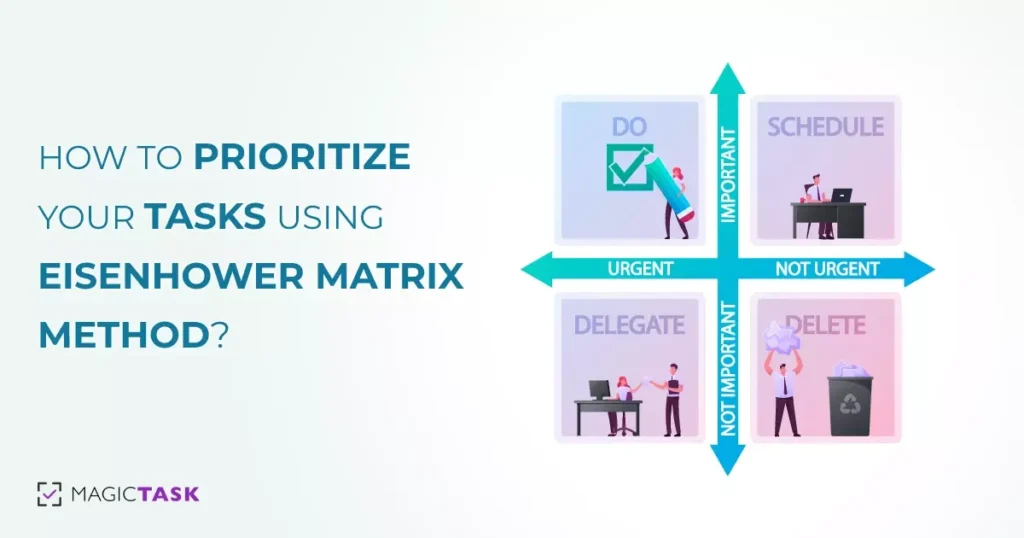
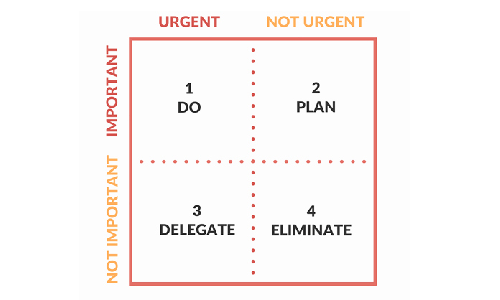
The Eisenhower Matrix comprises four quadrants where you add your tasks based on their urgency and importance. To implement the matrix, you must understand these quadrants and how they are made.

How do you come up with the Eisenhower Matrix?

The Eisenhower Matrix is a four-by-four matrix, each defined by how important and how urgent they are. To create the matrix, draw a four-by-four matrix and mark the columns as critical and not urgent. Mark the top row as essential and the bottom one as not necessary.

Here urgent refers to how quickly you need to do a task. Critical tasks are time sensitive, and you can't delay or reschedule them for another time. For instance, if you have to make a budget proposal for your department, it usually comes with a deadline.

But getting an aquarium for your office can probably wait. Of course, urgency is relative; if a deadline is two months later for a task that will take you a day or less, it may not necessarily be urgent.

Defining a task as necessary or not is based on how aligned a task is with your goals. If a task won't help you reach your goals or won't build towards it, it's not essential. For instance, interviewing potential candidates will be vital if you're building a digital marketing team, but redecorating your office may not be.

The importance of tasks is often the part most individuals fail to consider when prioritizing them. By taking this factor into account, you can better direct your energy.

1. Do

This is the first quadrant in the Eisenhower matrix and is dedicated to urgent and essential tasks.

Add them to this quadrant when you go through your pending task and come across time-sensitive tasks that will help you reach your long-term goals. For example, if you're growing your business and the deadline for filing your taxes is approaching, put the task in the quadrant.

When you first start using this matrix, it may be tempting to add all of your pending tasks here; at a glance, everything may appear urgent and important to you. But once you have set clear goals, prioritizing will become easier.

When you start, evaluate your tasks and decide if you can put them off for another day and if it matters to you. If you're preparing the matrix for just a day, ensure you can do all the tasks in this quadrant on the same day. If not, reevaluate your list and move what can be rescheduled and what is less important.

2. Schedule/Plan

This is the second quadrant in the Eisenhower matrix and is for important tasks that are not urgent.

For example, if you have to buy your partner an anniversary present but the anniversary is months away, you can probably schedule it for a later date.

The tasks you decide to put into this quadrant depend on how long you make the matrix. If you're making it for a day, you can put every important task that you don't have to do today in this quadrant. But if you're making it for the week, ensure that these tasks won't have a short deadline by the end of the week.

Of course, if you let tasks pile up in this quadrant, you may be procrastinating. These tasks may move into the first quadrant if you put them off for too long.

It may be all right if you don't do your laundry today, but by the end of the week, you may have to buy new clothes.

When you put tasks into this quadrant, try to set a definite date to finish them.

3. Delegate

'Delegate' is the third quadrant in the Eisenhower matrix for urgent but unimportant tasks.

To add a task to this list, you need to understand what urgent and important mean in the context of the Eisenhower matrix. Here, urgent means something that has to be done quickly and has the same meaning as in other contexts. Important tasks must be aligned with your personal goals, and you must attend to them personally.

For instance, attending a business meeting may be important for you, but you don't have to book the tickets yourself. Similarly, you may have to choose a present for your loved ones for their birthdays, but you don't necessarily have to buy them yourself.

This quadrant is to help you manage your tasks more efficiently. If you're not used to delegating, learning this may take a while. But once you do, you'll become more efficient at managing tasks, and you can handle more simultaneously.

4. Delete/Eliminate

This may appear to be the harshest quadrant at a glance and is for tasks that are neither important nor urgent.

Let's face it; we spend a lot of time on tasks that don't require our urgent attention or help us reach our goals. But they occupy our minds and distract us from our goals.

For instance, watching a new show on Netflix is not an urgent or important task for most people. But if we keep trying to make the time or space for them, it will take our focus from more important or urgent tasks.

This doesn't mean that we shouldn't do these tasks or that it's not worth our time. Going on a short vacation may not be an urgent or important task. This doesn't mean you should never do it.

When you add a task to this quadrant, it just means you can do them whenever. You don't have to allocate specific time for these tasks, which can be postponed almost indefinitely.

How Do You Use Eisenhower Matrix for Effective Time Management?

Here are the steps to use the Eisenhower matrix and manage your time effectively

1. List down all of the tasks you have to do

List of Tasks

To get a clear picture of what you want to focus on, you must first list your tasks. This can be anything — doing your laundry, evaluating your employees, buying food, or getting new furniture for your home office. If you want to do them, add them to the list.

This step may appear trivial, and you may want to jump into the matrix and add your tasks directly. It may not be the best approach, and you may have to do that sometimes, but this step will help give you more clarity.

2. Create your scales of urgency and importance and attach them to the different tasks

In the Eisenhower matrix, urgency and importance are binary. So you can classify your tasks just as those. But if you have many tasks and don't know which are urgent and important, you can use your scales of urgency and importance. You can mark the tasks as urgent on a scale of one to ten. And right next to it, keep its importance on a similar scale.

You can, of course, mark them as simply urgent or important by simplifying your rankings.

Either way, it's best to mark the urgency first and then the importance.

3. Add the tasks to the different quadrants in the matrix

Once you know if a task is important or urgent, add them to the matrix. Add the important and time-sensitive tasks to the first quadrant. If you can schedule the important tasks for another day, add them to the second quadrant and if the tasks don't need your personal attention, add them to the third.

Move the tasks that aren't important or urgent to the last quadrant.

4. Execute the quadrants

Assign specific dates to the tasks in the second quadrant and add them to your calendar. Get someone else to take care of the tasks in the third quadrant. Forget about the tasks in the fourth quadrant and start tackling the tasks in the first quadrant.

5. Adjust the matrix regularly

Priorities and deadlines shift with time, and you must adjust the matrix accordingly. If you've set the matrix for just the day, look at the tasks the next day and see if anything has changed. If you're planning for a week, adjust the matrix at the end of the week.

Prioritize Your Tasks Effectively With MagicTask

MagicTask is a powerful task and project management tool that can help you prioritize and tackle your tasks efficiently.

The platform has a 'My Focus' section for important tasks requiring immediate attention. For the tasks that you can schedule, you can set due dates, and for the tasks that you have to delegate, you can assign them to someone directly through the app.

The app also lets you set priority and size for your tasks to give you a clear picture of your pending tasks.

Managing Projects and Delegating Tasks Efficiently with MagicTask

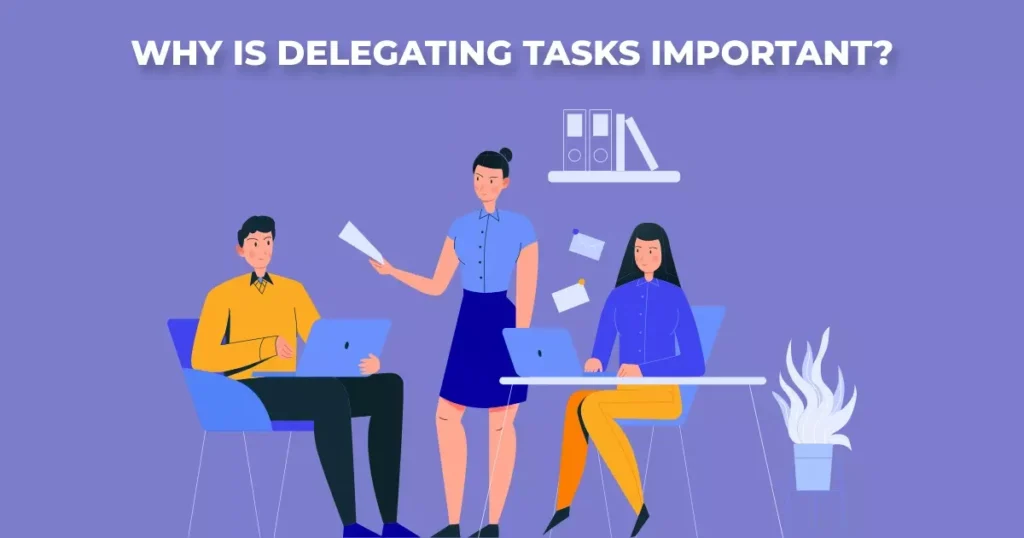
Why is delegating tasks important

Effective project management and task delegation are crucial aspects of ensuring a project's success.

A properly managed project keeps team members on track, ensures resources are used efficiently, and helps achieve the project goals within the set timeline.

One of the main aspects of project management is delegating tasks to the team members.

In this article, we’ll be talking about exactly that – delegating tasks. We'll be discussing what it means, and its importance. We'll also discuss a couple of best practices to effectively delegate tasks.

What Does Delegating Mean?

Delegating, in simple terms, means assigning someone to do a part of your work. In project management, this means dividing the entire project into tasks and assigning them to one or more team members.

Every organization will have people with diverse skill sets and experience. And they'll all be working on unique projects. They will have their own requirements, deliverables, and delivery dates. And they all will need different sets of resources.

The role of a project manager is to deliver the project on time and up to specifications. And by using all the resources available – both human and others.

And a key part of this is delegating the tasks.

When delegating a task, the ownership of the task goes to the person to whom it was assigned. But from an organizational or client perspective, it still remains with the project manager.

This means that ultimately the manager is responsible for completing the project. Maybe the assigned person had to deal with a personal emergency. Or maybe they were pulled into other tasks. Either way, it is the responsibility of the manager to ensure that the work is delivered.

For instance, consider a content manager charged with posting weekly articles on the organization’s blog. They may have a team of content writers, graphic designers, and other marketing professionals.

Maybe the writer took a leave of absence. Or they didn't have the expertise to do it. Either way, the manager has to assign the work to someone else and ensure that the articles are posted on time.

While it sounds simple enough in principle, in practice, delegating tasks can be complicated. Delegation is a lot more complicated than simply putting a task and sticking a name and date on it.

Project managers have to consider team members' availability, dependencies with other tasks, and other factors. They may even have to consider the project timeline as well as client feedback before delegating.

Why is Delegating Tasks Important?

Delegating tasks confers many benefits for the organization, the manager, and their team members. Here are a few of them.

1. Better resource utilization

This is one of the more obvious benefits of delegating tasks. Effective delegation ensures that the team members are all contributing to the project and that nobody is sitting idle. If you’re not delegating tasks, the limited talent in your organization may be overworked and not available for other projects.

Another aspect of this is that every time a person switches from one task to another, productivity goes down. And if a single person is handling all the tasks, the productivity will go down significantly. By putting different people on a project, the team can carry out multiple tasks at the same time. And the project can be completed faster.

2. Improving the team’s skills

Improve team skills

Without adequate work, the skills of your team members are bound to atrophy. But instead, if you delegate some of your work to them, they can learn and practice more skills.

For example, imagine an HR manager delegates one of their tasks – preparing the payroll – to one of their teammates. The teammate will get to learn that additional skill on the job.

Or imagine a project manager asking an assistant to conduct a meeting. The assistant will learn how to take a team through an agenda, follow up on the progress of a project, and become a better leader.

By delegating tasks, you’ll be offering your team the chance to learn more and grow professionally.

3. Improved morale

Anyone who has ever worked for a micromanager knows that it is one of the most demoralizing feelings. But by delegating, you’re trusting your team and their skills to get the task done well and on time. It tells them that you’re willing to teach them and that there’s an opportunity to grow by working with you.

Too many tasks can make your team feel like they’re being overworked. But effective delegation assures your team that you’re there to support them if they face any difficulty. This will certainly improve morale among your teammates and colleagues.

Delegating tasks will create a culture of supporting each other and helping your teammates grow in your organization.

4. Gives you time to focus on more important tasks

Trying to do everything by yourself is setting yourself to fail in everything. By delegating tasks, you’ll have more time to focus on important tasks and look at the bigger picture.

Imagine you’re tasked with leading a large construction project. You'll have to ensure that you have all the resources, that every stage is completed on time, and that everyone is aware of their roles. You simply cannot afford to spend your time picking the interior decor for every room. And you cannot oversee the procurement of individual construction equipment.

Focus on important tasks

Delegating the simpler tasks and letting people do what they’re good at lets you do what you’re good at. It helps you ensure the project is on the right track and that the team members are completing their tasks on time. And it will give you time to overcome any roadblocks on the way.

5. Creates a better team

A team that delegates effectively better understands each others’ skills and talents. If someone has a doubt or gets stuck with a problem, they’ll know who to approach and how to best use each other’s talents. They’ll be able to quickly troubleshoot problems and finish their projects easily.

Delegation offers team members an opportunity to grow, it helps them polish and showcases their skills. Team members will also learn to trust and communicate well with each other. They’ll start to believe in themselves and the capabilities of their teammates.

6. Makes sure nobody is overworked

Without effective delegation, the team may face unrealistic deadlines and too much workload. Individuals may have to face multiple tasks of equal priority at the same time. Too much pressure can also lower the work quality, resulting in reworks and delays.

When the team has more time to do their tasks, the quality of their output will improve. They’ll also have more time to come up with ideas that improve how they work or that will benefit the organization.

7. Prevents knowledge gaps

Organizational knowledge is one of the most valuable assets of the company. It is not easy to document, nor is it easy to transfer. So if a single person handles a lot of different tasks, the entire stack of knowledge is with them. And if they leave the organization or are not available for a period of time, there’s no one else to replace them or perform the tasks they were handling.

This creates a knowledge gap. But by delegating the tasks to many people, everyone knows what has to be done and how it can be done. And the loss of a single individual therefore won’t create a huge knowledge gap.

How to Delegate Tasks Like a Pro?

Effectively and efficiently delegating tasks is an acquired skill. It takes a while to figure out how to coordinate with all the parties, plan projects, and make sure it sticks to the timeline. But here are a couple of pointers to get you started.

Step #1. Make sure that the assigned person has all the information they need

This may seem obvious, but in many organizations, a lot of time is wasted because of this. When the responsible person doesn't have all the information, it creates a lot of back-and-forths.

When delegating a task to someone, make sure that they are clear on the deliverables and that they know how to perform the task. Ensure that they have all the information, tools, and other resources they’ll need for the task.

Working on deliverable

For example, imagine you’re assigning someone to develop the UI for a mobile app. They’ll need to know what kind of app it is, and the platform it will be launched on. They'll also have to know the target audience, the branding guidelines, and the app's features.

It might also be a good idea to ensure they know who to get in touch with for more information.

The exact nature of information needed will vary with tasks, but there can never be too much information.

Step #2. Follow up

When delegating a task, it's important that you follow up on it regularly. The assigned personnel may be stuck somewhere, may have other tasks, or may take a couple of days off. By following up, you can be sure that the task is completed and the deliverables are ready on time.

Step #3. Prioritize the tasks

In an organization, everyone will have their own set of tasks to finish, possibly across multiple projects. By setting different levels of priorities, they’ll know which tasks deserve more attention or resources and which they can take slowly.

Step #4. Always set dates to complete

Due dates help your teammates to gauge their own workload and prioritize the different tasks in their work schedule. And it ensures that the project timelines are met.

While deciding the due dates, make sure that the assigned person has enough time to complete the task. It may be a good idea to discuss with them to figure out how much time they’d need before setting the dates.

In case of any sudden work with a short deadline, make sure your teammate is informed about prioritizing the new task. And adjust the deadlines for the rest of the tasks.

Step #5. Use a task management tool

MagicTask dashboard

Task management tools like MagicTask can streamline how you delegate tasks to your colleagues. task management tool gives you a complete view of all the tasks you’ve delegated and makes sure that the project is on track. It will help you assign tasks, set priorities, and deadlines, and let you know if there are any delays or roadblocks.

You can easily check who is available and who is busy on your team and assign tasks accordingly. It will also help you easily coordinate with your team. They can quickly find all the tasks they have to finish along with all the information they need, their importance, as well as the due dates.

Delegate Tasks and Assign Projects with MagicTask

MagicTask is a powerful project/task management tool that can power your workflow and enhance your productivity. It is available as a SaaS solution and can be accessed through your web browser or phone (Android, iPhone).

Check it out now for free at magictask.io

The New Animation Era: Transitioning from Lottie to Rive for MagicTask V3

The New Animation Era

Greetings, fellow MagicTask warriors! Those of you who have previously joined us on this grand productivity quest know that we're not just about facilitating work, but about transmuting ordinary task management into an epic quest of productivity. Our platform is designed to infuse your workspace with elements that make work not only manageable but engaging, rewarding, and yes, even magical.

We've embarked on many an adventure together in the past. One such voyage involved us delving deep into the immersive world of MagicTask V2's themes. These themes, each exuding a unique personality and presenting unique challenges, served as steadfast companions on your productivity quest. They transformed your workspace into a magical land where each task completion signified a quest accomplished, mirroring your achievements in the realm of work.

However, as thrilling as our past adventures have been, today, we find ourselves on the brink of an entirely new era. An epoch marked by a paradigm shift in our animation system that will not just enhance but redefine your MagicTask experience. With bated breath, we stand at the precipice of this change, as we prepare to soar into an uncharted territory that promises to elevate your interactive experience to dizzying new heights.

As we transition from Lottie to Rive, we promise to make your productivity journey more visually captivating and interactive. We aim to transform your workspace into an extraordinary realm that is not just efficient but exciting, that inspires you to be your most productive self, and transforms your perception of work. Because, at MagicTask, we firmly believe that work, when done right, should not just be rewarding but fun.

So strap in, MagicTask warriors, as we gear up to embark on this thrilling new adventure. 

The Gameplay Mechanics: Lottie and Rive

Before we venture forth on this new quest, let's take a moment to reminisce about the world we've known until now. Lottie, our trusty companion in the realm of animations, has been a stalwart ally. Lottie, akin to a reliable steed in an epic fantasy saga, has been by our side throughout our journey, providing a robust library for Android, iOS, Web, and Windows that renders After Effects animations in real-time.

Lottie has faithfully served us, bringing vibrancy and life to our themes, converting our workspace into a dynamic realm. It took the static elements of our themes and breathed life into them, turning your workspace into a living, breathing entity. Its ability to use animations as easily as static images made it an integral part of the MagicTask family. With Lottie, our themes and animations were not just pictures or designs; they were dynamic characters that played significant roles in your productivity journey.

However, as we bid adieu to our old friend, we prepare to embrace a powerful new ally: Rive. Our journey henceforth takes us into unexplored territories with this dynamic and versatile tool. Imagine Rive as a magical artifact of prodigious power – a tool that transcends the realms of design, animation, and integration.

Rive, with its real-time interactive design capabilities, promises to be a game-changer. It’s not just an animation tool; it’s a grandmaster of the craft that lets designers and developers breathe life into their designs like never before. Rive's capabilities extend beyond crafting beautiful animations; it lets us integrate these dynamic elements seamlessly into MagicTask, enhancing your interactive experience to a whole new level.

With Rive, we’re not just creating animations; we’re crafting immersive experiences. Each design element and animation will no longer be a passive feature but an active participant in your productivity journey. Our themes will evolve from being static landscapes to dynamic worlds, teeming with life and interaction. And all of this is made possible by the magical prowess of Rive.

As we embark on this new journey, we look forward to the enchanting new world that Rive promises to unlock for us. The journey ahead is thrilling, unexplored, and filled with limitless potential. And as always, we're eager for you to join us on this grand new adventure.

The Game Changer: Why Rive?

Why the transition, you might ask? Think of it as an essential quest in the expansive MMORPG that is MagicTask. As any seasoned gamer will tell you, gameplay strategy is not static – it involves continuously upgrading your gear, learning new skills, and adapting your tactics to conquer higher levels. Much like an epic gaming narrative, our journey at MagicTask is guided by a constant pursuit of excellence. Switching from Lottie to Rive is our latest strategic move, one that promises to redefine our gameplay.

The first strategic advantage that Rive brings is its unparalleled interactivity. Much like the finest RPGs, where player choices and actions weave the story, Rive enables our platform to become a dynamic, responsive entity. Rive’s animation capabilities are not confined to simple playback; they allow our animations to interact with you, the player, in real-time.

Picture this: with Rive, each swipe, tap, or click can influence the animation. It's as if each MagicTask user has a unique magic touch, capable of altering the animation's behavior. Your journey becomes even more immersive, personalized, and responsive. And this is only the tip of the iceberg; Rive's interactivity allows us to dream bigger and aim for an even more engaging and dynamic user experience in the future.

The second ace up Rive’s sleeve is its efficiency. As with any epic quest, a nimble, agile protagonist can navigate challenges more effectively than one bogged down by heavy gear. The same principle applies to app performance. Rive helps us create smaller and more efficient animation files, which means MagicTask becomes more responsive, lightweight, and swift, without compromising the quality of the animations.

The result? A seamless, lag-free user experience that parallels the exhilarating feeling of a perfectly executed combo move in a fast-paced action game. Rive ensures that MagicTask stays quick on its feet, ready to deliver a stellar performance regardless of the challenges that lay ahead.

With these strategic advantages in play, it becomes clear why we're making the switch. It's not merely a change of tools; it's an upgrade, a level-up in our game. Our mission is to ensure that every moment you spend with MagicTask feels like a well-crafted gaming experience. And with Rive, we're one step closer to realizing that goal.

Stay tuned, fellow warriors, for the upcoming adventures are bound to be more thrilling than ever. With Rive by our side, the future of MagicTask is promising, filled with exciting battles, epic quests, and unexplored territories. And we're excited for you to join us on this grand adventure!

Allies in the Field: Duolingo and Rive

In the grand arena of digital experiences, we stand among esteemed allies who have also unlocked the power of Rive to level up their user experience. One shining example in this league of extraordinary applications is Duolingo.

Duolingo has transformed the often daunting task of learning a new language into a compelling quest, filled with engaging characters, milestones, and rewards. This language-learning platform has leveraged Rive's capabilities to create dynamic, interactive animations that charm learners and bolster their motivation.

Much like how a detailed and immersive game world can captivate gamers for hours, Duolingo's use of Rive holds the attention of learners, helping them stay engaged and enjoy the learning process.

An excellent showcase of Rive's power in Duolingo is their charismatic mascot, Duo the Owl. Thanks to Rive, Duo isn't merely an icon; it's a lively, interactive companion that moves and reacts in real-time as users navigate the app. Duo cheers when you reach a milestone, motivates you to stay on track, and even exhibits a wide array of emotions, mirroring your language learning journey.

These animated interactions breathe life into the user experience, making Duo more than just a mascot. To millions of Duolingo users, Duo is a friend, a cheerleader, and sometimes, a gentle but firm reminder to keep going.

The success story of Duolingo and Rive stands as an inspiring testament to the transformative potential of Rive. It's a glimpse into what we can achieve when we combine compelling interactive design with effective learning or productivity strategies.

At MagicTask, we're ready to embrace this potent combination. With Rive, we aim to craft a similarly engaging, immersive, and, most importantly, personalized experience for our users. As we venture forward, we are excited about the possibilities Rive opens up for us, in bringing a new depth of interactivity and responsiveness to our platform.

Just as Duolingo has reinvented language learning, we're eager to push the boundaries of what a task management tool can be. With Rive, we're gearing up to take the MagicTask experience to a whole new level of engagement and productivity. So, strap on your adventurer's gear and prepare for a whole new quest with MagicTask!

A New Chapter: MagicTask V3 and Rive

As we turn the page to MagicTask V3, we're stepping into a new era of interactive design, powered by the capabilities of Rive.

This transition is not just an upgrade, but a game-changer, transforming the way you experience MagicTask. You're not merely an observer of beautiful themes; you're an active participant in a dynamic, interactive realm that reacts to your progress.

With Rive, the MagicTask themes evolve from being merely visually distinct to becoming living, responsive worlds. Imagine, as you journey through your tasks, watching your Theme Bar not just fill up but animate in real-time in response to your actions. It's like watching your health bar in a game, mirroring your victories and setbacks, keeping you engaged in the quest.

Our unique, game-inspired themes are set to level up in this new era. The digital distortions and code artifacts of the Glitch theme could become dynamic, responding to your interactions. In the MCARS theme, the futuristic HUD could evolve based on your productivity levels, reflecting your progress like a spaceship's control panel adjusting to the pilot's commands.

For Gaming theme lovers, expect the RPG elements and console-inspired designs to spring to life with animations that react in real-time, transforming your task management into a truly immersive gaming experience.

The impact of Rive extends beyond the themes; it infuses dynamism and interactivity into every element of MagicTask. Be it the to-do lists, tasks, or progress bars, each element could come alive with unique animations that bring the feeling of participating in an interactive quest to every corner of your workspace.

This move to Rive aligns with our guiding star of continuous innovation and user-focused design. By harnessing the latest advancements in animation technology, we're ensuring that MagicTask remains at the cutting edge, leading the pack and setting trends in the digital productivity sphere.

Beyond the visual enchantment, the leap to Rive also broadens our horizons in integrating sound effects into our platform. The idea is to create a multi-sensory experience that keeps you captivated and engaged. Imagine a triumphant fanfare playing when you level up a theme or a satisfying 'ka-ching' echoing when you check off a task. These multisensory feedback cues amplify the sense of achievement and make the productivity journey more delightful and rewarding.

As we step into the exciting landscape of MagicTask V3, we carry with us the collective wisdom of our past experiences, feedback from our loyal users, and a relentless drive to redefine productivity. With Rive, we’re ready to take the immersive MagicTask experience to a new horizon, turning productivity into an interactive, rewarding, and magical quest. Are you ready to embark on this epic adventure with us? Let the new chapter of MagicTask begin!

Towards the Future: Beyond the Transition

While this transition is significant, it's just one of many steps we're taking in our relentless pursuit of excellence. We believe that productivity should be rewarding, meaningful, and even fun, and we're committed to turning this vision into a reality.

Remember, at MagicTask, every task you complete isn't just a mundane item checked off a list – it's a step forward in an epic journey, a battle won, and a level up in your personal productivity game. We're here to make that journey as magical as possible.

So, buckle up, fellow MagicTask warriors. The transition from Lottie to Rive is just the beginning. As we march into this new era of animation, we're excited to explore the countless possibilities that lie ahead. We're thrilled to have you with us on this journey, and we can't wait to see where it leads us.

Here’s to the new animation era and to all the magic it holds! Stay tuned for more updates on MagicTask V3, and as always, let the adventure continue!

Books to Bytes: How Bestselling Productivity Principles Shaped MagicTask V3

How Productivity Principles Shaped MagicTask V3

Embarking on the adventure of game development, a hardcore gamer understands better than anyone the importance of being thoroughly immersed, driven by a purpose, and rewarded for their commitment. Gaming is not just a pastime; it's an art of strategic planning, laser focus, and crucial decision-making skills, wrapped in an exhilarating journey that captures the imagination. As we developed MagicTask V3, we took these powerful attributes, deeply embedded in the gamer's psyche, and married them with world-renowned productivity principles.

Fueled by the hardcore gamer's love for victory, the thrill of leveling up, and the rewarding sense of accomplishment, we crafted MagicTask V3 as a powerful productivity tool that truly resonates with the gamer's spirit. It's not merely a utility to check off to-do lists, but a robust platform where tasks morph into quests, completed projects signify epic wins, and the journey to enhanced productivity becomes a rewarding game in itself.

A few books stand out as beacons, guiding us on this journey of merging the worlds of productivity and gaming. The principles they share served as the foundational pillars in our quest to create a productivity tool that speaks the gamer's language, resonating with their desire for challenge, mastery, and, of course, the sweet taste of victory.

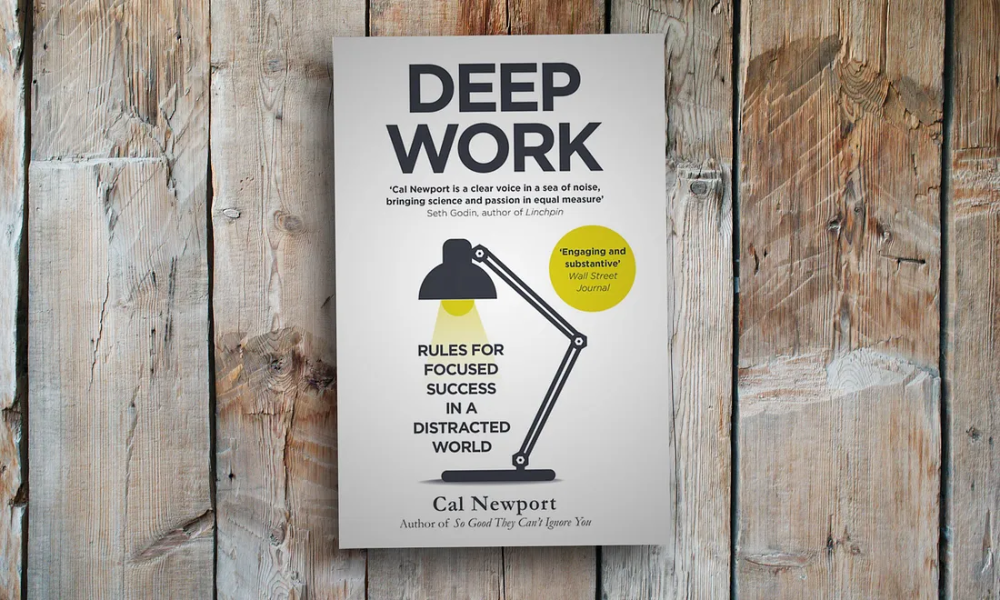
Cal Newport's 'Deep Work': Rules for Focused Success in a Distracted World

Deep Work Book Cover

Cal Newport, in his seminal book 'Deep Work', lays out an intriguing premise: in an increasingly distracted world, the ability to focus without distraction on a cognitively demanding task is a rare and valuable skill. Newport champions the idea of 'Deep Work', a state of flow where one immerses oneself in a task, eliminating all distractions to achieve high-quality and high-quantity output.

Newport presents compelling arguments for the power of deep work and how it can lead to significant improvements in productivity, creativity, and skill development. He outlines practical methods for individuals to create their own deep work routines, advocating for strict boundaries to guard against the onslaught of distractions. Newport's philosophy resonates with the concept of 'flow' in gaming, where players reach a state of heightened focus and full involvement in the game.

When crafting MagicTask V3, Newport's principles significantly influenced our approach. To design a tool that champions productivity, we first had to live the philosophy. Our team blocked out dedicated 4-6 hour deep work sessions each day, where our sole focus was conceptualizing, discussing, and building MagicTask V3. The rest of the world fell away as we delved into the challenge of creating an innovative productivity tool, allowing us to experience firsthand the transformative power of deep work.

This immersive process directly influenced the features of MagicTask V3. We incorporated deep work sessions into the platform to empower users to schedule dedicated, distraction-free periods for their tasks. The application prompts users to silence notifications and close extraneous tabs, fostering an environment conducive to deep work. The goal is to assist users in achieving a gamer's level of flow in their productivity quests, leading to substantial improvements in output quality and task completion speed. This focused environment also encourages the development of skills and the mastery of tasks – a vital part of leveling up in the game of productivity.

By drawing on the wisdom of Cal Newport's 'Deep Work', we believe we've taken a significant step towards revolutionizing productivity. We're excited to see how users leverage these deep work sessions to enhance their productivity and conquer their daily quests.

Stephen Covey's '7 Habits of Highly Effective People': Unleashing the Power of Productivity Habits

7 Habits of Highly Effective People Book Cover

Stephen Covey's groundbreaking work '7 Habits of Highly Effective People' has become an indispensable guide for millions around the globe aspiring to personal and professional effectiveness. The '7 Habits' offers an integrated, holistic approach to life that balances personal and professional effectiveness, transforming the way one thinks about achieving success. The habits—being proactive, beginning with the end in mind, putting first things first, thinking win-win, seeking first to understand then to be understood, synergizing, and sharpening the saw—provide a timeless blueprint for personal effectiveness.

In the realm of gaming, habits are crucial. Gamers develop routines and strategies, optimize play styles, and even manage game resources—habits that directly contribute to their gaming success. A truly epic gaming session is a symphony of well-honed habits, perfectly timed clicks, and a deep understanding of game mechanics. We realized that the same principle could be applied to productivity.

When we set out to build MagicTask V3, we saw an opportunity to bring the wisdom of Covey's habits into our object map. We wanted to create a productivity tool that didn't just help users manage tasks, but also aided them in developing habits that boost efficiency, effectiveness, and ultimately success.

For example, the 'begin with the end in mind' habit inspired us to incorporate goal-setting features. Users can define their goals, break them down into manageable tasks, and visualize their journey toward the end goal. The 'put first things first' habit has been materialized through a prioritization system that allows users to identify their most important tasks and focus their efforts accordingly.

We have integrated features that encourage communication and collaboration, reflecting the 'think win-win' and 'synergize' habits. As in any multiplayer gaming environment, MagicTask V3 fosters a sense of community, promoting cooperative problem-solving and shared victories. And lastly, the habit of 'sharpening the saw' reminds us to take care of our well-being, which has been reflected in MagicTask V3 through reminders to take breaks, celebrate accomplishments, and maintain a healthy work-life balance.

By incorporating Covey's timeless habits into MagicTask V3, we have designed a tool that fosters not just task management, but a holistic approach to personal and professional effectiveness. As you navigate your productivity quests with MagicTask V3, we believe these habits will become as second nature as your gaming routines, leveling up your effectiveness both in the game and in life.

David Allen's 'Getting Things Done (GTD)': Leveling Up Stress-Free Productivity

Getting Things Done Book Cover

'Getting Things Done (GTD)' by David Allen is replete with valuable insights, and some of the quotes from the book profoundly shaped our approach to designing MagicTask V3:

"One of the best tricks for enhancing your productivity is having organizing tools you love to use."

This quote immediately reminds us of the thrill of discovering a new powerful weapon or tool in a video game that perfectly suits our play style. In the world of productivity, MagicTask V3 is designed to be that tool – one that is not only efficient but also enjoyable to use. The tool offers a user experience that mirrors the captivating dynamics of a video game, transforming mundane tasks into an engaging journey.

"A great hammer does not make a great carpenter, but a great carpenter will always want to have a great hammer."

Just as a seasoned gamer knows the importance of their in-game equipment, a productive individual understands the value of a reliable productivity tool. A great tool doesn't create productivity, but it can enhance and streamline the process. That's why MagicTask V3 is designed to be more than just an ordinary task manager – it’s the hammer a great carpenter would love to wield, providing robust features to help you achieve your productivity goals with precision and efficiency.

"Once you know what to put on the lists and how to use them, the medium really doesn't matter. Just go for simplicity, speed, and fun."

Gaming is about strategy and skill, but it's also about accessibility and enjoyment. MagicTask V3 takes this to heart by offering a platform that is straightforward, fast, and enjoyable. We've stripped away unnecessary complexity and clutter, focusing on providing a clean, intuitive interface. Yet, like a well-designed game, it offers depth and richness that become apparent as you delve into it, making the act of checking off tasks both simple and satisfying.

"You will resist the whole process of capturing information if your reference systems are not fast, functional, and fun."

The thrill of gaming isn't just about achieving the end goal; it's also about the journey – the quests, the challenges, the encounters. Similarly, MagicTask V3 ensures the journey of productivity isn't bogged down by slow, difficult-to-use systems. It’s designed to make capturing, organizing, and completing tasks a swift, effortless process, turning what could be a mundane task into a quest that you're eager to embark on and complete.

With MagicTask V3, we've aimed to create a productivity tool that takes a leaf out of the gamer's book, making task management not just an obligation, but an adventure.

Also Read: GTD 101: The Complete Guide to Getting Things Done

"Harnessing the Power of Incremental Growth: Atomic Habits and MagicTask V3"

Atomic Habits Book Cover

James Clear's 'Atomic Habits' is a powerhouse of wisdom about the small habits that make a big difference over time. Several quotes from the book became guiding lights as we developed MagicTask V3:

"The task of building a good habit is like cultivating a delicate flower one day at a time."

In the gaming world, it's the grind – the daily effort to level up, improve skills, and progress in the game – that ultimately leads to triumph. In a similar vein, MagicTask V3 encourages users to cultivate productive habits daily, turning them into powerful allies over time. Just as a gamer nurtures their avatar, MagicTask V3 helps users nurture their habits, facilitating steady, meaningful growth towards their productivity goals.

"When you automate as much of your life as possible, you can spend your effort on the tasks machines cannot yet do."

Like the ease of setting up an auto-battle or automatic resource gathering in a game, MagicTask V3 includes features to automate routine tasks and reminders. By removing the need to remember and manually input recurring tasks, we free up cognitive resources for more complex, creative tasks – the ones that require a human touch. It's about leveraging technology to assist you, not burden you, much like using gaming macros or AI companions.

"When you can't win by being better, you can win by being different."

Every gamer knows that sometimes, it's not about having the best gear or the highest level; it's about using your unique skills and strategies to outsmart the competition. Similarly, MagicTask V3 distinguishes itself from traditional task management tools by turning productivity into an engaging, game-like experience. It doesn't aim to be just a better version of existing productivity tools; it strives to offer a different, more immersive approach to productivity, bringing the excitement and satisfaction of gaming achievements to everyday tasks.

In creating MagicTask V3, we have embraced the philosophy of 'Atomic Habits' – that small, consistent actions compound over time. Each feature is designed to support the daily cultivation of productivity, turning task completion into a satisfying part of your journey, just like a well-played game.

Conclusion: Power Up Your Productivity with MagicTask V3

As a hardcore gamer, I can testify that the thrill of unlocking a new level or defeating a boss isn't derived solely from the action itself, but from the cumulative hours of skill honing, strategic planning, and unwavering focus. It's a testament to the power of choice, the joy of mastering a challenge, and the richness of being part of an engaging world.

In the realm of productivity, the same principles hold true. Building better habits, focusing deeply, making effective choices, and staying organized – are the cornerstones of personal productivity. Yet, many productivity tools fall short of promoting these principles, reducing task management to a mundane, uninspiring exercise.

But with MagicTask V3, that's all about to change.

Incorporating the wisdom of these renowned productivity books, MagicTask V3 has been designed to be more than just a task manager. It's a productivity powerhouse, one that brings the thrilling elements of gaming into the often tedious world of task completion. It encourages the development of effective habits, promotes deep, focused work, and offers the tools for effective task organization. Above all, it aims to make the process fast, functional, and fun.

Just like any legendary game, the true measure of MagicTask V3 isn't in its cutting-edge design or features, but in the meaningful, rewarding experiences it provides to the user. By translating proven productivity principles into engaging gaming mechanics, we believe we've created a tool that can genuinely help people level up their productivity game.

So, whether you're an executive managing a team, a freelancer juggling multiple projects, or a student trying to stay on top of your workload, MagicTask V3 is ready to be your co-op partner on the quest for greater productivity. Let the game of goals, rules, and rewards begin!

7 Best Free Gamified Productivity Tools You Must Consider in 2023

Free Gamified Productivity Apps

Are you constantly battling the clock and losing? Or are you looking for innovative ways to make your work or study routine more engaging and effective? Gamified productivity tools might be the answer you're seeking.

Leveraging the compelling elements of gaming – like achievements, rewards, and levels – these tools transform mundane tasks into exciting challenges.

We've compiled a list of the seven best-gamified productivity tools for 2023. They are here to motivate you, increase your focus, and make you more efficient in your everyday life. So, let's game on!

Understanding Gamification and Its Benefits in Productivity Tools

Gamification, at its core, is about transforming activities typically viewed as mundane or challenging into engaging experiences using game elements such as points, levels, achievements, and leaderboards. In productivity tools, this strategy can motivate users to accomplish tasks, create good habits, and reach their goals in a more enjoyable way.

The benefits of gamified productivity tools are manifold. They can:

  1. Increase engagement and motivation: Adding gaming elements makes productivity fun, encouraging continuous usage.
  2. Enhance goal achievement: The sense of progression in game-like settings can propel users to accomplish more.
  3. Foster habit formation: Regular rewards can reinforce good behavior and habit consistency.
  4. Encourage learning: A fun and interactive environment can make learning new skills more appealing.

Now that we've covered the fundamentals of gamification and its potential benefits, let's dive into the seven best-gamified productivity tools you should consider in 2023.

1. MagicTask

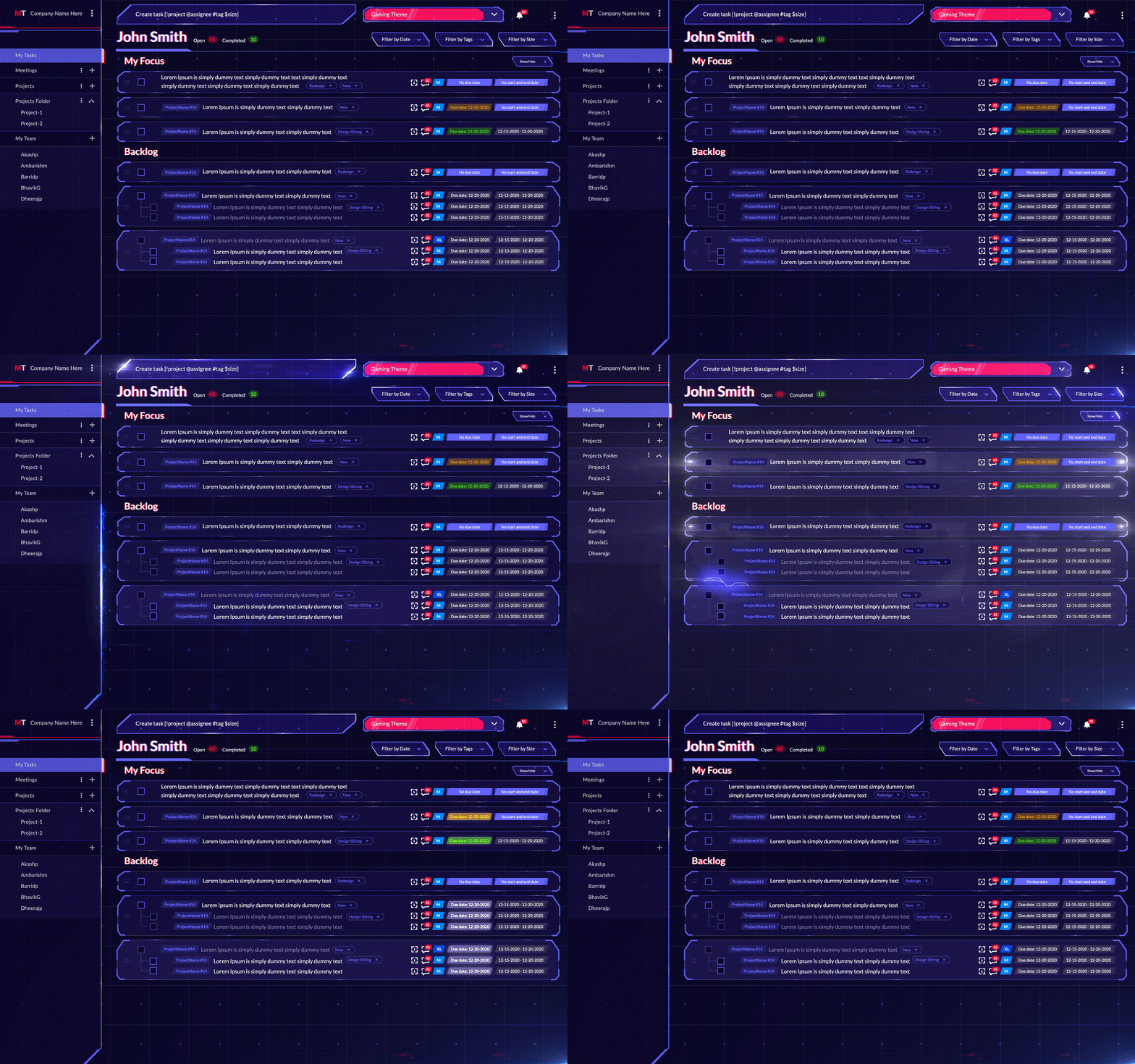
MagicTask is a next-generation simplified task management tool for web and mobile that helps users boost productivity while maintaining a work-life balance through the use of gamification and hyper-simplicity.

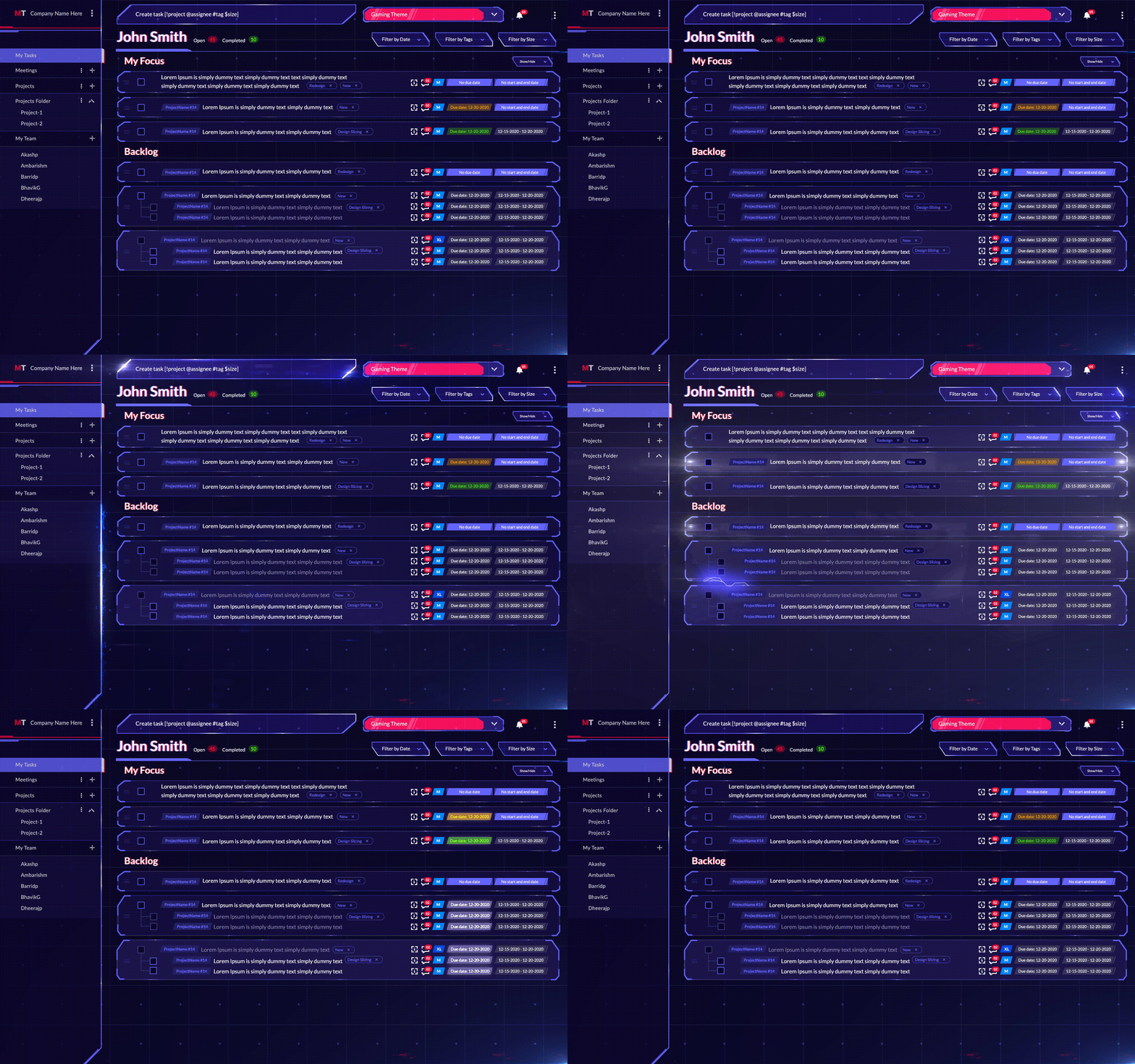
It offers a variety of features, including a one-of-a-kind theme marketplace that contains unique themes to add an extra layer of creativity and fun while managing your personal or professional daily tasks.

Gaming Theme

Features:

  • A sleek and straightforward interface that helps you organize your tasks better.
  • It follows a top-down methodology, which is the most common and efficient approach to task management.
  • It cuts through all the clutter and focuses on efficiency and productivity while making it fun at the same time.
  • Easily assign tasks to other members of your team.
  • Every MagicTask theme is loaded up with cool gamification features that not only turn your work into fun but also help you get things done.
  • It is free to sign up for and use.

So, if you want to use a task management app that feels like an RPG, we strongly suggest you check out MagicTask. The more you use it, the more experience you gain, which leads to leveling up and unlocking new features.

2. Epic Win

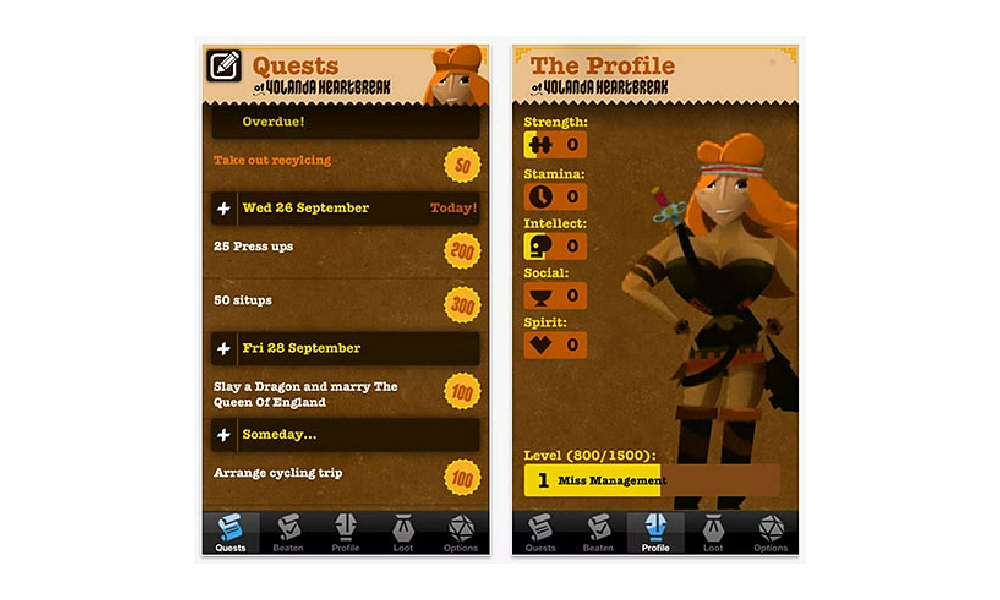
Epic Win is an iOS app that helps you gamify your life by turning your to-do lists into fun and rewarding games. The app features a variety of game-like elements, such as points, badges, and leaderboards, to motivate you to complete your tasks. It also allows you to set up reminders and track your progress over time.

Epic Win

Features:

  • Points system: Earn points for completing tasks and use them to buy rewards and upgrades. Badges: Unlock badges for completing particular tasks or milestones.
  • Leaderboards: See how you rank against your friends and others in completing tasks.
  • Reminders: Set reminders for yourself or others to ensure tasks are completed on time.
  • Progress tracking: Track your progress over time to see how well you're doing.

Epic Win is a great way to gamify your life and make things fun. The app's features will help you stay motivated and on track, and you'll be able to see your progress over time.

3. HabitHub

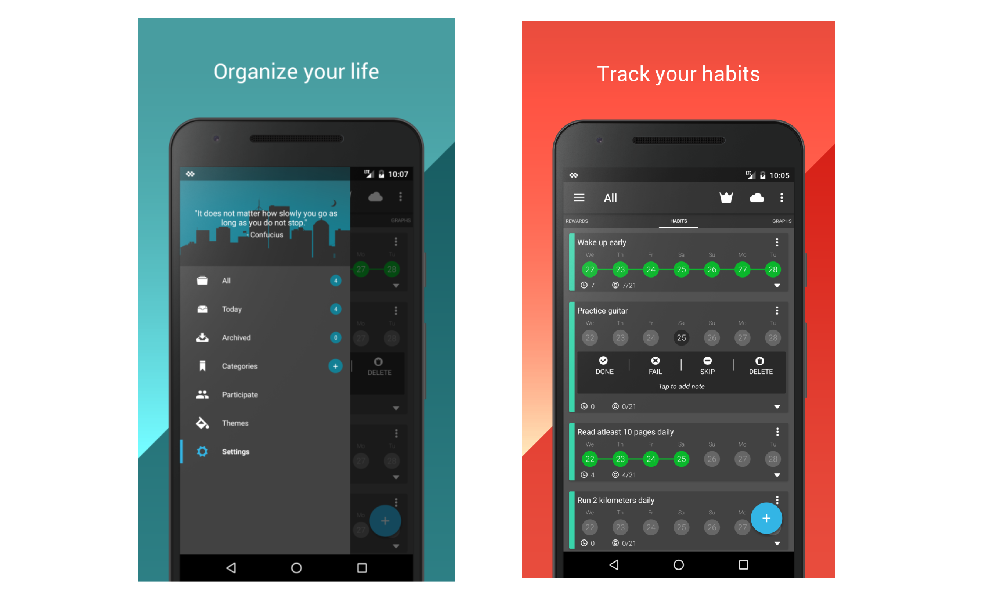
HabitHub is a task management app that helps you form and stick to good habits. The app does this by gamifying your tasks, providing rewards for completing them and helping you track your progress over time.

HabitHub

Features:

  • A habit-forming system that uses positive reinforcement to help you form good habits
  •  A reward system that gives you points for completing tasks, which can be redeemed for real-world rewards
  •  A progress tracker that shows you how well you're doing over time
  •  A social sharing feature that lets you share your progress with friends and family

HabitHub is a great way to get into the habit of doing things that are good for you. The app's positive reinforcement and rewards system make it fun and easy to stay on track, while the progress tracker helps you see your progress over time. 

4. Bounty Tasker

Bounty Tasker is a to-do list with a twist! Instead of just checking off items on your list, you get to make every article into an objective, and every objective completed gives you experience. Using this XP, you can outfit your character with better “loot”, level up, get skills and take on more powerful monsters.

Features:

  • RPG-like elements combined with a reward system for completing tasks incentivize task completion.
  • Visual changes to your character as you progress further
  • A core gameplay element that does not detract from your tasks but blends well with them

Overall, this is a great app, especially for RPG and CRPG players, as they’ll be able to easily recognize the distinct patterns and game mechanics that appear in those game types. Once the players make this connection, they’ll be extra motivated to complete their tasks.

5. Beeminder

The Beeminder app is a gamified productivity tool that helps you gamify your tasks in order to stay on track and achieve your goals. It does this by providing you with a visual representation of your progress and setting up reminders and notifications to keep you motivated. Beeminder also allows you to set up rewards for yourself when you reach certain milestones, which can help to keep you even more motivated.

Beeminder

Features:

  • A visual representation of your progress: Beeminder provides a graph showing your progress over time, so you can see how well you are doing at a glance.
  • Reminders and notifications: The app will send reminders to keep you on track with your goals.
  • Rewards: You can set up tips for yourself when you reach certain milestones, which can help to keep you even more motivated.

Beeminder is a great tool for anyone who wants to stay on track with their goals and get more out of their tasks. If you are looking for a way to gamify your life and make your tasks more fun, then Beeminder is the app for you.

6. SmartyPig

Finances can be fun too with SmartyPig. Granted, you don’t often associate the word “fun” with “finances”, but with SmartyPig’s excellent gamification system, you’ll soon find out that hitting goals can reward you with more than just money.

SmartyPig is a “digital piggy bank” at its core. Basically, you set up an account and then set up an automatic transfer of funds from your account to SmartyPig. Once you hit your goal, the app alerts you and prompts you to buy the thing you've been saving up for.

Features:

  • Progress visualization in the shape of a progress bar
  • Ability to share your success stories on social media
  • Competitive interest rates on your SmartyPig savings

Overall, SmartyPig is just about perfect for people that aren’t too good with money. It makes them spend less, save up more, and, in the end, rewards their patience with something tangible and real-world than just in-game experience and monster slaying. 

7. Challenge Timer

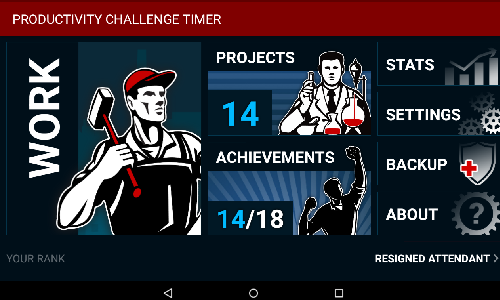
Some people work well with positive reinforcement; some like to feel the crunch. Challenge Timer is a Pomodoro model gamified app that appeals to the latter. 

One of the focus features of this product is the timer that does not stop. In most Pomodoro model apps, the timer can be stopped and the task postponed, but, in Challenge Timer, you have to forfeit the task (by pressing the Forfeit Work Session button), essentially instilling the feeling of having been defeated. 

Challenge Timer

Now, this might not be a good fit for people that don’t like feeling pressured, but for those that operate well under stressful conditions and those that can’t be swayed otherwise to fulfill their obligations, this is the right choice.

Features:

  • The timer runs non-stop and cannot be paused
  • To stop the timer, one must forfeit the session, essentially admitting defeat, and most people don’t like feeling defeated

In the end, Challenger Timer is great for time-crunchers, but it does come with the risk of its own version of burnout, so handle it with care.  

Conclusion

When used effectively, gamification can be powerful for improving user experience and motivating users to achieve their goals. However, it is important to use gamification elements judiciously and avoid overloading users with too much information or too many tasks.

Gamification should be used as a supplement, not a replacement for traditional methods of engagement and motivation.

10 Advantages of Task Management Tools that Can’t be Ignored

Task Management Tools Advantages

Discover the game-changing advantages of task management tools that are impossible to ignore. In this article, we unveil the transformative power of these tools and how they can revolutionize the way you work.

Are you looking to boost productivity, streamline workflows, and stay organized? Task management tools have got you covered. From enhancing collaboration to providing real-time visibility into project progress, these tools offer a multitude of benefits.

Join us as we explore the top 10 advantages of task management tools, ranging from improved efficiency and enhanced communication to better task prioritization and seamless integration with other applications.

Don't miss out on the opportunity to supercharge your productivity and take your work to new heights. Get ready to unlock the potential of task management tools and experience a whole new level of efficiency and success. Let's dive in!

1. Manage All Your Tasks in One Place

MagicTask Dashboard

Task management tools serve as a comprehensive dashboard for all your task-related needs, simplifying prioritization. By consolidating all tasks within a single, accessible platform, it eliminates any chance of overlapping duties or duplication of effort.

This proves immensely beneficial for organizations where multiple team members collaborate on a shared project. Additionally, it aids individuals in maintaining an organized workflow and prevents them from being swamped by their extensive to-do lists.

Consider this scenario, you're a project manager, orchestrating the development of a novel software system. A task management tool serves as your command center, laying out every task that demands completion and its corresponding status in clear view.

This visibility empowers you to strategically allocate resources and steer the project seamlessly toward its destination.

2. Clarity on Task Ownership

Utilizing a task management tool provides clear visibility into the ownership of each task. This promotes the accurate assignment of tasks to appropriate individuals, enhancing everyone's understanding of their responsibilities. Furthermore, it guarantees that no task goes unnoticed or unattended by assigning each task a specific owner.

Here's a practical illustration of this benefit: Imagine a company is facing a setback with product shipping delays. With a task management system, they can promptly identify pending tasks and their corresponding owners. This ability ensures no tasks are overlooked and enables the company to swiftly rectify its operations.

3. Helps You Stay Organized and On Track

Task Organization

Task management tools greatly facilitate organization and progress tracking. Their paramount utility lies in their ability to manage deadlines and assignments effectively, ensuring no deadlines are missed or tasks overlooked.

These systems commonly integrate features that enable setting reminders for yourself or team members, preventing crucial tasks from being neglected.

Moreover, many of these tools foster collaboration, with capabilities to effortlessly share tasks and vital information with colleagues. This streamlined exchange promotes organizational efficiency and keeps everyone on the path to success.

4. Reduces Stress and Anxiety Levels

The mental health benefits of task management tools are often overlooked, but they can significantly alleviate stress and anxiety. By providing a lucid overview of tasks, deadlines, and assignees, these tools prevent work overload and miscommunication.

These tools fuel a sense of achievement by facilitating progress tracking and visibly marking completed tasks. This not only boosts morale but also instills a sense of security, assuring you that no task is being overlooked.

Many users find that these systems foster better organization and reduce stress levels. For instance, if you are swamped with work and feel daunted, these tools allow you to break the workload into smaller, manageable tasks.

By explicitly outlining what needs to be done and when these tools mitigate the fear of forgetting tasks or letting them slip away unnoticed. Witnessing your progress laid out clearly can significantly aid in maintaining motivation and staying on course.

5. Keeps You Accountable to Yourself and Your Team

Task management tools bolster accountability in multiple ways. Primarily, by tracking tasks and deadlines, they enable you to stay abreast of your obligations. The integrated reminder and notification systems further augment this by keeping you informed about impending tasks and their due dates.

Moreover, the ability to share task information cultivates a sense of collective responsibility, making you more accountable to your team or organization. Hence, these tools serve as invaluable aids in enhancing personal and team accountability.

Consider a scenario where you're using a task management tool to manage your work commitments. Suppose you have a task due on Friday; the tool can remind you on Wednesday and Thursday, ensuring you remember your obligation and complete the task in a timely manner.

Similarly, these tools promote accountability within a team. If you're part of a project team, task management tools can keep everyone updated on deadlines and progress, fostering a transparent work environment. Such openness ensures that every member is accountable for their contribution to the project.

6. Set Priorities and Achieve Goals

Task management tools undoubtedly assist in setting priorities and achieving goals. However, it's crucial to remember that these tools are not a universal remedy – they won't suddenly turn you into a productivity powerhouse. Instead, they should be viewed as a significant component of your toolkit, designed to help you become more organized and efficient.

When it comes to setting priorities, task and project management tools offer multiple advantages. First and foremost, they provide a comprehensive view of all pending tasks, thereby enabling you to identify the most critical ones.

Secondly, these tools allow you to assign due dates and reminders to each task, significantly reducing the risk of overlooking or delaying crucial tasks.

Lastly, they offer a means to monitor your progress on each task, giving you valuable insights into whether you're on track to achieve your goals or if adjustments need to be made. Therefore, task management tools are a powerful ally in your journey toward greater productivity and goal attainment.

7. Boosts Productivity

The task management tool is designed to help users be more productive and creative. The tool can provide a variety of features and tools that allow users to manage their tasks more effectively. In addition, the tool can also offer tips and tricks on how to be more productive and creative in general.

There are a number of benefits that task and project management tools can offer users. One of the essential benefits is that it can help users manage their time more effectively. This is because the tool can provide users with a variety of features and tools that allow them to track their time, set deadlines, and see how much time they have left to complete a task. 

In addition, the system can also help users to manage their resources more effectively. Because the tool can provide users with a variety of features and tools that allow them to track their resources, set limits on how much they can use, and see how much they have left to complete a task. Finally, the tool can also help users be more productive and creative.

Also Read: Productivity Management 101: What is It and What It Can Do for You?

8. Facilitates Better Time Management

Better Time Management

Task and project management systems can help you keep track of your time and ensure that you are using it effectively. By tracking your tasks, you can see where you are spending the most time and identify areas where you could be more efficient.

This can help you to make better use of your time and get more done in less time. In addition, task and project management tools can help you to set priorities and deadlines and to manage your workload more effectively. Using task management tools can improve your time management skills and get more done in less time.

9. Task Delegation

One of the best ways to learn how to delegate better is to use a task management tool. This type of tool can help you keep track of your tasks and prioritize them so that you can get more done in less time.

This tool can be very helpful in real-life situations as well. For example, if you are a team manager, you can use task and project management tools to delegate tasks to your employees.

This will help them stay organized and track their work. If you are a student, you can use this tool to keep track of assignments and due dates. This can help you stay on top of your work and get it done promptly. Ultimately, these tools can help you to be more productive in your work and life.

10. Helps to Stay Focused and Avoid Distractions

If you're like most people, you probably have a to-do list that's a mile long. And if you're like most people, you also have a hard time staying focused and avoiding distractions. That's where this tool comes in.

Task and project management tools help you stay organized by keeping track of your to-do list and reminding you of what needs to be done.

It also helps you stay focused by allowing you to set priorities and deadlines. And if you're working on a team, a task management tool can help you keep everyone on track by sharing tasks and assigning them to specific people.

Try MagicTask – The Gamified Task Management System

Well, that's a quick and easy guide on the 10 advantages of task management tools. Now, if you want to go the extra mile and make things fun, we suggest you check out MagicTask.

It is a gamified task and project management system that makes work feel like play. It gives you all the advantages of a regular task management system, but its theme marketplace and gamification features really make it stand out.

Productivity Management 101: What is It and What It Can Do for You?

Productivity Management 101

Unlock the secrets to optimal efficiency and take control of your productivity with Productivity Management. In this article, we reveal essential strategies and techniques to supercharge your productivity and achieve your goals.

Are you tired of feeling overwhelmed and struggling to stay focused? It's time to break free from the productivity pitfalls and discover a route to optimal efficiency. Join us as we explore practical tips, proven methods, and cutting-edge tools that will transform your work and personal life.

From effective time management to prioritization techniques, we'll guide you on a journey to reclaim your productivity. Get ready to master the art of productivity management and unlock your full potential.

What is Productivity Management?

Productivity Management, at its core, represents a systematic approach to enhancing the efficiency of work activities. Essentially, it's a measure of how effectively resources are deployed to generate goods or services.

Factors influencing productivity range widely, from the quality of resources utilized, and the efficiency of operational processes, to the skill level of employees. The role of productivity management is to optimize these elements to bolster output.

Amongst several metrics to gauge productivity, the most widespread is 'output per hour'. As per recent research, an average employee is productive for only about 3 hours each day.

Productivity growth serves as a crucial economic barometer, gauging how resourcefully an economy capitalizes on its assets. An economy boasting a high rate of productivity growth can either generate more output with equivalent inputs or maintain the same output level with fewer resources. This fuels higher living standards and propels economic growth.

This identical principle can be extrapolated to a business environment or a smaller team framework.

Therefore, productivity management essentially involves overseeing, assessing, and boosting employee efficiency. Businesses leveraging this approach can ensure optimal workforce utilization and maximize their output potential.

Key Benefits of Productivity Management

Productivity Management

Now that we handled the topic of what is productivity management let's talk about why, exactly, you should implement it. There are many benefits to productivity management, including:

1. Improved Efficiency

By monitoring employee productivity, businesses can identify areas where workers are struggling and implement changes to help them work more efficiently. This can lead to increased output and improved bottom-line results.

2. Greater Engagement

Employees who feel like their productivity is being monitored and managed are more likely to be engaged in their work. This leads to a more positive work environment and greater job satisfaction.

3. Increased Flexibility

Productivity management can help businesses to be more flexible in their operations. By knowing where employees are struggling, businesses can make changes to processes and procedures to accommodate workers and improve efficiency.

4. Better Decision Making

Businesses can make better decisions about where to allocate resources by monitoring employee productivity. You can see this resulting in improved efficiency and cost savings.

5. Improved Morale

When employees feel like their productivity is being managed effectively, they are more likely to be motivated and have a positive attitude toward their work. This can lead to improved morale and job satisfaction.

6. Greater Customer Satisfaction

When businesses operate efficiently, it leads to happier customers. When customers are happy, they are more likely to come back and do business with the company again.

7. Increased Profits

One of the ultimate goals of productivity management is to increase profits. Businesses can directly impact their bottom line by monitoring and improving employee productivity.

It is a critical part of any business and can positively impact many different areas. By understanding the key benefits of this type of management, businesses can make sure that they are getting the most out of their workforce and achieving their goals.

Also Read: 10 Common Productivity Mistakes & How to Avoid Them At All Costs

7 Practical Ways to Improve Your Team's Productivity

Now let's talk about the practical stuff – what you can do or start right now and boost your team's productivity.

1. Maintain Open Communication

Open Communication

There are a few ways to encourage open communication within your team. First, make sure that team members feel comfortable communicating with each other. This could involve setting up regular meetings or check-ins, using collaborative tools like Slack or Google Docs, or simply creating an open and inclusive culture where everyone feels heard.

Another way to encourage communication is to remove any barriers to information sharing. This could mean giving everyone access to the same resources and information or making it easy for people to ask questions and get help when they need it.

Finally, you can encourage communication by creating opportunities for team members to interact with each other. This could involve planning team-building activities or social events or simply making sure that there are plenty of opportunities for people to work together.

2. Encourage Collaboration

There are many ways to encourage collaboration among employees. One way is to create opportunities for employees to work together on projects. You can do this by assigning tasks that require cooperation and communication or by setting up team-building exercises.

Additionally, you can create a culture of collaboration by rewarding employees for working together and displaying teamwork. Finally, you can lead by example and encourage collaboration yourself.

By working together on projects, employees have the opportunity to get to know each other better and build trust. When employees feel like they can rely on and trust their colleagues, they are more likely to be willing to collaborate.

Team-building exercises can help employees learn how to communicate and work together more effectively. These exercises can be as simple as ice-breakers or team-building games. By doing these activities together, employees will start to see each other as teammates instead of just co-workers.

Rewarding employees for collaborating can also encourage more cooperation among staff. Recognizing employees who work well together and displaying teamwork can inspire others to do the same. You can give out awards, bonuses, or other forms of recognition to those who exemplify collaboration in the workplace.

3. Support Creativity

Support Emplyoee Creativity

There are a number of ways to encourage creativity among employees. One is to provide them with opportunities to be creative, such as by giving them assignments that require them to be innovative or by allowing them time to work on personal projects. 

Another is to create an environment that is conducive to creativity, such as by encouraging open-mindedness and risk-taking.

Finally, you can reward employees for their creativity by giving them bonuses or recognition. By taking these steps, you can create an environment in which employees feel comfortable being creative and are more likely to come up with innovative ideas.

4. Encourage Critical thinking

There are a few key ways to encourage critical thinking among employees. First, as a manager, you need to model critical thinking yourself. If you're not demonstrating critical thinking in your decision-making, your team won't see its value either.

Second, create an environment where questioning is encouraged. This means creating opportunities for employees to share their ideas and concerns and listen to what they say.

Encourage employees to think outside the box, and reward them when they do. Finally, provide employees with the resources they need to think critically. This includes access to information, time to reflect, and opportunities to learn. You'll create a more innovative and effective team by encouraging critical thinking in your workplace.

5. Build Healthy Competition

It's no secret that competition can be a powerful motivator. When employees feel like they're in competition with their colleagues, they're more likely to push themselves to perform at their best.

Of course, not all competition is healthy. If the competition is too intense, it can lead to resentment and conflict among employees. That's why it's essential to encourage healthy competition in the workplace.

Here are a few tips for doing so:

  • Make sure the playing field is level. If some employees feel like they're at a disadvantage, the competition won't be fair or fun. To level the playing field, make sure everyone has the same opportunity to succeed.
  • Set clear rules and objectives. Without clear rules, the competition can get out of hand. Make sure everyone knows what they're competing for and how the winner will be determined.
  • Encourage friendly rivalry. Competition doesn't have to be cutthroat. Encourage employees to be supportive of one another while still striving to come out on top.
  • Offer prizes that everyone wants. The prize should be something that all employees would be happy to win. Avoid offering prizes that are too personal or that not everyone would want.
  • Celebrate the winner…and the losers. Recognize and reward the employees who do well in the competition. But don't forget about the employees who didn't win. Make sure they feel like they're still valued members of the team.

6. Establish Consequences for Poor Performance

There is the carrot, and then there’s the stick. Now, you should always use the carrot as much as possible, but people need to know that slacking off has true consequences.

If team members know that there will be consequences for not meeting deadlines or completing their assigned tasks, they will be more likely to take their work seriously and stay on track. Possible consequences could include being reassigned to a less desirable project, loss of privileges (e.g., working from home), or even termination.

One way to establish consequences for poor performance is to create a grading system that is linked to raises, bonuses, and other forms of compensation. This will give team members an incentive to do their best and maintain a high level of productivity. 

Another way to establish consequences for poor performance is to have a meeting with all team members where you discuss the issue and agree on what the consequences will be. This will help to ensure that everyone is on the same page and that there is a clear understanding of the expectations.

7. Develop Open Feedback Culture

Open Feedback Culture

Encouraging team members' feedback can help identify areas where productivity can be improved. Feedback can be solicited through regular one-on-one meetings, surveys, or simply by asking team members for their input on a regular basis.

Once you have received feedback, be sure to take it into account and make changes accordingly. This will show team members that their feedback is valued and that you are willing to make changes to improve productivity.

Feedback should be encouraged from all team members, not just those in management positions. Junior team members may have fresh perspectives that can be valuable in identifying areas for improvement. Furthermore, soliciting feedback from various team members will help ensure that all voices are heard and that everyone feels like they have a say in how the team operates.

Also Read: How MagicTask Improved Productivity at Imaginovation

Conclusion

Implementing these practical ways to improve your team's productivity will help to create a more cohesive and effective team.

You can create more motivation and oversight by using a task management platform like MagicTask.

With a good task management system, you can clearly see the tasks assigned to you and your team, how many tasks within a project have been finished, and much more.

Gamification in Task Management: How It’s Changing The Way We Work?

Gamification in task management

Experience a paradigm shift in task management with the power of gamification. In this article, we uncover how gamification is revolutionizing the way we work, transforming mundane tasks into engaging and rewarding experiences.

Imagine a work environment where productivity is fueled by excitement and motivation. Gamification infuses elements of game design and mechanics into task management, boosting engagement, collaboration, and overall performance.

Join us as we explore the captivating world of gamification in task management, revealing its impact on employee productivity and satisfaction.

Get ready to level up your work experience as we dive into the exciting realm of gamification. Embrace a new way of working that makes tasks more enjoyable and brings out your team's full potential. Let the games begin!

Gamification in Task Management: An Overview

Do you ever find yourself getting really into a video game or other type of game? Gamification is the use of game elements in non-game contexts. In other words, it's taking something that isn't traditionally seen as a game and making it into one.

Simply put – gamification in task management is the use of game mechanics and game thinking to engage users and motivate them to achieve their goals. 

Some common examples of gamification in task management include awarding points for completed tasks, adding levels or badges to signify progress, and leaderboards to encourage competition. 

Adding these elements to a task management system makes users more likely to stick with it and complete their tasks. In fact, employees experienced a 60% engagement increase when they gamified their work.

Let's dive into some additional benefits and see just why gamification is so useful.

Key Benefits of Gamification in Task Management

Gamification refers to design that seeks to, first, increase the motivation of users or participants to engage in an activity or behavior and, second, to increase or otherwise change a given behavior.

Simply put, to make life more fun and engaging. As a task management tool, gamification can be a great way to complete a piece of work more enjoyable and motivate yourself to get it done.

Let's see what the primary benefits of gamifying your task management system are: 

  • It makes task management more fun
  • Motivates people to get things done
  • Helps with organizing everything
  • Greater productivity
  • Helps people learn new skills
  • Encourages healthy competition
  • Boosts morale
  • Improves communication and collaboration

Now how about we talk about these a bit more thoroughly.

Gamification

Make Task Management More Fun

One of the best things about gamifying your task management is that it can make the whole process more fun.

If you find yourself getting bored or frustrated with your task list, adding some game-like elements can help breathe new life into it.

This is perhaps the most important benefit. In a way, this feature influences every other benefit.

Motivates People to Get Things Done

Another great benefit of gamification is that it can help you motivate yourself to get things done. As mentioned above, this comes from the fact that most gamification applications borrow design patterns from (video) games.

Therefore, it's aimed to give rise to similar experiences as games commonly do. For instance, feelings of supremacy, independence, flow, or uncertainty. When you make task management more fun, you're more likely to stick with it and see it through to the end.

Stay Organized and on Track

Gamification can also help you stay organized and on track with your task management. By adding elements like points, leaderboards, and achievements, you can keep yourself accountable and motivated to stay organized.

Enhance Productivity

Productivity is often enhanced when people are able to have some fun while working. By adding game-like elements to your task management system, you can find that you work more quickly and efficiently overall.

This can lead to better results in a shorter time frame. Gamification can also help reduce stress levels, as having some fun can take the edge off of difficult tasks. In this way, gamification can assist with creating a positive work/life balance. 

Help People Learn New Skills

One of the most interesting benefits of gamification is that it can help people learn new skills. When people are engaged in activities that are enjoyable, they often don't even realize that they're learning.

However, by adding game-like elements to task management, you can create an environment where people are actively encouraged to learn new things. It can serve as a great way to improve your team's overall skill set.

Encourage Healthy Competition

If you have a team working on a project, gamification can be a great way to encourage healthy competition.

By adding leaderboards and other competitive elements, you can foster a sense of friendly competition that can push everyone to do their best work. It can lead to better results and a more cohesive team.

Boost Morale

Another great benefit of gamification is that it can boost morale. When people are having fun and feel like they're making progress, they're more likely to be engaged and motivated. This can lead to increased productivity and a better work/life balance for everyone involved.

Improved Communication and Collaboration

Finally, gamification can also improve communication and collaboration. When people are working together towards a common goal, it's important to have good communication in order to stay on track.

By adding game-like elements to task management, you can encourage people to communicate more often and work together more effectively. You can then expect better results and a stronger team overall.

Why Traditional Task and Project Management Systems Don't Work?

We've elaborated on the advantages of gamified systems. But why are they gaining popularity over traditional systems? While personal preference plays a part, let's explore reasons why many are leaning towards gamified systems.

Traditional Systems Lack the Fun Factor

Traditional task management systems are often labeled boring. On the contrary, gamified systems transform tasks into games, making the process exciting.

Engagement is Higher in Gamified Systems

The fun element in gamified systems keeps you more engaged. This lowers the likelihood of distraction or procrastination, increasing the chances of task completion.

Gamified Systems Enhance Efficiency

The increased focus and engagement in gamified systems promote efficiency. As you're more absorbed, you're less likely to waste time on irrelevant activities.

Gamified Systems Offer Flexibility

Contrary to the rigidness of most traditional systems, gamified systems are adaptable. You can customize the game according to your preferences and goals, adjusting it as needed.

Gamified Systems Boost Motivation

The motivating nature of gamified systems sets them apart. Where traditional systems might lead to demotivation and task abandonment, gamified systems keep you hooked, spurred by the game's challenge.

Gamified Systems Promote Social Interaction

Traditional systems often isolate the user. Gamified systems, however, can incorporate friends and family, making the process more enjoyable and meaningful. Some even allow competition with others, enhancing fun and competitiveness.

Gamified Systems Provide Rewards

The motivating and challenging aspects of gamified systems make them rewarding. The sense of accomplishment upon task completion boosts morale, enhancing the overall experience.

Transforming Work with MagicTask: A Gamified Task Management System

MagicTask Dashboard

We've discussed gamification in theory, now let's delve into a tangible example.

MagicTask embodies a fully gamified task management system, packed with an array of features and benefits. It revolutionizes our work style by encapsulating all the gamified elements we've discussed so far.

"Created by gamers, built for gamers and entrepreneurs" is the mantra that echoes on their website, reflected through their design.

Primarily, MagicTask offers a clean, user-friendly interface. Even those without a technical background can effortlessly set up a workspace, assign tasks and subtasks, and manage them within projects.

Moreover, MagicTask provides real-time workspace updates, giving you a clear picture of project progress.

Now, let's shift to the fun part – gamification.

Remember the satisfying sensation of completing quests in a game and leveling up? Or seeing the XP bar fill up slowly but surely? MagicTask brings this sense of achievement to your work life.

With MagicTask, task completion leads to gradual leveling up, and your themes evolve too. This introduces new animations and sounds, much like acquiring gear and loot in a game. Considering you interact with your task management system daily, keeping it engaging, dynamic, and interactive can significantly boost productivity.

Fundamentally, MagicTask offers immediate gratification upon task completion. It even includes a leaderboard system, allowing you to measure your performance against other teams.

Conclusion

And there you have it, folks, a thorough guide on why gamification is going to be the new paradigm in task management. Long gone are the days of stuffy, lifeless systems.

Now it's time for something more fun, something that can motivate yourself and your employees to maximize their time at work. We suggest you try this out, start with the MagicTask system, and then decide for yourself.

Click here to sign up for MagicTask: https://app.magictask.io/

What is Digital Decluttering and How It Helps to Stay Organized and Productive?

Digital Decluttering

In a digital age filled with constant information overload, finding a sense of organization and productivity can feel like a daunting task. That's where digital decluttering comes in. In this article, we explore the concept of digital decluttering and how it can transform your digital life.

Imagine a streamlined digital space, free from clutter and distractions. By decluttering your digital devices, files, and online presence, you can regain control and boost your productivity.

Join us as we delve into the world of digital decluttering, uncovering practical tips and strategies to help you stay organized, focused, and productive in the digital realm.

Get ready to embrace the power of digital decluttering and experience the liberation it brings. Say goodbye to digital chaos and hello to a more organized and productive life. Let's dive in!

What is Digital Decluttering?

Digital decluttering refers to the process of organizing and simplifying our digital spaces such as email inboxes, cloud storage, and desktop files. In our digital age, clutter easily accumulates, from hundreds of unread emails to rarely used apps on our devices.

To paint a vivid picture, consider your email inbox. According to a report by Radicati Group, a technology market research firm, the average office worker receives about 121 emails per day. Over time, these can accumulate, leading to thousands of unread emails. Digital decluttering in this context would involve sorting these emails, deleting spam or irrelevant ones, unsubscribing from unwanted newsletters, and organizing the rest into folders or categories for easy access.

Similarly, we all have a habit of downloading apps and forgetting about them. A report from BuildFire indicates that the average smartphone user has 60-90 apps installed on their device, but only uses about 30 per month and 9 daily. Part of digital decluttering might be deleting unused or rarely used apps, freeing up storage space, and reducing visual clutter on your device.

In essence, digital decluttering is all about creating a more streamlined, organized, and manageable digital environment. It's a necessary task in our digitized world, and doing it effectively can lead to increased productivity and reduced stress.

Key Benefits of Digital Decluttering

Efficient Time Utilization

When your digital space is organized, you save time as you can locate needed items swiftly, avoiding rummaging through the digital clutter.

Reduced Stress

Having fewer things to manage results in less stress, particularly beneficial for detail-oriented individuals.

Space for What You Love

Decluttering creates room for the essentials in your home or office, eliminating extraneous items.

Enhanced Focus

A clutter-free environment minimizes distractions, boosting productivity.

Emotional and Physical Lightness

Decluttering helps shed physical and emotional baggage, instilling a sense of freedom and lightness.

Embracing digital decluttering can lead to practical and emotional advantages. If digital clutter overwhelms you, give decluttering a try. You may be pleasantly surprised by the liberation from life's digital clutter.

How to Develop a Declutter Mindset?

Declutter Mindset

Understanding what digital decluttering is, now let's focus on developing the right mindset.

Decluttering can initially be challenging. The key to enduring the process is remembering why it's important. Thus, we're outlining the benefits of a decluttering mindset and tips for mental preparation.

To begin with:

  • Recognize the habits and patterns crowding your mind. Awareness is the first step in decluttering.
  • After identifying detrimental thoughts, practice mindfulness to let them go – observe without judgment and release them.
  • Engage in meditation or relaxation techniques to help center your mind, dispelling negative thoughts.
  • Lastly, nurture a positive mindset by concentrating on elements that bring you joy and gratitude. This helps in discarding negative thought patterns.

Cultivating a decluttering mindset can be tough yet achievable. By focusing on positive elements, you foster a mindset conducive to decluttering.

Step-by-Step Process to Declutter Your Digital Devices

There are a few different ways to approaches you can take. One method is to start with a specific goal in mind, such as freeing up a certain amount of space on your hard drive or improving your device's performance.

Once you have a goal in mind, you can begin going through your files and folders, deleting anything that isn't absolutely necessary.

Another approach is to start going through your files one by one, deleting anything you no longer need or want.

This can be a more time-consuming process, but it can also be more thorough. And, it can be a good way to get rid of some of the digital clutter you may not have even realized.

Digital Decluttering

Regardless of your approach, be sure to back up your files before you delete anything. That way, if you accidentally delete something important, you'll have a backup and won't have to start from scratch. Once you've decluttered your digital devices, you'll be surprised at how much better they perform and how much easier it is to find the files you need.

Below we have written up a couple of tips and tricks and things you need to keep in mind during the entire digital decluttering process.

  1. Evaluate your digital devices and determine which ones you really need. Do you really need a laptop, tablet, or smartphone? Probably not. Streamline your devices to two or three that will cover all of your needs.
  2. Go through all the apps on your phone and delete the ones you never use. Chances are, you have a lot of apps that you never even open. Declutter your app selection and only keep the ones you really need.
  3. Unsubscribe from all of those emails that you never read. We're all guilty of subscribing to newsletters and emails that we never actually read. Go through your inbox and unsubscribe from anything that you don't read regularly.
  4. Clean out your browser history and cookies. Over time, your web browser can start to fill up with unnecessary data. Take some time to clean out your history and cookies so that your browser is clean and efficient.
  5. Delete old files and photos that you no longer need. We all have old files and photos that we no longer need. Take the time to go through and delete anything that you don't need anymore.
  6. Organize your remaining files into folders. Once you've deleted the unnecessary files, you can then organize the remaining ones into folders. This will help keep your digital devices decluttered and organized.
  7. Sync your devices with each other. Keeping them all in sync with each other is important if you have multiple devices. This will help ensure that you don't have duplicates of files and that everything is up-to-date.
  8. Back up your data regularly. It's significant to back up your data regularly in case something happens to your device. You can use an external hard drive or cloud storage to keep your data safe.
  9. Use a password manager to keep your passwords safe. With so many different passwords to remember, it's easy to lose track of them all. Using a password manager can help you keep all of your passwords in one place and secure.
  10. Keep your software up to date. It's essential to keep your software up to date so that you have the latest security patches and features. Out-of-date software can leave you vulnerable to attacks and malware.
  11. Use a secure browser extension. If you're using a web browser, it's essential to use a secure extension to help protect your information. These extensions can help block ads and trackers, as well as encrypt your data.
  12. Encrypt your devices. If you're concerned about security, you can encrypt your devices so that your data is secure. This will make it more difficult for someone to access your data if they manage to get their hands on your device.
  13. Use a VPN. If you want to add an extra layer of security, you can use a VPN (a virtual private network) when you're online. A VPN encrypts your data and routes it through a secure server, making it more difficult for someone to snoop on your online activity.
  14. Be aware of phishing scams. Phishing scams are common ways for hackers to gain access to your information. Avoid clicking links or attachments from unknown sources. If you're unsure about an email, you can contact the company directly to verify its authenticity.
  15. Practice good cyber hygiene. In general, it's important to practice good cyber hygiene in order to keep your devices and data safe. This includes using strong passwords, being aware of phishing scams, and encrypting your devices.


Use MagicTask to Stay Organized and Productive

One final piece of advice we can give you is to try out MagicTask.

MagicTask is a task and project management platform that helps you keep all of your tasks, chores, and activities under control. Using a very intuitive system of projects, tasks, and subtasks, you can streamline your work and keep an eye on the files and notes you have to keep, discard, or save for later.

These same features help you organize your tasks, keep you away from distractions, and minimize the time you waste on clutter, making you much more productive.