
Change Realm Skip to main content

The Evolution of Productivity Tools Over the Years

Productivity Tools

The evolution of productivity apps from basic task organizers to complex ecosystems indicates a dynamic change driven by changing work habits and technological advancements.

Initially, productivity tools were mere task and project management applications, but they have morphed into platforms incorporating automation, AI, and advanced user interface designs, among other technologies.

This change reflects the broader trend toward digital optimization, which aims to enhance individual productivity and team collaboration.

To understand the evolution of productivity tools better, we look at how the tools have developed over the decades.

The Genesis of Productivity Tools

The history of productivity tools can be traced back to the 18th and 19th centuries. At the time, people relied on pen and paper to document or express their thoughts and ideas. The emphasis here was on patience and meticulousness, not efficiency.

As expected, pen and paper were slow, tedious, and yielded little productivity, especially in spaces that handled many transactions, such as banks.

The typewriter overcome these challenges, revolutionizing productivity. Christopher Latham Sholes invented the first typewriter in the 1860s, paving the way to its popularity and invaluable role in offices and homes for decades.

Although the typewriter increased productivity in workplaces, earlier models often jammed, and the lack of shift keys to switch between capital and lowercase letters reduced efficiency. Sholes experimented with many other designs, culminating in the typewriter we know today, along with the famous QWERTY keyboard layout.

By comparison, this development enhanced users’ efficiency, speed, and productivity. Typewriters were famous for several decades until personal computers emerged in the 1980s.

The computers came equipped with word processors like WordPerfect and WordStar, which simplified formatting, editing, and spell-checking capabilities, solving most problems encountered when using the typewriter.

The emergence of Microsoft Word software further enhanced productivity in workplaces because it made writing, sharing digital files, and editing even simpler.

Another tool that shaped the genesis of the productivity tools was the Rolodex. Developed in 1956, it was the earliest CRM system invented. The device stored customers’ contacts to enable companies to track customer interactions.

However, finding contacts using the Rolodex was painstakingly slow and tedious, especially for sales and marketing professionals who needed to be in constant liaison with customers. As such, developers invented CRM software which centralized customer data and enhanced productivity.

The discovery of the Internet in the 1990s saw CRM applications take a giant leap forward. Developers could now harness its capabilities to allow businesses to access customer data from anywhere in real time. This feature is still handy in modern workplaces for employees working remotely.

Today, CRM software is an all-in-one solution, helping sales, marketing, customer service, and data analytics departments to tailor interactions and deliver the best customer experiences. An all-in-one solution enhances productivity and enables businesses to save costs because they don’t need to set up software for each department.

The Era of Internet-based Tools

The emergence of the Internet in the 1990s significantly revolutionized productivity tools. It led to the discovery of new tools that have transformed how we communicate, store, and share documents.

Email, or electronic email, was one of the productivity tools developed during this period. It was created in 1971, but its prevalence increased in the 1980s and 1990s. It has since evolved into a personal and business communication tool, as evidenced by renowned email clients like Hotmail and Yahoo.

Google entered the scene later, and it has since dominated this space. The company introduced an electronic email program and a tool to store documents, providing up to a gigabyte of storage. This incentive attracted many users to the program.

Today, email has become an invaluable part of our lives and enhancements such as multimedia content, security, and personalization make it a critical communication and productivity tool.

Marketers send personalized emails to potential clients based on preferences, user behavior, and demographics. Extra features like videos, images, and GIFs make the texts more engaging than plain texts, capturing the user’s attention longer.

Cloud computing is another productivity tool discovered during the Internet era. Although the concept can be traced back to 1963, it only became prevalent in the late 1990s with Salesforce being the first company to apply the technology.

Cloud computing allowed anyone with internet access to access programs. As a result, purchasing software on demand was easy, saving businesses time and money.

While emails eased communication between professionals, they needed to collaborate when working on a common task. This need birthed another productivity tool: collaborative software.

Its roots can be traced back to the 1940s, but it wasn’t until the 1980s that it became a buzzword. The pioneer, educator C.A. Skip Ellis, developed it to support groups of people working on a common task, and he referred to it as groupware.

The software became prevalent in the 1990s as developers leveraged the Internet and cloud computing to develop Internet-based applications that enhanced collaboration and the formation of online communities.

Collaborative software has since evolved from mere communication tools to conferencing mediums and now to coordination tools. Today, professionals can work on a single document via collaborative platforms like Google Docs.

The Mobile Revolution and Productivity

The mobile revolution has undoubtedly transformed the work landscape. Just as smartphones have become invaluable in our lives, they also make an employee’s life more comfortable and satisfying.

A study of 1500 U.S.-based workers found that 62% of the respondents agreed that mobile devices played a vital role in enhancing productivity. Smartphones now support sophisticated email, video conferencing, instant messaging, and collaboration apps, allowing employees to work from anywhere at any time.

Whether working from home or the local coffee shop, workers can work on complex projects, communicate with team members, and coordinate tasks using mobile devices. This level of flexibility motivates employees to do their best.

Moreover, task management tools, private clouds, and video conferencing software help manage tasks, share information, and communicate in real time.

That’s why more corporations provide their employees with apps to facilitate remote business operations. And, these mobile device management solutions are optimized to avoid data and network security breaches.

Also Read: Revolutionizing Workplace Culture with MagicTask V3: A Game-Changer for Company Owners

A.I. and Automation in Productivity Tools
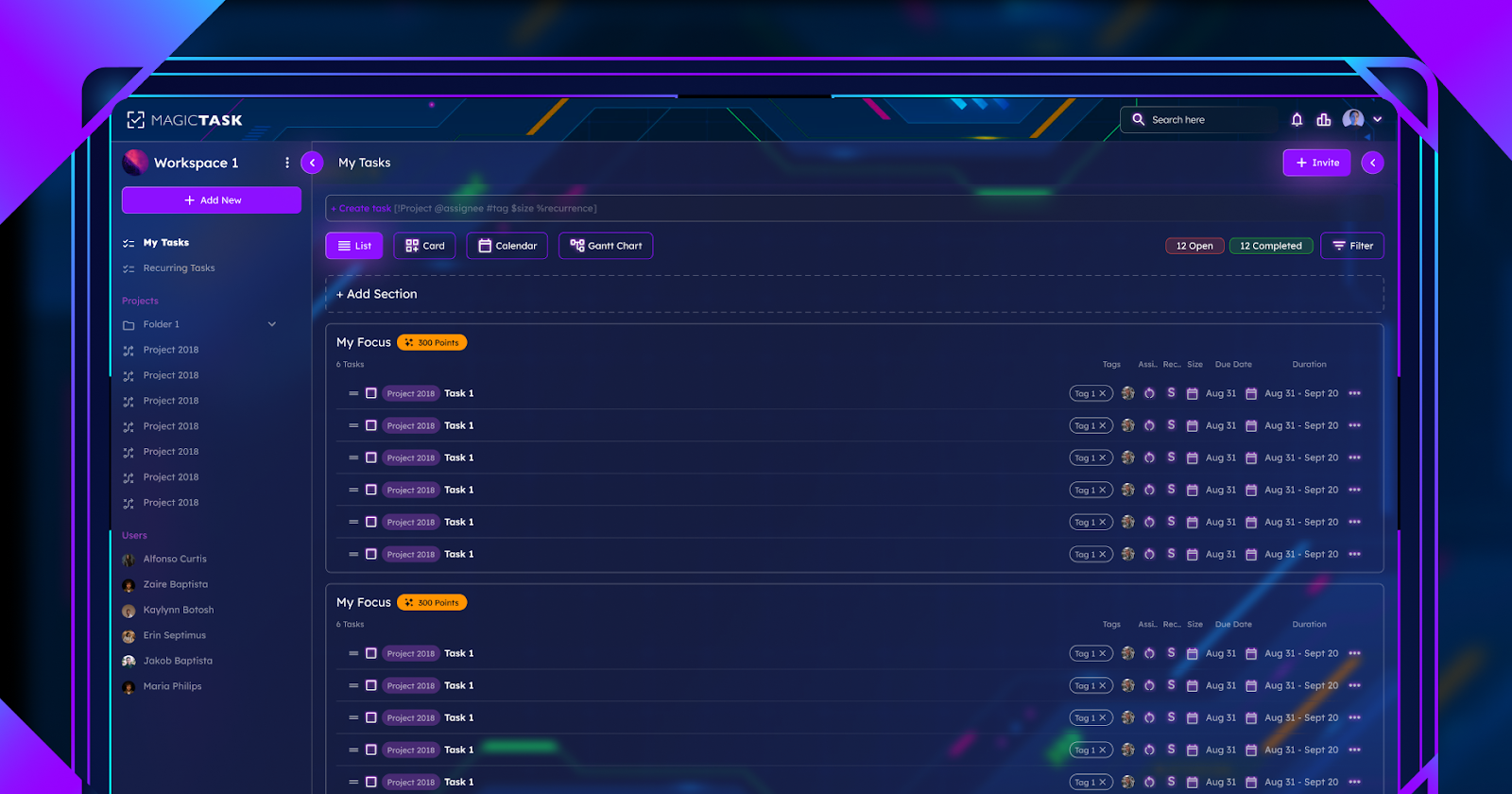
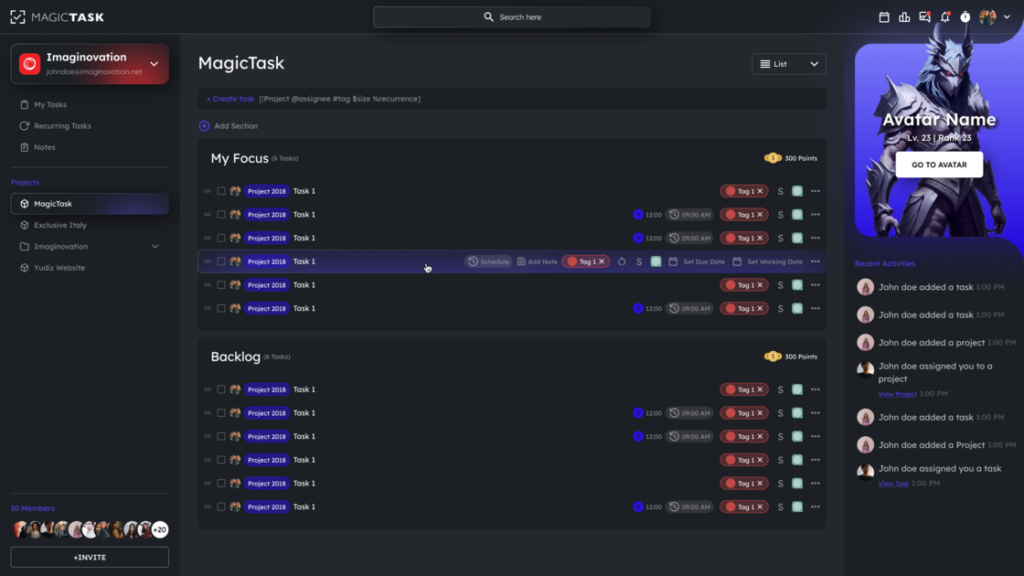
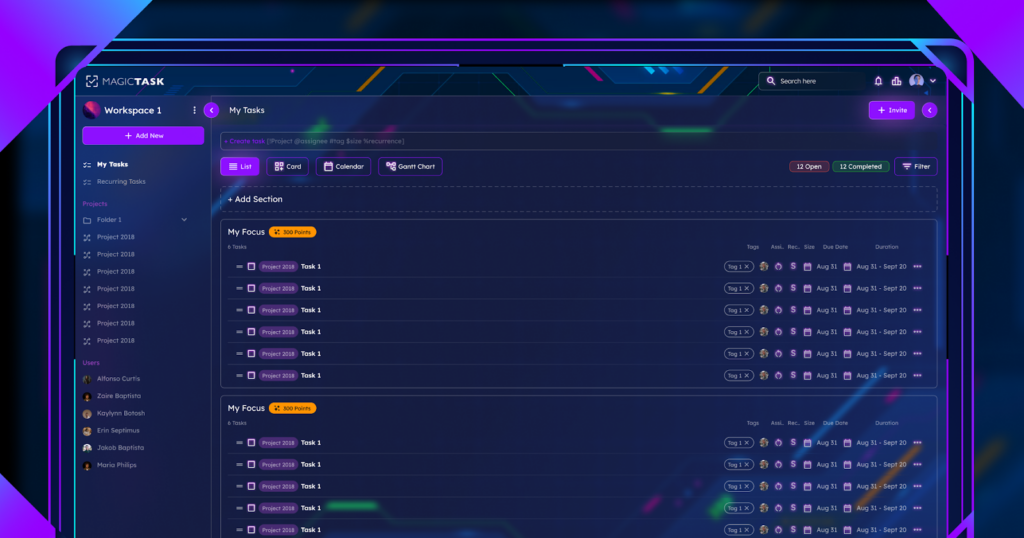
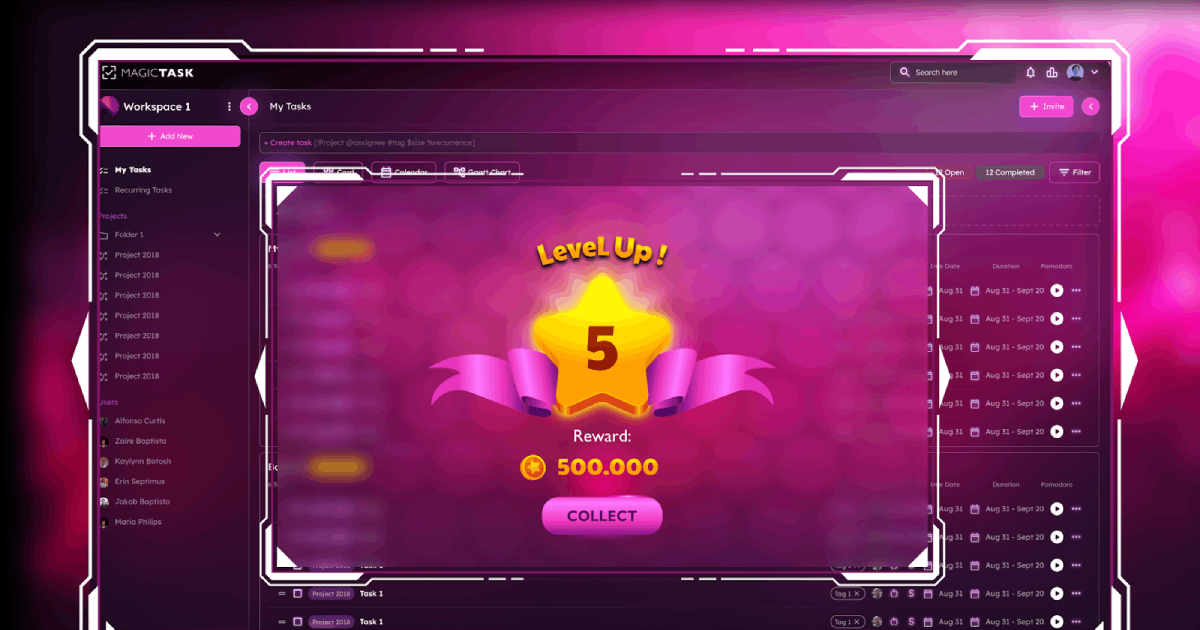
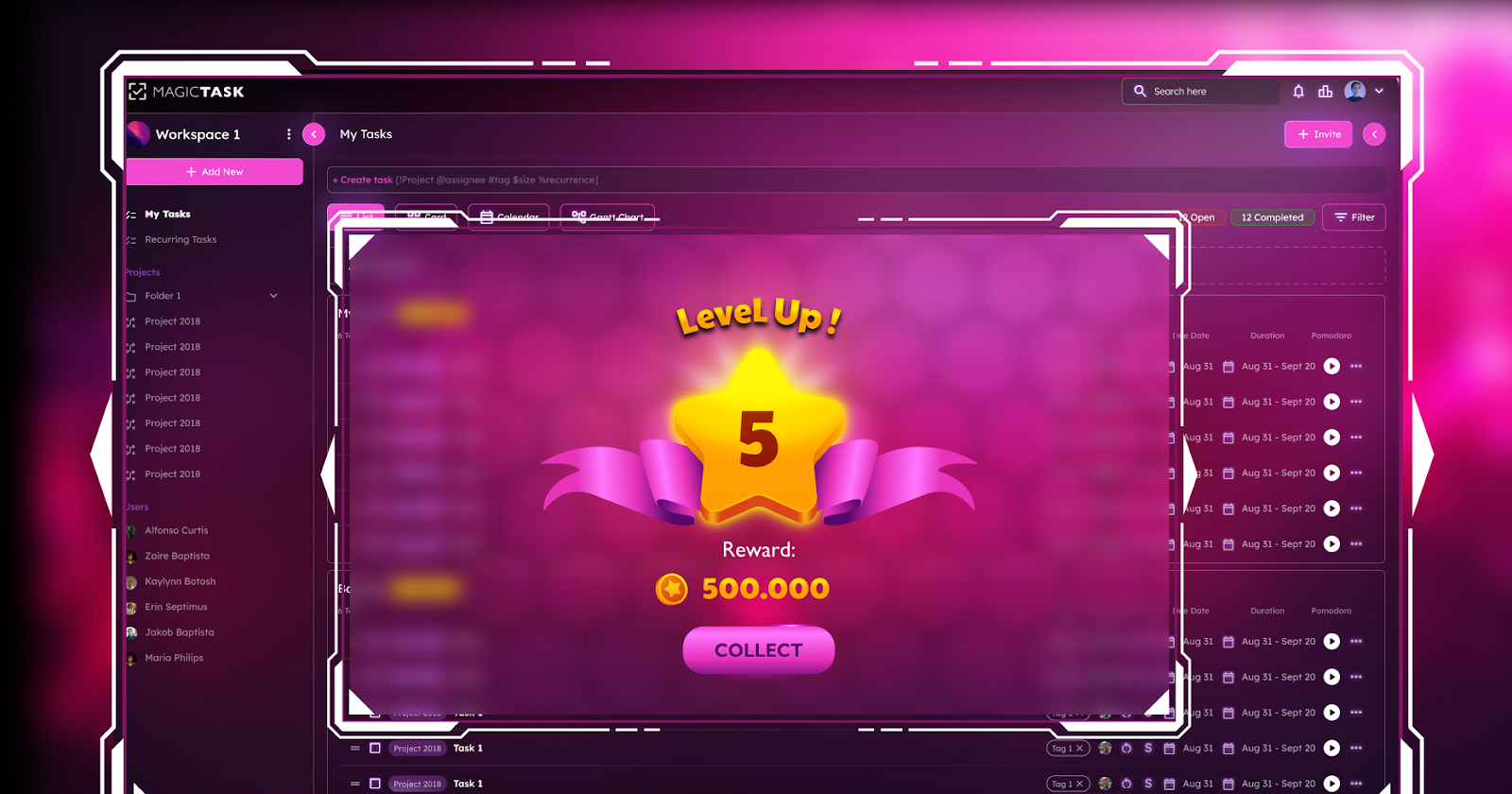
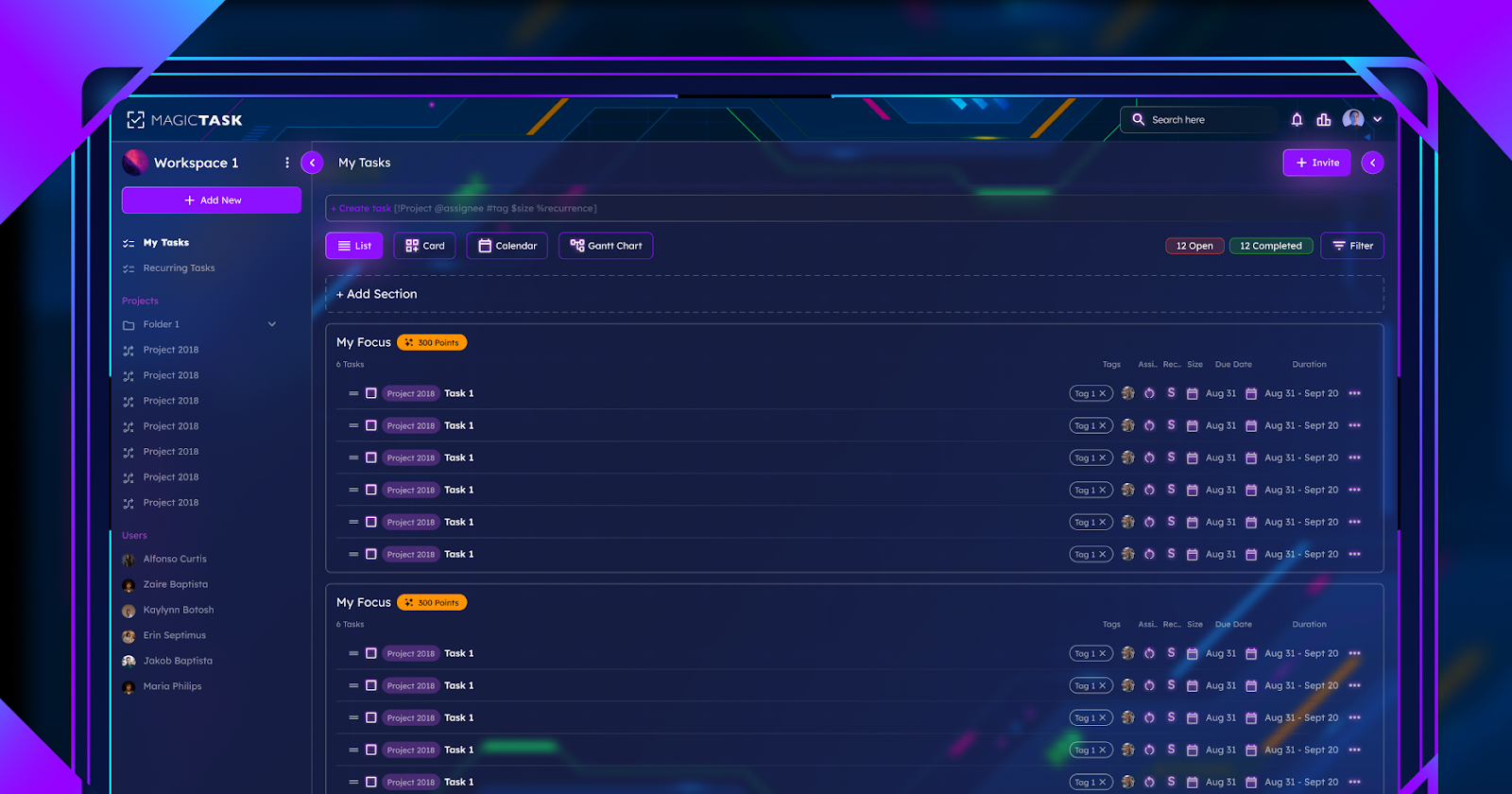
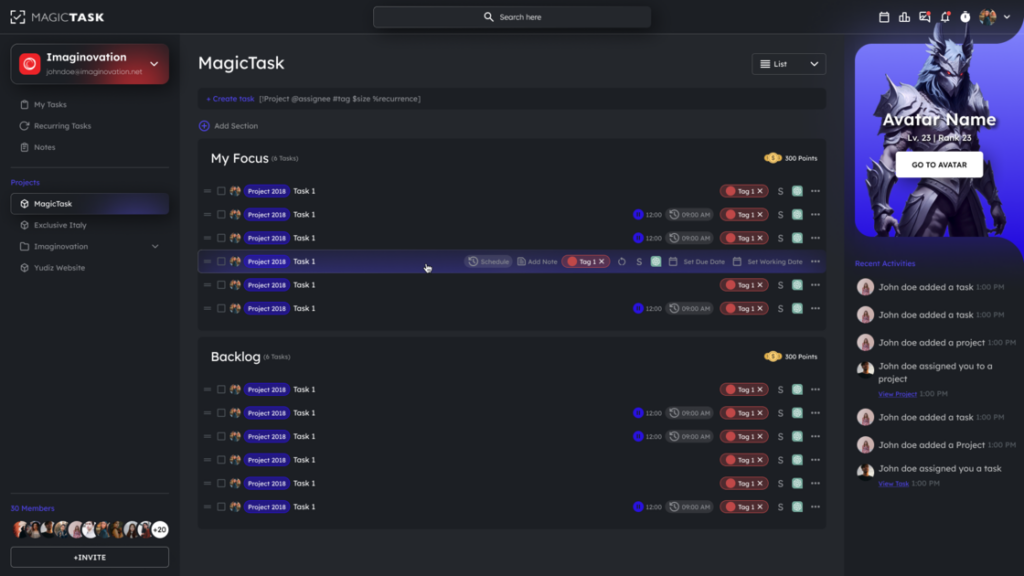
MagicTask V3 Dashboard

While flexibility at the workplace is critical, more organizations are shifting focus to maximizing efficiency and effectiveness. AI-powered productivity tools help meet these needs by optimizing work processes, augmenting output, and facilitating more intelligent decision-making.

AI productivity tools can be traced back to the mid-20th century, when AI was primarily developed to mimic human thinking to help solve complex problems. Machine learning and computing power followed suit, further enhancing AI capabilities by introducing task automation.

That’s why modern AI productivity tools can perform tasks autonomously, ranging from data analysis to communication and information retrieval. They help organizations automate repetitive tasks like data organization and scheduling meetings, freeing up valuable time for employees to focus on high-value tasks.

Tools like Google Calendar and Microsoft Outlook use AI to suggest optimal meeting times and automatically organize tasks.

Similarly, virtual assistants like Apple’s Siri, Google Assistant, Amazon’s Alexa, etc, help manage tasks through voice commands, set reminders, answer questions, and control other smart devices, enhancing overall productivity without manual intervention.

Thanks to advancements in artificial intelligence, machine learning, and evolving workplace dynamics, future developments in productivity tools are poised to be transformative.

The integration of blockchain technology, for example, will likely enhance security and transparency during data handling, addressing the growing concerns about data in this digital age.

We’ll also see a surge in integrating virtual and augmented reality technologies to create more immersive and interactive user experiences.

When used with AI and automation, these advancements signal a future where productivity apps enhance efficiency and reshape how we conceptualize and execute tasks.

A shift towards cloud-based development environments will also increase to provide flexible and scalable solutions that cater to the dynamic needs of developers and businesses alike.

The premise is to create environments that enhance team collaboration, minimize operational costs, and streamline app development processes. This makes cloud-based development environments attractive to organizations of all sizes.

Embracing the Hybrid Work Model

We can’t overlook the evolving nature of modern workplaces. Many organizations now support hybrid work models to allow employees to work as they please.

Some employees work better in an office, while others prefer working from home without commuting, and balancing their needs enhances productivity.

Productivity tools are critical in supporting hybrid work environments by improving communication, collaboration, and an organization’s overall efficiency.

Messaging platforms like Zoom, Slack, and Microsoft Teams facilitate real-time communication, while project management software like Trello and Asana help teams manage tasks, track progress, and collaborate on projects efficiently.

Cloud storage services like Dropbox and Google Drive allow teams to store and share documents in real time, allowing remote and in-office employees to collaborate seamlessly.

Final Thoughts

The evolution of productivity tools is a testament to our relentless pursuit of efficiency, collaboration, and innovation. From the humble beginnings of pen and paper to the sophisticated AI-powered tools of today, we've come a long way. As technology continues to advance at an unprecedented pace, the future of productivity tools is incredibly exciting. We can anticipate even more integrated, intelligent, and intuitive tools that will seamlessly blend into our work and personal lives, empowering us to achieve more than ever before.

If you're ready to experience the next generation of productivity tools, look no further than MagicTask. Our gamified task management system is designed to make your work more enjoyable and rewarding. With features like themes, rewards, and challenges, MagicTask transforms mundane tasks into engaging experiences. Don't get left behind in the productivity revolution – try MagicTask today and unlock your full potential!
10 Simple Habits to Help You Get Organized at Work

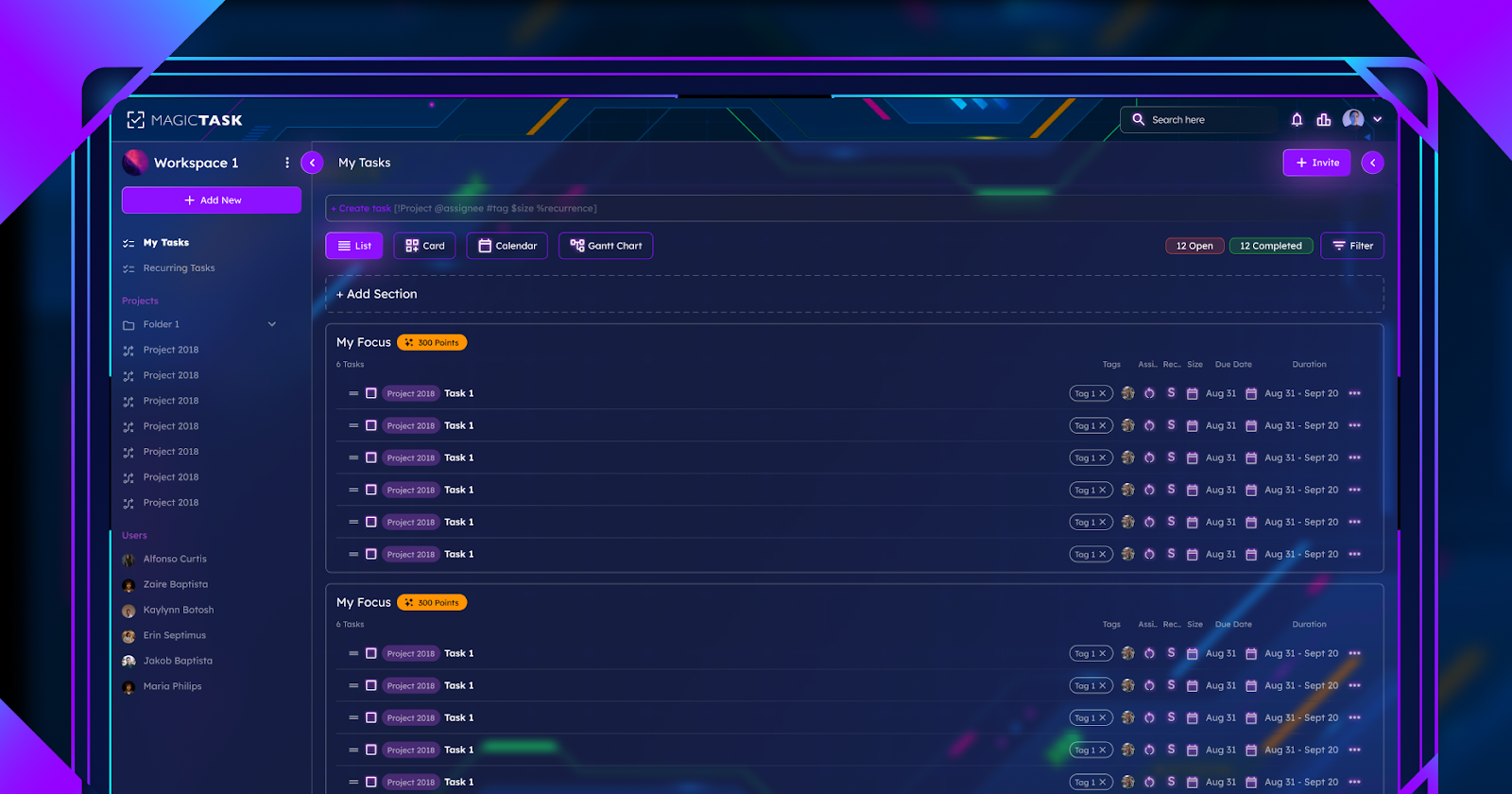
Task Organized in MagicTask V3 Dashboard

Have you been racking your brain on the best ways to improve your productivity at work? Here’s one idea you might not have considered: organizing your workplace environment. Although it sounds rather simple, it has a massive effect on your work performance. 

Maintaining a clean workspace improves concentration, minimizes stress, and increases motivation, all of which boost productivity. A Staples Corporation study found that 94% of employees reported feeling more productive when they worked in an uncluttered environment. 

The good news is that organizing your workspace doesn’t take much. This article lists ten simple workplace habits to help you get organized. 

1. Declutter Your Workspace

Many workers need to realize the strong link between cleanliness and mental well-being. A messy workstation can make you feel overwhelmed and stressed. 

That’s why decluttering your workspace is so important. More than tidying up your desk, it gives you control over your work environment. This minimizes unnecessary stress and anxiety, improving your focus. Follow these four steps to declutter your workstation:

  1. Remove everything: Start by removing all your work supplies from the desk and arranging them neatly on the floor. 
  2. Sort the items: Laying everything on the floor makes sorting them into relevant and irrelevant categories easier. Go through each item, placing it in one of three piles: keep, store, and junk. The first pile is for frequently used items, while the second comprises essential but less frequently used items. The last pile consists of things you don’t use.
  3. Place the items in their respective spots: Once you’re done sorting, place each item in its rightful place. Arrange the first pile neatly on your desk. Store the second batch of items in drawers, shelves, or boxes. Donate or, better yet, throw the last pile in the trash.
  4. Declutter daily: At the end of each day, spare five minutes to put your items in their designated storage areas. This keeps your work environment and mind organized.


2. Prioritize Your Tasks

A high workload can lead to disorganization. With so many tasks demanding your attention, you can quickly lose track. 

Instead of managing all these tasks simultaneously, consider classifying them based on relevance. This process is known as task prioritization. It helps you maintain organization by deciding which tasks are most vital to focus your time and energy on. 

For illustration purposes, let’s examine a task prioritization technique like the Eisenhower Matrix. This tool requires you to organize tasks into four groups based on urgency and importance. Here are the four categories and how to treat each one:

Important and Urgent

Failure to do these tasks has severe repercussions. As such, you should prioritize and work on them immediately.

Important and Not Urgent

These tasks don’t have distinct deadlines. However, they play a part in your overall success.  This category of tasks can be scheduled for later.

Urgent but Not Important

Although these tasks matter, they don’t require your individual input. As such, you can delegate them to your colleagues or junior staff. 

Not Important and Not Urgent

These are merely distractions. Remove them from your schedule completely.

3. Set Clear Goals

Another simple habit that’s guaranteed to improve your organizational skills is setting goals. 

Goal setting involves two things: creating an objective(s) and setting a realistic timeline for achieving the goal. The latter part, allocating a specific timeframe, helps you stay organized. It ensures that you’re focusing your time and energy on only tasks that align with your end goal. 

When it comes to setting goals, avoid being vague. Experts recommend using the S.M.A.R.T. acronym to get the most out of this. This means setting goals which are:

  • Specific: setting clear objectives increases the likelihood of achieving them.
  • Measurable: set goals that can be measured. This will make it easy to monitor your progress.
  • Attainable: create objectives that you can actually achieve within the predetermined timeframe.
  • Relevant: identify the “why” behind creating each goal. Is it well-intentioned? Does it align with your overall ambitions?
  • Time-bound: set a deadline for achieving your goals.

4. Implement Time Management Techniques

Learning how to get organized at work also requires you to implement time management techniques. 

Any one of the methods below can help you plan your schedule properly. This reduces the risk of spending time on unnecessary or distractive activities. Examples of these time-management techniques are: 

Pomodoro

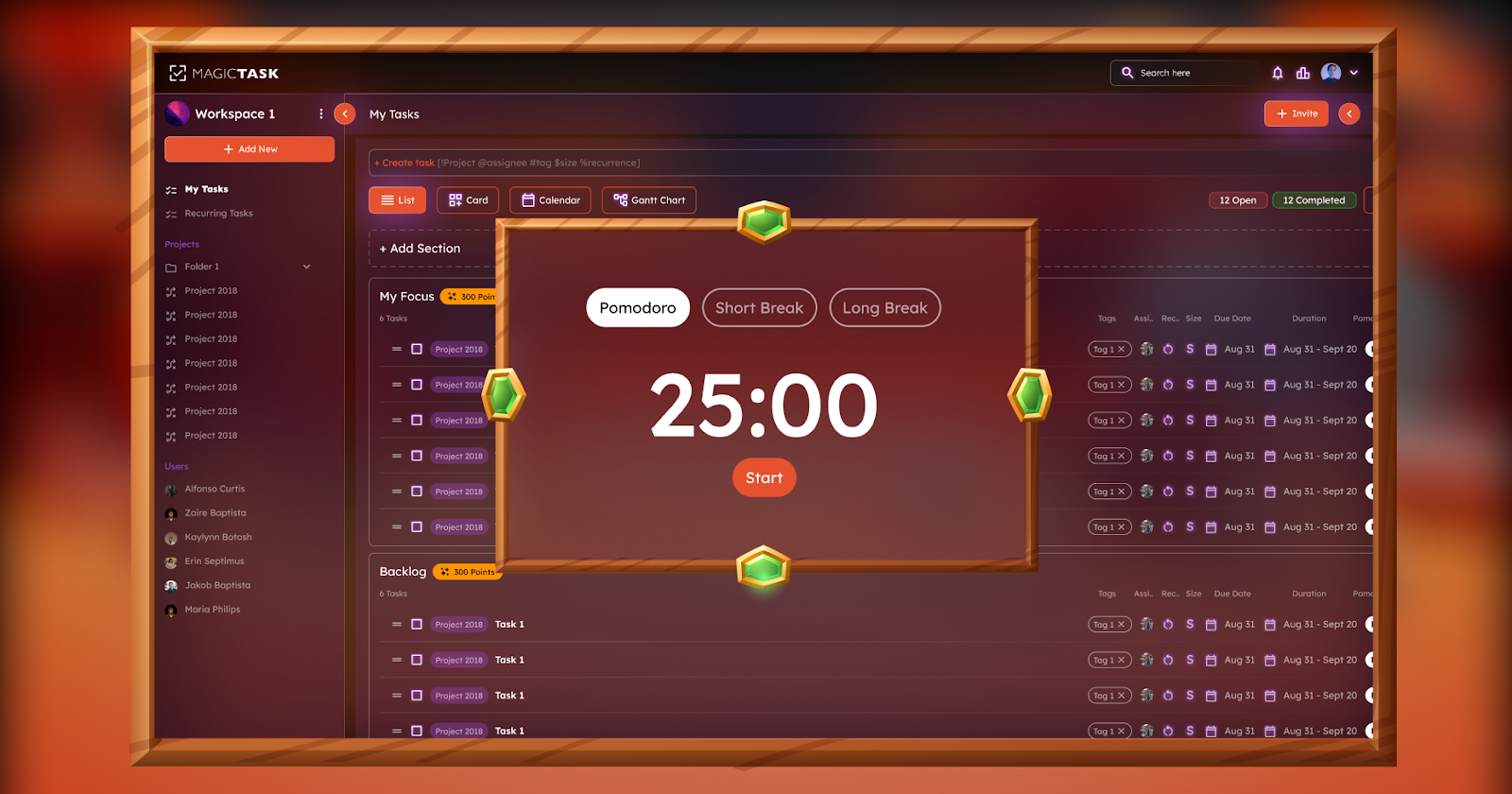
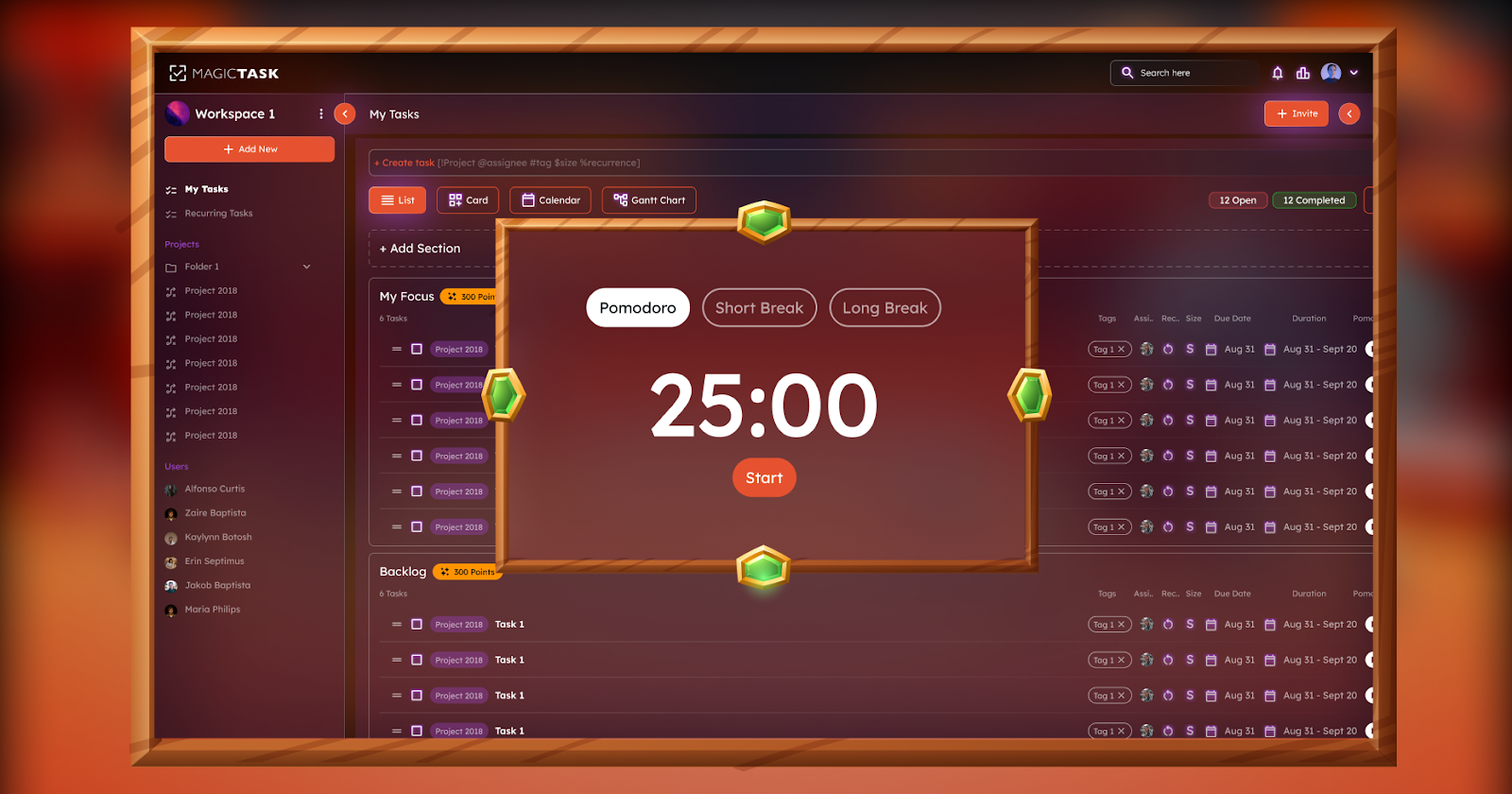
Implementing the Pomodoro technique is fairly straightforward. It involves working on a specific task for a predetermined period before taking a short break. 

Typically, an individual works uninterrupted for 25 minutes and then takes a 5-minute break. After undertaking four such Pomodoro sessions, you’ll take a slightly longer break of 15 to 30 minutes. 

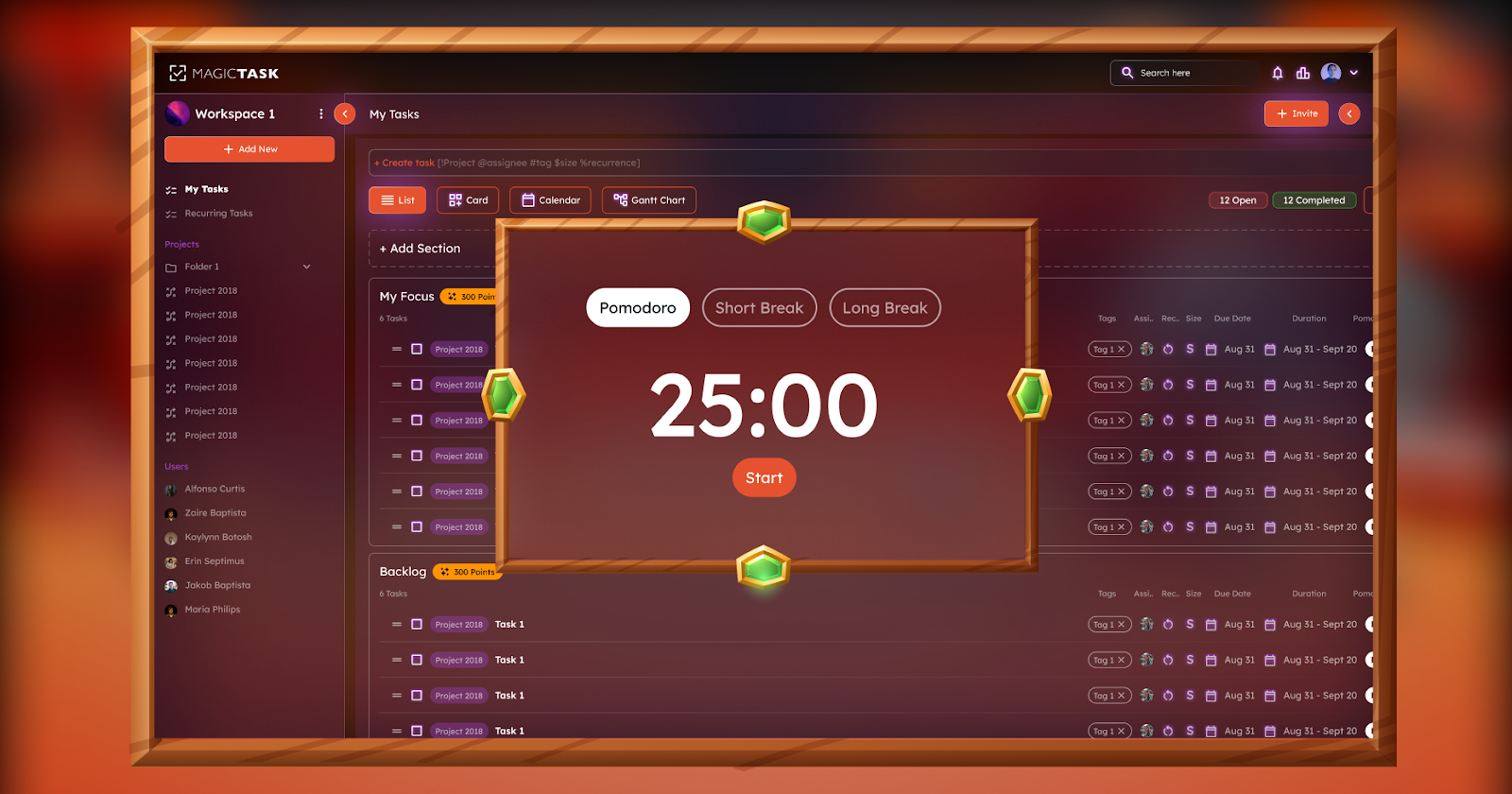
Pomodoro Timer in MagicTask V3

Time-Blocking

As the name implies, this approach requires you to split your day/week into time blocks. Next, allocate a task for each block. For instance, you can decide to hold client meetings between 9 a.m. and 11 a.m. every day.  

5. Develop a Filing System

An International Data Corporation report found that employees spend a staggering two and a half hours looking for information. 

So, if a typical work day is eight hours, you spend more than 30% of your time searching through drawers or sifting through piles of digital documents. This wastes valuable time and leads to disorganization. If you want to be more organized, implement a filing system for your digital and physical files. 

For physical documents, you can use any one of these options:

  • Numerical: create a cross-reference index that can be used to organize files numerically.
  • Alphabetical: this technique allows you to arrange files based on clients’ names, places, or subject matter.
  • Chronological: ideal for organizing files that involve dates or deadlines.


For digital files, consider one of the following tools:

  • Google Drive: this is a cloud-based suite that lets you keep, organize, and even share electronic files. 
  • Dropbox: stores documents in different formats, including heavy CAD files and videos with 4K resolution.

The idea is to store your paperwork more neatly, enabling easier accessibility. 

6. Limit Multitasking

For a long time, companies have listed multi-tasking as one of the skills they look for in candidates. In fact, many employees are asked to undertake additional tasks and projects that weren’t included in their job descriptions.

This is because multi-tasking has always been regarded as a means of increasing efficiency. But as new studies reveal, this couldn’t be further from the truth. 

The human brain is not wired to tackle multiple projects simultaneously. Multitasking only compromises your ability to focus and retain details. This, in turn, slows you down and makes you less efficient. Instead of juggling numerous tasks concurrently, try focusing on one at a time. 

7. Schedule Regular Breaks

Some people assume that working non-stop for numerous hours helps them achieve more. But this is a far cry from the truth. 

Research shows that workers who take frequent breaks are more productive than their so-called “work martyrs.” A break lasting between 30 seconds and 5 minutes can boost productivity by up to 13%.

Taking breaks helps you decompress, so you resume work more rejuvenated and relaxed. Additionally, breaks present an opportunity to reassess your day’s goals. You get to pause and take inventory of the tasks you have or have not done, leading to better organization.  

8. Create Routines

MagicTask V3 Dashboard

Another simple habit that’s guaranteed to help you achieve work organization is creating a routine.

A routine is a series of pre-determined activities you undertake during the day. In other words, it means planning your day’s tasks in advance. This gives you a framework for how you’ll spend your time; thus increasing productivity and efficiency. 

Another benefit of working with a routine is that it eliminates decision fatigue. Having to go back and forth about which tasks to do, when to do them, and how long to spend on each, quickly depletes your mental energy. A preset schedule prevents you from wasting such 

time and energy. 

9. Learn to Say No

Saying "no" to anyone, let alone your boss, is difficult. Many fear disappointing their employers, while others feel overwhelmed by guilt if they say no.

Regardless, learning to say no is important, especially if it's for the right reasons. If you can only manage your current workload, you shouldn’t be signing up for additional projects. 

This will only hurt your productivity. You'll find it harder to concentrate on your current tasks and feel unnecessarily anxious and stressed. Here are a few instances where you should stand your ground and say No:

  • You have a tight schedule
  • There are alternatives (delegating the task to a colleague)
  • The extra task(s) does not align with your work
  • The task is not a match for your skills

10. Continuous Improvement

Adopting the habits mentioned above is a great first step. However, it’s also good to review your progress regularly. Spare a few minutes every week to evaluate how the new strategies impact your organization and work performance. 

Is the filing system you implemented helping? What about the time management techniques? Did you accomplish the goals you created at the start of the week? 

Answering these questions offers insight into your progress. They’ll help you determine which habits are helping and which ones need some tweaking. 

Conclusion

Maintaining organization at your workplace can boost your productivity and reduce overall stress. The beauty of this is that it doesn’t take a lot to be organized. Simple habits like decluttering your workstation, setting specific goals, and adopting a filing system can improve your organization. 

Other productivity tips that can help you be more organized include taking regular breaks, creating a routine, and limiting multitasking. Lastly, it’s important to learn the art of saying No. This way, you can focus on the tasks at hand, leading to higher-quality results.

What Makes MagicTask V3 the Ultimate Tool for Remote Teams?

MagicTask V3 for Remote Teams

Today's remote teams need tools that facilitate seamless collaboration while also improving productivity. MagicTask V3 is an innovative solution designed to meet the specific needs of remote teams. As the latest version of the popular task management platform, MagicTask V3 offers a multitude of new features and improvements that streamline workflows and encourage teamwork. Here are a few factors that make MagicTask V3 the ultimate tool for remote teams, helping them conquer challenges and succeed.

Understanding MagicTask V3

MagicTask V3 is a significant improvement in task management tools, especially for remote teams. V3 builds upon the framework laid down by its predecessors and incorporates a variety of improvements and innovations to remain up to date with the changing environments and demands of remote work. 

V3’s main updates and improvements are the new user interface redesign that ensures the software is more intuitive and readily accessible across different platforms and devices. Thus, team members who work remotely can easily collaborate and manage their tasks regardless of their location or device of choice. 

It improves the ease of collaboration among remote teams, and the examples include shared task lists, real-time commenting, and file attachments. These features are designed to enhance communication and the ease with which knowledge can be transmitted among remote workers. 

It also comes equipped with robust time tracking and statistics tools, which help teams evaluate the use of their time and the progress of their various projects. By tracking task-based time utilization and measuring performance, teams can learn from their steps and optimize their processes.

Key Features That Set MagicTask V3 Apart

Key features of MagicTask V3 are as follows: 

Task Prioritization and Organization

V3 comes with an enhanced task prioritization and organization tool that allows remote teams to manage their workload adequately and meet deadlines. The platform comes with customizable task lists and drag-and-drop ease that enables team members to place tasks in order of importance and urgency. Moreover, users can assign categories to their tasks and set their due timeframes, providing a clear definition of responsibilities.

Collaborative Workspace

It enables remote teams to work on their tasks as a group through a collaborative workspace tool. This feature allows team members to add comments to a task, attach files, and mention others using “@” to collaborate on tasks in real-time. The platform thus fosters greater transparency and information sharing among team members even when working from different locations.

Customizable Workflows

It is flexible enough to meet varying needs among remote workers, courtesy of the customizable workflows tool. The platform allows teams to tailor the use of MagicTask V3 in line with their processes, workflows, and project management structure. Users may create task statuses, automate different workflows, and even integrate with other tools, making it more convenient to use it .

Integration Capabilities

V3 integrates with a myriad number of platforms and tools, connecting it with other preferred programs that teams use for remote working. It integrates well with communication tools like Slack and Microsoft Teams and project management programs such as Trello and Asana, among others.

User-Friendly Mobile App

Users who work remotely or are always on the go can access their tasks and manage their projects using their smartphones or tablets. MagicTask V3’s mobile application also allows colleagues to communicate and track each others’ progress. The mobile app interface is easily accessible anywhere, allowing users to be in the office, traveling on a business trip, or working in a home office for a different team member halfway around the world. Mobile functionality increases flexibility and allows remote teams to be productive and stay connected, even when they cannot be near their desks.

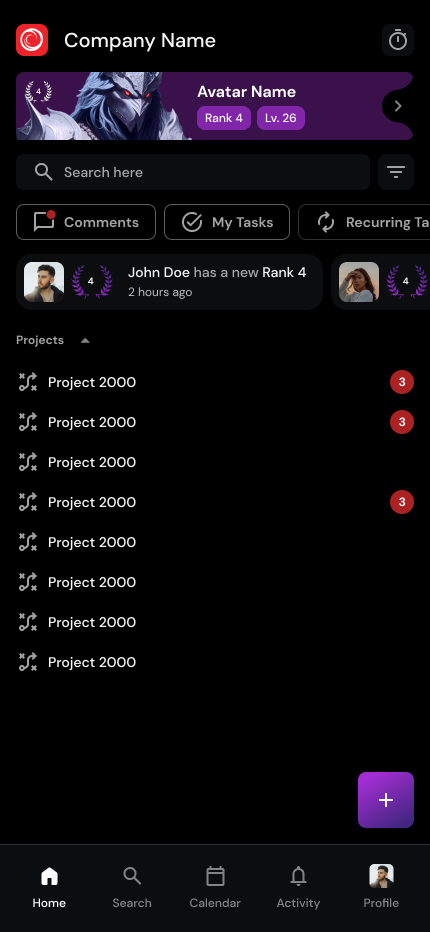
MagicTask V3 Mobile App

The Impact of MagicTask V3 on Remote Team Productivity

MagicTask V3 significantly boosts the productivity of remote teams to help them overcome challenges and achieve their targets quickly and efficiently. MagicTask V3 boosts productivity for remote teams in the following ways:

Streamlined Task Management

MagicTask V3 provides a centralized platform for remote teams, eliminating the chaos of scattered communication channels and disjointed workflows. By consolidating tasks, deadlines, and project-related information into a single, easy-to-navigate interface, MagicTask V3 makes task processes more manageable and reduces the likelihood of misunderstandings or lost information. Teams can assign tasks with clear deadlines and priorities, ensuring everyone knows what needs to be done, who is responsible, and when it is due.

In addition to centralizing task management, MagicTask V3 includes automated reminders and notifications, keeping everyone informed and on track. The platform supports collaboration by allowing team members to add comments, share files, and provide real-time updates on task progress, fostering a seamless and transparent work environment. With these features, MagicTask V3 enhances productivity and efficiency, making it an indispensable tool for remote teams.

Enhanced Collaboration

MagicTask V3 provides collaborative workspaces to support efficient and easy communication among remote team members. Real-time comments, file attachments, and @mentions enable team members to work together on tasks and share important information. This creates unity and a sense of cohesion among teams despite their distance which boosts productivity and project performance.

Improved Time Management

Time tracking and analytics features are crucial for remote teams striving to enhance time management and resource allocation. By providing detailed insights into how time is spent on various activities, teams can identify inefficiencies and bottlenecks that hinder productivity. This visibility allows team members to make informed decisions about how to adjust their workflows and prioritize tasks, ensuring that time is used effectively and that the most critical tasks receive the attention they need.

In addition to tracking time, MagicTask V3's analytics tools help teams monitor productivity metrics and performance trends. This data-driven approach enables teams to optimize workflows and allocate resources more effectively. By understanding where time and resources are being utilized, teams can make proactive adjustments to improve efficiency and productivity. Ultimately, this leads to better project outcomes and a more efficient use of time.

Accountability

It promotes accountability in remote teams by offering transparency and visibility to Task IDs and progress. Customizable task lists, due dates details, and task status help team members know what is required of them and when. Team members are, therefore, accountable and committed to meeting deadlines and deliverables.

Integration

V3 easily integrates with common tools that remote teams use to communicate and complete their tasks. It integrates with remote communication tools, project management tools like Trello, Asana etc. V3 makes it easier for team members to use their existing and preferred tools while enhancing communication and productivity.

Efficient Resource Allocation

It allows remote teams to allocate resources efficiently through exposing task dependencies, workload distribution, and resource availability. Task dependencies and resource allocation on MagicTask V3 will facilitate teams to understand the linkage between resources and where efforts should be allocated to prevent over allocated or underutilized resources. This way, teams can optimize their project timelines and resources and consequently improve the success ratio of their projects and resources utilization.

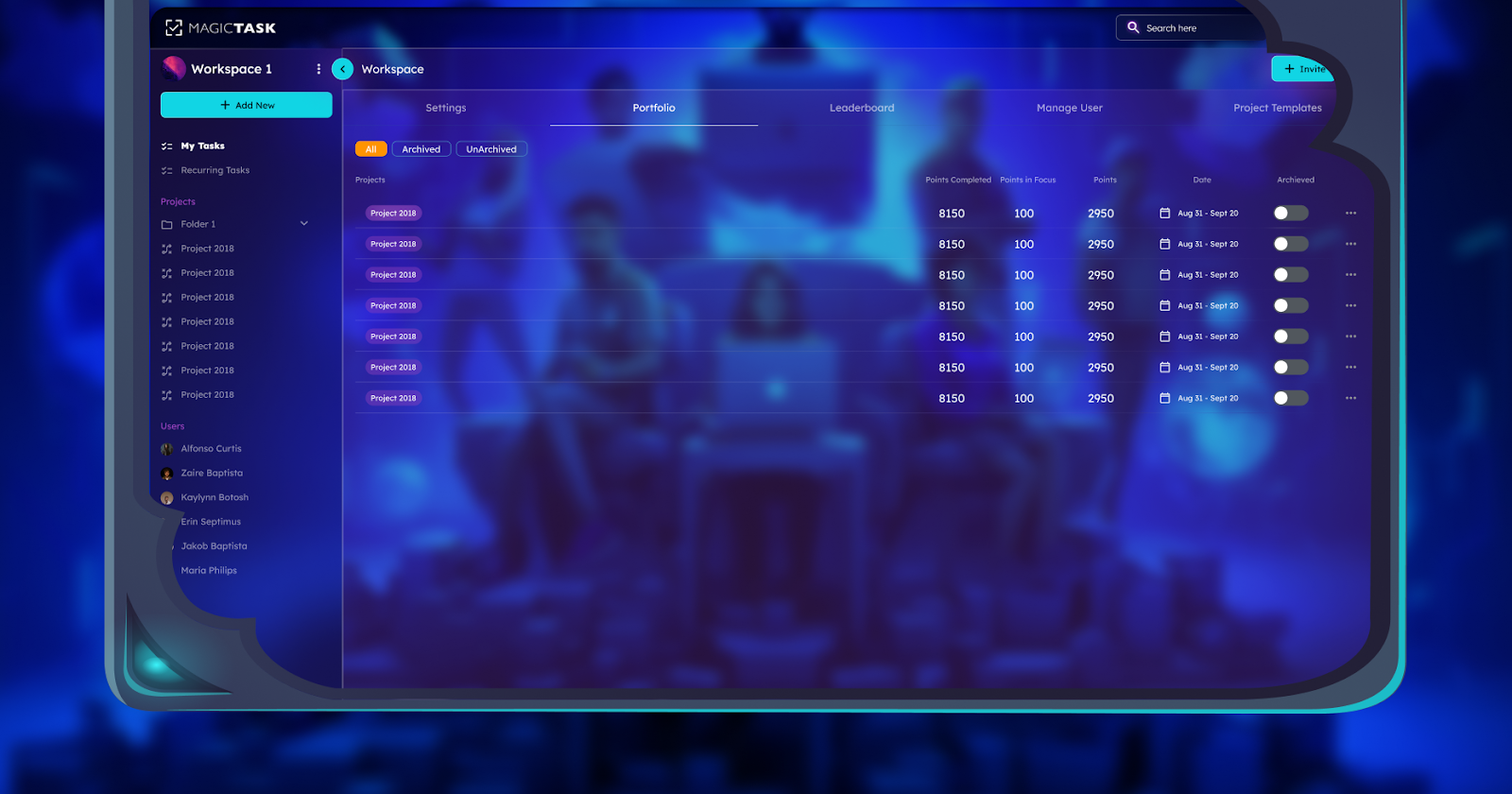
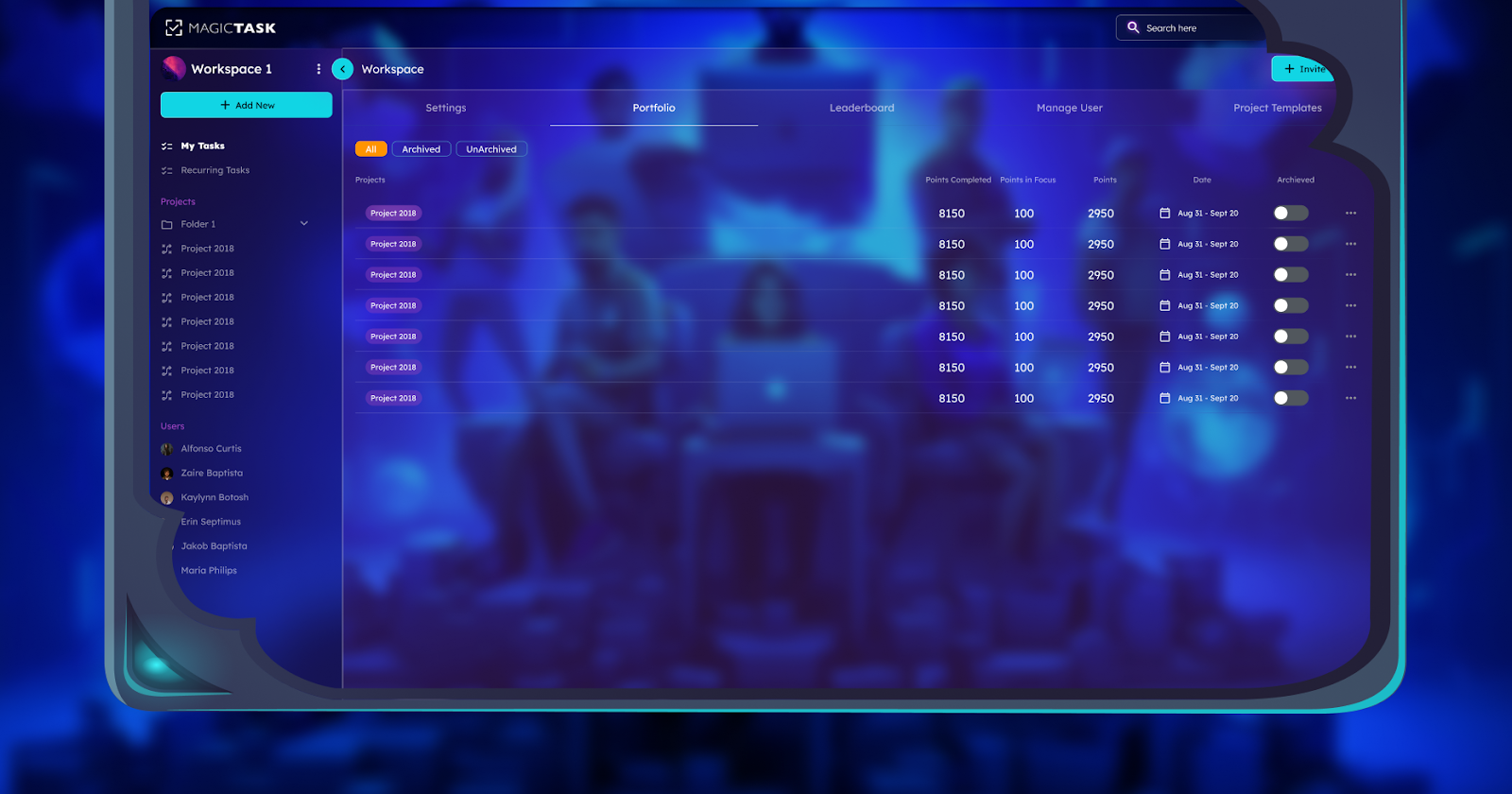
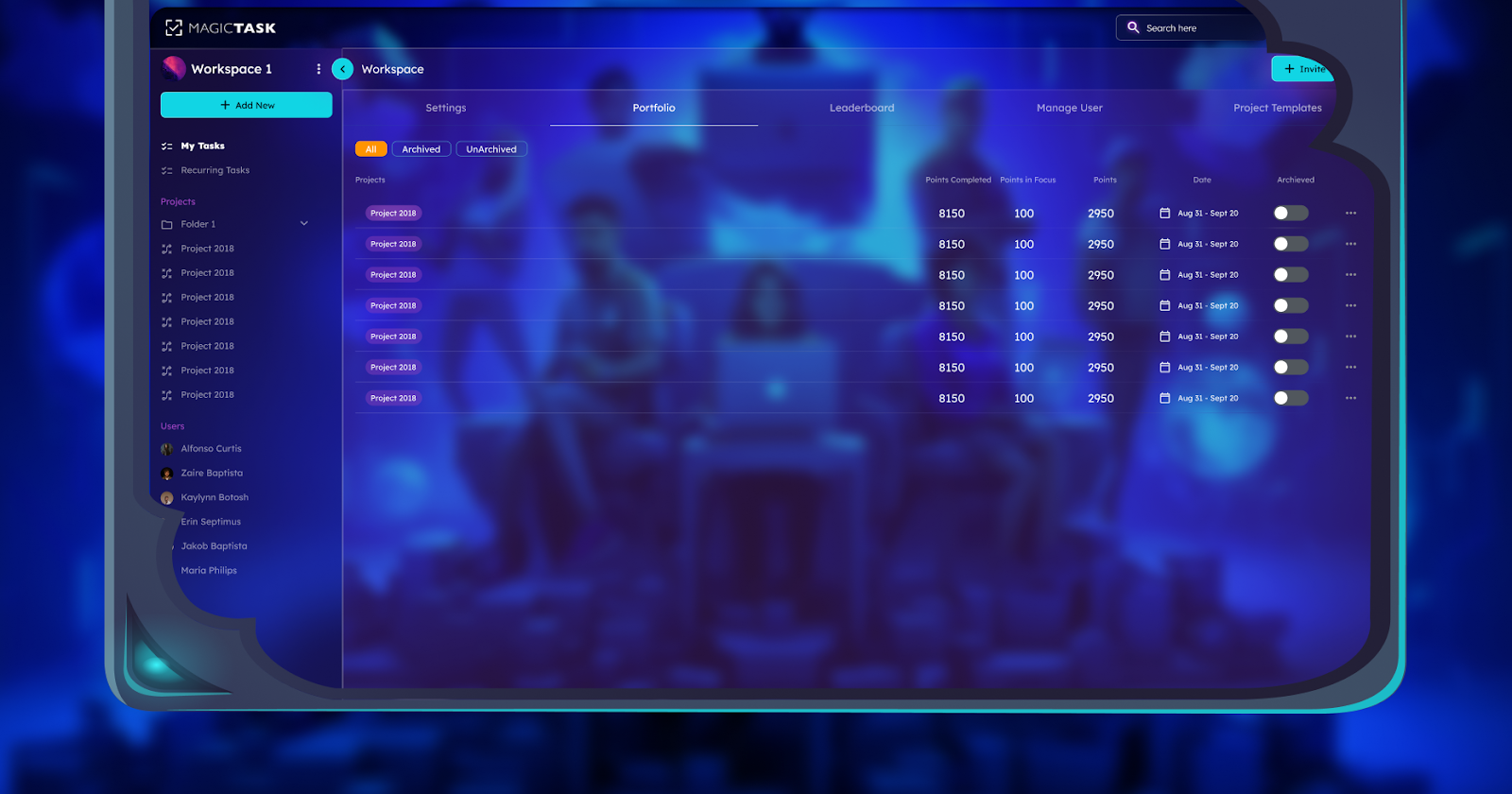
Portfolio

Integrating MagicTask V3 into Your Remote Workflows

Integrating MagicTask V3 into your existing remote workflows offers a simple but effective way to boost productivity and collaboration among your teammates. With the following integration tips, you can quickly incorporate MagicTask V3 into your remote work practices. Steps on integrating MagicTask V3 are: 

Assess Your Team's Needs

Evaluate your current workflows, processes, and the areas of frustration among your team members. Understanding these pain points is crucial for a smooth transition to MagicTask V3. Engage with your team to gather feedback on what works well and what doesn't in your existing system, focusing on areas where efficiency and productivity can be improved.

Identify how using MagicTask V3 could help streamline collaboration, task management, and productivity. By pinpointing specific challenges such as communication gaps, missed deadlines, or disjointed task tracking, you can tailor the integration process to address these issues directly, ensuring that the new system meets the needs of your team.

Customize MagicTask V3 to Fit Your Workflow

MagicTask V3 is highly customizable, so tailor the platform to your team’s processes and preferences. Adjust elements such as task lists, status columns, and workflows to align with your current methods. This customization helps prevent disruption and makes the transition smoother for your teammates.

Adapting the software to your workflow as closely as possible minimizes resistance and enhances acceptance. It allows team members to see the value of the new system without feeling overwhelmed by drastic changes. A seamless fit into existing practices ensures that productivity remains high during the integration phase.

Provide Training and Support

Ensure to train your team members on how to use MagicTask V3. Provide comprehensive training resources such as tutorials, videos, and hands-on sessions to help your team get acquainted with the platform. Effective training ensures that all team members are comfortable with the new tool and can utilize it to its full potential.

Offer ongoing support to address any questions or issues that arise during the initial phases of integration. Having dedicated support channels or personnel available can help resolve problems quickly, maintaining the momentum of adoption and ensuring that the team continues to use MagicTask V3 effectively.

Encourage Adoption and Collaboration

Encourage your team members to use MagicTask V3, making it the go-to platform for managing tasks. Highlight the benefits, such as increased transparency, better communication, and greater productivity, to motivate your team to fully embrace the tool.

Create a culture of collaboration by showcasing success stories and positive outcomes resulting from using MagicTask V3. Reinforce the importance of the platform in daily operations and provide incentives for consistent usage, fostering a collaborative and productive work environment.

Leverage Integrations

MagicTask V3 allows you to fully integrate this tool into your existing stack with integrations with communication tools like Slack and Microsoft Teams. These integrations streamline communication and ensure that all project-related discussions and updates are centralized.

Additionally, integrating with project management platforms like Trello and Asana can further enhance your workflow. By connecting MagicTask V3 with other tools your team already uses, you create a cohesive system that reduces the need to switch between different platforms, ultimately boosting efficiency and productivity.

Final Thoughts

MagicTask V3 is a game-changer for geographically dispersed teams. The platform has multiple features that improve productivity in exceptional ways. It ensures every team member is up-to-date with the task management irrespective of their location. It enables a sense of oneness, which is essential in teamwork. Its time tracking capabilities play a crucial role in helping teams to understand their priorities to ensure data-driven decisions on productivity. 

It promotes accountability in remote work environments by ensuring all tasks have visible reporting to allow meeting deadlines. Easier integration with other tools used in remote work environments also enhances workflow between platforms. Teams can easily adapt to the changes and prosper in the remote work environment by leveraging these platforms.

How to Transform Your Daily Grind into an Epic Adventure with MagicTask V3

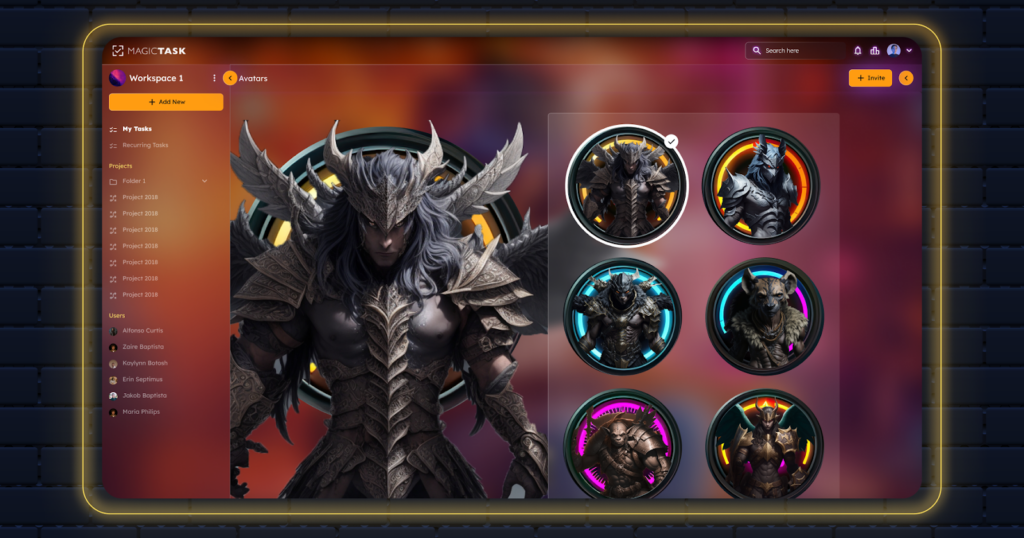
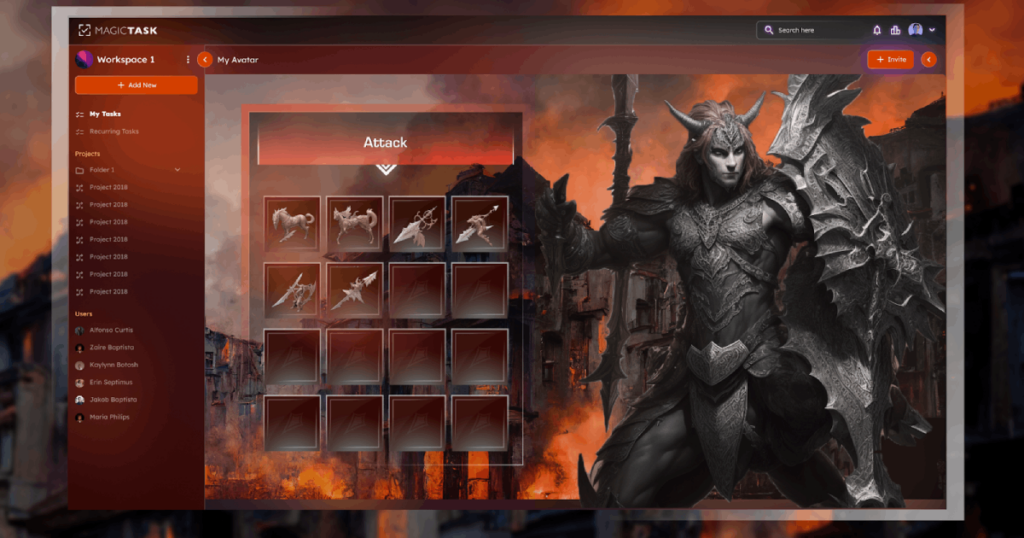
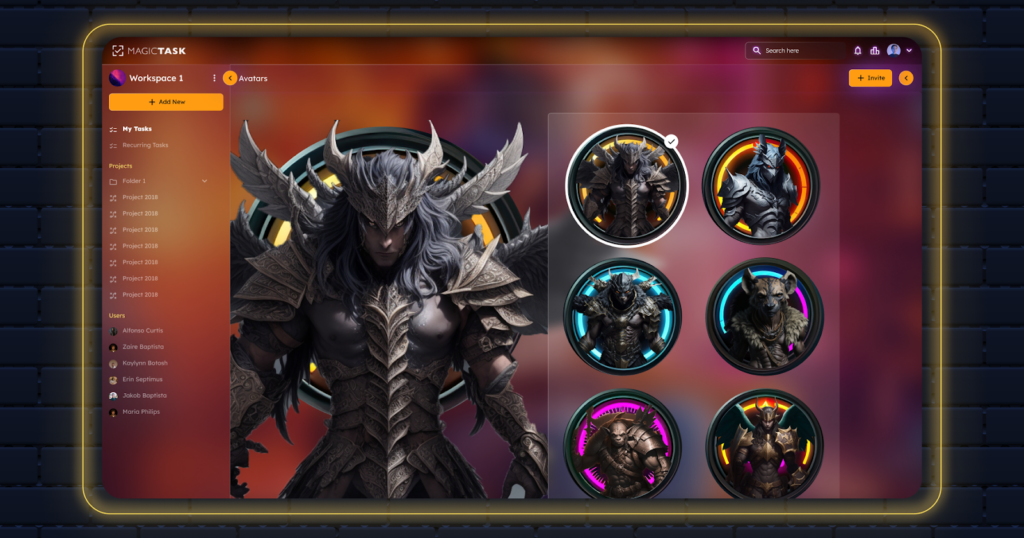
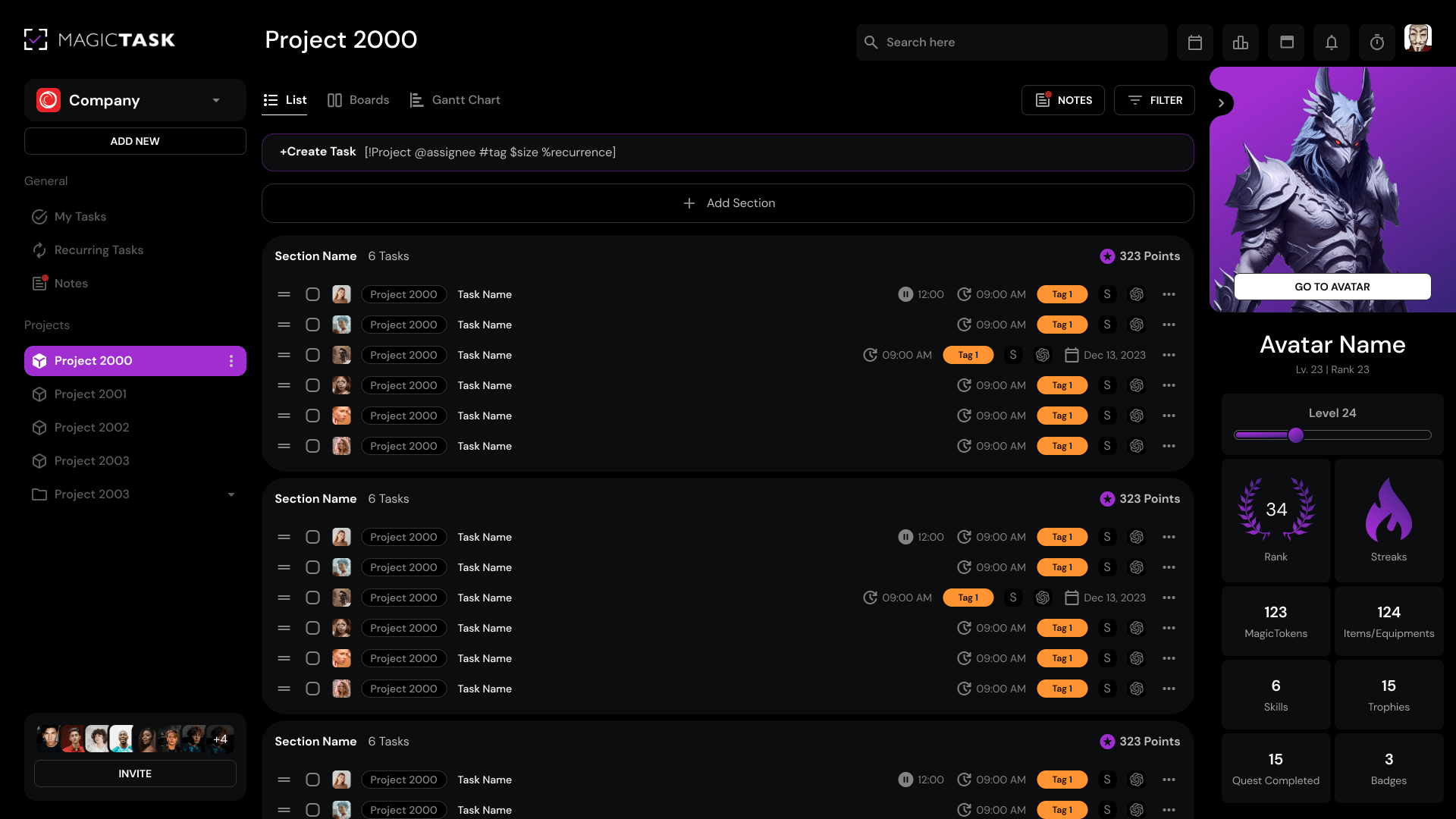
MagicTask V3 Avatar Screen

The next-generation gamified task management platform, which is built with hyper-simplicity, is called MagicTask. Gamers created the MagicTask, and it is built for gamers and businesspersons with a game-themed approach.

In the busy pace of our everyday lives, the repetition of routines can frequently be taxing on our emotions and diminish the vibrancy of our experiences. A ground-breaking idea that aims to bring the magic of an epic journey into every second of our everyday grind is presented by MagicTask V3.

Fundamentally, there are parameters of conventional productivity tools, such as MagicTask V3. It is a doorway to a world where the commonplace is transformed into the extraordinary and the mundane is infused with possibilities and magic. It is also more than just a work management tool.

Picture your work list calling out to you with an invitation to adventure instead of hearing the moan of duty when you wake up every morning.

With gamification concepts, MagicTask V3's ability to seamlessly integrate cutting-edge technology is the key to its revolutionary potential. It stimulates our natural curiosity and investigation, transforming even the most boring duties into exciting challenges through the gamification of routine tasks.

Characteristics of MagicTask V3

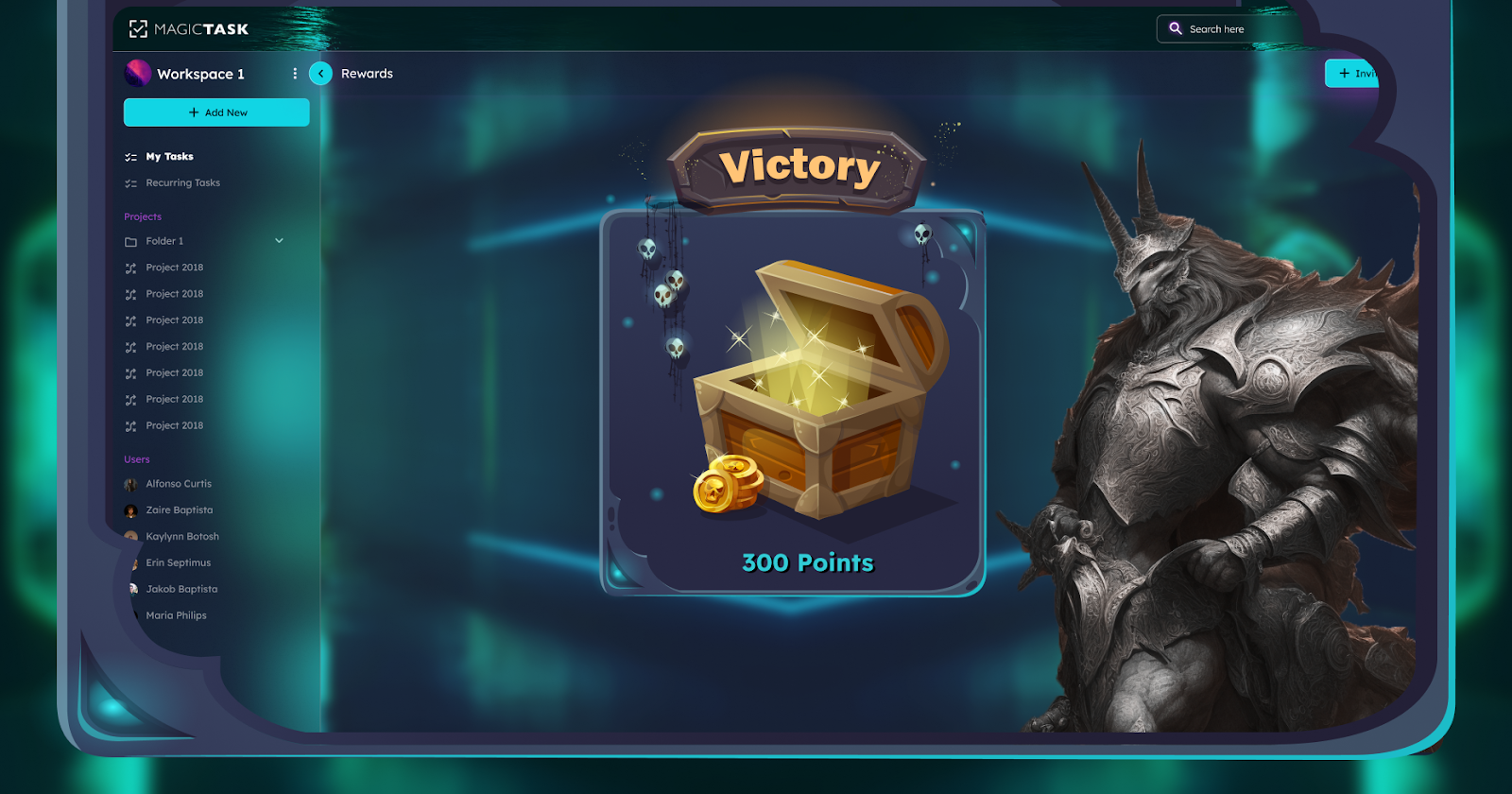
Gamification Elements: In terms of gamification features, Magictask V3 incorporates them to make task management engaging and enjoyable. As users complete their tasks, turning mundane activities into exciting challenges, they can earn rewards, badges, and experience points.

Customizable task boards: Users can create customizable task boards tailored to their specific needs and preferences with MagicTask V3. For individual workflows, this flexibility allows efficient organization and prioritization of tasks.

Goal Setting and Tracking: Users can set clear goals and milestones, providing a sense of direction and purpose with MagicTask V3. By gaining valuable insights into their productivity habits and performance, users can track their progress in real time.

Collaborative Features: Through shared task boards, group challenges, and team competitions, MagicTask V3 fosters collaboration and teamwork. By promoting a sense of camaraderie and accountability, users can collaborate with colleagues, delegate tasks, and celebrate achievements together.

Cross-Platform Compatibility: Across multiple devices and platforms, such as web browsers, desktop applications, and mobile devices, MagicTask V3 is accessible. In users' daily workflows, this ensures seamless integration, regardless of their ideal devices. To monitor productivity and performance over time, MagicTask V3 provides visualizations and reports. These reports are very effective and useful for achieving success in upcoming projects. Therefore, this tool is perfect for getting success.

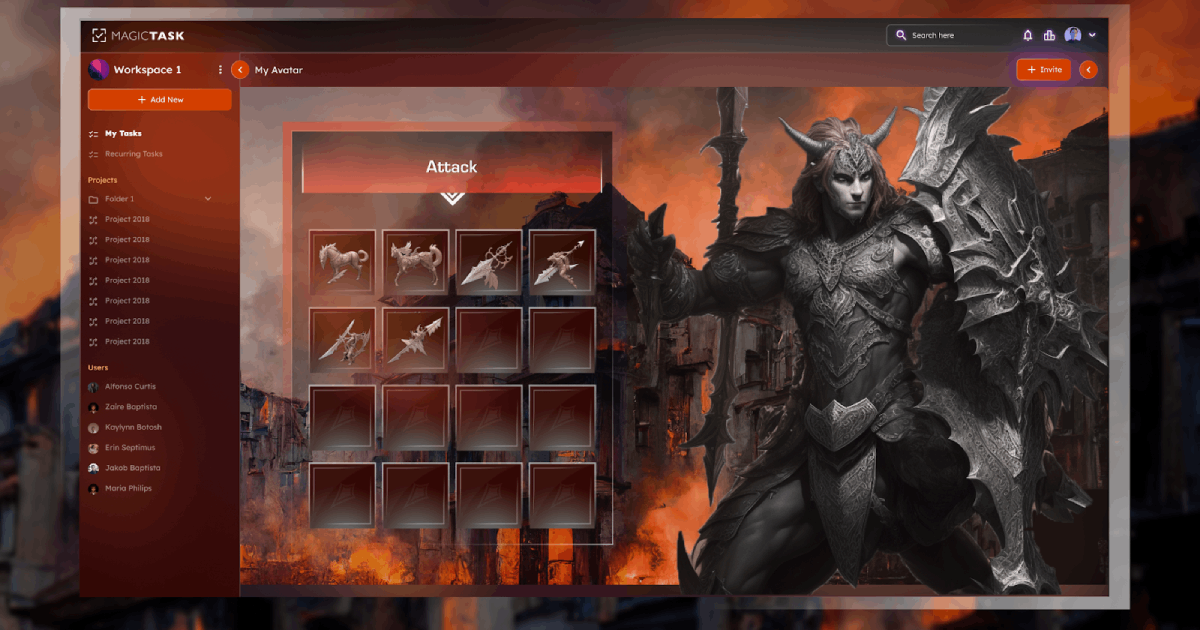
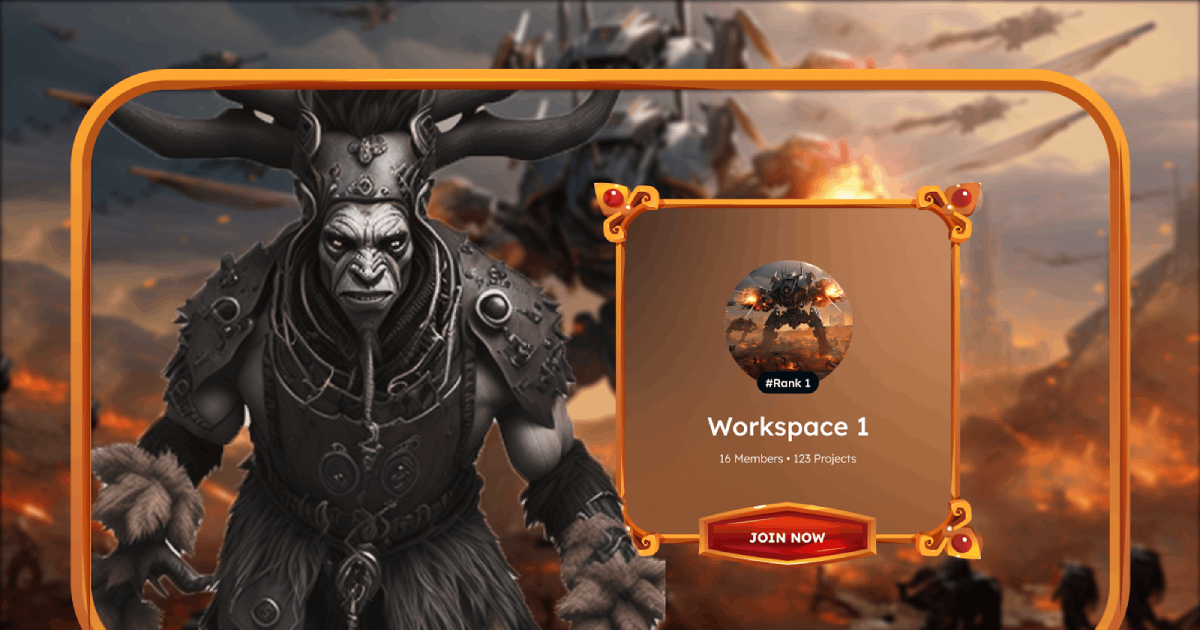
MagicTask Attack Screen

Importance of MagicTask V3

Finding Joy in Routine

Every day we have multiple tasks, both big and small, that figure out the material of our survival. In an ever-changing world, from waking up to making breakfast, lunch, and dinner, doing our work, and finishing daily tasks, our routines provide structure as well as stability.
Unleashing the Power of Productivity

In terms of task management and productivity boosts, Magic Task V3 is a paradigm shift. Fundamentally, Magic Task V3 is an all-inclusive software program made to improve productivity, inspire drive, and optimize processes.

In contrast to conventional task management systems, Magic Task V3 goes beyond simple prioritization and categorization. It increases productivity, which presents a gamified method by adding enjoyment, challenge, and reward to jobs.

Your Path to Productivity Excellence

MagicTask V3 is both simple and transformative, which is embarking on your journey. Magic Task V3 offers a user-friendly experience that empowers you to take control of your workflow and accomplish your goals with ease when you are a newcomer to the world.

The initial step to getting started is creating your account with MagicTask V3. You can sign up and gain access to a world of possibilities with just a few clicks. Through the setup process, by logging in, you'll be greeted by an intuitive interface.

In the next step, to understand Magic Task V3's features and capabilities, spend some time examining all the processes. From task creation and deadline setting to workflow organization and teamwork, Magic Task V3 delivers an extensive toolkit to fulfill your demands.

Turning Mundane Tasks into Epic Adventure

In terms of productivity, routine tasks frequently act as roadblocks to our feelings of satisfaction and success. But with MagicTask V3's cutting-edge features, these routine tasks become grand adventures brimming with thrills, challenges, and rewards.

Magic Assignment V3's distinct gamification features, which give each assignment a feeling of direction and adventure, enable it to accomplish this feat. To transform from ordinary to extraordinary, MagicTask V3 plays an important role by adding features like quests, challenges, and awards. Users are encouraged to approach their chores with newfound vigor and resolve.

Enhancing Productivity and Motivation

The most important factor that propels the pursuit of productivity and personal development is motivation. MagicTask V3 recognizes the basic fact that it is intended to boost motivation and productivity beyond anything seen before.

The core of productivity-enhancing features is described by MagicTask V3's capacity to define goals and milestones. By setting their targets, users may stay focused, stay on course, and make consistent progress toward their goals.

By giving users insightful information about their productivity patterns and behaviors, MagicTask V3 makes it easier to track accomplishments and progress. With the help of easy-to-use analytics and reporting tools, users may celebrate their triumphs and pinpoint areas for development, which creates momentum and a sense of accomplishment.

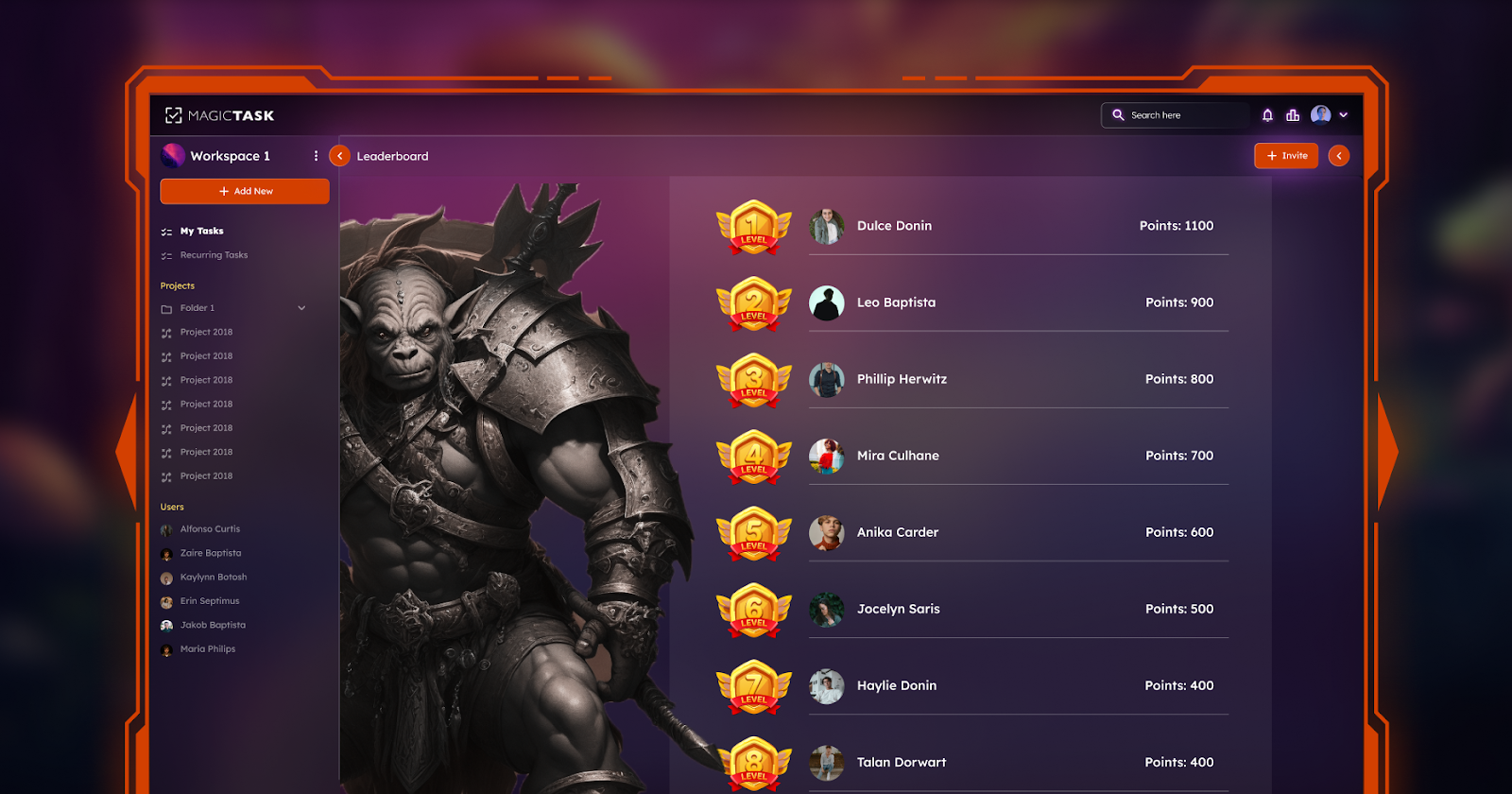
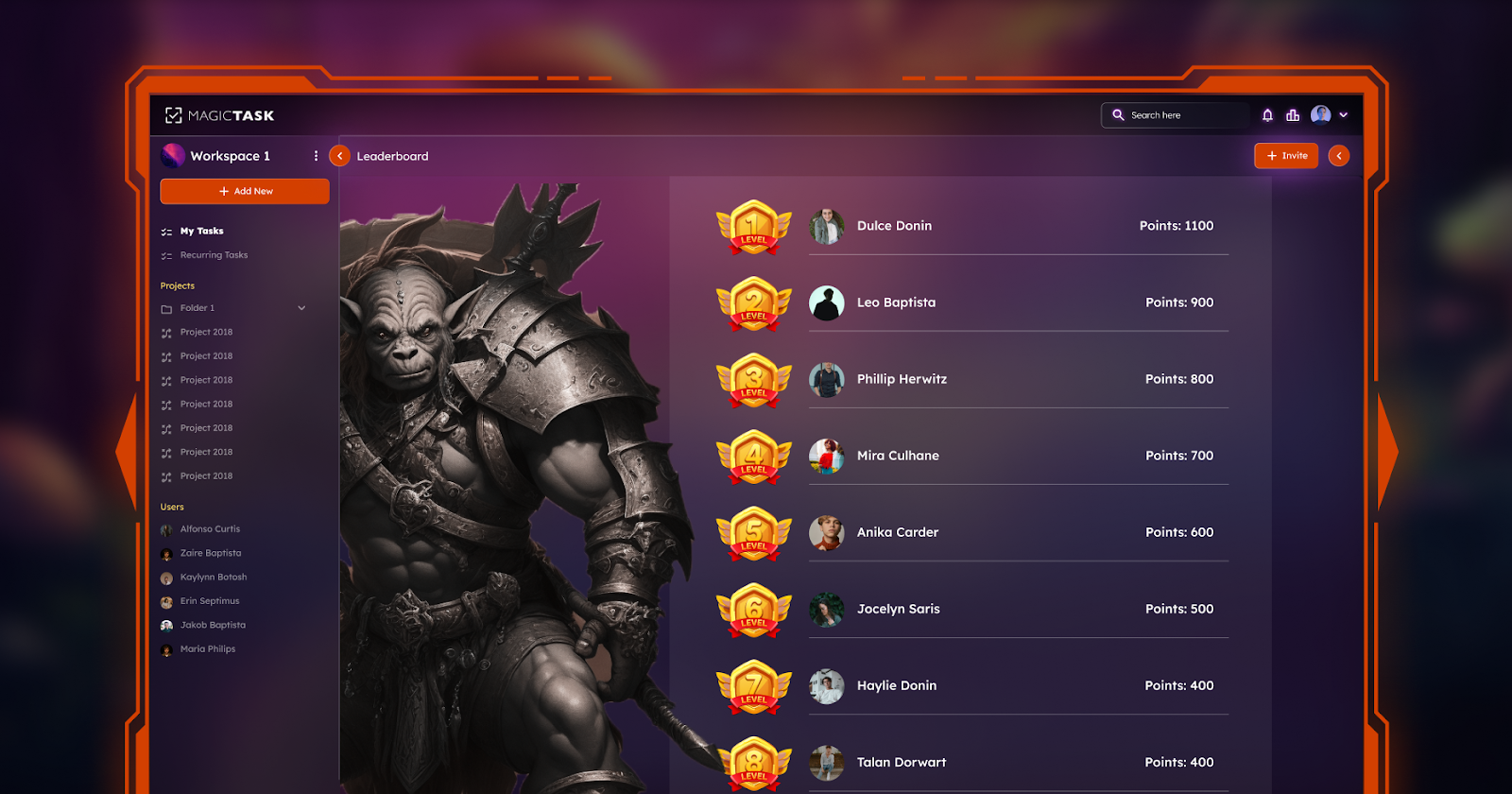
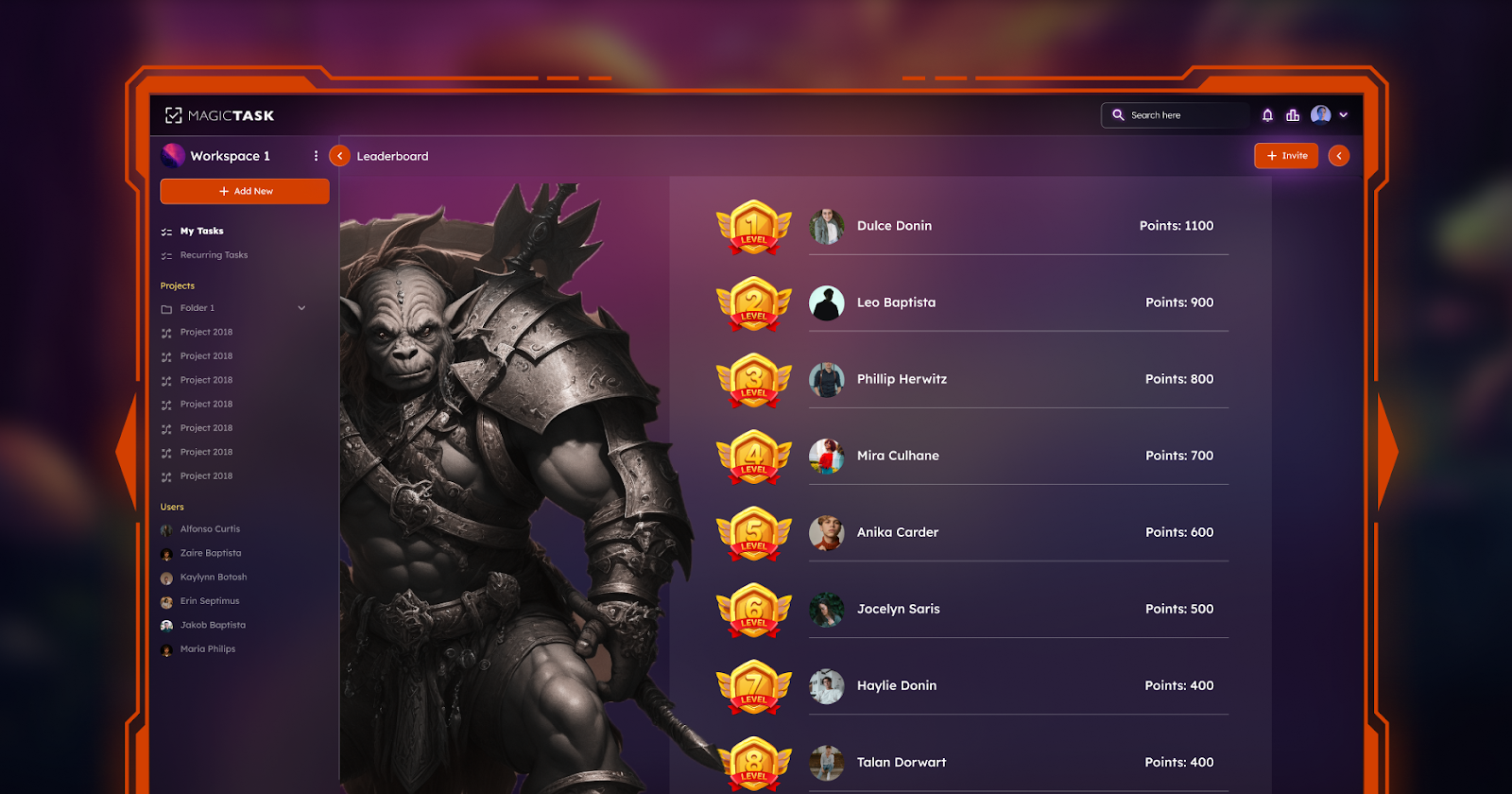
By turning tasks into interesting adventures and challenges, MagicTask V3 incorporates gamification into the productivity space. Leaderboards, badges, and incentives in the Magic Task V3 encourage players to go above and beyond their comfort zones and aim for perfection in all they do.

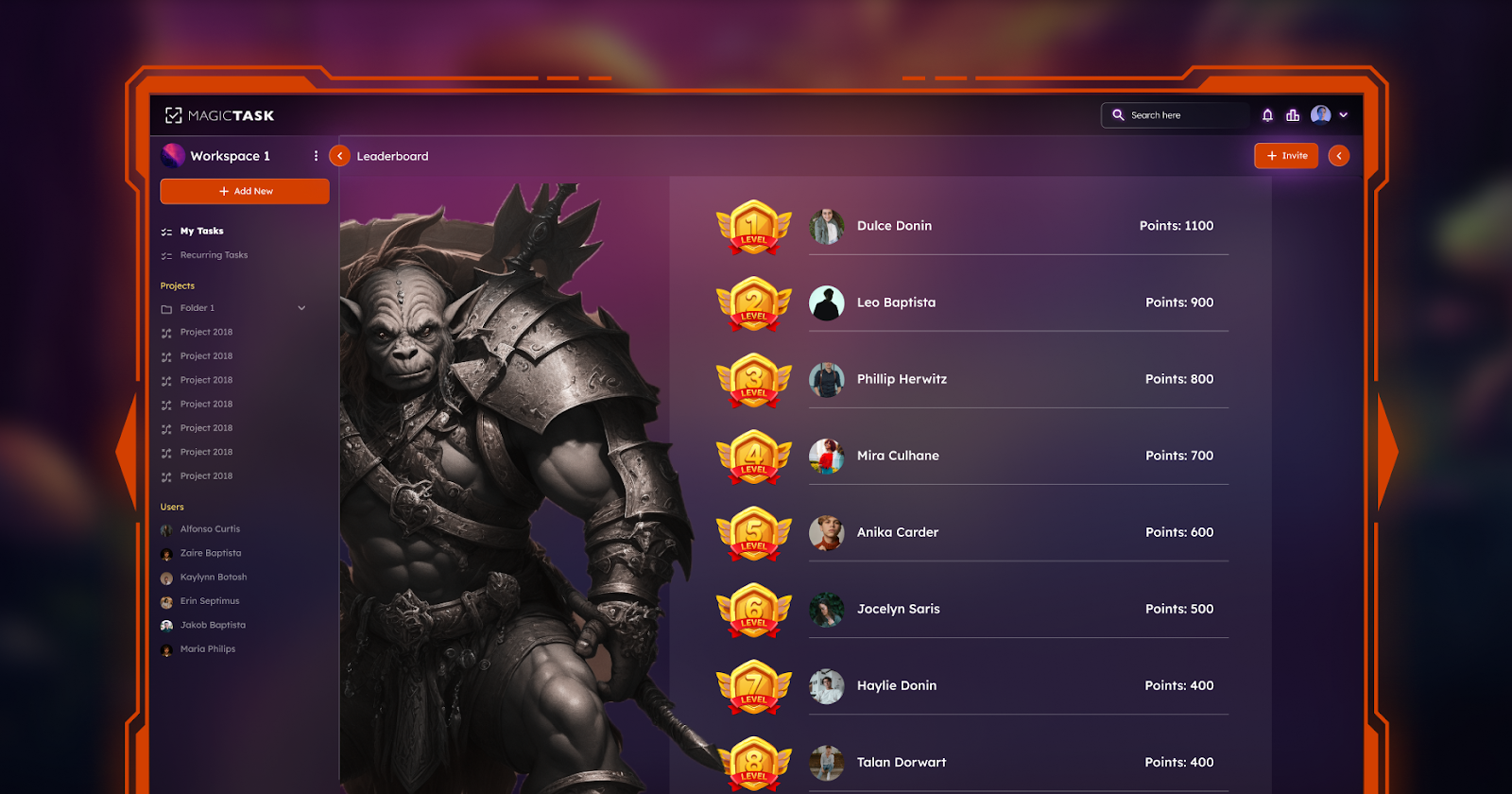
MagicTask V3 Leaderboard

The Power of Connection with MagicTask V3

Success and innovation are largely dependent on teamwork in the linked world. MagicTask V3 provides a comprehensive feature set aimed at encouraging user participation and teamwork by acknowledging the value of cooperation.

The ability to set up shared task boards, which facilitate easy team collaboration on initiatives and projects, is the most notable feature of MagicTask V3. With real-time updates and notifications, team members can stay informed and coordinate, which guarantees that everyone is working toward the same objectives and is in agreement.

MagicTask V3 also promotes participation with features like team challenges and tournaments. To accomplish amazing results by creating goals and benchmarks together, teams can come together and harness the power of cooperation. Magic Task V3 gives teams the tools they need to recognize and celebrate their successes together to finish a project ahead of schedule or outperform performance goals.

Furthermore, Magictask V3 gives team members a forum to exchange opinions, suggestions, and insights. Groups can use the combined expertise and inventiveness of their colleagues to propel breakthroughs in innovation and problem-solving by employing cooperative dialogue and ideation sessions.

MagicTask V3 essentially goes above and beyond typical task management by encouraging a culture of involvement and cooperation. People can become able to reach their goals and realize their full potential in a cooperative and encouraging setting by uniting people and offering resources for efficient communication and teamwork in Magic Task V3.

Difficulties and roadblocks are unavoidable on the path to increased productivity and personal development. However, if the users have Magic Task V3's advice and support, they can overcome these obstacles with resiliency and determination. By giving users the tools and techniques they need to stop putting off tasks and remain goal-focused, MagicTask V3 tackles the issues. Magic Task V3 helps users resist the urge to put off doing things by breaking jobs down into small chunks and providing features like progress monitoring, deadlines, and reminders.

There is a big problem with users’ distractions, whether they originate from inside thoughts or outside sources. To maintain the user's attention in the face of distractions, Magic Task V3 encourages time management skills and mindfulness. Users can reduce interruptions and optimize efficiency through the establishment of priorities and the allocation of specific time slots for tasks.

The fact that failures and setbacks are inevitable components of learning is recognized by MagicTask V3. Users are encouraged to perceive failures as opportunities for learning and progress rather than as obstacles to overcome by MagicTask V3.

To go past difficulties and hurdles on the path to success and personal fulfillment, MagicTask V3 gives the users the resources, attitude, and encouragement. The users come out stronger and may overcome misfortune and become more resilient than ever before by embracing perseverance and resilience.

Unleashing Your Full Potential with MagicTask V3

The main points are that ongoing learning, development, and self-discovery are the paths to both professional and personal growth. By thanking MagicTask V3's transformational power and opening doors to new levels of fulfillment and success along the way, users can set out on this path with confidence and purpose.

Magic Task V3 acts as a catalyst for both professional and personal development by giving users the instruments and resources they need to set challenging objectives, monitor progress, and recognize accomplishments. Users can learn a great deal about their advantages, disadvantages, and areas for development with tools like goal-setting, milestone monitoring, and progress visualization. I would like to recommend this tool to all industries.

Furthermore, as a chance for improvement, Magic Task V3 promotes a growth mindset in its users, seeing obstacles and failures. Magic Task V3 enables users to surmount challenges and emerge with greater strength and resilience than before through the cultivation of a resilient and adaptable culture. Using this tool offers success and complete peace of mind to gain success in the projects.

Teamwork, personal development, and information exchange among users are promoted by MagicTask V3. By utilizing the combined knowledge and experience of their peers through group projects, shared tasks, and team challenges, users can increase their success and creativity.

In the end, the best platform is MagicTask V3 for both professional and personal transformation, rather than merely a productivity tool. Individuals can unleash their complete potential and attain unparalleled degrees of accomplishment and contentment in every facet of their lives through the utilization of goal-setting, teamwork, and ongoing education. This is beneficial for educational uses.

Conclusion

The transformative and empowering tool on the path of productivity and personal development is MagicTask V3. It is evident that MagicTask V3 surpasses conventional task management instruments and turns into a driving force behind transformation and accomplishment upon contemplating the diverse attributes and potential of this inventive platform.

During this investigation, we have examined MagicTask V3's gamification components, teamwork tools, and productivity-boosting attributes. We have already seen how ordinary chores can become extraordinary journeys, how teamwork inspires creativity, and how resiliency and persistence may overcome obstacles.

Furthermore, being productive means living life to the fullest and seizing the possibilities and challenges that present themselves. MagicTask V3 is a helpful reminder. Outside of our comfort zones, take chances, and bravely and resolutely follow our passions; it inspires us to venture.

Let's not forget that the path to increased productivity and personal development is never-ending as we wrap up our investigation of MagicTask V3. It calls for commitment, tenacity, and an openness to change. We can confidently go out on this trip with MagicTask V3 at our side, knowing that we have the resources and assistance required to realize our objectives and bring our dreams to life.

How to Use MagicTask V3 to Master the Art of Efficient Project Management

MagicTask V3 for Project Management

Managing projects efficiently is essential for staying ahead of the curve in the dynamic landscape of modern organizations. MagicTask V3 is a modern project and task management tool. It is designed to transform how teams manage projects.

It has a wide range of superior features that help to streamline workflows and promote cooperation with team members. Use MagicTask V3 to tap into the full potential of effective use in the management of a project. Bid farewell to the past methodologies by using MagicTask V3 to propel project management to the next level.

We are pleased to take this route with you by introducing how MagicTask V3 can dramatically alter your approach and catapult you and your organization to the top.

What are MagicTask V3's Core Features?

MagicTask V3 redefines the project management landscape with an impressive range of indispensable core features. These features serve to ensure that the users can complete their tasks efficiently and accurately to navigate project completion smoothly. They also ensure that a user is able to actively engage with other users. Below are some features that set MagicTask V3 for success:

Task Management

The core feature of MagicTask V3 is its task management capabilities. The user can create, assign, prioritize and track tasks with other team members to ensure the project’s alignment and completion within the set duration. Customizable categories, labels, and statuses enable the team to organize and manage tasks according to its needs, including its progress level. In addition to simplifying task delegation, the system is transparent and accountable during the execution of the agenda. 

Team Communication

It plays a vital role to ensure team members interact seamlessly. It opens communication lines within the platform, ensuring that every person is updated, involved, and on the same page as far as the project goals are concerned. MagicTask V3 provides messaging, commenting, and notification functionalities for real-time information sharing and feedback. 

The team members can communicate well using the platform, eliminating confusion and ensuring all team members are on board continuously. For example, proper communication is needed when a member wants to clarify some issues on a specific task or immediately address a problem.

File Sharing

Collaboration will no doubt involve sharing files with other team participants. MagicTask V3 enables the team to upload, host files, and access them when needed. The system allows users to share project-related files without needing external storage space. The shared files range from word documents and spreadsheets to multimedia files, and no team member will lack access to the information needed to execute their duties. 

Project Tracking

Track Your Project Progress

Effective projects demand projects to keep track of progress and failures while tracking potential bottlenecks. The Visual project timelines reflect milestones and dependencies to alert the user about the possibility of the service endpoint. 

Tracking tools also provide analytics and report possible measurements to improve the aerosolized completion rates, the allocation of resources, and the freight health of the project. Teams can rely on this system to manage projects by collecting data that reduces risks, creates opportunities for enhanced success based on available data.

Deadline Management

The deadline management feature of MagicTask V3 promotes accountability among project team members. Project managers consistently set a clear deadline for every task and milestone covered under the project. It communicates the pressure and necessity of the respective activities for the team members. In MagicTask V3, users configure deadlines for each task and get reminders when the due date is near. The system makes the team members complete the task on time within the stipulated period. 

Project managers can easily monitor progress on the system using the forms and reporting tools, which track how fast your team is moving. If the tracking system identifies a loophole in the stakeholders’ implementation, it raises the flag, and the necessary corrective actions are taken. MagicTask V3 motivates employee responsibility by letting the team members know their responsibilities and allowing them to complete them on time.

Also Read: Task Management Tools vs Project Management Tools: Which is Best for you?

Integrating MagicTask V3 into Your Project Management Workflow

Introducing MagicTask V3 into your project management workflow is a strategic endeavor that can be delineated into several essential steps for a successful transition and the optimal impact of the software. The followings is an all-encompassing guide to seamlessly integrating MagicTask V3 into your project management workflow:

Setting Up Projects

Create projects in MagicTask V3 that are aligned with your organization’s goals and initiatives. Defining clear project goals, milestones, timeline, and deliverables provides a sense of direction to your team. Use customizable project templates to make the setup process easier, and maintain consistency across tasks. Creating clear parameters for your projects allows you to lay the groundwork for successful execution.

Onboarding Team Members

Introduce your team members to the platform and ensure that they are comfortable with MagicTask V3’s features. You should organize training sessions that include platform tutorials, including, interface, navigation, and its key functions segments. Assign roles and permits for them according to the access requirements and responsibilities that correlate with their onboarding. Establish a culture of participation to create a collaborative atmosphere as you launch.

Customizing Settings

Customize settings for MagicTask V3 according to specific needs in your projects. You can customize tasks’ labels, categories, and statuses to match your workflow and unique terminologies. Configure notification systems to ensure that team members receive updates that are accurate and timely concerning their tasks, deadlines, and clear important milestones. MagicTask V3 is flexible to adapt to projects with the various levels of scope, complexity, and stakeholder preferences.

Integration with Existing Tools

Integrate MagicTask V3 with tools and platforms you are already using in your organization. Whether you use communication tools like Slack or project documentation tools like Google Drive, MagicTask V3 should fit like a glove and make your workflow even more efficient. Use various API integrations or third-part bridges available as plugins to boost MagicTask V3’s performance and enable more advanced cooperation across departments 

Training and Support

Provide constant training and assistance to make sure your team members feel comfortable and motivated enough to use MagicTask V3. Develop user guides, FAQs, and get-started materials to eliminate the most common questions and concerns. Implement a support system where your team can turn to anytime, for example, a help desk or a community forum.

Best Practices for Using MagicTask V3

MagicTask V3 Leaderboard

Regular Review Meetings

Ensure regular review meetings are being done to assess the project’s progress, discuss any challenging factors or roadblocks and make alterations to the project’s plan where necessary. These meetings enable team members to update on tasks, discover dependencies and agree on priorities. This helps to keep all members in the know, and able to address problems proactively, ensuring they are solved before they become a challenge to the successful completion of a project. 

Utilize Analytics for Project Insights

Make the most of the analytics feature in MagicTask V3, to gain insight into team performance, task completion percentages and project time frames. Data analysis helps in identifying areas needing improvement, better resource distribution and risk assessment and mitigation areas. Upon analysis of the data patterns, decision making becomes easy, and you shall be able to develop strategies that work. 

Foster Continuous Improvement Through Feedback

Support a feedback culture in your team, enabling team members and stakeholders to give feedback about MagicTask V3. This does not only help in improving the application but also helps in opening up to new ideas, which may be beneficial to task authorities. Seek feedback from team members on their experience using MagicTask V3, and what they think could be done to make the application more effective and user-friendly. 

Standardize Workflows and Processes

Create standardized workflows and processes in MagicTask V3 by establishing guidelines on how to create and prioritize tasks and how to make assignments. This ensures that all members know what to do at any one time, and the established methodology is adhered to. By making the workflows possible, potential confusion and errors are minimized, leaving room for increased collaboration.    

Encourage Collaboration and Communication

Enable all team members to communicate and collaborate by using MagicTask V3 in-app messaging, comment options and notifications. A team may find it hard working together without open communication and collaboration channels. 

Final Thoughts

MagicTask V3 is an innovative solution that can redefine your approach to project management. It improves efficiency by automating workflows through combining analytics. Teams eliminate unnecessary repetition and delays as well as optimize resource use leading to improved productivity and reliable achievement of project milestones. 

The solution promotes collaborative work environments. With its messaging, commenting, and document sharing functions, team members can communicate seamlessly and share their opinions in real-time. It is more than just a project management tool. With this innovative tool, organizations are well on their way to transforming their project management efforts to deliver end-to-end productivity. Therefore, fast track your projects with MagicTask V3 and transform your project environment.

How to Cultivate a High-End Work Environment Using Gamification Techniques

Cultivate Work Environment with Gamfication

Want to Turn Your Office into a Fun High-End Space? Learn How Gamification Can Make Work Awesome. The concept of gamification has become a popular one in the workplace in order to get employees more involved and productive. It has gamification features like getting points, badges, and the leaderboard to motivate employees to perform better. These tools are used by companies to make work more interesting and to inspire employees to better themselves.

This article talks about how gamification is used on the job today, and how it can be applied in practice. Also, it discusses successful cases from well known companies such as Salesforce and Deloitte. They show how gamification can be used to make every employee feel more powerful and stimulated. Gamification is an important aspect for businesses since it increases the efficiency of work and promotes teamwork.

Gamification in the Workplace

Gamification is like doing your job but playing games at the same time. It can make work more enjoyable and entertaining. This is significant because when people love their job, they do it better. Gamification includes the elements that games have, such as points, badges, and leaderboards, in order to transform the work tasks into games.

In the workplace gamification is very relevant. It can add a fun element to work and encourage employees to perform to the best of their abilities. For example, say your manager will give you points whenever you complete a task. It will make you feel good and you will be looking for ways to get even more points.

The other thing that gamification does, is that it promotes healthy competition. It is to say that everyone tries to outperform each other in a healthy way. An illustration of this would be a leaderboard displaying who is the most productive. As a result, everyone may work harder in order to make it to the top. This can add some spice to the office making it more friendly and pleasant.

Besides that, gamification contributes to the development of a culture of everlasting enhancement. This means being always better at what you do. The implementation of gamification will make it possible to track the employees’ performance and identify areas of improvement. For example, if someone receives credit for a great job done, then they might try to get another badge which would mean doing an even better job.

The Impact of Gamification on Employee Engagement

Points

Gamification turns work more entertaining and enjoyable for employees. If workers are happy with their job, they experience more engagement. This means their interest in their job grows, and they do it better. Gamification applies points, badges, and leaderboards to encourage staff to do their very best.

Research has unveiled the fact that gamification leads to significant increases in employee motivation and satisfaction. For instance, it was discovered that organizations that employed gamification in their workplaces harbored employees that were happier and felt more bonded to their jobs. This is because, through gamification, employees have goals to fight for and are rewarded for their good performance.

Wouldn't it be great if your manager or boss presented you with a reward every time you completed a task? You will feel proud of yourself and you will do as many tasks as you can to earn more rewards. It is the core of gamification. It helps create an environment in which the employees are happy and feel they are part of something important.

Furthermore, gamification has an ability to boost employee loyalty. When employees feel valued and compensated for their efforts, they are most likely to remain in the company. Likewise, if there is a leaderboard that shows who the more worked, employees may work harder to be on top. This helps create a positive workplace environment where everyone is appreciated.

Gamification helps to make the feedback more enjoyable as well. Not only can employees got feedback from their boss, but also they can get the badge or rewards from the system for doing well. Thus, they are encouraged to do better and not give up.

Also Read: Gamification in Task Management: How It's Changing The Way We Work?

Strategies for Implementing Gamification

The gamification in the workplace can be both intriguing and useful to the employees. Here are some strategies to help organizations effectively integrate gamification into their practices:

1. Set Clear Objectives

Having really clear goals is the key to success when using gamification in the workplace. First of all, find out your goals with gamification. It can be making people work harder, making them happier, or helping them work together better. Say it clearly and briefly. This gives everybody an insight into the motivation of the gamification. It also keeps their attention on the same issues and makes their teamwork better.

2. Choose the Right Tools

Proper gamification tools selection is the key to successful execution. Analyze the various alternatives offered in the market and pick a platform that matches with your organization's aims and objectives. Look for some of the best features that have a possibility of a point system, different badge designs, and interesting leaderboards. Make sure that the tool is intuitive and can be smoothly connected with other systems to make employees interested in it.

3. Customize the Approach

Organizations work with different cultures, styles of management and business objectives. Thus, the strategy of gamification has to be tailored to your organization's specific environment. Take into account the size of your team and the nature of the work to design games for gamification the needs of your employees. The way you link your interaction with your personnel leads to better outcomes of effectiveness and engagement at work.

4. Provide Regular Feedback

Giving feedback is a key requirement in gamification. It is a way of showing the workers how they are performing and what they have achieved. The game platform can easily inform them when they are done with tasks or have achieved goals. Moreover, managers could hold regular daily conversations with employees or teams. They can give feedback on what’s going well and give praise for a job well done. This is a source of motivation that pushes workers to work even harder.

5. Encourage Collaboration:

Collaboration via gamification builds the spirit of teamwork and comradeship among the staff members. Enhance team-based challenges, competitions, or projects with mutual obligation to accomplish shared goals. You create a better environment for the people to work in a way that boosts their enthusiasm and dealings. Collaboration also promotes a positive work environment that is conducive to learning, knowledge sharing, and collective achievement celebrations.

Gamification Best Practices and Success Stories

The use of gamification in the workplace also requires careful planning and consideration. Here are some best practices to ensure success and examples of companies that have successfully implemented gamification techniques: Here are some best practices to ensure success and examples of companies that have successfully implemented gamification techniques:

1. Define Clear Goals and Objectives

Before you start gamification, be clear about your goals and objectives. Define your objectives that can be connected to higher productivity, increased employee engagement, or better collaboration. Having specific goals will guide your gating strategy and evaluate its effectiveness.

2. Provide Meaningful Rewards

Provide rewards that are significant and appropriate to employees’ preferences. This could be about recognition, promotion opportunities or material rewards such as gift cards or additional days off. Make sure that your rewards are aligned with the company’s values and the culture so that employees can be motivated to optimum level.

3. Foster Healthy Competition

Leaderboard in MagicTask V3

Encourage friendly competition among employees through use of leaderboards or challenges. It will motivate people to work and maintain a good atmosphere and cooperation in the work area. This will lead to tightening of competition between the employees that might result in their stress and pressure.

4. Ensure Accessibility and Inclusivity

Make sure your gamification feature is simple and also available for all staff members including those that have less education or are disabled.

Emphasize language, cultural elements and physical accessibility when designing gamification activities. This is how we will make sure that every person can participate and feel engaged.

Success Stories

Example 1: Salesforce

Salesforce, a cloud software leader, has raised productivity through the application of gamification in its sales process. The company introduced leaderboards, badges, and rewards to the sales team to promote competitiveness and achieve higher sales goals. In turn, the sales grew, and employee spirit was lifted.

Example 2: Deloitte

Deloitte, a multinational professional services firm, implemented gamification to increase learning and development of employees. Deloitte used e-learning modules that were interactive and used game elements to involve employees and encourage them to be active participants in the learning process. A result was the high retention rate of employees and their better performance at workplaces.

Also Read:

Final Thoughts

Lastly, gamification is the best way to improve employee engagement and motivation as well as productivity by making the workplace more entertaining. The effective application of gamification strategies is possible through goal setting, selecting correct tools and methodology. Meaningful rewards, fair competition and the inclusive principle are also necessary for success. The companies like Salesforce and Deloitte have demonstrated how gamification impacts both the employees’ productivity and job happiness.

According to the above information, you might be able to use gamification mechanisms in your organization. Through the use of gamification you can create excellent working conditions where employees are encouraged, valued, and are excited to offer their best efforts along with others working towards the same goals.

Top 15 Features of MagicTask V3 That Will Elevate Your Productivity Game

features of magictask v3

The pursuit of maximum productivity is a common goal in our digitally advanced day. Amid a plethora of digital solutions designed to improve productivity, MagicTask V3 stands out as a guide for individuals looking to streamline their processes. This state-of-the-art task management application offers a feature set that is both creative and user-friendly, having been developed with a thorough awareness of the nuances of productivity and collaboration.

Users now have all the tools they need to interact easily, manage tasks with unmatched accuracy, and streamline projects with MagicTask V3. The top 15 features of MagicTask V3, each created to up your productivity game, will be covered in this post along with a road map for utilizing this game-changing tool to the fullest.

Improved User Interface

The elegant and straightforward UI of MagicTask V3 provides a clutter-free environment that prioritizes usability and functionality. Because of the careful design, users may get the functionality they require without having to deal with needless complexity. The UI emphasizes user-friendliness and minimizes the time spent learning how to use the tool, making it suitable for both novice and experienced project managers. MagicTask V3 paves the way for increased productivity by emphasizing a simplified user experience, freeing up users to concentrate more on their tasks and less on how to manage them.

Personalized Dashboards

MagicTask V3's customizable dashboards, which act as private command centers for your tasks and projects, are what give it its power. You may customize these dashboards to show you exactly what matters most to you, be it a high-level summary of project progress, thorough task lists, or approaching deadlines. Better decision-making and project management are made possible by this degree of customization, which guarantees that you always have immediate access to the data that matters most. MagicTask V3 gives users the flexibility to customize and improve these dashboards, enabling them to establish a personalized productivity hub that suits their particular workflow preferences.

Advanced Task Management

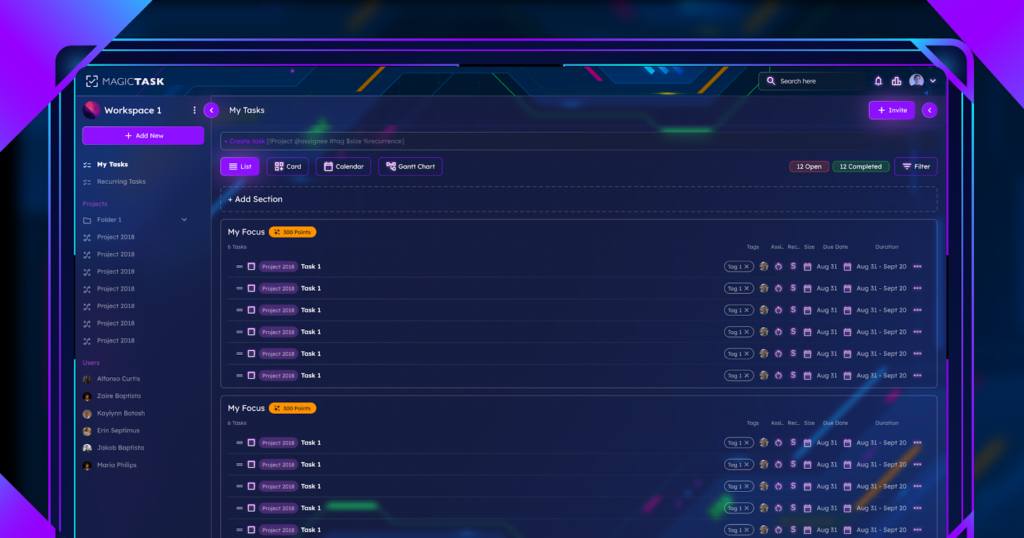
MagicTask V3 Dashboard

With a robust feature set that meets intricate and demanding project needs, MagicTask V3 excels in advanced task management. To provide a thorough understanding of each task's scope, users can construct tasks with several layers, such as subtasks, deadlines, priority levels, and attached files. This level of detail improves organization and clarity while facilitating more efficient project component tracking and administration. MagicTask V3's task management system is made to help you stay organized and in control, whether you're managing several projects at once or concentrating on a single, complex work.

Teamwork Instruments

MagicTask V3 has a strong tool suite aimed at promoting teamwork, but its main focus is effective collaboration. The platform makes sure that team members are always in sync and informed by providing real-time chat, task assignments, file sharing, and progress tracking. Regardless of geographical location, these collaboration technologies facilitate quick communication, feedback sharing, and connection by being seamlessly incorporated into the process. MagicTask V3 removes obstacles to productivity by optimizing the collaboration process, empowering teams to collaborate more effectively and accomplish their objectives as a unit.

Capabilities for Integration

The capacity to interface with other tools is essential in the networked work environment of today. In this regard, MagicTask V3 excels thanks to its broad integration capabilities, which enable it to easily interface with a variety of third-party programs and services. MagicTask V3 serves as a single hub, bringing together all of your necessary tools, including file storage, chat platforms, email, and calendar apps. Because of this compatibility, you use fewer programs and may streamline your workflow, saving you precious time.

Monitoring Time

time management

When it comes to increasing efficiency, MagicTask V3's time monitoring tool is revolutionary. This tool gives users important insights into work habits and productivity by letting them keep track of the amount of time spent on various tasks and projects. By using this data, you can make sure that deadlines are met, find areas that need improvement, and allocate resources more wisely. The time tracking features (such as pomodoro) in MagicTask V3 are made to help you achieve your objectives, whether you're looking to bill clients for your services or are just trying to organize your day better.

Intelligent Alerts

It's never been simpler to keep on top of your assignments and deadlines with MagicTask V3's smart notifications. You may customize these alerts to make sure you're always aware of critical updates, approaching due dates, and job modifications. You may customize these notifications to suit your tastes, so you'll only get pertinent alerts without being inundated with information. This feature is essential for maintaining your attention and organization and making sure that nothing gets missed.

Adaptability to Mobile Devices

With a feature-rich mobile application that keeps you updated on tasks and projects while on the go, MagicTask V3's mobile compatibility allows you to be more productive than just on your PC. The app ensures a smooth transition between platforms by mirroring the desktop version's features. This implies that you can work with others on a team, oversee tasks, and access crucial data at any time and from any location. With the MagicTask V3 mobile app, your location will never be a hindrance to your productivity—whether you're at your desk, on the go, or commute.

Templates for Projects

The project templates in MagicTask V3 are a time-saving tool that makes setting up new projects easier. These templates let you easily create new projects with consistent formatting and organization by offering a predetermined structure for popular project kinds. Whether you're creating software, organizing an event, or starting a marketing campaign, these editable templates can be tailored to meet your unique requirements. MagicTask V3's project templates free you from having to start from scratch for every project, allowing you to concentrate on execution rather than setup.

Automation of Tasks

MagicTask V3's task automation completely transforms how you handle repetitive jobs. You may greatly minimize human labor and boost efficiency by automating repetitive tasks like creating follow-ups, changing task statuses, and issuing reminders. This feature lowers the possibility of human error while also saving time and guaranteeing that crucial tasks are regularly executed. MagicTask V3 increases overall productivity by allowing you to spend more time on strategic work through task automation.

Safety Procedures

With its strong security features, MagicTask V3 puts security first in an era where data breaches are becoming more frequent. The platform makes use of cutting-edge encryption methods, safe data storage, and frequent backups to guarantee that the project data is protected and recoverable under all circumstances. These security measures are intended to protect your data from unwanted access, giving you peace of mind and making sure your attention stays on productivity rather than possible threats.

Analytics and Reporting

Workspace dashboard

The reporting and analytics features in MagicTask V3 provide comprehensive insights into your work and efficiency. You may analyze work trends, track progress, and keep an eye on team performance with the help of extensive reporting options. You can use these insights to find areas for development, modify strategy as necessary, and make well-informed decisions. MagicTask V3’s analytics give you the information you need to make informed decisions, whether you’re planning future efforts or evaluating the effectiveness of a finished project.

Personalised Data and Screening

MagicTask V3's custom fields and filters give you an unmatched degree of freedom over how you arrange and view your tasks. With the help of this tool, you can customize your task management system to meet your unique requirements and efficiently organize, prioritize, and classify your jobs. Custom fields and filters provide you the flexibility to tailor MagicTask V3 to your workflow, whether you need to track particular metrics, highlight particular task kinds, or develop unique processes.

Tracking Goals

A key component of MagicTask V3 is goal monitoring, which helps to maintain project alignment with goals. Setting and adhering to goals can help you make sure that each job and project advances your main objectives. This tool encourages teams by setting clear expectations for achievement and aids in keeping you focused on your priorities. The goal-tracking feature in MagicTask V3 allows you to manage your tasks with a distinct feeling of purpose and direction.

Disconnected Mode

MagicTask V3's offline mode makes sure you can continue working even when there's no internet connection. With the help of this function, you may access and work on your tasks while offline, and when you come back online, the changes will sync instantly. MagicTask V3's offline mode ensures that your work proceeds without interruption, even while you're working in remote locations or with erratic internet access. This means that connectivity problems won't ever get in the way of your productivity.

Final Words

MagicTask V3 is a gamified task management tool that adjusts to your unique requirements and workflow. MagicTask V3's robust features, which include an improved user interface and cutting-edge security measures, are intended to up your productivity game. It gives you the skills you need to succeed whether you're working with a team, managing complicated projects, or just trying to be more efficient with your everyday duties. Reach new levels of productivity by embracing MagicTask V3's revolutionary potential.

How to Stay Organized and Maximize Your Productivity with MagicTask

Maximize Your Productivity with MagicTask

Are you wondering how to Stay Organized and Maximize Your Productivity? In today's busy world, being able to manage tasks well is super important for both getting things done on your own and working well with others in a team. It's not just something good to know; it's something you really need. If everything is messy, it can make you slower, stressed, and make it tough to do things right. MagicTask tools are made to help make managing tasks easier, which can make you and your team more productive.

This article will explain why it's important to manage tasks well, show how MagicTask can bring organizations together, give some tips on how to fit it into your routine easily, and talk about why using it is so beneficial.

Understanding the Importance of Effective Task Management

Smart task management is crucial to accomplish tasks effectively. When we do not control our tasks this can be a mess. This can result in deadlines, stress, and lack of quality work, as well.

If you don't plan for a major task, you might feel really overloaded after you start the task. It's like trying to get to a place in the dark without a map. This can make you work too much and make you feel unable to concentrate. If you don't have a plan, you'll lose time and energy as you won't know where to begin from. Your stress level can increase even higher since everything is so hectic. Hence, lack of planning doesn't only worsen the situation, but also contributes to your stress levels.

Task management is not effective for businesses and people's happiness at their workplace. Employees who do not feel organized are more stressed and less content with their jobs. Who wants to be stressed out at work, right? The answer is nobody!

We all know the feeling of being lost or overwhelmed when tackling a project. But when we master our tasks, it's like having a roadmap to success. Planning the tasks, prioritizing them, and completing them on time will be a lot easier. This is another advantage that helps us to stay concentrated and reduces stress.

When we are organized, we can also perform better in teams. We can divide tasks, communicate clearly, and follow the progress together. It does so by making each process faster and easier.

Accordingly, in other words, successful task management is very significant. It helps us to always be organized, deal with pressure and work effectively with other people as well. Therefore, let's organize ourselves and put the plan into action!

How to Stay Organized with MagicTask

The MagicTask tool is just one of the ways that staying organized can be simplified. Let's explore some different ways you can use MagicTask to keep your tasks in order. Let's explore some different ways you can use MagicTask to keep your tasks in order:

Accomplish and Organize Tasks

The MagicTask organization starts by creating a list of tasks. Make a list of everything that you have to do, big or small. When you have completed the list, then you should prioritize. Make a priority list of the most important tasks and the ones that should be done now. With MagicTask, you can do that by setting deadlines and assigning the tasks into categories. Hence, you will know what needs urgent attention and what can be done later.

Use Alerts and Reminders

It is so easy to forget things, when you have a lot of other things in your mind. And that's where reminders and notification can help. With MagicTask, you can remind yourself of the important deadlines, so they will not be forgotten. You will receive reminders about due dates, so you won't forget them. In essence, this helps you to maintain a focus on what is essential and to commence the right things at the right time.

Work in Collaboration with Team Members

When you work in a group, you cannot get things done all by yourself, so you have to collaborate with your teammates. MagicTask makes teamwork simple. It becomes so simple to split tasks, leave comments and monitor the progress jointly in real-time. It is so that all of us get updated and we finish the task at hand with efficiency and effectiveness.

Track the Progress and Performance

MagicTask V3 Leaderboard

It is useful to know about your performance in the tasks. MagicTask provides you with reporting and analytics tools where you can monitor your progress. Through this tool, you can check which tasks have been completed, which ones are still pending and the amount of time taken to execute them. It allows you to identify bottlenecks and for you to make corrections to effectively increase your productivity.

Use Templates for Common Tasks

Save time with templates for repetitive tasks or projects MagicTask Manager. Templates help you to easily start new tasks that have already defined details like due dates, checklists, and assigned members of your team. This makes the task management consistent and efficient as well as makes it easier to handle recurring or similar tasks.

Integrate with Other Tools

Increase the efficiency of your workflow by integrating your existing tools like MagicTask. Whether it is your email client, calendar, or project management software, integrating MagicTask provides the platform for the sharing of communication and data among other platforms. This makes it easy for the staff to handle tasks and keep all necessary information in one place.

Integrating MagicTask into Your Daily Routine

By introducing MagicTask into your daily routine, you can facilitate organization and get things done. Here are some easy tips to help you incorporate MagicTask into your everyday work life: Here are some easy tips to help you incorporate MagicTask into your everyday work life:

Begin Your Day with MagicTask

At the beginning of your day you should spend several minutes checking MagicTask. Check your to-do list to see what tasks are due today. This allows you to plan your day and determine the most important tasks to focus on. You'll be sure to concentrate on the right things, and this may help you to feel more in control and less anxious.

Use MagicTask Across Platforms

MagicTask is accessible from a variety of devices including your desktop, phone, or tablet. Make sure you have it downloaded on all your devices so you can use it anywhere you want. This way you can check your tasks and updates not only being at your desk, but also when you are outside of your desk. It makes it possible to handle everything, even when you are away from home.

Schedule Regular Check-Ins

Take some time every day to tune into MagicTask. You can do it in the morning, at lunchtime, or early in the evening. Take advantage of this time to go through your tasks again, update the progress, and check if there is any new task or change from your team. Consistent follow ups will keep you on the track and help you avoid missteps.

Reflect and Adapt

The end of the day or the end of the week, give some time for self-reflection and see how things went. Have you finished your work? Were there any problems or delays? Make use of Magic Tasks reporting and analytics tools to monitor your progress and find opportunities for improvement. It will let you change your way of thinking and get even more success the next time.

Establish Specific Goals with Timeline

Break your big tasks into smaller ones and set deadlines for each of them. This will keep you focused and motivated since you will have certain milestones to aim at. Through MagicTask, you will be able to add deadlines for individual tasks while tracking your progress in order to finish on time.

Use MagicTask's Calendar Integration

Incorporating MagicTask with your calendar would make you manage all your tasks and deadlines in one place. This is the integration that lets you see your tasks together with your appointments and meetings. This will give you a complete overview of your calendar. On the one hand, this makes it easier to figure out your day and to decide how to tackle work and life duties respectively.

Final Thoughts

The last part of the article underlines the point that being organized and efficient is the success factor. Tools such as MagicTask can change how people do tasks, becoming more productive. If we find out how crucial task management is, if we know about what MagicTask is, and if we use it, we can do things more efficiently and get more done.

MagicTask helps us stay on target even when we are working independently or in a group, enabling us to concentrate and achieve our targets. Therefore, from now on MagicTask is our golden ticket for productivity and time saving. We can realize that our goals are actually more attainable with its assistance.

What We Can Learn from Video Games to Enhance Team Collaboration and Productivity

Video Games to Enhance Team Collaboration and Productivity

In today's fast-paced digital landscape, video games are no longer just a form of entertainment; they've evolved into powerful tools for personal growth and skill development. Think about it: when you're immersed in a game, you're not just passively consuming content – you're actively strategizing, problem-solving, and collaborating with others. These are the same skills that are highly sought after in the real world, particularly in professional settings where productivity and teamwork reign supreme.

But here's the kicker: the lessons we glean from gaming aren't confined to the virtual realm. They seamlessly translate into our everyday lives, offering valuable insights into how we approach tasks, interact with colleagues, and navigate complex challenges. In a world where success hinges on our ability to collaborate effectively, harnessing the power of video games isn't just a game changer – it's a roadmap to unlocking our full potential.

Join me as we delve deeper into the world of gaming and discover how it's reshaping our understanding of productivity and teamwork, paving the way for success in an increasingly interconnected world. Whether you're a seasoned gamer or someone curious about the potential of this medium, prepare to be amazed by the transformative power of gaming beyond the screen.

Clear Role Distribution

The ability to clearly define roles within a team is often critical to the success of multiplayer online games. This notion parallels the need for individuals to have clearly defined roles in the workplace. In video games, each player may adopt a specialized role that is necessary for the team to win, such as the damage dealer, healer, or tank. Players can concentrate on developing particular skills thanks to this specialization, which makes the team more productive and successful. 

Analogously, in work environments, defined roles guarantee that work is performed by the most qualified individuals, increasing efficiency and decreasing duplication. Teams can function more efficiently and effectively when members recognize and embrace the value of specialized positions.

Strategic Planning

Players of video games, especially those in the strategy genre, have to be strategic, plan their moves carefully, and weigh the long-term effects of their decisions. In the workplace, where strategic planning can be the difference between success and failure, this forward-thinking attitude is vital.

Teams who embrace this mentality are better able to foresee potential roadblocks, create detailed strategies to accomplish their objectives, and have the flexibility to adjust to unforeseen changes. Strategic planning ensures that teams are always one step ahead of difficulties by encouraging a proactive rather than reactive attitude.

Effective Communication

Effective communication is essential for success in both the workplace and in video games. In cooperative video games, players have to stay in continual communication to plan their moves, warn one another of potential threats, and report on their success. In the workplace, where miscommunication can result in mistakes, inefficiency, and conflict, this degree of communication is essential. Teams may guarantee that all members are in line with the goals of the group by creating an atmosphere that values candid, understandable, and efficient communication. This will boost teamwork and output.

Adaptability

Gamers are frequently faced with unforeseen obstacles in video games, which need fast thinking and flexibility to overcome. This is similar to how the modern workplace is dynamic and always changing, requiring teams to be nimble to be productive. Teams that value adaptability are better able to minimize disruptions and continue forward motion by quickly adapting to changes in the project's scope, deadlines, or team dynamics. In addition to providing consistency in the face of change, this resilience enables teams to take advantage of fresh possibilities as they present themselves.

Problem-Solving Skills

In puzzle and adventure games, problem-solving is not just about coming up with a solution; it's also about taking the path of experimentation, analysis, and imagination to get there. To get through challenging situations in these games, players must use critical thinking, pattern detection, and creative problem-solving. 

These kinds of mental acrobatics serve a purpose beyond amusement; they train people to solve problems in the real world, where there are rarely simple answers to problems. In the workplace, a problem-solving mentality pushes groups to see obstacles as chances for creativity and advancement rather than as impediments. It encourages a curious culture that values challenging the status quo and considering alternative alternatives. 

In today's fast-paced commercial contexts, where challenges are complicated and multifaceted, this approach is essential. Organizations may generate innovative and forward-thinking solutions that push the envelope of what is feasible by cultivating a culture that values creative problem-solving. 

This will increase productivity and promote a culture of innovation and continual development. Encouraging teams to use the iterative, resilient, and creative problem-solving approach of gamers may turn obstacles into chances for improvement.

Goal Setting

A key component that propels the story and gameplay of video games is the act of goal-setting and pursuit. Players are given a clear goal right away, whether it be saving a character, taking down the last boss, or developing a civilization. The game experience is compelling and purposeful because of this clarity and direction. Applying this to the workplace, goal-setting skill becomes an essential tactic for team achievement. Teams use clear, well-defined goals as a road map, directing their efforts and concentrating their energies on reaching particular objectives. 

Through this approach, the overarching objectives become more manageable and less intimidating by being broken down into achievable tasks in addition to being set. Setting goals for a team also promotes cooperation and togetherness since everyone is working towards the same objective. It keeps everyone on the team motivated and focused by acting as a continual reminder of the goals the group is working towards. It is possible to greatly enhance morale and promote a sense of accomplishment and achievement by routinely revisiting these goals and celebrating milestones along the way. This will drive productivity and cultivate a pleasant team dynamic.

Learning from Failure

Every setback in video games serves as a springboard for success, providing insightful and instructive knowledge that shapes subsequent tactics. Gamers pick up skills including self-analysis, strategy modification, and perseverance until they conquer obstacles. In work environments, where risk-taking and creativity can be stifled by fear of failure, this iterative process of learning and adjusting is essential. Teams can learn to view failure as an essential component of learning rather than as a setback by adopting a gaming attitude. 

This viewpoint promotes experimentation, which enables the testing and improvement of novel concepts, resulting in ground-breaking discoveries and solutions. Building a culture that sees setbacks as chances for improvement encourages adaptability and a forward-thinking outlook. It enables team members to step outside of their comfort zones, investigate novel ideas, and ultimately support an environment that values adaptation and constant progress. This mentality change has the power to completely change how teams approach problems, transforming possible setbacks into insightful teaching moments that foster both professional and personal development.

Reward Systems

Reward

In the realm of video games, prizes are a potent motivator that pushes players to finish difficult objectives, advance to new levels, and raise their scores. These incentives, which might take the kind of points, unlocked locations, or new skills, verify the player's efforts and accomplishments and give them a sense of satisfaction and success. A comparable system of rewards can greatly improve team morale and motivation in the workplace. No matter how big or small, recognizing and applauding accomplishments promotes positive behavior and keeps people working hard and participating. 

Verbal praise during team meetings is one type of reward; other options include more material advantages like bonuses, promotions, or chances for professional growth. A motivated, involved, and productive team atmosphere can be created by putting in place a systematic reward system that is in line with both individual and team objectives. Recognizing the efforts and accomplishments of team members promotes a culture of gratitude and acknowledgment that encourages people to reach and surpass their performance goals.

Continuous Feedback

One of the main features of video games is continuous feedback, which lets players change their plans in real-time by giving them quick answers to their actions. This feedback loop gives players insights into what works, what doesn't, and how they may improve their gameplay, which is essential for learning and growth. Teams that implement this idea of ongoing feedback might see notable increases in output and performance. Frequent, constructive criticism promotes an environment of transparency, trust, and support by assisting people in understanding their areas of strength and growth. 

It makes it possible for team members to make swift adjustments to their strategy, coordinate their efforts with team goals, and continuously improve their abilities. Continuous feedback also promotes candid discussion and communication among team members, guaranteeing that everyone is on the same page and productively pursuing shared objectives. Organizations can foster a dynamic and encouraging atmosphere that promotes learning, progress, and excellence by implementing a continuous, real-time feedback mechanism.

Team Synergy

In video games, the idea of synergy where a team's total output exceeds the sum of its members' contributions; is eloquently illustrated. Characters with special talents must cooperate to accomplish shared goals, emphasizing the need to utilize a variety of strengths and viewpoints.

This idea is just as relevant in the workplace, where encouraging a team atmosphere that recognizes each individual's contribution can improve creativity, productivity, and problem-solving skills. Comprehending and fostering team synergy guarantees that the group's combined endeavors are maximized for the most favorable results.

Persistence

Gamers acquire the concept of perseverance from video games by repeatedly taking on new difficulties and growing with each try. For any team, this unwavering pursuit of goals in the face of difficulties is an invaluable lesson. A team that fosters persistence among its members is more likely to stick with its objectives in the face of obstacles or disappointments. This motivation can result in inventions and discoveries that would not be feasible without a steadfast effort. Additionally, it fosters the development of a resilient team that can overcome any challenge to accomplish its goals.

Leadership and Followership

Players can take turns being the leader or the follower in a lot of multiplayer games. This dynamic can impart important knowledge regarding the role that good leadership plays in setting direction and preserving team cohesiveness, as well as the value of followership in fostering positive team dynamics and goals.

Knowing when to take the lead and when to offer support is essential in professional settings to keep a cohesive and productive team. Because of this duality, teams can adjust to different circumstances by having members step up or back down as necessary to get the greatest result.

Time Management

Pomodoro timer in MagicTask V3

In many video games, players must frequently manage limited resources over time or accomplish tasks within time limits, making efficient time management a crucial ability. This ability is immediately applicable in the workplace, where managing workloads, setting priorities, and meeting deadlines all depend on efficient time management.

Teams with strong time management skills may increase output, lower stress levels, and guarantee that tasks are carried out successfully and efficiently. Teams can improve productivity and output by implementing time management techniques from the gaming industry.

Conflict Resolution

Both professional settings and video games inevitably involve conflicts. Whether it's choosing a plan of action or allocating resources, players in video games frequently have to compromise and settle disputes for the good of the group. These encounters can teach people important conflict resolution skills, such as how to listen, compromise, and come up with solutions that work for the team as a whole. Using these abilities at work might result in a more peaceful team atmosphere where disagreements are settled amicably and cooperation is enhanced.

Celebrating Diversity

Video game characters and environments that are varied serve as a powerful reminder of the power that arises from accepting people with different abilities, backgrounds, and viewpoints. Because of their diversity, teams are more creative and flexible, able to tackle problems from various perspectives and come up with better answers.

Teams in professional settings can function more creatively, dynamically, and successfully when a culture that embraces diversity is fostered. Organizations may reach their maximum potential and produce better outcomes by appreciating and utilizing the distinctive contributions made by each team member.

Conclusion

Video games may teach us a lot about productivity and teamwork because of their intricate storylines and challenging gameplay. Through the extraction and application of these concepts in the professional setting, teams can improve their overall performance, effectiveness, and dynamics. Video games teach us a variety of valuable and varied lessons, such as the significance of clear role distribution and strategic planning, as well as the value of tenacity, diversity, and successful dispute resolution.

Best Practices for Implementing Gamified Systems in Small to Medium-Sized Enterprises

MagicTask Gamified Avatars

In today's rapidly evolving landscape, small and medium-sized enterprises (SMEs) are constantly seeking innovative ways to enhance both customer interactions and employee engagement. Gamification emerges as a promising solution, blending entertainment with business processes to foster participation, loyalty, and efficiency. 

However, successful implementation of gamification requires careful planning and execution, as it is not a one-size-fits-all approach. At the heart of gamification lies its ability to transform mundane tasks into rewarding experiences, thereby boosting commitment and motivation among participants. 

To effectively harness the power of gamification, SMEs must adhere to best practices, ensuring alignment with overarching business objectives and delivering tangible results. By following these guidelines, SMEs can navigate the complexities of gamification and reap the benefits it offers in today's dynamic business environment.

Define Clear Objectives

A well-defined set of goals is the cornerstone of any successful gamification project. SMEs should begin by determining the precise objectives they hope to accomplish with gamification, such as raising sales, boosting consumer engagement, or enhancing worker productivity. This clarity makes it possible to create a gamified system that is directly in line with corporate objectives, guaranteeing that each new game mechanic has a purpose. 

Businesses may monitor their progress and evaluate the success of their gamification tactics by setting quantifiable goals, and they can make required adjustments to maximize outcomes. A clear set of goals also offers SMEs a framework for assessing the return on investment, which aids in their ability to defend the expenditure of funds on gamification initiatives.

Know Your Audience

For a gamified system to be designed effectively, a thorough understanding of the target audience is essential. SMEs should take the time to investigate the age, interests, habits, and preferences of their users, as well as other demographic and psychographic details. With the use of this information, gamification aspects can be tailored to the audience's preferences, which raises the possibility of engagement. 

For example, a gamified system targeted at millennials would emphasize social sharing and competitive challenges, whereas one meant for an older audience might emphasize knowledge acquisition and milestone accomplishments. Not only does audience customization increase engagement, but it also helps the audience feel more connected to the company.

Integrate with Business Processes

Add workplace for your business

It takes a smooth connection with current company procedures for gamification to be successful. This connection makes sure that using the gamified system is seamless and feels like a logical next step for customers interacting with the company. When gamifying customer service, for instance, the system ought to incentivize actions that result in better service results, such as quicker resolution times or more customer satisfaction ratings. 

SMEs can reinforce desired behaviors and processes by gamifying their workflow, which will benefit the business and make the user experience rewarding. Additionally, by minimizing interference with current procedures, this strategy promotes easier adoption and improved uniformity in the user experience.

Choose the Right Game Mechanics

Choosing the right game mechanics is essential to creating a gamified experience that players will like. Quests, leaderboards, points, and badges are typical components that can encourage engagement and incentive. However, depending on the target audience and goals, these mechanics' efficacy varies. The objective is to increase engagement without overwhelming participants, thus SMEs need to carefully analyze which components will drive their consumers the most. 

Achievability and challenge must be balanced; mechanics should promote advancement without being overly complex to discourage involvement. The secret to a successful gamification approach is carefully selecting game mechanics that complement user preferences and organizational objectives.

Provide Immediate Feedback

Gamification relies heavily on immediate feedback to recognize users' activities and point them in the direction of desired behaviors. Feedback can come in a variety of forms, such as achievement unlocking and point accumulation or visual progress markers. Users are motivated by this immediate acknowledgment because it demonstrates to them the importance of their engagement and how it advances the system's broader objectives. 

Giving users regular and pertinent feedback helps SMEs stay engaged and aware of their successes and opportunities for growth. Feedback loops can also be quite helpful in creating a feeling of achievement and motivating users to keep interacting with the gamified system.

Encourage Social Interaction

Gamified systems that incorporate social components have the potential to greatly increase user engagement. Features that capitalize on people's innate desire for social comparison and rivalry include leaderboards, social feeds, and team challenges. SMEs can build a more immersive and engaging experience by enabling users to collaborate, compare progress, and share achievements. 

As users share their accomplishments and experiences with their networks, social interactions offer two benefits to the gamified system: they increase user happiness and operate as an effective marketing tool. Through word-of-mouth marketing and system involvement, this strategy also aids in brand promotion and user acquisition.

Offer Meaningful Rewards to Employees

Level Up Rewards

It is impossible to overestimate the value of incentives in a gamified system. But for awards to spur users on, they need to be relevant and consistent with both the gamification initiative's goals and the values of the users. Accomplishment and recognition are examples of intrinsic incentives that have a strong motivating influence and help people feel like they belong. 

Extrinsic incentives like freebies, discounts, or exclusive access can also encourage engagement, but they need to be carefully chosen to make sure the intended audience will find them appealing. To sustain high levels of engagement, SMEs should take into account a combination of extrinsic and intrinsic rewards that are tailored to the tastes and motivations of their audience. 

In addition, incentives should have clear and attainable requirements so that users are inspired by the task rather than deterred from it. In addition to promoting continuous involvement, a well-designed rewards program strengthens the link between user activities and the accomplishment of organizational and personal objectives.

Ensure Accessibility

For any gamified system to be successful, accessibility is essential. SMEs need to make sure that all target consumers, irrespective of their technological proficiency or availability to cutting-edge technology, can readily engage with their gamification activities. This entails making sure that user interfaces are simple to use and intuitive across a range of platforms and devices, including computers and smartphones. 

Ensuring that your gamified system is accessible will increase its reach and guarantee that no portion of your target audience is left out because of technological limitations. Taking accessibility into account from the beginning can show your dedication to diversity and equal opportunity for interaction while also helping you to comply with legal requirements and ethical standards.

Maintain Simplicity

Gamification is the process of incorporating components of games into non-gaming environments; nonetheless, the design and implementation of these systems must remain straightforward. Users who are less tech-savvy or unfamiliar with the concept may become discouraged by too complicated rules or processes. Small and medium-sized businesses (SMEs) should strive for a gamified system that is simple for users to grasp and interact with right away, gradually adding more intricate features as users gain experience and proficiency. 

By ensuring that the system is still usable and entertaining for all users, this strategy lowers the possibility of annoyance and disengagement. Gamification's simplicity encourages broader adoption and ongoing engagement, which helps businesses meet their goals.

Monitor and Adapt

A gamified system's implementation is a continuous process that calls for constant observation and modification rather than a one-time effort. SMEs should routinely evaluate how well their gamification efforts are working in comparison to predetermined KPIs and user input. This makes it possible to pinpoint areas that need to be improved, whether they have to do with user satisfaction, engagement, or hitting particular goals

By modifying the system in light of these discoveries, you can make sure that it will always be applicable and efficient. Consistent participation is encouraged via frequent updates and improvements that are based on user behavior and preferences and keep the experience interesting and lively.

Promote Transparency

To establish and preserve user trust, gamification must be transparent. This calls for open communication regarding the operation of the system, the acquisition of points, and the distribution of incentives. It should be simple for users to view their standings and progress, and they should be aware of the steps needed to move forward. 

Users are empowered to interact with the system more skillfully because of this transparency, which also helps them to fully comprehend the advantages of participating and plan their activities. Being transparent for SMEs also entails answering privacy issues and guaranteeing users that their data is handled ethically and securely.

MagicTask V3 Dashboard

Ensure Privacy and Security

Users in the digital age are most concerned about security and privacy. SMEs must put user data protection first when deploying gamified systems, following all applicable privacy rules and using strong security measures. This entails open and honest communication regarding the use of user information, safe data storage practices, and transparent data-gathering policies. 

To meet legal requirements, maintaining privacy and security fosters user confidence, which is essential for encouraging interaction. When users believe that their personal information is handled with care and respect, they are more inclined to engage actively within a gamified system.

Foster a Culture of Recognition

Within an organization, a gamified system can be a useful instrument for fostering a culture of recognition. Businesses can encourage a positive work environment and motivate their employees by publicly recognizing their accomplishments and efforts. This acknowledgment can come in several formats, such as mentions in corporate communications or digital badges and certifications.

Knowing that their efforts are appreciated and acknowledged motivates staff members to take responsibility for their jobs and pursue greatness. Gamification may help SMEs create a culture of recognition by increasing employee engagement, retention, and productivity.

Leverage Technology

A gamified system's technological foundation is essential to its success. For SMEs to provide a smooth and interesting user experience, they need to make use of the most recent developments in cloud computing, mobile applications, and social media integration. In addition to improving the gamified system's usability and accessibility, the appropriate tech stack enables scalability as the company and user base increase. 

Sophisticated analytics systems can offer insightful data on user behavior and preferences, which can guide upcoming system improvements. Putting money into a strong technological foundation helps gamification tactics be implemented quickly and effectively.

Measure Success

SMEs need to set up and monitor key performance indicators (KPIs) to assess how gamification affects their company goals. These could include commercial outcomes like increased revenue, improved customer happiness, or increased productivity, as well as measures relating to user engagement like time spent on the system, participation levels, and achievement rates.

Through success measurement, SMEs can calculate the return on investment (ROI) from their gamification initiatives. It also points out potential areas for improvement where the gamified system might not be functioning as planned. Iterating on the gamification approach and keeping it in line with user demands and company goals requires constant assessment and analysis. Furthermore, to maintain support for these efforts, success metrics can be shared with stakeholders to illustrate the benefits of gamification.

Conclusion

For SMEs looking to increase consumer and staff engagement, motivation, and productivity, gamification offers a potent tool. But the success of a gamified system depends on careful design, methodical execution, and continuous improvement. SMEs may make sure their gamification initiatives are well-targeted, interesting, and following their business goals by following the above-mentioned best practices. All of these practices from establishing specific objectives and knowing who the target audience is to guaranteeing accessibility, encouraging openness, and tracking progress help to build gamified systems that are not only engaging but also yield real returns.