
Change Realm Skip to main content

How to Finish Work Faster: A Proven Framework to Boost Performance 

how to finish work faster

You put in the hours. You jump between meetings, messages, and to-do lists. Yet somehow, as the day ends, it feels like you’ve barely made a dent. Your calendar looks full. Your mind feels spent. But your work? Still… unfinished.

If that sounds familiar, you’re not alone.

Most professionals today are overwhelmed by a lack of closure. You start tasks without a clear finish line. You bounce between priorities. And even when something gets done, there’s little satisfaction because ten more things are waiting.

This guide will help you break that pattern. You’ll discover what’s slowing you down, explore a practical method to help you finish faster, and learn how to stay ahead of your workload without burning out.

Let’s begin with why finishing matters more than ever.

Why Finishing Faster Matters More Than Ever

It’s not just the volume; it’s the velocity. Everything is moving faster, be it deadlines, expectations, or deliverables. Falling behind is a liability.

The modern workday rewards speed with clarity. In a world of shifting priorities and rapid decision-making cycles, those who complete tasks quickly are more trusted, more promotable, and more in control.

Finishing faster frees up space to think, solve bigger problems, and seize opportunities that others miss because they are too busy.
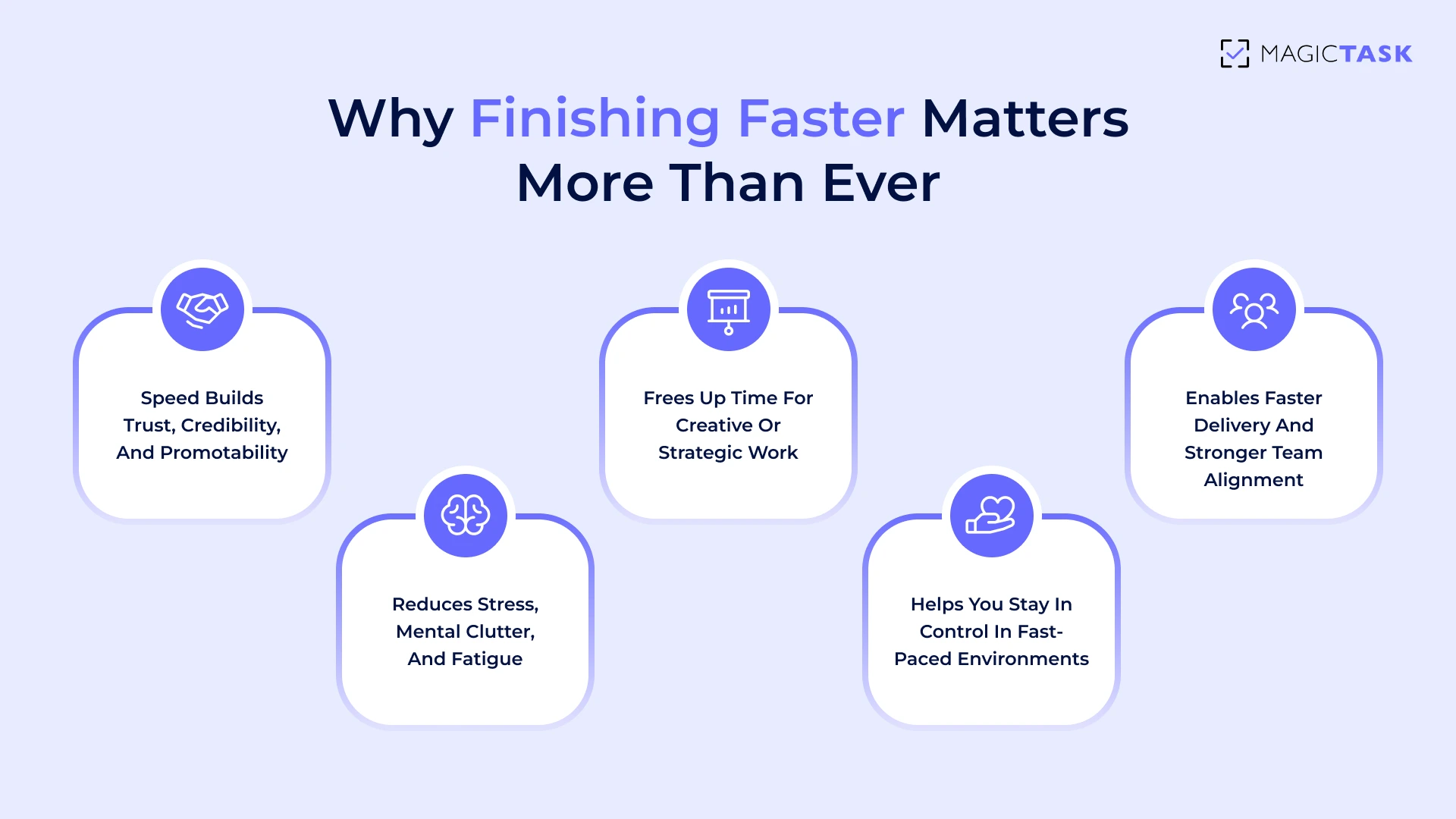
Why Finishing Work Faster Matters

And the benefits go far beyond saving time. When you finish ahead of schedule, you:

  • Reduce mental clutter and decision fatigue
  • Lower your overall stress levels
  • Free up margin for creativity, rest, or strategic work
  • Earn credibility with your team and clients

Here’s what this looks like in practice. A mid-level project manager at a growing SaaS company was constantly overwhelmed. Meetings filled her mornings, tasks filled her afternoons, and nothing ever felt complete.

After shifting to a system that prioritized only three daily outcomes and blocked time to complete each, she cut 10 hours of wasted effort per week. The result is more strategic thinking, faster project delivery, and a team that moves in sync.

Finishing faster is about working with intention. And that starts by identifying what’s slowing you down. Let’s break that down next.

What Causes Delays in Work?

So if finishing faster drives better outcomes, why does it feel so rare?

The truth is, most delays aren’t caused by laziness or lack of talent; they’re rooted in how work gets structured, started, and (often) sidetracked. Before you can speed up, you need to spot the slowdown.

Lack of Clarity About What “Done” Really Means

One of the most common reasons tasks drag on is simple: no one knows what “done” looks like. When you start a project with only a vague goal in mind, like “work on the presentation,” you open the door to confusion, drift, and scope creep.

Take the presentation example. If you don’t first define the key points, audience takeaway, or structure, then every slide becomes a guessing game. This lack of clarity leads to overthinking, backtracking, and excessive time spent on things that may not even matter.

Without a clear endpoint, it’s impossible to pace yourself because you don’t know where the finish line is. And when that happens, it’s easy to underestimate how long a task will take.

Underestimating How Long Work Will Take

Once the goal is fuzzy, time estimation becomes a shot in the dark. People often assume tasks will take far less time than they do, a cognitive bias known as the planning fallacy. You think, “I’ll knock out that draft in 30 minutes,” but two hours later, you're still fine-tuning the intro.

This mismatch between expectations and reality creates a ripple effect: missed deadlines, backlogged priorities, and rushed work. And the more it happens, the harder it becomes to trust your planning, which only feeds the subsequent delay.

Here’s what this looks like in real life:

  • Blocking 1 hour for a task that regularly takes 3
  • Forgetting to account for revision, feedback, or admin time
  • Overstacking the day with 7–10 “quick wins” that aren’t quick
  • Feeling behind by noon and shifting into reactive mode

That’s when perfectionism starts to creep in.

Perfectionism and Constant Tweaking

Even after allocating enough time, the finish line often gets pushed further, not by necessity, but by perfectionism. You polish one slide endlessly. You rewrite a paragraph five times. You spend an extra hour aligning margins or testing three different colour palettes.

At first, it feels like care. But it quickly becomes avoidance disguised as effort. The task was technically done an hour ago, but you’re stuck in a loop trying to make it flawless.

And here’s the deeper problem: Perfectionism doesn't just eat time. It blocks momentum. The brain starts to associate finishing with anxiety or “not good enough,” making it harder to close the loop next time.

This isn’t about sloppiness. It’s about knowing when the work is “good enough to move.” Without that boundary, even the best tasks stall.
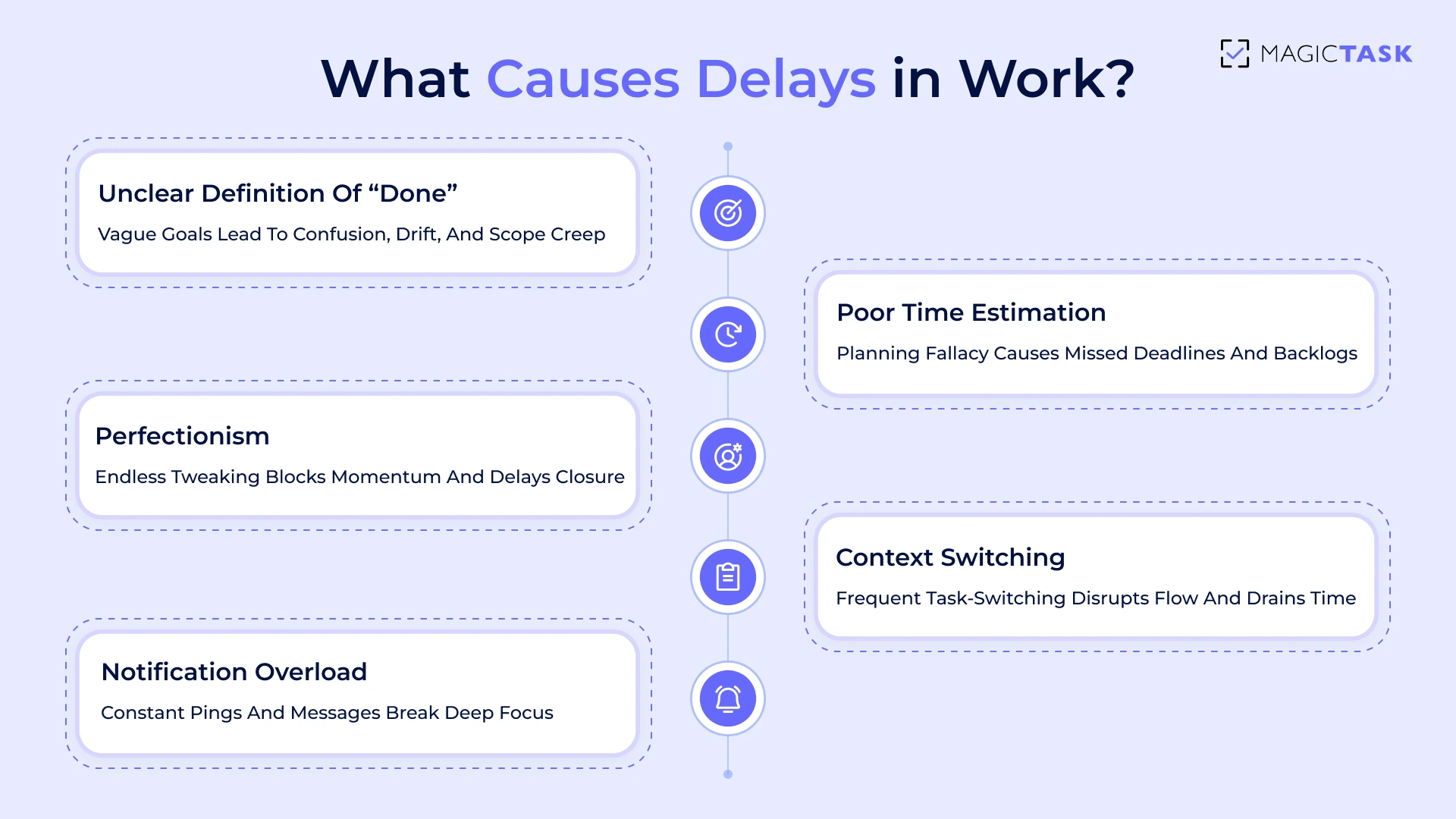
What Causes Delays in Work

Context Switching and Notification Overload

Even when the task is straightforward and scoped correctly, staying focused long enough to finish it is another challenge entirely.

Context switching, jumping from one task, platform, or conversation to another, carries a hidden tax. According to a study from the University of Irvine, it takes an average of 23 minutes and 15 seconds to regain full focus after a single interruption.

Now multiply that by a dozen pings per day. What feels like “just a quick reply” becomes hours lost in recovery mode.

Some common patterns:

  • Starting a focused task and getting sidetracked by a Slack message
  • Drafting content while juggling back-and-forth feedback threads
  • Switching between tools (docs, email, chat, calendar) every few minutes
  • Feeling mentally drained without clear progress by the end of the day

Finishing faster is about protecting your focus. Because once attention is split, time follows.

Self-Assessment Checklist

If any of these sound familiar, they may be the exact reasons your workday drags on longer than it should. Use this quick self-check to spot the patterns that slow you down:

  • Do you start tasks without defining what “done” looks like?
  • Do you frequently underestimate how long tasks will take?
  • Do you polish and tweak work long after it’s “good enough”?
  • Do notifications regularly pull you away mid-task?
  • Do you feel like you’re always working but rarely finishing?

Recognizing these patterns is the first step. The next step is building a workflow that avoids them entirely, so you can finish faster without sacrificing quality.

How to Finish Work Faster? 5 Principles High Performers Swear By

If delays are the default, speed becomes a skill, and like any skill, it can be trained.

Principle #1: Define the Smallest Complete Outcome

Speed starts with clarity. One of the biggest time-wasters in any workday is trying to do too much, or worse, trying to do it perfectly from the start.

High performers focus on finishing the smallest complete outcome first. That means identifying the version of the task that delivers value without overextending the effort.

Instead of setting a vague goal like “Finish the entire report,” they’ll frame it as “Write the executive summary” or “Draft the first section with bullet points.” It’s specific, manageable, and most importantly, finishable.

This approach creates quick wins and builds momentum. And when the first piece is done, the rest becomes easier to tackle. Think of it as productive minimalism: do what matters most, then build from there.

Principle #2: Protect Time Like Your Reputation

High performers don’t “find time”; they protect it. One of the fastest ways to finish your work is to stop treating your calendar like a suggestion box. Time blocking works because it turns intentions into visible, structured commitments. When boundaries protect your work, distractions find fewer cracks to seep through.

The key isn’t just assigning time to tasks, but treating those blocks like meetings with your future self, non-negotiable and interruption-free. No Slack pings, no inbox refresh, no “quick question” sidebars. Just focused on work.

Here's a simple breakdown of how time-blocking can support faster execution:

Time Block Task Focus Notes
9:00 – 10:00 AM Strategy Review No meetings, phone silenced
10:15 – 11:00 AM Respond to Feedback Slack only, no email
11:15 – 12:00 PM Proposal Writing Full focus, notifications off

When your calendar reflects your priorities, not just your availability, you finish faster with less mental clutter. And over time, this habit of time protection becomes a reputation for getting things done.

Principle #3: Use Visible Progress to Fuel Motivation

Momentum is one of the most powerful drivers of productivity. When you can see progress happening, you're more likely to stay engaged and finish the work. It’s about noticing forward movement in small steps.

Instead of a checklist that feels flat, visual progress gives your brain a sense of reward. That could be a progress bar slowly filling up, a task list showing completed items lighting up, or even a points counter ticking up as you move through your work.

Here’s what visible progress can look like:

  • A progress bar showing the percentage completion of a project
  • Task lists that visually change when marked complete
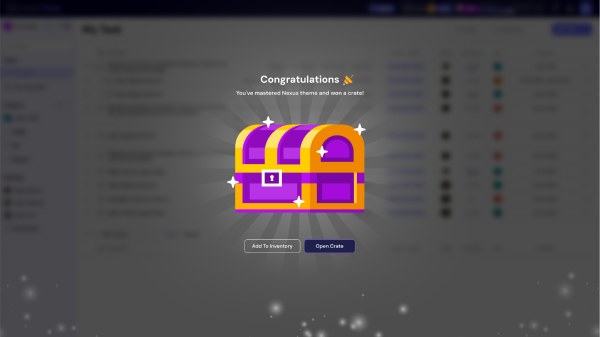
  • Leveling up a theme or earning points in your workspace
  • Animations or sound cues that signal a small win
  • A clear history of what’s been accomplished each day

This kind of feedback keeps you motivated without needing a pep talk or a looming deadline. And it’s exactly how MagicTask is designed to make progress feel tangible, rewarding, and worth returning to.

Principle #4: Work in Focused Sprints

Working faster doesn’t mean working longer; it means working smarter. Focused sprints help your brain stay sharp and engaged without burning out. Instead of dragging tasks over several hours with constant distractions, you concentrate deeply for a set period, then take a short break to reset. This improves both the quality and speed of your output.

The 45–15 rule is a simple place to start: work with full attention for 45 minutes, then step away for 15. Over time, these cycles build stamina and flow, helping you move through complex work faster, without exhaustion or wasted energy.

Principle #5: Reflect to Improve Speed Over Time

Finishing faster depends on how well you learn from what’s already been done. A short review at the end of each day or week can help you notice what slowed you down. Maybe research dragged on because there were too many tabs open. Or a draft took longer because the outline wasn’t clear. These patterns only become visible when you reflect.

Here’s how that might play out in a typical work scenario:

Task: Research for Proposal
Took 1.5 hours instead of the planned 30 minutes
Identified issue: too many open tabs and no time cap
Adjustment: Set a 30-minute timer next time
Result: More focused research, stayed on schedule

These micro-adjustments stack over time. Each review gives you a chance to shave off inefficiencies and build smarter routines, helping you finish work faster, with less friction.

How to Finish Work Faster? The 5-Step Fast Finish Method™

Speed comes from structure. The Fast Finish Method™ gives you a simple, repeatable process to bring tasks to completion without dragging them across days. It helps you focus, execute, and close the loop with less effort and more clarity.

Step 1: Choose 1–3 Priority Outcomes

Start your day with a clear target. Pick one to three tasks you will finish today. This focuses your energy on what actually moves the needle.
Pro Tip: Use MagicTask to set and visualize these outcomes in your daily task list.

Step 2: Define What “Done” Looks Like

Ambiguity slows everything down. Instead of saying “Work on deck,” describe the finish line.
Example: “Draft all slides and send for feedback.” When the outcome is specific, you know exactly when to stop and move on.

Step 3: Time-Box Each Task

Set clear limits. Assign a start and end time for each task so you can work with urgency and avoid drift. Use a timer to stay accountable and track your focused minutes.

Step 4: Remove All Distractions

Create a space where focus feels natural:

  • Silence your phone
  • Close unrelated browser tabs
  • Use Do Not Disturb mode on chat tools
  • Keep your workspace clean and intentional

Step 5: Review, Log, and Celebrate Progress

End the day with closure. Write down what you completed and take a moment to acknowledge the win.
Example: “Finished the proposal and sent it off, closed the laptop at 5 PM and went for a walk.”
That sense of completion helps you build momentum for the next day.

How MagicTask Helps You Finish Work Faster and Perform Better

MagicTask helps you finish faster, not through pressure, but by making progress visible, manageable, and motivating.

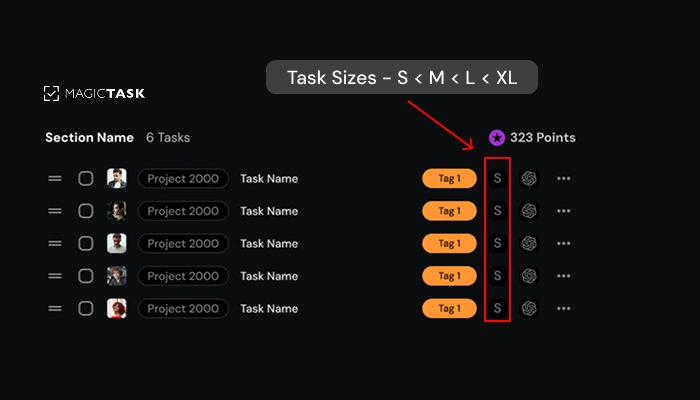
One of the most practical ways it does this is through task sizing. Instead of treating every item on your list as equal, you categorize tasks based on their scope — Small, Medium, Large, or Extra Large. This gives your day structure, helps you stay realistic, and reduces the risk of overload.

Task Size Description Example
S Quick win, takes 5–10 mins Reply to an email
M Medium task, ~30 mins Write a short report
L Deep focus, 1–2 hours Draft a blog post
XL Complex or multi-phase task Build out a campaign or strategy doc

No more overcommitting to massive to-do lists. You see your day clearly, sized appropriately, and mentally prepared for what’s ahead.

Every completed task earns visual points, contributes to level-ups, and feeds your overall theme. That feedback loop feels good, and it keeps you going. It’s like watching your progress work for you, not just vanish once a checkbox is ticked.

There’s also a structure built into the system. Daily planning is simple: start with 1–3 priorities, time-box them, and stay inside your focus bubble. MagicTask’s design helps you stay in flow longer without toggling between apps or losing time to set up.

And the impact? One user reduced their average task time by 25% just by sticking to daily priorities and using the built-in focus tools.

MagicTask is a system that reinforces speed, clarity, and satisfaction. And that’s how you finish work faster without working longer.

Conclusion

Most people think finishing faster means doing more in less time. But that’s rarely sustainable or satisfying. What actually works is clearer goals, tighter boundaries, and a system that shows you real progress as you go.

Start small. Choose one principle from this guide and make it part of your daily flow. You don’t need a productivity overhaul; just consistent action inside the right system.

Ready to experience faster progress without burning out? Try MagicTask for free and see how much more you can finish and enjoy each day.
Stop Forcing Productivity & Turn It Into a Daily Habit Instead

stop forcing productivity

If you're still relying on bursts of motivation to get things done, you're on the fast track to burnout.

Forcing productivity can work for a while. However, if things continue to slip, the issue is probably not a lack of motivation. It’s how your day is set up.

What you need is rhythm. Something steady. Quiet. Repeatable.

Habits beat motivation every time. When the right ones are in place, you're not waking up and negotiating with yourself. You just move.

But habits don’t build themselves. You need a system that makes them easier to stick with.

In this post, we’ll explore how consistency works, what helps habits form, and how the right tools can make productivity feel automatic instead of forced.

Why You’re Struggling to Stay Productive (Even With Good Intentions)

Productivity doesn’t crumble because you lack ambition; it crumbles because motivation is a limited resource. It spikes unpredictably and disappears under pressure, making it a poor foundation for daily work.

Instead of installing repeatable systems, most people default to motivation-chasing. This leads to a predictable loop: a rush of focus, followed by inconsistency, then drop-off.

Not because the task was too big, but because there was nothing in place to keep you going when the buzz wore off.

🧠 Did you know?
Research from Harvard University estimates we make 35,000 decisions per day.

That constant context-switching contributes to: 

Without a simple way to reduce friction and reinforce progress, even the best intentions fade.

The fix is building smarter. A system that carries the momentum for you, especially when your mood, motivation, or mental bandwidth won’t. 

What It Takes to Make Productivity a Habit

Most productivity advice focuses on effort, emphasizing the importance of waking up earlier, pushing harder, and staying disciplined. But what drives long-term output isn’t intensity. It’s consistency.

The key is designing behavior that repeats without negotiation. That’s where the habit loop comes in, a concept made famous by Charles Duhigg:

Cue → Routine → Reward 

It’s how brushing your teeth every morning became automatic. Not because you love it, but because the loop is frictionless. The same loop applies to your workday. The smoother the entry, the more likely you are to repeat it.

Let’s say your goal is to write more. Instead of saying, “I’ll write every day,” try:

  • Cue: Make coffee
  • Routine: Write one paragraph
  • Reward: Check off the task in your task management platform

This small loop does more than help you check off tasks. It shapes who you believe you are.

Over time, the repetition of showing up (even briefly) rewires how you see yourself. You’re not just someone trying to be productive. You become productive.

James Clear calls this “identity-based habits,” and it’s why consistency carries far more power than intensity.

 The science backs it up: according to a study, forming a new habit takes an average of 66 days.

But those days don’t have to be perfect or heroic. You don’t need to sprint through marathons of productivity. 

What matters is repetition: 66 small, repeated decisions that reinforce the same behavior. One paragraph written. One task completed. One check-in was honored.

 Habits, at their core, aren’t about willpower; they’re about building rhythm. And once that rhythm takes hold, the habit sticks even when motivation fades.

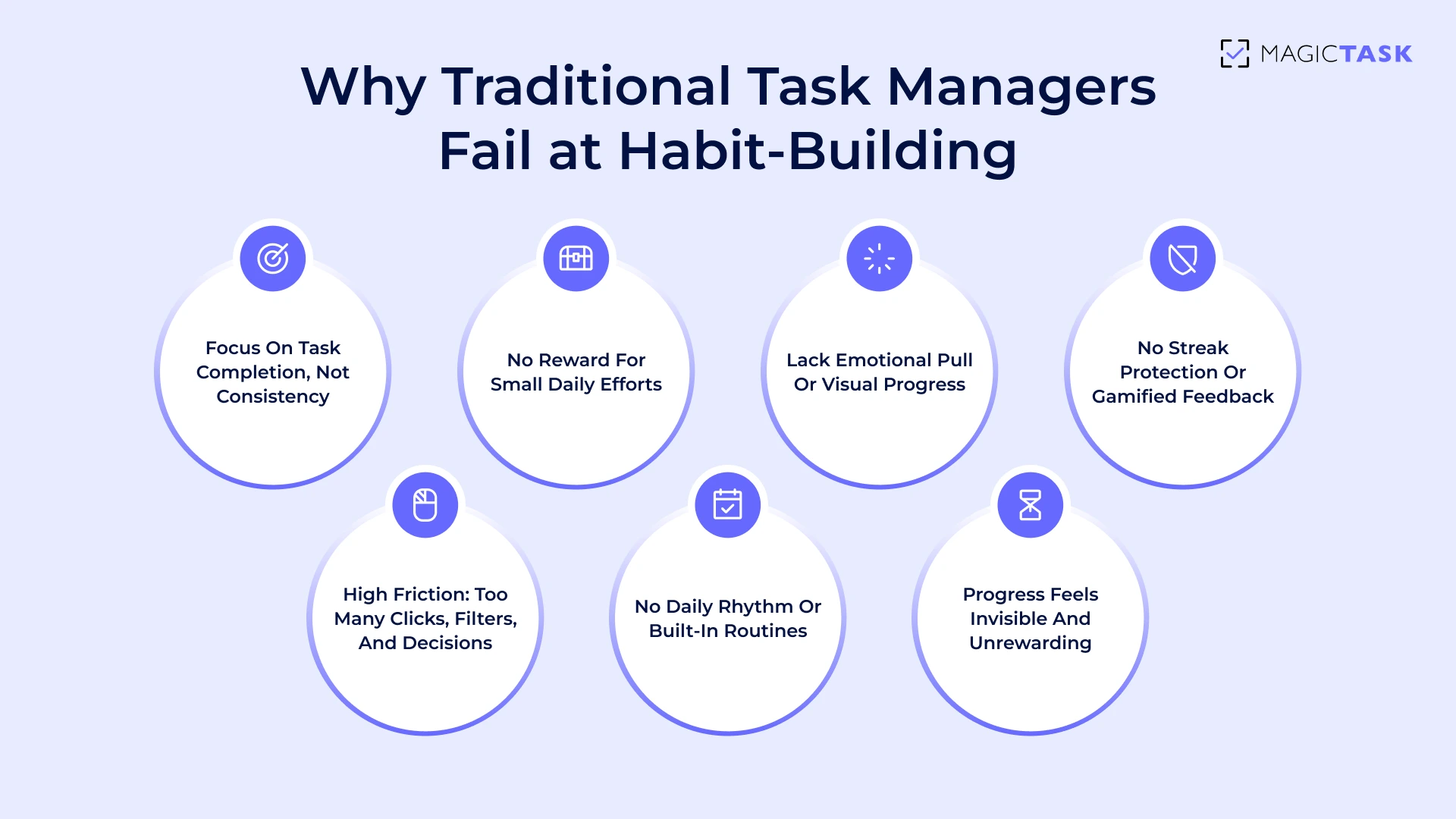
Why Traditional Task Management Systems Can't Help You Build Habits

But even with the right habit loop in mind, many people still fall off track. The reason is the tools they’re using. Most task management systems were built to organize work, not to reinforce behavior. 

They track what you’ve done, not how consistently you’re doing it. And when it comes to building habits, that difference is everything. 

Let’s look at why most tools fall short.

Why Traditional Task Management Systems Can't Help You Build Habits

1. Completion Is the Goal, Not the Behavior

Most task management tools are built around the checkbox. The task is either done or it isn't; it's either complete or incomplete.

But habit-building isn’t binary. It’s not just about what got finished today, but how consistently you showed up to do it.

This framing creates a subtle trap: You feel accomplished only when you finish something big. Smaller efforts, such as jotting down notes or researching for 15 minutes, often feel invisible.

Over time, this discourages the very behaviors and habits that are built on frequency, rather than intensity.

Habits grow through repetition, not milestones. But when tools only celebrate the milestone, they ignore the muscle you’re building through daily motion.

2. Checkboxes Don’t Give You a Reason to Return

Traditional task systems treat productivity like a transaction: you check the box, get a temporary hit of satisfaction, and move on.

But that fleeting dopamine hit doesn’t last, and it doesn’t create loyalty to the system.

The deeper issue is that these tools rarely motivate you to come back tomorrow. There's no emotional reward loop, no visual progress, no sense of advancement beyond today’s to-dos.

And without reinforcement, daily consistency tends to slip.

Here’s what most traditional tools lack:

  • Progress feedback: You don’t see how today builds toward a bigger outcome
  • Emotional reward: No animations, levels, or themes to keep things engaging
  • Streak protection: One missed day, and it feels like you’ve lost momentum
  • Personal investment: The system doesn’t grow with you; it's static

Without ongoing incentives, even the most effective systems tend to get abandoned. Not because they’re broken but because they’re forgettable. 

3. High Friction = Low Return

Most traditional task management tools make you work just to get organized.

You spend more time clicking, tagging, dragging, and color-coding than actually executing. That friction, slight as it seems, adds up.

And when every tiny decision requires effort, your brain starts to resist using the tool altogether.

You open the app and are met with:

  • A wall of overdue tasks
  • Confusing project hierarchies
  • Decision paralysis from too many views and filters

This is resistance disguised as planning.

High-friction systems demand too much mental effort upfront and offer too little clarity in return. Instead of making your day easier, they become just another chore on your list.

4. No Built-In Rhythm for Daily Use

A productive habit needs rhythm, a consistent loop that brings you back each day. But most task management systems don’t encourage that kind of flow. They’re designed for project tracking, not daily engagement.
You open the app, and it looks the same every time, no matter what you’ve accomplished or how your energy feels today.

There’s no gentle nudge to reset, no structure to ease you into the day, no satisfying way to close the loop.

Without a built-in cadence, like a morning check-in or an end-of-day reflection, even the most ambitious plans get buried under yesterday’s leftovers. Productivity becomes reactive. You start your day catching up instead of starting fresh.

5. Progress Isn’t Obvious or Encouraging

Most tools show you what’s left to do, not how far you’ve come. That’s a problem.

When progress is buried behind flat checkmarks or long to-do lists, your brain doesn’t register a reward. There’s no visible momentum, no built-in way to feel proud of the effort you’ve already put in. You finish a task, and… that’s it. Next?

This lack of feedback makes it more difficult to remain emotionally invested. Without clear markers of growth or small wins that feel meaningful, consistency becomes a grind.

You’re doing the work, but it never quite feels like you’re getting anywhere. Over time, that feeling chips away at motivation because it’s invisible. 

How MagicTask Helps Turn Productivity into a Daily Habit

Let’s shift from the problem to the fix.

The real solution is designing a system that pulls you in. One that makes progress feel rewarding, not draining.

MagicTask is a gamified task management platform that turns daily productivity into a habit loop that’s consistent, motivating, and easy to return to, even when your willpower isn’t on your side. 

1. Starts Small, Stays Consistent

Big goals often feel heavy because they’re front-loaded with pressure. MagicTask counters that by helping you start smaller on purpose.

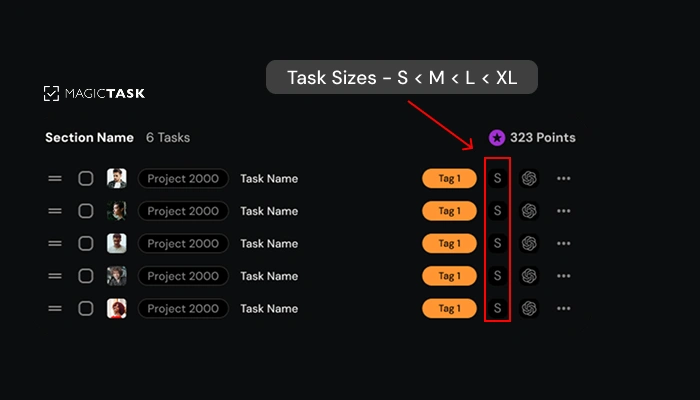
Each task can be sized S, M, L, or XL, so you're not staring down an intimidating to-do list. You're choosing achievable steps that build momentum.

Logging just 1 to 3 small tasks a day shifts the focus from “get everything done” to “get one thing moving.”

That creates consistency. And consistency builds confidence. Before long, you’re not forcing productivity; you’re flowing with it.

Here’s how MagicTask’s task sizing helps you stay in motion:

Task Size Example Task Time Estimate Impact on Momentum
S Reply to email 5–10 minutes Instant win, builds flow
M Write a meeting summary 20–30 minutes Feels productive, not draining
L Draft a proposal outline 45–60 minutes Tangible progress
XL Launch campaign assets 90+ minutes Major milestone, confidence boost

Instead of chasing perfection, you’re collecting progress. That’s how habits form and stick.

2. Daily Planning as a Ritual

Consistency starts with how you begin your day.
MagicTask encourages a simple, repeatable check-in process that takes just 10–15 minutes but creates structure for the rest of your work.

This micro-routine has three parts:

Mind Dump → Prioritize → Execute
  • Mind Dump: Clear out everything cluttering your mind. No filters, just unload.
  • Prioritize: Identify what matters today. Sort by task size or urgency.

  • Execute: Focus on just 1–3 tasks. Finish them and feel the win.

Doing this every morning forms a rhythm. You stop scrambling. You start planning with clarity.

Over time, this routine lowers the mental friction that causes task avoidance and makes showing up each day feel automatic.

3. Reinforces Positive Feedback Loops

Most task systems end with a checkbox. MagicTask turns that moment into something your brain looks forward to.

Every completed task:

  • Earns you points tied to your profile
  • Contributes to leveling up your current theme
  • Triggers subtle animations or effects as a reward

These elements provide emotional payoff. That little spark of satisfaction each time you finish something builds a loop your brain wants to repeat. 

It’s not about gamification for show. It’s about reinforcing the feeling of progress so it sticks.

And when the work feels good, you come back. Not out of pressure, but because your brain remembers the win. 

4. Builds Real Daily Rhythm

When productivity becomes a familiar rhythm, it stops feeling forced. With MagicTask, that rhythm starts the moment you log in. The day opens with 2–3 right-sized tasks, small enough to tackle quickly and clear enough to feel meaningful.

Each completed task earns points, advances your theme, and provides a brief moment of progress. These are cues that reinforce action. The cycle repeats day after day, not through pressure but through a satisfying cadence.

This kind of ritual turns scattered effort into steady momentum. Over time, it builds the habit of showing up.

Why This System Works When Motivation Runs Out

Most systems are built with your best days in mind. MagicTask is built for your average ones.

When energy is low and the to-do list feels endless, it's not willpower that gets you through; it’s the design of the system around you.

MagicTask makes it easier to start because the next step is always small, always visible, and always rewarding. You don’t have to dig for your priorities or muster enthusiasm from scratch.

The interface nudges you forward with cues you’ve already trained your brain to respond to: a daily check-in, a few S-sized tasks, a visual theme waiting to level up.

Progress becomes automatic, not because you're trying harder, but because the friction is gone. There’s no pressure to perform, just an open invitation to return and take the next tiny step.

That’s the difference. When motivation dips, MagicTask doesn’t punish you. It meets you where you are and keeps you moving. 

Conclusion: The Habit Is the Win

You don’t need to overhaul your routine or chase the perfect system. What matters is building a rhythm that helps you show up consistently, without overthinking it.

That’s where MagicTask comes in.

It’s designed to support habit-building in a way that feels natural, with just enough structure to keep you moving and enough flexibility to fit how you actually work.

Ready to stop forcing productivity and build real momentum?

Sign up for MagicTask and see how it fits into your day.

Why Your Team Hates Status Update Meetings (And How to Fix It)

Team Hates Status Update Meetings

You don’t need another meeting to figure out what’s going on. However, status updates keep sneaking onto your calendar, disguised as stand-ups, check-ins, or syncs.

You hop on Zoom, wait for a few late joiners, and sit through 20 minutes of updates that could have been skimmed from a decent dashboard, if one actually existed.

It’s not that your team avoids accountability. They simply don’t have a clear way to indicate what’s been done, what’s in progress, and what’s still pending.
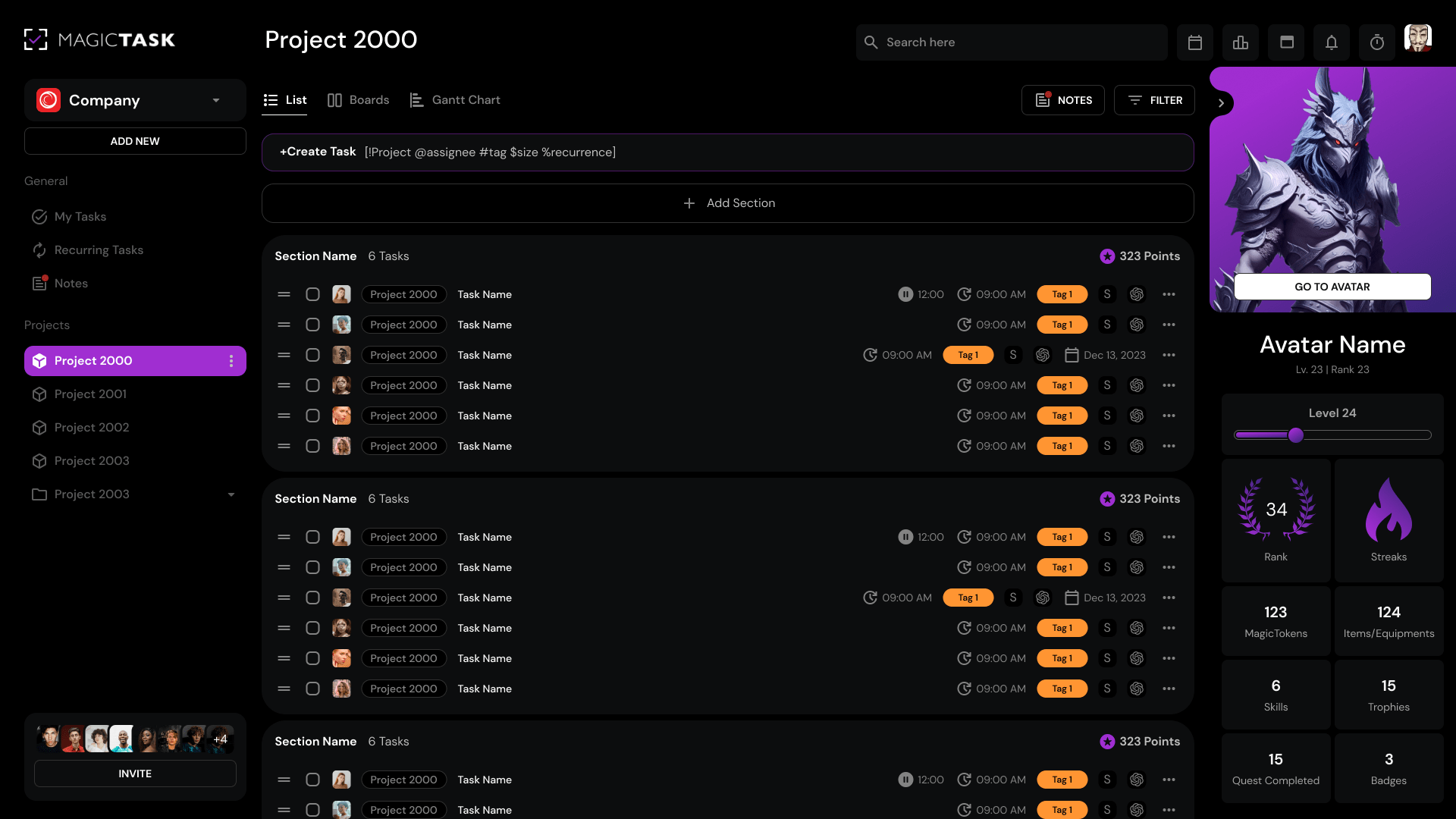
So meetings fill the gap. They stand in for visibility. They replace trust with “just circling back.”

The result? They break focus, kill momentum, and leave everyone wondering why staying aligned takes so much effort.

The real issue isn’t the meeting. It’s how your team tracks and sees its work.

The good news? That part’s fixable.

Let’s break it down.

Why Your Team Hates Meetings?

People don’t hate meetings because of who’s in them. They hate them because of how they’re run.

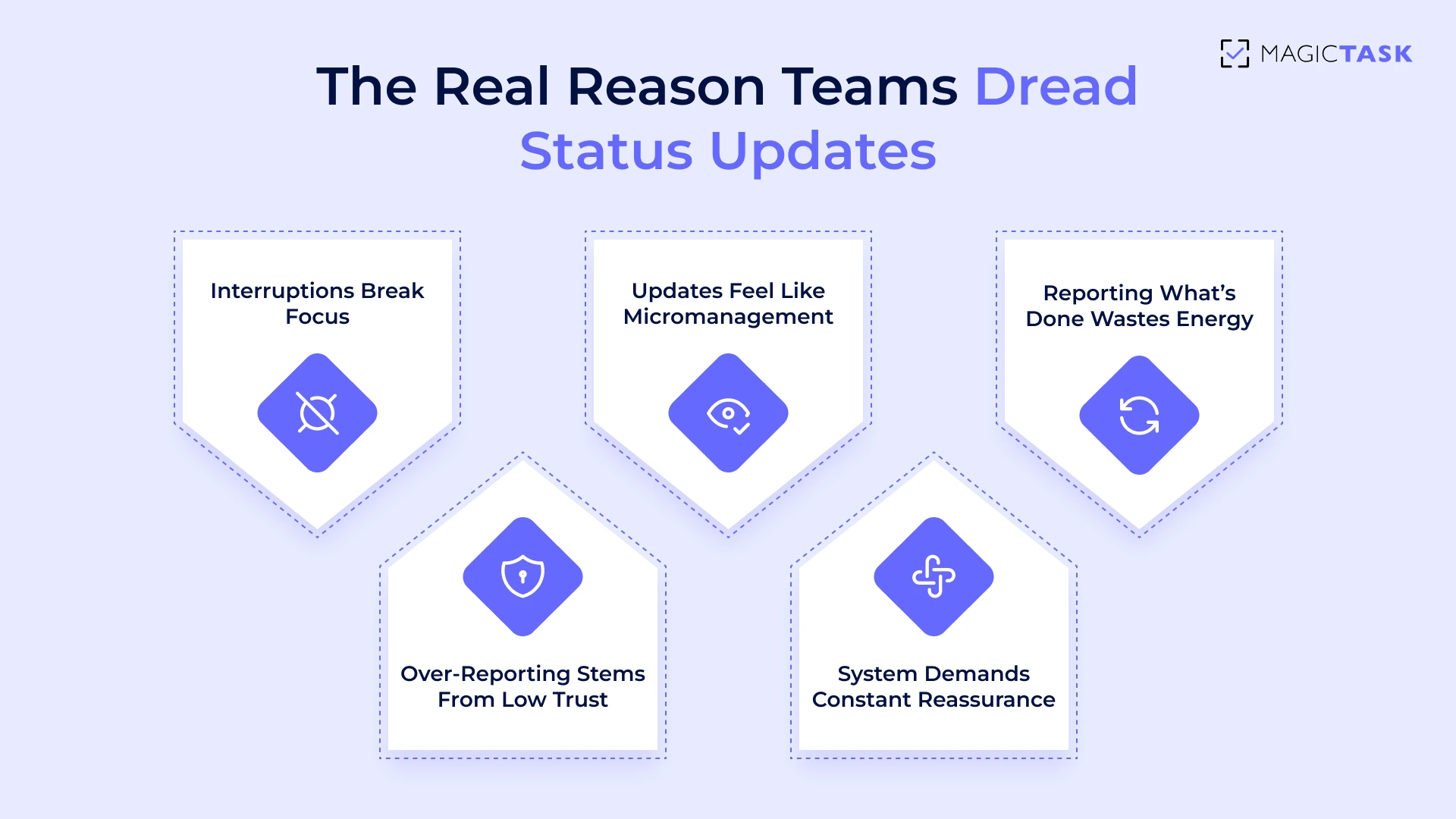
Status updates, in particular, are repeat offenders when it comes to killing momentum and morale. Here are some reasons why your team hates these status meetings:

1. Constant Interruptions Break Focus

Every time a team member pauses their work to give an update, their mental flow is disrupted.

What looks like a quick “Can you give me a status?” might seem harmless, but cognitively, it’s expensive.

Research found that it takes an average of 23 minutes and 15 seconds to return to deep focus after an interruption.

These interruptions don’t just delay progress; they multiply fatigue.

A developer writing code, a designer working through UI challenges, or a marketer building a campaign brief, all of them rely on uninterrupted time blocks to make meaningful progress. Frequent check-ins chip away at that flow, scattering the day into tiny, disjointed fragments.  

Even more frustrating?

These interruptions often happen not because the work isn’t getting done, but because there’s no way to see the work in motion. So the interruptions persist. And that’s where things start to feel personal.

Why Your Team Hates Meetings

2. Updates That Feel Like Micromanagement

When status updates become too frequent or too specific, they start to feel less like collaboration and more like surveillance.

Even with the best intentions, asking a team member to justify every move can come across as a lack of trust.

And trust, once chipped away, is hard to rebuild. 

It’s not that team leads want to micromanage. It’s that the system isn’t giving them confidence that things are progressing. So they lean on manual check-ins to fill the gap.

But that strategy backfires by demotivating the very people doing the work.

Here’s how status updates start to feel like control instead of support:

  • “Where are you on this?” feels accusatory without context.
  • Daily reports often become a performance log, rather than a progress tool.
  • Repeated updates on small tasks imply you don’t trust team autonomy.
  • Asking for proof of work drains morale more than it delivers insight.

Eventually, people stop being proactive, not because they’re disengaged, but because they feel like their efforts are constantly under a microscope.

That disengagement leads to the next layer of the problem.  

3. Reporting on What’s Already Done

After finishing a task, your team wants to move forward, not circle back to narrate what just happened.

But traditional status update meetings often force precisely that: a recap of work that’s already complete, logged, or visible elsewhere. It’s a cognitive detour that adds no value.

Repetition like this compounds fatigue. Especially for high-performing teams, having to say they did something after they’ve already done it feels like a waste of time.

This backward-looking structure introduces unnecessary friction:

  • It breaks the momentum on what matters next.
  • It shifts energy from creation to explanation.
  • It sends the signal that the work isn’t real until it’s re-reported.

Team members start mentally checking out of update meetings.

And when that happens, the root issue grows: a growing lack of trust in the system itself.

4. Over-Reporting from Lack of Trust

When trust is low, status updates cease to be informative; they become performative.

Team members start over-explaining, over-documenting, and over-sharing in an attempt to prove they’re being productive. Not because they want to, but because the system forces them to.

Instead of confidence in the workflow, you get a culture of self-justification. Every minor update becomes a mini-pitch to defend one’s output. And that slows everything down.

Here’s what this often leads to:

  • Excessive tagging in comments to stay visible
  • Long Slack messages explaining simple actions
  • Duplicating updates across platforms (task manager, chat, meetings)
  • Playing defense instead of working forward

This behavior doesn’t stem from laziness or poor communication. It’s a symptom of a broken system.

A system where visibility is earned through repetition, not built into the work itself.

And that’s the heart of the issue: it’s not the team that’s broken. It’s the system that demands constant reassurance.

What a Healthy Status System Looks Like

So if constant updates, interruptions, and over-reporting are the real problems, then what’s the solution? It’s a better system.

A healthy status setup doesn’t rely on nudges, pings, or micromanagement. It creates an environment where progress is visible by default, updates don’t feel like a chore, and your team stays aligned without constant check-ins.

A well-designed task system eliminates the friction of constant check-ins because it’s built around visibility, autonomy, and flow, rather than micromanagement.

When your team knows what’s happening without needing to interrupt each other, productivity rises, trust deepens, and status updates take care of themselves.

Let’s break down what this looks like in practice:

Traditional Tools vs Healthy System Alternatives
Element Traditional Tools Healthy System Alternative
Task Visibility Buried in emails, Slack threads, or docs Centralised and live inside the actual workflow
Progress Feedback Requires verbal updates or spreadsheets Auto-updating based on task movement and status
Update Mechanism Real-time meetings, messages, pings Async check-ins, visible boards, notifications
Team Autonomy Tasks are checked only after follow-ups Self-managed with trust, minimal oversight
System Purpose Record-keeping and accountability Collaboration and clarity

A strong system replaces the need for repetitive status meetings altogether.

By building this visibility directly into the workflow, your team can operate with fewer interruptions and greater intention. 

How MagicTask Replaces Annoying Updates with Built-In Visibility

When visibility is built into the system itself, meetings lose their urgency, and micromanagement loses its grip.

That’s not just theory. It’s precisely how MagicTask works in the real world.

Let’s look at how it replaces the need for status updates with something smarter, simpler, and built for how your team works. 

1. Sized Tasks, Clearer Expectations

One of the most frustrating parts of traditional status updates is the ambiguity.

A task labeled “Work on landing page” could mean 20 minutes of layout tweaks, or three days of deep copywriting and design.

Without context, managers ask questions. Team members repeat themselves. Everyone loses time.  

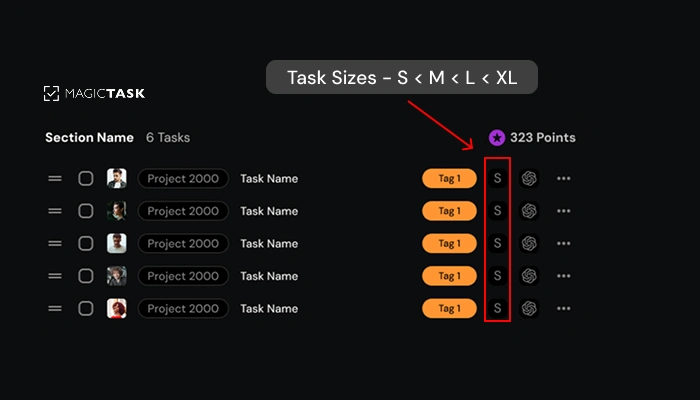
MagicTask addresses this with a simple yet powerful feature: task sizing.

When every task is labeled as Small (S), Medium (M), Large (L), or Extra-Large (XL), it instantly conveys the scope and effort required. No extra meetings. No long Slack threads. 

task sizes

Here’s how sizing adds instant clarity:

  • S: Quick wins like sending an email or fixing a typo.
  • M: A focused task, maybe a 30–60 minute work block.
  • L: A multi-step item, such as drafting a proposal.
  • XL: A project-sized effort, something that spans days and needs to be broken down.

It’s subtle, but incredibly effective.

MagicTask’s clean interface turns this sizing into visual cues, so managers know what’s moving and where attention is needed, without having to ask.  

2. Progress That Speaks for Itself

Traditional tools rely on verbal updates or manual status changes to communicate progress. This not only drains time but creates a constant overhead, especially for teams juggling multiple priorities.

MagicTask flips that model. Progress is built into the system itself.

Here’s how it works:

  • Each completed task adds points to your profile, contributing to your overall productivity score.
  • As you accumulate points, you level up themes, customizable visual environments that evolve as you complete tasks.
  • These visible markers of progress remove the need to explain every movement. Everyone, from team leads to individual contributors, can see momentum in action.

No more “What’s the status?” pings.

Instead, the system shows forward motion with clarity and motivation built right in. Points and progress are functional.

They replace verbal check-ins with a system that celebrates consistent work without micromanagement. 

3. Clarity Without Calls: Folders and Project Views

Forget scattered boards and messy spreadsheets. Teams can keep work organized by using folders for each project, client, or department. Inside each one, you’ll see:

  • What’s active (with task sizes like S, M, L, XL)
  • Who’s doing what
  • What’s done
  • What’s coming up

No more chasing updates or digging through Slack threads. With a quick glance, team leads get a clear view of progress and where help is needed.

It’s alignment without the interruption, clarity without another meeting.

4. One Place for Planning, Prioritizing, and Clearing Mental Clutter

Juggling tasks across sticky notes, chats, and docs is a recipe for chaos, and meetings often become the bandage for that chaos. 

MagicTask eliminates the need for scattered systems by giving every team member a unified workspace.

At the heart of this is the Mind Dump feature.

It’s a fast, judgment-free zone to offload everything on your mind, be it ideas, blockers, or reminders, without worrying about categorization.

Once captured, you can turn that mental clutter into organized, actionable tasks.

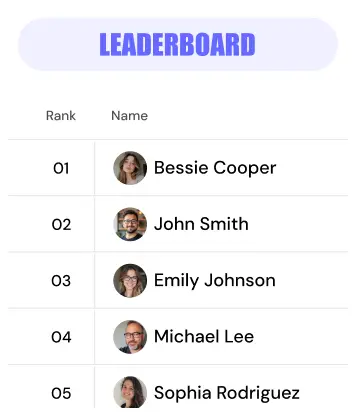
leaderboard

From there, you can:

  • Prioritize using drag-and-drop
  • Size tasks for realistic planning (S/M/L/XL)
  • Group related work into folders
  • Schedule key items on your calendar view

Everything from brainstorming to execution lives in one place, so instead of prepping for meetings, your team is already aligned. 

5. Async Flow with Pomodoro and Calendar Integration

Meetings often try to compensate for one thing: disconnection.

When teammates aren’t sure who’s doing what or when, it’s tempting to drop in with a “quick sync.” But those syncs pile up, stealing time and attention.

MagicTask eliminates that need by supporting true asynchronous workflows.

The built-in Pomodoro Timer (feature coming soon) helps individuals focus intensely in short, manageable bursts, with no context switching, no distractions.

When paired with the Calendar Integration, tasks are automatically time-blocked into your day, allowing everyone to work in flow without overlapping or interrupting.

You can:

  • See who's in a focused session (and avoid pinging them)
  • Auto-sync tasks to your calendar and stay on track
  • Run your day with intention, not interruption

This async flow creates a rhythm that respects each team member’s time while keeping everyone aligned. No meetings needed. 

What This Looks Like in Practice

Let’s say you’re managing a four-person team working on a product launch. It’s Tuesday morning, and you need a quick status update before reporting to leadership.  

Without a system like MagicTask, you'd likely start by pinging each team member individually. Then, schedule a quick standup or Zoom call to gather updates. 

Each conversation brings a variation of the same theme, “I’m still working on X”, with little clarity on actual progress. After the call, you're left manually updating your notes, piecing together status reports based on vague responses and incomplete context. 

Now compare that with a workflow built inside MagicTask:

  • You open the shared project folder
  • You see that three tasks moved from “In Progress” to “Done” yesterday
  • Two team members earned XP from completing milestone tasks
  • One task is marked XL and 60% complete, visible without needing to ask
  • Your calendar shows focus blocks synced to upcoming deliverables

No messages. No meetings. Just visibility.

Workflow Comparison: Without vs With MagicTask
Situation Without MagicTask With MagicTask
Manager needs updates Interrupts 4 team members Opens project folder and sees real-time progress
Understanding progress Relies on vague verbal updates Visual task progress and point system updates
Clarity on next steps Requires back-and-forth clarification Subtasks and sizes are clearly mapped out
Team experience Feels micromanaged and disrupted Feels trusted and uninterrupted
Meeting frequency Daily or frequent check-ins Reduced or eliminated thanks to built-in visibility

Conclusion: Don’t Patch the Problem, Replace It

If your team dreads status meetings, the problem isn’t discipline. It’s design. When work is visible, updates take care of themselves. When it’s not, meetings fill the gap.

MagicTask helps you close that gap for good. With real-time visibility built in, your team can stay aligned without the need for constant check-ins or calendar clutter.

Cut the noise. Keep the flow.

Start using MagicTask and make progress the new default.

How to Set Personal Goals & Crush Them with the Right Tools

set goals and crush with right tools

Setting goals feels good, until life gets in the way. One week you’re motivated, the next you’re drowning in distractions. That goal tracker? Just sitting there, collecting digital dust.

Sound familiar?

You’re not alone. In fact, 92% of people never achieve their goals. And it’s not because they lack motivation. It’s because they don’t have the right system to keep momentum going when life gets busy.

Whether you’re trying to get in shape, build a side project, or simply bring some order to the chaos, structure makes all the difference.

This guide isn’t just about setting personal goals. It’s about following through and using the right tools to crush them.

Let’s break down how.

Why Most Goals Fail (And What to Do Instead)

But before we start, we need to understand why so many of them quietly slip through the cracks. Let’s take a closer look.

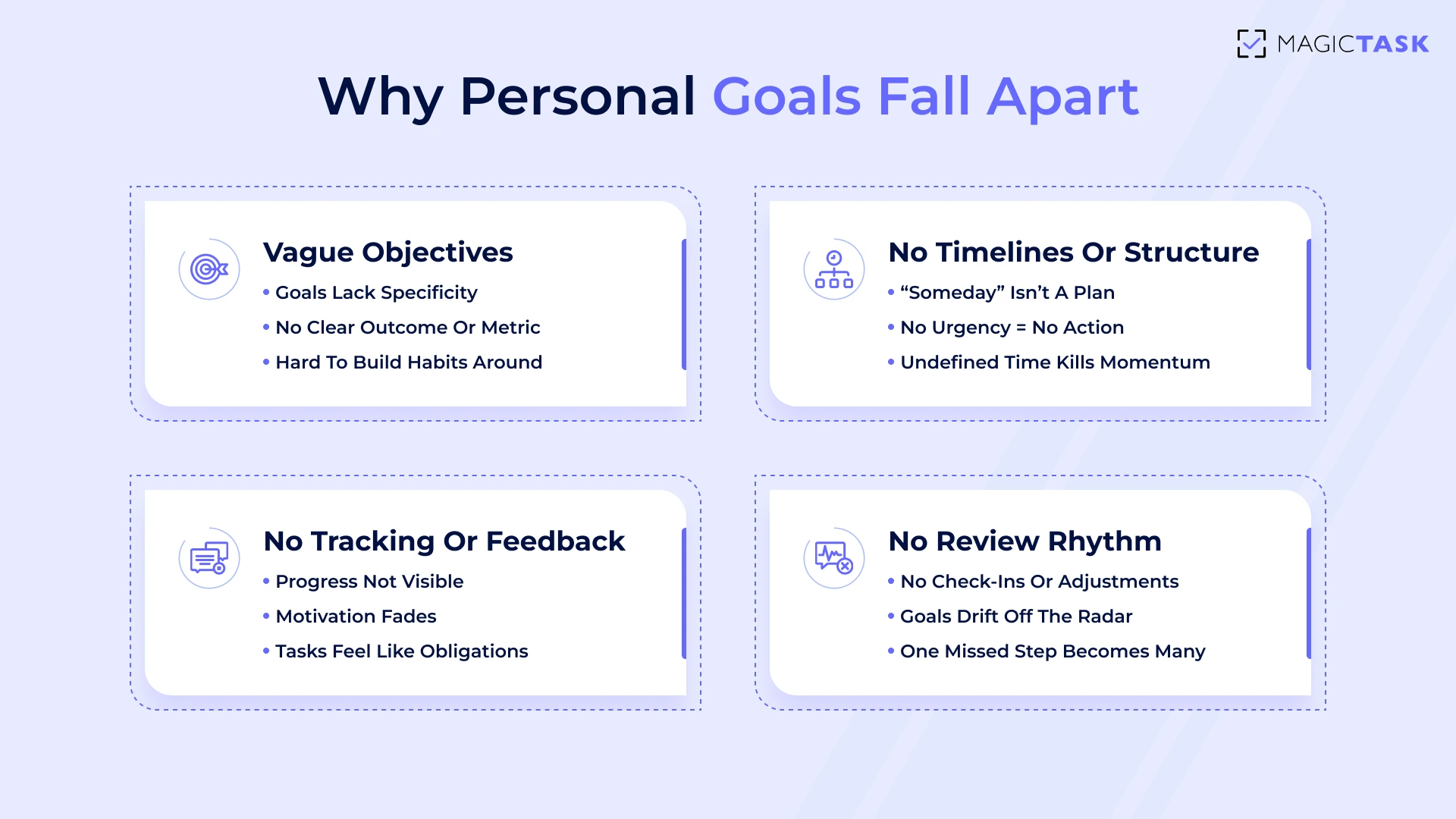
1. Vague Objectives

We’ve all been there.

You tell yourself, “I’m going to get healthy,” or “I want to be more productive.”

It feels ambitious. Optimistic, even. But what does it mean?

Without a specific outcome and a straightforward way to measure it, your brain has nothing solid to grab onto. It’s like setting out on a road trip without a map or directions. You’re moving, but not toward anything concrete.

Clarity drives action.

“Walk 3 times a week before work” gives you a target.

“Write one blog post by Friday” sets a rhythm.

The more specific the goal, the easier it is to build habits around it and the harder it is to procrastinate. Vague goals feel good in theory. Clear goals get done.

Why most goals fail

2. Lack of Structure or Timeline

Even the most explicit goal can fall apart if it’s floating in undefined time.

“Someday” might sound like a plan, but it’s just procrastination dressed in optimism.

As Amy Morin writes in Forbes, "the biggest obstacle to reaching our goals isn’t a lack of ambition, but the lag between thinking about change and taking action."   

We misfile deadlines mentally, based on how we categorize time.

If a goal’s deadline feels like it belongs to the “future,” we subconsciously delay action.

But when it feels part of the “now,” we’re more likely to act.

The clearer your timeframe, the faster your motivation follows. And once time has a shape, momentum finally has somewhere to go.

3. No Tracking or Feedback Mechanism

Clear goals help you start. However, without feedback, it’s challenging to persevere.

A goal without any visible progress quickly becomes invisible to your motivation.

Our brains crave reinforcement. Those minor signs that say, “Yes, this is working.” When you don’t see progress, effort starts to feel pointless, and your energy fades fast.

Behavioral psychology tells us that even micro-feedback, like a visual tick, a progress bar, or the satisfying sound of completion, can trigger dopamine, reinforcing the behavior and pulling you back for more.

But traditional systems often leave you staring at the same unchanged checklist for days. No feedback. There is no sense of momentum. It's just an ever-growing list of things to do.

When feedback is missing, motivation suffers:

  • There’s no “win” moment to acknowledge effort
  • Tasks feel like obligations, not milestones
  • Without proof of progress, doubt takes over
  • The gap between where you are and where you want to be feels wider

Without progress, even the best goals lose their spark.

4. No Rhythm For Review or Adjustment

Setting a goal is only the beginning. Sticking with it requires rhythm.

Without a regular cadence to check in, reflect, and adjust, goals quietly drift into the background.

One off-week becomes two.

A skipped task turns into abandonment.

Before you know it, you’re staring at a forgotten project and wondering what happened.

Fixing this isn’t about pushing harder. It’s about building smarter. A system that reminds you to course-correct makes consistency feel natural, not forced.

Here's a step by step framework.

Step 0: Before You Set a Goal: Design for Clarity and Consistency

Before you start chasing progress, pause for precision.

Most goal-setting misfires not because of laziness but because of fuzziness. A goal that’s misaligned from the start can’t be saved by motivation alone.

To achieve actual momentum, not just intention, you need a foundation of clarity and consistency.

That starts before you ever write the first task. Let’s talk about how to design goals that hold up when life gets busy.

1. Choose Outcome + Time Frame

Vague dreams like “get better at writing” or “be healthier” sound noble, but they don’t move the needle.

Real progress begins when you define what success looks like and when you expect it to happen. 

Anchor your goal with two things:

  • A specific outcome: What will be true when this goal is complete?
  • A Realistic Timeframe: When Should You Check for Progress or Completion?

Example: 

📌 Vague Goal ✅ Clear Goal With Timeline
Become a better writer Write 4 blog posts this month
Get fit Complete 12 strength workouts in 30 days
Start a business Launch landing page and 3-product test by Aug 15

The clearer the win condition, the easier it becomes to take action. Your goal should feel like a mission with a deadline, not an open-ended wish.

2. Define Your Why

You don’t need to define your “why” to set a goal, but it helps more than most people think.

When motivation fades (and it will), your why is what gets you back on track. It’s the difference between dragging yourself through a checklist and showing up for something that matters to you.

Your “why” doesn’t need to be poetic. It just needs to be personal.

Ask Yourself: 

  • What will this goal help me feel, do, or become?
  • What problem will it solve in my daily life?
  • Who else benefits if I stay consistent?

When your “why” is crystal clear, you’re not just chasing a task; you’re pursuing meaning. That makes everything easier to stick with, even when life gets messy.

3. Break It Down Early

Even the most inspiring goal becomes a mental burden when it remains too large for too long.

That’s why breaking it down early is essential to protect your momentum.

Instead of staring at a vague monthly outcome, map out what success looks like week by week. You’ll make smarter decisions, avoid burnout, and feel that satisfying sense of progress early and often.

MagicTask makes this easy.

You can simply add the main task and subtasks, assign sizes based on time or complexity, and that's it!

Here’s how a goal breakdown: “Launch a Personal Website in 4 Weeks”, looks like:

📅 Week 🧩 Main Task Size ✅ Sub Tasks
1 Choose a platform and a domain for the website M
  • Research and compare
  • Finalize the CMS, check out reviews
2 Build the homepage and the about section L
  • Research and write a copy
  • Upload the copy to the template
  • Review media
  • Publish
3 Set up blog + contact form M
  • Install plugins
  • Draft intro blog
  • Test form
4 Go live + share on social L
  • Final review
  • Publish
  • Announce on LinkedIn & Instagram

Each task has a precise size. You can even assign sizes to the subtasks. Each subtask gives your brain something specific to do at the moment. That’s how goals become habits and results. 

Step 1: Turn Your Goal Into a Daily Execution Plan

By now, your goal has a clear outcome, a solid why, and a manageable roadmap. That’s half the battle.

What comes next?

Turning those well-crafted plans into daily momentum, the kind that builds confidence, builds habits, and gets things done.

1. Build a Weekly Template

You don’t need to guess your way through progress.

One of the simplest ways to make momentum predictable is by establishing a weekly rhythm, a consistent pattern of work sessions you can rely on.

Instead of “fit it in when there’s time,” block out consistent windows to focus.

Three 45-minute work blocks per week can turn into serious output over time without feeling like you’ve added more to your plate.

Here’s what that might look like:

  • Monday (9:00–9:45 AM): Research & Planning
  • Wednesday (2:00–2:45 PM): Draft or Build Phase
  • Friday (10:30–11:15 AM): Review & Ship

Pro tip: Use MagicTask’s task view or calendar integration to visually map these blocks. It offers structure without stress, making execution feel intentional rather than accidental.

2. Protect Goal Time

Your most important work deserves more than “leftover” time.

When you carve out dedicated blocks for your goal-related tasks, you turn vague intentions into real appointments.

Adding these sessions to your calendar signals that this work is essential. 

Label your time blocks with clarity and purpose. Treat them with the same respect you’d give a meeting with your CEO.

And when your schedule reflects your priorities, not just your to-dos, you stop scrambling for time and start working with intention. 

 With MagicTask’s daily planner, you can align those blocks with actionable steps, making progress feel natural rather than forced. 

Tools That Help You Stick With It

Setting goals and structuring your days is only half the equation.

The real challenge is sticking with it, especially when distractions multiply and motivation dips.

That’s where the right tools come in. Not to add complexity but to reduce friction, track progress, and keep you engaged for the long run.

1. MagicTask

Most goal-setting systems break down not because people stop caring, but because they stop feeling the payoff.

When your to-do list becomes a graveyard of unchecked boxes, motivation fizzles. You need more than just structure.

You need momentum.

That’s where MagicTask shifts the game.

Instead of making goals feel heavier, it makes them feel lighter through playful design and progress, which is visible.

Here's how it helps: 

  • Simple to Use

Task management systems should be easy and clutter-free. Most of the platforms out there, such as Notion, are too complex.

With MagicTask, you can start in no time. All you have to do is mind-map all your tasks in a clean interface and then drag tasks to the "My Focus" area, focusing on those tasks only.

  • Gamification

MagicTask comes with unique gamification features. As you complete tasks, you unlock "MagicTokens". You can use these tokens to purchase themes, skins, and much more.

The themes aren’t just for fun. They’re a visual celebration of progress that keeps you coming back. Motivation shifts from abstract ("be productive") to concrete ("level up and earn this theme pack").

Together, these features turn your goals into a game worth playing, and, more importantly, one you’ll want to finish.

2. Google Calendar

Goals slip through the cracks of unguarded time.

That’s where Google Calendar comes in. They don’t just organize your day but also protect your priorities.

Use it to:

  • Time-block focused work sessions: Mornings tend to be your sharpest mental hours—claim them. Add recurring calendar blocks for goal-related tasks, just as you would for meetings. This shifts your mindset from “optional” to “non-negotiable.”
  • Create a visual rhythm: With a few clicks, you can map out your weekly execution plan—whether it’s 3×45-minute sprints or daily 20-minute progress pushes. Seeing that rhythm on your calendar reinforces commitment.
  • Sync with MagicTask: When your calendar and task manager are aligned, your days become smoother. Less toggling, less guessing—just clear, actionable momentum.

These tools turn time from your biggest stressor into your most reliable ally. 

Step 3: Adjust, Track, and Stay in the Game

You’ve laid the groundwork. Your goals are clear, broken down, and supported by the right tools.

But real success?

That comes from staying in the game long after the excitement wears off.

1. Weekly Review

Consistency doesn’t mean perfection; it means staying connected to your goals, even when the week doesn’t go as planned.

A simple weekly review keeps your progress visible and your focus aligned.

Ask yourself:

  • Did I complete what I said I would?
  • What worked well, and what didn’t?
  • Was my goal too ambitious, too broad, or too reliant on external factors?
  • What blocked me, and how can I adjust to it?

These reflections are about course correction. Use them to tweak your task sizes, shift your energy investment, or even change your environment.

A few minutes of honest review each week can help keep your goals from slipping away silently.

2. Keep Checking Your Progress

Progress is a psychological necessity.

Without tangible signs that you’re moving forward, even the hardest-working day can feel like a standstill.

That’s why MagicTask is built to make your progress impossible to miss, and incredibly satisfying to witness.

Each time you complete a task, you’re not left in silence.

You hear a subtle chime, see your points tick upward, and watch your chosen theme inch closer to its next level.

That instant feedback delivers a dopamine hit that your brain associates with achievement. 

Traditional to-do lists offer checkboxes.

MagicTask offers a sense of accomplishment. It shows you a visual log of your effort in motion with task streaks, point accumulation, leveling systems, and evolving themes that respond to your consistency.

And here’s the quiet power of visible progress: it builds trust in your momentum.

When you can see how far you’ve come, you stop questioning whether the next step is worth it. You take it naturally. 

3. Build Restart Rituals

Momentum can break when life happens. However, the key difference between individuals who abandon their goals and those who achieve them is perseverance.

Instead of spiraling into guilt when you miss a day (or a week), create a personal reset system.

MagicTask makes this easy. Set up a recurring task, something like “Reboot routine” or “Reset my week.” It’s your built-in pause-and-restart button.

 It’s about picking one thing, your next micro-goal, and moving forward. When your tool invites you back with no judgment and a clear next step, you’re far more likely to re-engage.

And that consistency is what crushes goals over time. In fact, people who set specific goals and consistently track their progress are 76% more likely to achieve them. Be a part of that statistic. 

Conclusion: Goals Don’t Work Unless You Work the System

Ambition isn’t where most people fall short. It’s the system that breaks down.

Without a clear outcome, a plan of attack, and a way to track your momentum, even the best intentions dissolve into mental clutter and “maybe tomorrow.”

Take ten minutes today. Not to plan your whole year. Just to choose one goal worth finishing.

Open MagicTask or your preferred system. Add it, size the first step, and commit to showing up for it.

The system you build today becomes the consistency that carries you forward tomorrow.

Sign up for MagicTask now!

How to Eliminate Stress at Work by Turning It Into a Game

Eliminate Stress at Work

You sit down to work, and the chaos starts. Pings, emails, meetings. Everything demands your attention at once. Within an hour, your brain feels scrambled, and your real priorities haven’t even surfaced.

It’s no wonder work can feel overwhelming. You’re carrying too much in your head, always trying to stay one step ahead without burning out.

And most advice about productivity just adds more pressure.

But there’s another way. What if you could turn the daily grind into something you actually look forward to, like a game?

In this guide, you’ll learn how gamifying your work can help you stress less, stay focused, and even enjoy the process.

Why You’re Stressed at Work

It’s easy to blame stress on your calendar or your workload, but the real culprit runs deeper.

Let’s look at what’s fueling that constant tension beneath the surface and why managing your time isn’t the same as managing your mind.

1. Cognitive Overload: Too Many Open Loops

Cognitive Overload

Your brain can only hold so much at once.

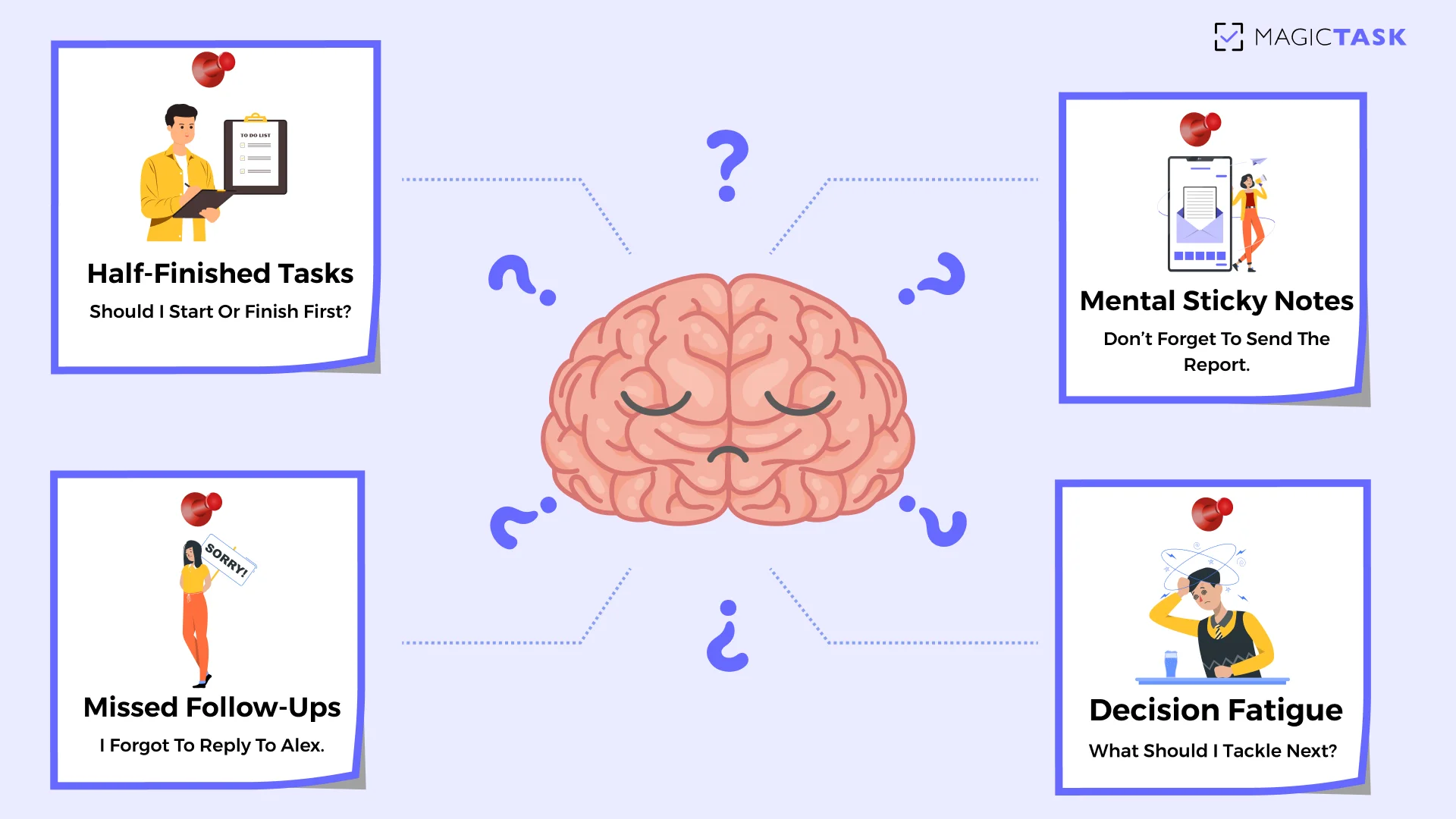
When you’re juggling a dozen half-finished tasks, missed follow-ups, and mental sticky notes like “Don’t forget to reply to Alex,” your working memory starts to buckle.

You’re not overloaded with work; you’re overloaded with thinking about the job.

That mental noise builds tension and drains energy, even if you haven’t done anything yet.

2. Decision Fatigue: Every Task Becomes a Choice

Did you know the average adult makes around 35,000 decisions every day? That constant stream of choices erodes your ability to think clearly and logically. 

When you don’t have a clear system guiding your day, every decision becomes manual. Should I tackle email or finish that deck? What’s most urgent? What can wait?

Multiply that by dozens of micro-decisions, and your mental energy is gone by lunchtime.

Decision Fatigue

Here’s how decision fatigue creeps into your workflow:

  • Constantly switching priorities without a clear plan
  • Starting tasks, then second-guessing midway through
  • Procrastinating, not out of laziness, but because everything feels equally important
  • Relying on memory to decide what’s next instead of using a system

By the time you get to your real work, your mental battery is already depleted. 

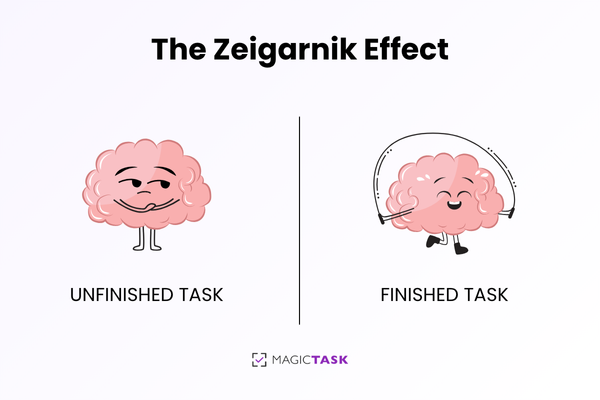
3. The Zeigarnik Effect

Psychologists have long known that incomplete tasks stick in the brain like pop-up notifications you can’t dismiss. It’s called the Zeigarnik Effect, and it explains why you feel anxious even when you're technically "off the clock."

The Zeigarnik Effect

Those open loops stay active in your subconscious. They create a low-level stress signal that doesn't turn off until you close the loop or move it into a trusted system.

If your tools aren’t helping you capture and close those loops, your brain will try to keep tabs on everything. That’s a losing game, and your focus pays the price.

The effects are organizational.

A 2023 American Psychological Association survey found that a staggering 77% of employees reported experiencing work-related stress about unclear boundaries, abandoned tasks, and mental clutter.

When what you’re carrying mentally becomes heavier than what you’re carrying physically, it's little wonder performance and morale take the hit.

Having the Right System Is the First Step to Stress Relief

If the root of your stress isn’t just workload but the chaos around it, then the solution isn’t to work harder. It’s to work with more clarity.

And that starts with one thing: having a system that does the heavy lifting for your mind.

When your brain is forced to carry your entire workload of tasks, timelines, priorities, and follow-ups, it burns out fast and impairs your working memory.

That mental weight doesn’t just create stress. It limits focus, clouds decision-making, and erodes your ability to stay present.

This is why externalizing your tasks is such a game-changer.

Getting everything out of your head and into a system gives your mind permission to let go. You're not trying to remember 14 things at once while sitting in a meeting or starting a new project. The noise quiets. You get space to think.

But a system isn’t just a to-do list.

Here’s how the right task system supports real stress relief:

Without a System With a System
🧠 Constantly trying to remember everything 📋 Everything is captured and organized externally
⚠️ Unclear priorities and shifting focus 🎯 Clear, visible priorities sorted by importance
📉 Overcommitting or forgetting tasks 📆 Realistic planning based on actual workload
😰 Feeling overwhelmed by the unknown 🔍 Confidence from knowing exactly what’s ahead
🔔 Reacting to interruptions all day 🧘 Proactively managing your focus and energy
😵‍💫 Mental fatigue before the real work begins 🌤️ Mental clarity before the day even starts

When you’re not stuck in survival mode, you can lead, think, and execute more clearly. The stress doesn’t vanish, but it no longer controls the pace of your day.

As Mike Tyson once said: 

“A happy fighter is a dangerous fighter.”

In other words, someone who feels clear, focused, and confident is far more effective than someone who’s constantly overwhelmed, even if they’re working longer hours.

What Happens When You Turn Work into a Game

A system can calm the chaos, but staying engaged day after day takes more than just organization.

You can build the perfect task system, label every folder, and block your calendar down to the minute, but if it still feels like a grind, burnout creeps right back in.

What keeps people consistent is enjoyment. That subtle sense of progress, engagement, and satisfaction that makes you want to come back tomorrow.

Turning work into game

Gamification taps into your brain’s natural reward system. Progress triggers dopamine. Dopamine lowers anxiety, increases motivation, and creates positive reinforcement loops that help you return to the task repeatedly.

Games work because they offer what traditional work often lacks: immediate feedback, visible progress, small wins, and clear next steps. You know when you're doing well, and you get rewarded for showing up.

Real Game Mechanics That Lower Work Stress:

  • Points – Every task completed earns visible credit, reinforcing effort
  • Levels – Consistent activity unlocks new milestones and themes
  • Completion Effects – Finishing a task triggers animations or sound cues that reward progress
  • Streaks & Habits – Daily engagement builds momentum (and satisfaction)
  • Clear Next Steps – Task sizing and visual feedback reduce uncertainty about what to do next

Gamification is about borrowing the emotional scaffolding of games. Those elements that make us feel seen, rewarded, and encouraged, and applying them to the systems we already use every day.

Because when work feels rewarding, your brain stops resisting it. It becomes easier to focus, easier to follow through, and most importantly, easier to enjoy.

How MagicTask Helps You Stay Calm, Clear, and Consistently Productive

Gamification, on its own, is powerful, but when paired with a tool designed around those principles, it becomes transformational.

That’s precisely what MagicTask was built for: to help you offload stress, stay engaged, and get things done, all while preventing burning out.

Let’s look at how it works in practice.

1. Mind Dump – Offload Mental Overload Instantly

Sometimes, the most stressful part of your day isn’t the tasks themselves, but trying to remember them all.

That’s why MagicTask starts with a simple, powerful feature that lets you dump your mental clutter.

Instead of forcing you to sort tasks into categories, pick projects, or assign dates upfront, Mind Dump gives you a frictionless entry point: a single, blank input field where you can quickly jot down everything on your mind. One task at a time. No structure required.

Just open the Mind Dump, type in what’s bothering you—“Submit Q3 report,” “Email Alex,” “Buy more whiteboard markers”—and hit enter. Each item gets captured instantly and saved in a holding area where it waits until you’re ready to organize.

There’s no pressure to clean it up right away. You’re simply clearing mental space without overthinking. It’s a psychological reset button. Think of it like decluttering your desk. You can focus better when it’s not buried under reminders.

2. Break Big Tasks Into Small, Rewarding Wins

Overwhelm thrives on vagueness. When everything on your list feels massive or undefined, your brain naturally resists starting.

MagicTask helps you change that by letting you size your tasks as Small, Medium, Large, or XL, based on the effort required.

You can also assign point values to each task, turning your to-do list into a sequence of winnable, rewarding challenges.

Instead of seeing “Finish the deck” and freezing, you break it down into smaller steps, such as “Write 3 slides” or “Design title screen”, each with its size and a point value that makes progress feel visible. 

Size Effort Level Example Tasks Points
🟢 Small Quick, no deep focus Reply to email, rename files 1–2
🟡 Medium Some focus required Draft a report outline, schedule calls 3–5
🟠 Large Deep work, single focus Build a slide deck, write a proposal 6–8
🔴 XL Complex, multi-step Launch a campaign, prep for presentation 9–10

Each checkmark becomes a win. Each point feels like progress. And over time, you shift from dreading the work to enjoying the rhythm of knocking it out.

3. Visual Progress That Feels Like Accomplishment

One of the most frustrating things about modern work is that it’s often invisible. You can spend hours making progress, but if nothing looks different, your brain doesn’t register the win. 

MagicTask addresses this by transforming completed tasks into visual rewards that reinforce effort and progress in real-time. Instead of checking a box and moving on, you get a moment of recognition, one that your brain feels.

Here’s how MagicTask makes your effort visible:

  • Theme Leveling: Every task you complete adds XP to your current theme, helping it evolve and level up over time.
  • Completion Effects: Finishing a task triggers satisfying animations and subtle sound cues that reward your action immediately.
  • Progress Tracking: See your task streaks, points, and leveling progression with clear visual indicators, not buried in settings.
  • Dynamic Workspace: Your environment changes as you work, reinforcing the idea that your actions are making a real impact.

These cues are psychological reinforcements. They activate the brain’s reward centers, reduce the need for external motivation, and keep you moving with less friction and more enjoyment.

When you can see your progress, you don’t need to force yourself to stay productive; you naturally want to keep going.

4. Organization That Reduces Panic, Not Adds Pressure

Many productivity tools promise organization, but end up creating more stress with cluttered dashboards, endless views, and overwhelming hierarchies.

MagicTask takes the opposite approach. Its layout is simple by design because clarity is what keeps your mind calm.

You can use folders to group related tasks, organize by client, project, or theme, and keep everything you’re working on visible but never overwhelming. Each folder functions as a focused workspace, providing a clean and centralized view of your current priorities.

Projects stay easy to navigate, and you’re never guessing where something lives or worrying if something’s been forgotten.

When your tools reduce noise instead of adding to it, you stop working from a place of panic and start operating with control, focus, and a sense of peace.

5. Make Task Management Something You Enjoy

Most task apps feel like digital filing cabinets. Functional, sure.

But fun? Not even close.

MagicTask infuses your workflow with just the right amount of play to make stress relief feel natural.

From the moment you open it, there’s a subtle sense of delight woven into the experience; something that makes you want to come back.

With collectible themes, animations, and sound effects, it rewards progress with sensory feedback that feels personal and satisfying.

Here’s what that looks like in action:

  • Unlock unique visual themes as you complete tasks
  •  Watch tasks trigger smooth animations on completion
  • Hear soft audio cues that reinforce progress without distracting you

These small moments of feedback are dopamine cues. They create an emotional connection to your workflow, helping you stick with it not because you have to, but because it feels good.

And when managing your tasks becomes something you enjoy, staying consistent stops feeling like effort, and starts feeling like momentum.

Conclusion

Work stress isn’t just about having too much to do. It’s the disorganized, reactive chaos that drains your focus and energy. The scramble to remember everything. The invisible weight of unfinished tasks. The nagging sense that none of it moves you forward.

MagicTask changes that.

It helps you feel calm and clear by turning clutter into a simple, motivating system. Instead of anxiety, you see progress. Instead of being overwhelmed, you have momentum.

👉 Try MagicTask today, and experience how it feels when work finally works with your brain, not against it.

Why Your Team Avoids Using Productivity Tools (And How to Fix It)

why team avoids productivity tools

You rolled out the new productivity tool. Held the onboarding sessions. Sent the follow-up emails. And still, two weeks later, your team is back to Slack threads, spreadsheets, and sticky notes.

You wonder: Is it the team that’s resisting change? Or is the tool just not built for how they work?  

This kind of disconnect is more common than most leaders admit. The features may look great on paper, be it task dependencies, timelines, or dashboards, but if the experience feels bloated, punishing, or joyless, your team will quietly opt out. 

And when that happens, it’s not just productivity that suffers. Team morale dips, collaboration fades, and accountability stalls. The very outcomes you invested in start slipping away.

Let’s examine why smart, capable teams avoid using productivity tools and how a new approach can turn those tools into systems your team actually wants to use.

The Real Reasons Teams Avoid Productivity Tools

The Real Reasons Teams Avoid Productivity Tools

It’s easy to assume a tool's failure stems from a lack of effort or buy-in. But the truth is, most teams avoid productivity tools for deeper, systemic reasons; reasons rooted in how those tools feel to use day after day. 

Let’s break down what’s driving disengagement.

1. Overcomplexity Kills Motivation

Motivation evaporates when a productivity tool starts to feel like another project to manage.

Many tools promise "powerful features" but overwhelm users with cluttered dashboards, buried settings, and workflows that require a user manual to navigate. What starts as a way to stay organized quickly becomes a cognitive burden.

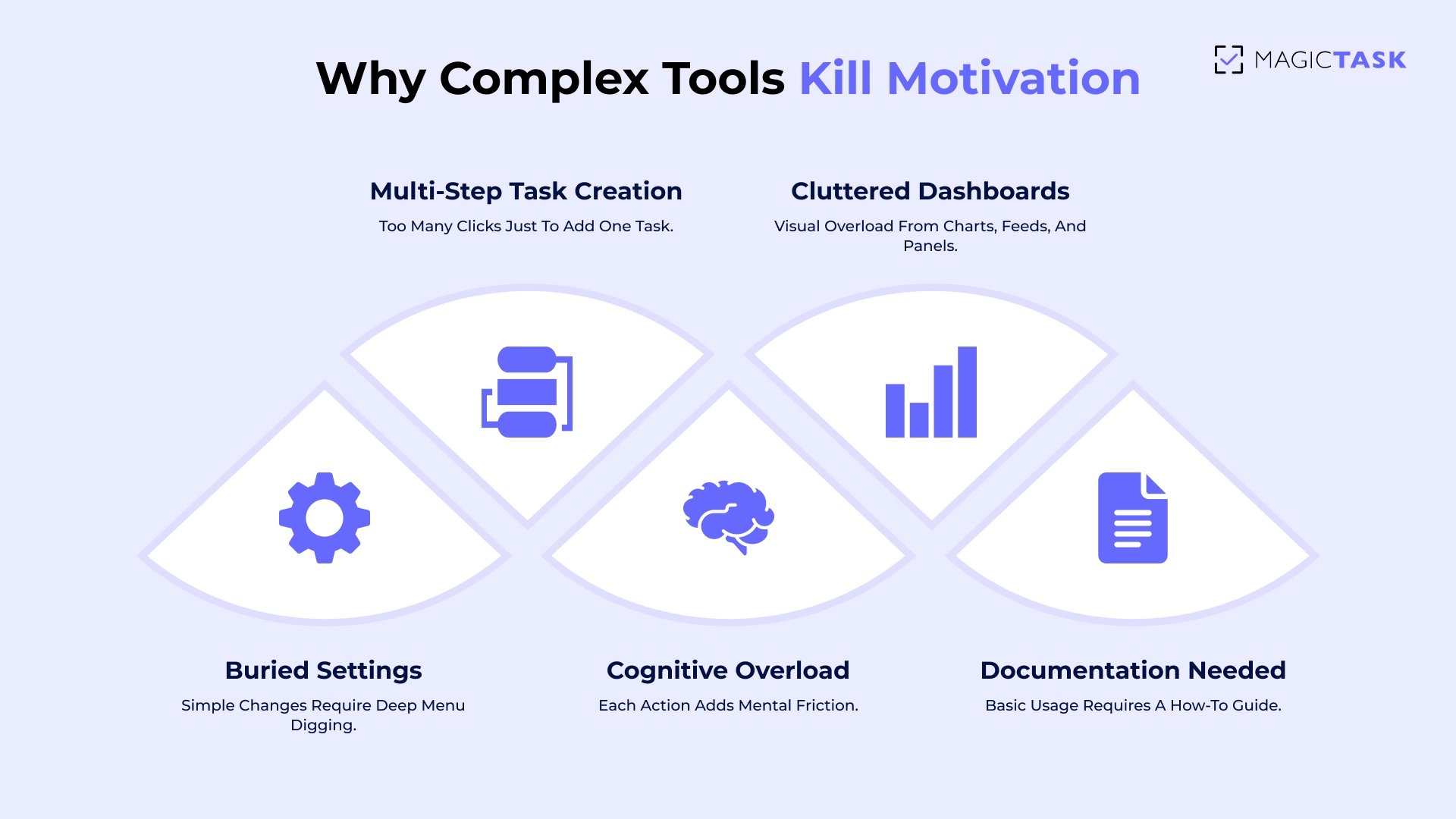
Take multi-step task creation, for example, where adding a simple item means navigating a series of friction points that stack up fast:

  • Five-step task creation: Add title → assign to teammate → set due date → choose priority → tag the project
  • Cluttered dashboards: Gantt charts, pie graphs, team activity feeds, and integration panels all crammed into one view
  • Nested settings: Changing a notification or view requires digging through three levels of menus
  • Cognitive overload: Instead of clarity, every click adds friction, slowing your team down before they’ve even started
  • Documentation dependency: Team members need a how-to guide just to complete basic actions


Instead of driving clarity, this kind of complexity leads to hesitation. Team members log in, click around, and quietly disengage. The friction becomes so high that they default to easier tools, like email threads, direct messages, or handwritten lists. 

What’s meant to streamline work ends up fragmenting it.

2. Tools That Feel Like Surveillance, Not Support

Complexity isn’t the only thing driving your team away. Even if a tool is functional, how it makes people feel can quietly kill adoption. 

Nobody wants to feel like they’re being watched while they work. Yet, too many productivity tools are designed with management in mind, not the people doing the work. 

Features like time trackers, auto-screenshots, activity logs, and real-time presence indicators may offer visibility, but they often send the wrong message: We don’t trust you to stay on task.

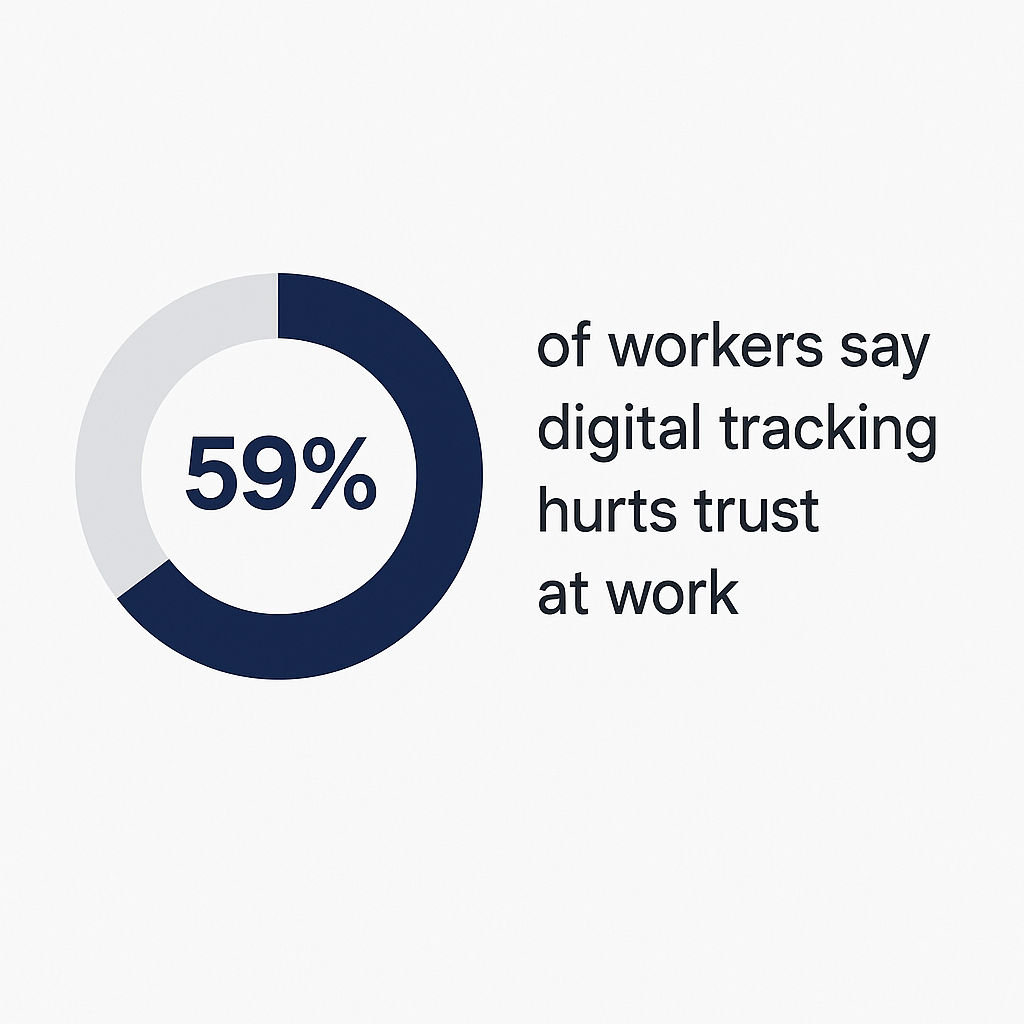
And it’s not just a hunch. 59% of workers say digital tracking hurts trust at work, and 56% say it makes them feel stressed or worried.  

59% of workers say digital tracking hurts trust at work

Instead of empowering team members to own their workflows, these features turn tools into digital micromanagers. Over time, that setup breaks psychological safety, the foundation of trust, morale, and real accountability.

So, people start to work around the system. They update tasks retroactively, avoid opening the tool, or stick to side channels where they feel less scrutinized. 

Even when a tool isn’t overly complex or invasive, it can still fail quietly, subtly, by offering nothing that feels rewarding. 

3. Lack of Emotional Feedback

Most productivity tools are built to check boxes, not celebrate progress. And that’s a problem because the human brain craves feedback.

Traditional tools focus on completion: the task is done, the box gets ticked, and… that’s it.

For teams juggling complex projects, this lack of emotional feedback drains motivation and makes daily work feel like a never-ending grind.  

Here’s what traditional tools often get wrong:

  • Bare-bones checkboxes — No sound, no animation, no sense of achievement
  • Static interfaces — No visual indicators of progress or energy
  • No feedback loops — No reward for effort, only recognition at the finish line
  • No streaks or levels — Nothing to build or grow with consistent use
  • No motivation triggers — Lacks novelty, excitement, or emotional payoff

Behavioral psychology explains this well. The brain’s reward system thrives on dopamine, a neurotransmitter triggered by progress, novelty, and even small successes. Games use this masterfully with points, streaks, level-ups, and celebratory animations. It’s fuel for focus.

Without similar feedback mechanisms, traditional tools feel cold and transactional. There's no spark, no rhythm, just a static interface quietly demanding more input. Over time, that emotional flatline makes it harder for your team to stay engaged.

4. No Clear Reason to Come Back Daily

Even the best tools fall flat if they don’t give people a reason to re-engage tomorrow. Most productivity platforms are designed for task input and oversight, not habit formation. They track what’s done, but do little to encourage what comes next. 

No loop says:** “Nice work today—what’s the next step?”** Instead, the interface resets, and the cycle starts with the same blank stare.

Without momentum-building mechanics, teams drift. People fall back into easier patterns, like pinging teammates in Slack, taking notes in random docs, or keeping mental checklists no one else can see. The tool becomes optional. Eventually, it becomes background noise.

If there’s no sense of growth, curiosity, or reward, your team will gradually stop showing up, not out of defiance, but because there’s simply no pull to return.

The tools you choose shouldn’t just store tasks. They should build behavior.

How MagicTask Fixes What Other Tools Get Wrong

By now, it’s clear that the problem isn’t that your team doesn’t care about productivity. It’s that most tools make it harder to care. 

When complexity creates friction, when interfaces feel cold or controlling, and when there’s no sense of progress or payoff, it’s no wonder adoption stalls.

That’s exactly what MagicTask is here to change. 

Let’s break down how it reimagines productivity software to feel lighter, more rewarding, and fun to use, without sacrificing power or clarity.

1. Simplicity that Encourages Use, Not Avoidance

MagicTask clean UI

The best tools just make sense the first time you open them. 

MagicTask was built with one goal: to reduce the friction between wanting to be productive and getting started. No bloated menus. No feature fatigue. Just a clean, minimal interface that invites action instead of avoidance.

Task creation in MagicTask is instant, and drag-and-drop workflows feel natural. You’re not digging through settings or guessing what to do next. Because it’s so intuitive, teams don’t waste hours onboarding; they just start using it. 

That simplicity matters more than you think. When we deployed MagicTask across our own organization, tool usage skyrocketed.

Over 26 months, our team completed 30,000 tasks in MagicTask, compared to just 6,000 tasks in Jira over three years. That’s a 400% increase in adoption, driven not by mandates, but by a tool that fits how people want to work.

2. Clean, Addictive UI That Invites Interaction

People avoid productivity tools because most feel lifeless and cold.

MagicTask takes a different approach. Its UI is intentionally clean, focused, and visually satisfying. The animations are subtle but rewarding. Interactions feel crisp. You're not waiting for a laggy refresh or hunting through nested menus. You click, drag, drop, and start working. 

It’s productivity software that feels more like a personal app—something between a game and a beautifully designed to-do list. That shift in feel changes everything.

3. A Gamified System That Sparks Motivation

Every completed task in MagicTask earns you points. Those points go toward leveling up your chosen theme, unlocking new visual designs, and reinforcing the sense that progress is happening in real time. It’s not just about getting things done, but seeing and feeling that you’re making moves.

Instead of staring at a static list all day, you’re earning streaks, evolving your workspace, and triggering visual cues that reward consistency.

MagicTask gamification

How MagicTask’s gamification drives momentum:

  • Points System – Every task completed gives you XP-style progress
  • Theme Leveling – Visual themes evolve as you stay consistent
  • Progress Psychology – You’re driven to continue by visible improvement
  • Micro-Rewards – Animations, sounds, and visuals give instant satisfaction
  • Reinforced Habits – Positive loops make you want to come back

You bring back the spark that traditional systems flatten. MagicTask helps you feel progress.

4. Visible Progress That Builds Momentum

Progress is powerful, but only when you can see it. MagicTask makes progress unmistakable.

Every time you complete a task, you see an animation pumping up your morale. As you keep earning points, you unlock new themes. It’s subtle enough not to distract, but intentional enough to feel rewarding.

Because progress is tied directly to usage, not just completion, you’re encouraged to return daily, even for small wins. But MagicTask doesn’t just reward progress; it also makes starting easier. 

That begins with task sizing. Instead of facing a wall of indistinguishable tasks, MagicTask prompts you to frame each item by effort: Small, Medium, Large, or XL. This one tiny choice helps rewire how your brain perceives the work. A task labeled “Small” feels doable.

A task labeled “XL” is a clear signal that it might need to be broken down further or approached in phases.

🌟 Size 💡 Description ✏️ Examples 🎯 Why It Matters
🟢 Small Quick win, minimal effort Reply to email
Update status
Schedule a meeting
Reduces friction and creates early momentum
🟡 Medium Requires focus, but not overwhelming Draft 3 talking points
Review a document
Fix a bug
Feels achievable and productive
🟠 Large Demands deep work or multiple steps Write a proposal
Edit a video
Build a presentation
Signals the need for planning or time blocking
🔴 XL Complex or multi-part deliverable Launch a campaign
Prepare QBR deck
System overhaul
Helps identify tasks to break into smaller pieces

This sizing system acts as a gateway. It removes the paralysis that often comes with vague or unscoped tasks and replaces it with a visual map of your day. Dressing a Small or Medium task into your “Focus” lane feels like an invitation to win.

Together, visible theme progression and intuitive task sizing create a dual-loop system that lowers the barrier to starting and raises the emotional payoff for finishing. 

How Gamification Makes Teams Stick with MagicTask

Most tools get people to try them. Very few get people to stay. That’s the difference between short-term adoption and long-term engagement, and it’s where MagicTask’s game loop quietly outperforms the competition. 

Instead of relying on pressure or constant reminders, MagicTask taps into intrinsic motivation. It turns task management into a feedback-rich experience where progress is visible, rewards are earned, and momentum becomes self-sustaining.

MagicTask's Engagement Loop

⚡ Action 🎯 Trigger ✨ Feedback 🌱 Result
✅ Complete a task User checks off a task Points awarded, animation plays Instant gratification, momentum builds
📅 Use the tool consistently Daily logins and task activity Theme levels up, new visuals unlock Habit reinforcement, sense of ownership
🎨 Engage with themes Progress is tracked over time Visual evolution of the workspace Emotional connection, continued return
🏆 Friendly competition Opt-in leaderboard stats Recognition and visibility Morale boost, team energy, and alignment

For teams that thrive on friendly competition, MagicTask offers opt-in features like leaderboards, which show who’s completing the most tasks or leveling up the fastest. It gives people a way to see their own consistency and optionally celebrate it with others.

For leaders, this means less chasing, fewer disengaged check-ins, and more organic alignment. You’re not pushing your team to use the tool; they’re choosing to, because it feels good to use and easy to maintain.

In a culture where engagement is the metric that predicts everything from project success to employee retention, tools like MagicTask support your culture.

Conclusion: Productivity Tools Shouldn’t Feel Like Work

At the heart of it, your team doesn’t hate productivity. They hate tools that make it harder to be productive. When software is clunky, cold, or controlling, people tune out. And when it lacks feedback, flexibility, or joy, it quickly becomes another tab to close.

MagicTask was built to change that. It’s a system designed to energize your team, encourage daily momentum, and make progress feel good. From intuitive task sizing to gamified rewards and theme progression, it gives your team a reason to log in, stay focused, and feel invested in their work.

It might be time to rethink the system if you’re ready to move past low engagement, missed check-ins, and tool fatigue.

Try MagicTask for yourself or schedule a demo to see how a gamified approach to productivity can transform your workflow.

Gamified Task Management for ADHD: How It Improves Focus and Productivity

Gamified task management for ADHD

Note: While gamification can be a valuable tool for individuals with ADHD, it is important to note that it is not a substitute for traditional ADHD treatments like medication and therapy. Gamification should be used as a supplement to these treatments to help individuals with ADHD manage their symptoms and improve their overall well-being.

Most task lists feel like straitjackets for an ADHD mind.

You open your to-do app, and suddenly your brain shouts, “Too many options!” You freeze, heart racing, then close the tab and walk away.

The problem isn’t laziness or a lack of willpower. It’s that the system wasn’t built for how your brain actually works. ADHD brains crave novelty, quick feedback, and clear, rewarding wins.

That’s where gamified task management turns the tables. Instead of making you feel like you're constantly falling short, it creates a system that rewards how your brain operates.

Let’s take a look at why gamification works and how it might reshape the way you focus, work, and feel about productivity.

Why ADHD Brains Struggle with Traditional Task Management

Before we dive into the game-style fixes, it's helpful to understand exactly why most task managers often feel like a dead end for individuals with ADHD.

1. The Dopamine Deficit and Need for Instant Feedback

ADHD brains operate on a different reward timeline than those of most average individuals.

Where most of us coast on small, everyday boosts, like finishing an email, grabbing a coffee, ticking off a to-do, those tiny hits of dopamine barely register for ADHD minds.

Studies show that people with ADHD have lower baseline dopamine, which makes delayed rewards feel flat and unmotivating.

In a traditional to-do list, “Complete the sales report” sits at the far end of the reward horizon because when a task’s payoff is weeks or months away, the brain simply won’t prioritize it.

This ultimately leads to distraction and task avoidance.

Contrast that with how games hand out mini-rewards after every single action:

  • Point for landing a hit
  • Badge for exploring a new map
  • Level-up for surviving five more seconds

For ADHD brains, those micro-doses of feedback are essential refills that fuel focus, drive momentum, and make even small tasks feel alive with possibility.

But when time slips away unnoticed and a task balloons into something undefined, even the most tantalizing reward can’t kick-start action. 

Why ADHD Brains Struggle with Traditional Task Management

2. Time Blindness and Task Paralysis

Time seems to slip through your fingers.

You glance at the clock, convinced you have at least an hour, and suddenly it’s five minutes past deadline.

That’s time blindness in action: an inability to sense the passage of time that leaves deadlines unmet, meetings overbooked, and stress levels soaring.

Without that internal timer, your day becomes a series of “oops, I forgot” moments, each one chipping away at your confidence and piling on the pressure to catch up.

Then there’s task paralysis, the freeze that hits when a project feels too big or too vague. 

Common Symptoms of Task Paralysis:

  • You avoid starting large or vague tasks
  • You feel overwhelmed before even beginning
  • You spend more time planning than doing
  • You freeze when thinking about the “first step.”

3. Executive Dysfunction and Mental Clutter

For people with ADHD, even simple planning can feel overwhelming.

Research shows that adults with ADHD score 10–15 points lower on executive function tests compared to neurotypical peers. These tests assess skills such as planning, organizing, and initiating tasks.

Without a clear external system, trying to keep everything in your head can lead to:

  • Forgotten tasks
  • Mental clutter
  • Burnout

But when you offload your to-dos into a structured system, where each task is sized, ordered, and tracked, you free up mental space.

That lets your brain focus on doing the work, not just remembering what needs to be done.

Mental Load Without vs. With External Task Structure

🚫 Without External Structure ✅ With Structured System
🧠 Tasks live in your head 📋 Tasks are offloaded into a visual system
😵 Planning feels overwhelming 🗂️ Tasks are sized and sequenced for clarity
🤹 Constant mental juggling leads to dropped tasks 🎯 Priorities are clear and visible
🔥 High risk of burnout from untracked mental load 💆 Reduced stress through externalized planning
📉 Lower performance on executive function tasks 🧩 The system compensates for executive function deficits
💭 Mental clutter spirals into avoidance and guilt 🚀 Working memory is freed for action with improved follow-through

How Gamified Task Management Rewires the ADHD Work Experience

Having seen how traditional systems leave ADHD brains starved for stimulation and buried under mental clutter, it’s clear we need a fresh approach.

Gamified task management reshapes that experience by focusing on continuous, bite-sized wins rather than distant goals. 

How Gamified Task Management Rewires the ADHD Work Experience

1. Rewards for Progress, Not Just Completion

ADHD brains need more than a finish line. They require a series of checkpoints that validate effort in real-time.

By delivering micro-feedback such as points for each step completed, a progress bar that advances with every task, and quick visual cues that mark your forward progress, you create a continuous loop of encouragement.

These elements do more than decorate your to-do list.

For example:

  • Points for Each Step: Small wins create momentum and make progress feel visible.
  • Progress Bars that Move: Visual progress keeps motivation alive and shows that effort counts, not just completion.
  • Quick Visual Cues: Color changes, animations, or icons offer immediate feedback to reinforce forward motion.
  • Dopamine Boosts from Mini-Wins: Each action triggers a reward loop that strengthens task engagement.
  • Incremental Success Builds Confidence: Repeated small wins make big tasks feel less intimidating and more achievable.

Each mini-win sends a pulse of dopamine, reinforcing the behavior and making it easier to tackle the next step.

Over time, those incremental successes build real momentum, turning a daunting workload into a series of manageable, confidence-boosting milestones.

2. Visual Themes and Animation Activate Interest

But progress alone doesn’t hold attention; interest does. For individuals with ADHD, interest is closely tied to visual stimulation.

What ADHD brains need instead is a dynamic environment, one that shifts, responds, and surprises just enough to keep them engaged.

That’s where visual themes and animations come in.

Movement, color variation, and reactive design elements directly address the ADHD brain’s craving for stimulation. They reduce the mental friction of starting and help sustain focus by creating an environment that feels alive and responsive.

Think of it like this: when your tools mirror the energy you’re trying to find, it becomes easier to stay connected to the task.

Themes that change as you work, animations that signal progress, or even just the ability to customize how your workspace looks, offer sensory feedback loops that ADHD minds crave.

They're psychological cues that say, “You’re doing something. Keep going.”

3. Game Mechanics Create “Safe Urgency”

When your environment feels responsive and rewarding, it becomes easier to engage, but starting isn’t always the hard part.

The real challenge is sustaining momentum without spiraling into anxiety. Traditional task systems often miss this entirely. They either flood you with overdue alerts and red flags or leave you staring at a list so long it might as well be a wall.

What your mind needs is urgency. Game mechanics use time-based incentives, point systems, or progress streaks to mimic the energy of a countdown clock or a challenge mode, without triggering shutdown.

This kind of “safe urgency” creates just enough pressure to activate attention. But what does “Safe Urgency” look like in gamified productivity?

  • A timer that sets a short, optional challenge (e.g., “Complete 2 tasks in 15 minutes”)
  • A visual streak that grows with consistent task completion
  • Progress bars that fade if left idle, but without punishing language
  • Audio/visual cues that signal momentum, not panic
  • Fun themes or modes are unlocked by completing timed goals

That way, the safe urgency does not seem overwhelming. 

4. Breaks Down Tasks Into “Playable Quests”

Now that you have the momentum, you need to stay focused.

Vague goals can create a kind of mental static, where it's hard to see where to begin or how long anything might take. You need to break things down into “quests”.

For example, turn “Write the Report” into clear, doable actions

  • Choose the font and formatting style
  • Outline three key bullet points
  • Write just the introduction
  • Add supporting data or quotes
  • Proofread the first draft

Each mini-task has a clear start and finish; no guessing, no open loops, and no mental overload. This structure builds clarity, confidence, and forward motion.

This kind of structure creates clarity and movement. It quiets that feeling of paralysis by offering clear stepping stones and immediate feedback. Better still, it gives back a sense of control.

Over time, those bite-sized quests help rebuild trust in your ability to show up, follow through, and actually enjoy the process.

Why MagicTask Works So Well for ADHD Users

For your system to truly work, it has to feel intuitive, rewarding, and designed with your experience in mind.

Plenty of apps claim to “help you focus,” but few are actually designed to reduce the mental noise that gets in the way.

MagicTask is different.

It doesn’t just offer features—it offers relief from overwhelm, friction, and fatigue.

1. Designed for Focus Without Overwhelm

MagicTask Focused UI

When your mind already feels overstimulated, the last thing you need is a dashboard full of charts, pop-ups, or timelines that scream for your attention.

MagicTask strips all that away. Its clean, minimal interface keeps your attention on what matters: the work you’ve chosen to do, not the software itself.

There’s no corporate clutter, no project bloat, just space to focus, breathe, and move forward.

2. Built-in Task Sizing to Kill Task Paralysis

Task sizes in MagicTask

Starting is often the hardest part.

That’s why MagicTask gives you a simple way to frame each task by effort: Small, Medium, Large, or XL. 

📏 Size ⚙️ Effort Level 📝 Example Tasks ⏱️ Estimated Time
Small Quick & Easy Reply to an email, rename a file, pick a meeting time Under 5 minutes
Medium Moderate Focus Needed Write 3 bullet points, review a document, schedule calls 10–30 minutes
Large Requires Deep Focus Draft a proposal, update a pitch deck, organize finances 30–60 minutes
Extra Large High-Effort / Complex Write a full report, plan a campaign, prep for a meeting 1 hour or more

Just by choosing a size, you give your brain a visual cue; this isn’t as big as it feels.

That sizing system helps bypass decision paralysis and makes it easier to pick the next move. There’s clarity in knowing what you’re up against and calm in seeing it’s doable.

3. Level Up Themes to Trigger Consistency

Consistency doesn’t have to be boring. With MagicTask, every completed task powers up your current theme.

You’ll hear it, see it, feel it—subtle animations and sounds that signal progress and invite you back the next day. There’s no guilt trip if you miss a day, no streak to break. Just the quiet pull of progress, made visible.

That sense of “leveling up” taps into something deeper: a reason to return, not because you have to, but because it feels good to.

4. Collect and Equip Themes as Rewards

### Collect and Equip Themes

Themes aren’t just cosmetic; they’re motivational. Over time, you earn new ones, each with a unique look and feel.

And just like collecting skins in a favorite game, choosing and switching themes gives you ownership over your environment. For brains that thrive on novelty, this becomes a sustainable reward system.

Task completion leads to discovery, which leads to more engagement, turning your to-do list into a place you actually want to visit.

ADHD Productivity Isn’t About Discipline—It’s About System Fit

One of the most important shifts in understanding ADHD productivity is letting go of the myth that it’s simply about willpower or discipline.

Too often, hardworking professionals with ADHD blame themselves when they miss deadlines, lose focus, or feel overwhelmed.

They tell themselves they just need to try harder, manage their time better, or push through distractions.

Self-Blame vs. System Design

When productivity systems demand rigid schedules, complex hierarchies, or long-term planning without immediate feedback, they set ADHD minds up for failure.

It’s not laziness or lack of effort that causes struggle—it’s that these systems don’t align with how ADHD brains work.

The truth is, the system failed them, not the other way around. Recognizing this isn’t about making excuses; it’s about reclaiming control and finding tools that truly support your unique way of thinking.

What “Good Tools” Look Like for ADHD Users

Effective productivity tools for ADHD aren’t complicated or punishing—they’re clear, responsive, and designed to reduce mental noise. Here’s what sets them apart:

  • Emphasizes clarity over complexity: Instead of overwhelming you with endless menus or dense dashboards, good tools present information simply. They break down your workload into manageable chunks and guide your focus step by step.
  • Gives feedback frequently: Regular, small rewards and visual progress updates keep motivation alive. Frequent feedback acts like a gentle coach, celebrating small wins that matter.
  • Removes decision fatigue: By limiting choices or automating task prioritization, these tools save precious brain energy. Spending less time agonizing over what to do next means more time actually doing it.
  • Feels satisfying to use: Intuitive interfaces, engaging visuals, and a sense of momentum transform productivity from a chore into a game you want to play. When the process feels good, it’s easier to keep showing up.

Understanding that productivity isn’t about forcing yourself to conform, but about finding the right system that fits your brain’s natural rhythms, changes everything.

With tools designed to support you, ADHD productivity can become less stressful and much more achievable.

How to Use MagicTask as an ADHD User (Starter Blueprint)

Getting started with a new productivity system can feel like adding one more thing to your plate, especially when your brain is already juggling a dozen unfinished tasks.

That’s why MagicTask’s approach is all about easing you in, step by step, with clear, simple actions that build momentum naturally.

Step 1: Dump Every Task into the System

The first step is all about releasing mental pressure. Instead of trying to organize or prioritize right away, just get everything out of your head and into MagicTask.

This fast-entry method allows you to record tasks as they come, without judgment or sorting.

The drag-and-drop feature allows you to rearrange later quickly, so there's no need to overthink it now.

Clearing your mind like this creates space for focus.

Step 2: Size Each Task Visually

Once your brain feels lighter with everything captured, it’s time to bring clarity to your workload by assigning a size to each task—small, medium, large, or extra-large.

These tags help you see at a glance how much time and effort each item will take.

This visual framing is crucial for breaking down overwhelming projects into manageable pieces and killing task paralysis before it starts.

Step 3: Equip a Theme You Love

Productivity is as much about how the system feels as how it works.

That’s why MagicTask lets you choose a visual theme that energizes you—whether it’s calming blues, vibrant reds, or playful animations.

When your workspace reflects your personal taste, it creates an emotional connection that encourages you to come back day after day. It’s a small step that makes a big difference in engagement.

Step 4: Use the Daily Planning Lane

Now comes the heart of focused work: the “My Focus” lane. Drag a handful of tasks from your full list into this daily lane—just enough to feel doable without overwhelming yourself.

This lets you zero in on what matters today, rather than being overwhelmed by everything on your plate.

Clearing this lane becomes your daily mission, turning the big list into bite-sized chunks that feel achievable.

Step 5: Celebrate the Progress

As you complete tasks, MagicTask celebrates with visual cues, such as leveling up your theme.

Watching these small victories accumulate creates a satisfying feedback loop that feels rewarding and motivating. Moving completed tasks out of your daily lane is a moment of accomplishment you can see and feel.

By following these steps, MagicTask transforms from a daunting to-do list into a personalized, game-like system that fits your brain’s needs.

Each step flows into the next, building focus and confidence while keeping overwhelm at bay.

Conclusion

ADHD productivity isn’t about forcing discipline. It’s about using tools that work with your brain. Tools that reduce friction, give clear feedback, and keep you engaged.

MagicTask does exactly that. It adds structure, rewards progress, and helps you stay focused without the overwhelm.

When your system fits your brain, getting things done feels easier and more satisfying.

Ready to try it yourself? Sign up for MagicTask today and see how productivity can actually feel good.


Overthinking Every Task? How to Start Doing Instead of Planning

Stop planning and start doing

Let’s be honest, overthinking has a way of dressing itself up as productivity.

You tell yourself you’re just "getting organized" or "making a plan," but somehow, the real work keeps getting pushed to tomorrow.

I know this feeling because I’ve been there too. I used to spend hours mapping things out and convincing myself it was progress.

But after hitting that wall enough times, I realized the only way out was to start doing, even when things weren’t perfect.

If you’re caught in the same loop, I want to share what’s helped me shift from planning to taking action. No hype, just a few mindset changes and simple habits that can get you moving again, even if things still feel a bit messy.

Let's start!

Why Planning Feels Safe (But Gets You Nowhere)

Planning can feel productive. It gives you a sense of control, even when nothing’s actually moving. But often, this is avoidance in disguise.

Why planning feels safe

  • Fear of failure is a major driver.

Studies show that people avoid beginning tasks because they fear failure, criticism, or not meeting their standards (source). When the stakes feel high, planning becomes a safety blanket, allowing us to sidestep taking action.

  • Too many options paralyze action.

In the famous “Jam Experiment,” shoppers offered 24 flavors were far less likely to buy than those with only six options. Essentially, more choice equals less action.

  • Decision fatigue drains your willpower.

Each choice, including planning, uses up mental energy. By the time you review plans, you may have little left for follow-through (source).

  • Our “planning fallacy” misleads us.

As first identified by Kahneman and Tversky (1979), we habitually underestimate how long a task will take, even with evidence to the contrary. That unrealistic precision keeps planning longer.

All of this means planning feels productive, but often stalls progress. Awareness is the first step. Next, you need tools and approaches that break this cycle.

Signs You’re Addicted to Planning (Not Doing)

Momentum only happens when you take action. Until then, you’re just making a list of things you hope to do.

You know that feeling when you open your task board, and instead of finishing something, you spend ten minutes dragging cards around, renaming labels, and fiddling with layouts? It doesn’t feel quite right, so you keep adjusting.

Perhaps you've created intricate setups in Notion or developed comprehensive project plans in Asana.

They look great.

But nothing actually gets finished. You close your laptop feeling drained, and the real work is still sitting there, untouched.

If any of this sounds familiar, you might be stuck in planning mode. Here are a few signs:

  • You reorganized your task list instead of completing one item
  • You created a workflow doc, but never followed it
  • You ended the day feeling busy, but made no real progress
  • You tried a new app or system instead of starting the work

If you checked even one of these, you're not alone. Noticing the pattern is the first real step toward changing it.

Once you do, it's a lot easier to shift from planning to actual progress.

How to Stop Planning Everything and Actually Get Stuff Done

Now that you’ve seen how endless planning can drain your confidence, it’s time to shift your focus.

Here are four practical ways to break out of overthinking and start turning decisions into done deals.

1. Limit Planning Time

Give yourself just 15 minutes to plan your day. Set a timer, list your top priorities, and then jump straight into the first task.

The time limit matters. Without it, it’s easy to spiral into overthinking or obsess over small details. But when you know the clock is ticking, you’re more likely to make quick, confident decisions and get moving.

You don’t need a fancy system for this to work. Just a timer and a bit of structure. The goal is to keep planning short so that action takes center stage.

Pro tip: Plan at the same time and place every day. Whether it’s your desk at 8 AM or a cozy café in the evening, that consistency cues your brain to get into planning mode quickly.

Become the GOAT of Productivity Ebook

Want to Become the GOAT of Productivity?

Get our free ebook Become the GOAT of Productivity and discover the tools, habits, and mindset shifts that help top performers stay focused and get more done—without burning out.


Download the Free Ebook

2. Turn Projects into Clear Tasks (and Size Them)

Once you’ve got your plan, the next step is to break your big ideas into smaller actions you can actually start on.

Vague tasks like “launch campaign” leave too much to the imagination. Your brain doesn’t know where to begin, so it stalls.

Instead, write out concrete next steps. Think “write three Facebook ad headlines” or “design the homepage mockup.”

It also helps to size your tasks. Give each one a rough estimate: small, medium, large, or extra-large. You don’t need to be exact. This isn’t about micromanaging your time.

It’s simply about knowing the level of effort each task requires.

A small task might take ten minutes. Medium might need an hour. Large? Probably something you want to block time for or split up.

When you look at your list and see a mix of task sizes, you can start more easily and pace yourself without burning out.

This isn’t just a productivity trick; it’s about making the work feel real and approachable so you’re not staring at a massive wall of “someday” tasks.

3. Make Tasks Visible and Finish Them

Clarity is helpful, but it’s not enough. You also need to feel like your work is going somewhere.

Moving a task from “In Progress” to “Done” might seem small, but it creates a real sense of movement.

That visible shift gives your brain a clear reward—it shows that your effort is paying off. Without it, even the most focused day can feel strangely unfinished.

Tools like MagicTask are designed with this in mind.

They highlight one task at a time, track your progress, and reward each completion with a visual cue. You stay focused, and each checkmark becomes a small, meaningful win.

It’s not about earning points or showing off. It’s about seeing the work add up and staying motivated to keep going.

4. Use Gamified Pressure (the Good Kind)

Sometimes, knowing others can see your progress is all it takes to keep going.

Not because you’re trying to impress anyone, but because it feels good to be seen showing up and making progress.

That’s the quiet power of healthy gamification. It’s not about crushing the competition. It’s about tapping into something we all respond to: recognition, momentum, and a little bit of friendly accountability.

Research shows that light competition can improve focus and boost performance, especially when the rewards are social and encouraging, not high stakes or stressful.

MagicTask builds this into the experience. As you complete tasks, your progress becomes visible to your team. Points go up, names move on the board, and everyone gets a nudge to keep things moving. It’s not pressure to win. It’s motivation to stay in motion and help the team do the same.

How MagicTask Reinforces Action, Not Procrastination

Now that you know how to stop overplanning and start taking action, here’s how MagicTask can help you do it faster with less mental friction. It’s built to support the habits you’ve just learned so you can get moving, stay focused, and actually finish what you start.

1. Streamlined, Distraction-Free UI

Clean UI of MagicTask

Open MagicTask, and you see only what matters now: your current focus lane.

No buried menus, no sprawling boards, just the next task, front and center.

Eliminating visual clutter means you waste zero seconds deciding where to click, and every second moves you closer to “Done.”

2. Task Sizing for Realistic Momentum

Task sizing in MT

Assign each item an S, M, L, or XL tag based on complexity and time required.

This simple annotation transforms vague to-dos into concrete commitments (“M = 30–60 minutes”) so you know precisely how to batch your work and avoid overwhelm.

It’s impossible to procrastinate when the first move, “start that 15-minute small task,” feels instantly doable.

3. Instant Points & Theme Progression

Theme crate

Complete a task, and MagicTask immediately deposits points into your account, while you unlock a new theme.

That double hit trains your brain to link action with reward. You’re leveling up your workspace, one small win at a time.

4. Leaderboards That Invite, Not Intimidate

Peer visibility is optional and customizable, so you can gauge your performance against teammates without toxic competition.

Watching friendly rivals rack up points can spark a healthy drive to match their pace, but because everyone opts in, it never feels like micromanagement, just shared progress in plain sight.

5. Seamless Calendar & Workflow Integrations

Connecting your time blocks in Google Calendar (feature to be added soon) means your daily intentions align perfectly with your actual work schedule.

When your calendar and task list speak the same language, you move from “I’ll get to it” to “I’m doing it,” with zero mental friction between planning and execution.

MagicTask rewires your habits so that action, not planning, becomes the path of least resistance.

If you’re ready to swap overwhelm for momentum, give it a try and watch how quickly doing becomes your new norm.

Final Thought: Progress Starts With One Small Win

You don’t need a new system. You don’t need the perfect plan.

You need one task, started and finished.

Pick something small. Size it. Do it. Then do the next one. That’s how momentum begins. Not with a strategy session, but with action.

MagicTask exists to support that shift. Not to manage your goals, but to help you meet them, one focused step at a time.

If you’re ready to feel progress instead of chasing it, now’s the time to start.

No Motivation at Work? Here’s How to Get It Back The Gamer’s Way

no motivation at work

Do you ever find yourself staring blankly at your to-do list, only to close the tab and dive into another internet rabbit hole?

You’ve tried every trick, like color-coded boards, pomodoro timers, even motivational playlists, but by mid-afternoon, you’re back to refreshing Twitter.

If grinding through another checklist feels as appealing as watching paint dry, don’t chalk it up to laziness. It’s a sign your motivation engine needs a tune-up.

Traditional productivity advice of planning harder and pushing through only works until it doesn’t. You end up trapped in a loop of “I’ll complete this tomorrow.”

Before long, you begin to doubt whether you could ever feel that spark at work again.

The secret to reigniting your drive isn’t more discipline, but borrowing from one of the most compelling engagement systems ever invented—video games.

Games excel at pulling you back in with visible rewards. What if you could steal those same mechanics to reboot your drive at work?

In the next few minutes, you’ll learn how to turn your daily grind into a quest worth logging back into for real-world rewards.

Why You Lose Motivation at Work (And Why It’s Not Your Fault)

Before we can find the solution, we need to understand the problem.

Let’s start by explaining motivation.

Motivation is the driving force behind our actions and why we behave in a certain way. It's the internal state that pushes us to engage in goal-directed behaviors.

In your brain, it’s the drive powered by dopamine signals, little chemical nudges that say “yes, keep going” every time you edge closer to something meaningful.

Psychologically, motivation sits at the intersection of expectancy (believing you can succeed), value (caring about the outcome), and timing (seeing the payoff soon enough).

When these three elements align, your brain lights up, and you feel that forward pull.

But at work, those signals often misfire because there’s: 

Why you lose motivation at work

  • No Clear Finish Line

Your brain runs on the goal-gradient effect: the closer you are to a target, the harder you’ll push.

Vague objectives like “Improve the website” never feel close enough to get you motivated.

Without crisp, measurable goals, every step feels like a shot in the dark, and your drive slinks away.

  • Mind-numbing Repetition

Tasks that loop endlessly, like data entry, routine approvals, and rote reporting, trigger cognitive autopilot.

Your prefrontal cortex checks out and seeks novelty. Without occasional variety or fresh challenges, your brain treats work like background noise, and motivation collapses under monotony.

  • Feedback Vacuums

Dopamine neurons crave immediate feedback. Finishing a slide deck at work often earns nothing more than “thanks.”

That delay of recognition starves your reward circuitry. Did you know that employees work 2.7 times better when they are recognized?

  • Autonomy Thirst

Self-determination theory suggests that we require a sense of control to remain engaged.

If every decision, from where you work to how you tackle a project, is handed down, your brain resists. Autonomy fuels ownership; without it, you feel like a cog, and motivation tends to disappear.

None of this is your fault. Our brains are wired for clear wins, varied challenges, instant feedback, and self-direction, conditions most workplaces simply don’t provide. 

The Gamer’s Way: How Games Keep You Hooked (and What Work Can Learn from That)

With a clear understanding of why motivation often fades, let’s explore how games address these challenges.

1. Clear Objectives and Challenges

In any good game, you never log in wondering what to do next. Your mission appears front and center.

The crystal-clear objective focuses your mind and primes you for action. You know exactly what success looks like and what steps you need to take to get there.

At work, however, we often face broad, vague directives, like “Improve sales,” “Tackle the backlog,” or “Optimize our onboarding process.”

Without a well-defined target, it’s easy to stall, unsure of which first step will move the needle.

To bring the gamer’s clarity to your day job, define your mission: Instead of “Finish report,” specify “Draft the executive summary with three key insights.”

Know when the task is truly done, whether that’s “five slides completed,” “three customer quotes gathered,” or “one A/B test launched.”

Start with quick wins (minor tasks) and build toward bigger ones (medium and large tasks), so you always have a clear next move that feels achievable.

2. Instant Feedback and Reward Loops

Every action triggers a clear response when playing games: hit a target and you hear a satisfying “ping,” see your score climb, or watch an XP bar advance.

That immediate signal tells your brain, “This effort paid off,” reinforces the behavior, and compels you to go for the next hit.

By contrast, at work, feedback often arrives too late to guide our daily choices, such as quarterly performance reviews, end-of-project debriefs, or vague praise in team meetings.

Without real-time confirmation that you’re on the right track, it’s easy to lose momentum and question whether your effort even matters.

To build similar reward loops at work:

  • Signal every completion: As soon as a task wraps, capture it visually. Check it off, send a quick status update, or mark it “Done” in your system.
  • Tie actions to tangible feedback: Link each finished item to a small, consistent reward, whether a notification, a point tally, or a brief celebratory animation.
  • Close the loop quickly: Aim to receive and recognize feedback within minutes of completing the work. The shorter the delay, the stronger the association between action and reward.

3. A Sense of Progress and Leveling Up

Games are built around visible milestones: watch your character gain experience points, see a progress bar inch forward, and eventually hit a new level.

Each milestone feels meaningful because it’s clearly defined and celebrated. You’re not just accumulating abstract numbers.

You can see a tangible bar filling up and know exactly how far you’ve come and how close you're to the next stage.

At work, however, our achievements often disappear into email archives or forgotten meeting notes. Without a clear indicator of cumulative progress, even a day of solid effort can feel like running in place.

Try to break larger goals into smaller segments that correspond to level jumps.

For example, completing three related tasks might unlock a “Project Coordinator” badge, while finishing a whole project earns an “Innovator” title.

4. Personalization (themes, styles, tools)

In every great game, you shape your hero, choosing a look, equipping preferred weapons, and even customizing battle cries.

That level of ownership keeps you invested because the world feels tailored to your tastes and strengths. At work, a one-size-fits-all interface or process can leave you feeling like a cog rather than a player in charge.

Personalization in your productivity toolkit is a quiet signal that you matter.

When you select a theme that resonates, adjust your task view to highlight what you care about most, or integrate the tools you already love, your workspace becomes an extension of your style.

You’re far more likely to dive in when the environment reflects you.

5. Autonomy and Control Over Actions

Top-tier games let you choose your path, whether exploring every corner of the map, tackling optional side-quests, or leveling up skills in the order that suits your playstyle.

That freedom fuels engagement because you’re not just following a script but directing the action.

At work, overly prescriptive processes can feel like handcuffs, stifling creativity and leaving you waiting for someone else to give the green light.

Regaining motivation starts with reclaiming choice. When you decide which task comes next, rather than being handed a rigid, top-down schedule, you’re far more likely to own the outcome. Autonomy also means having clear boundaries.

You know what “done” looks like for each task, and you have the authority to manage your time and tools to achieve that goal.

Equip These 5 Gamer-Backed Fixes to Regain Work Motivation

When your workday feels like a grind, it’s time to borrow a page from your favorite game’s playbook.

Below are five straightforward, battle-tested strategies to help you swap stale routines for forward-driving momentum.

Gamer-Backed Fixes to Regain Work Motivation

1. Set Mini-Quests, Not Massive Missions

Ambiguity is the enemy of action. When you look at “Launch campaign” on your list, your brain sees a daunting mountain and shuts down.

Instead, carve that mountain into foothills. Identify the very next, smallest thing you can do, like “Draft three customer personas,” “Sketch homepage wireframe,” or “Write two intro paragraphs.” 

In MagicTask, assign each step a size—S, M, L, or XL—so you know exactly how much effort you’ve committed. This simple breakdown makes starting trivial tasks feel approachable.

Drag the next quest into your My Focus lane and watch your points rack up as you check off each small victory.

2. Create a Visual Progress Bar for Your Day

Nothing kills momentum like invisible progress. A static to-do list leaves you guessing how much you’ve accomplished; hours blur together, and you lose track of momentum.

A visible progress bar changes all that: every checkmark turns into a slice of a pie or a bar graph segment, showing you exactly how far you’ve come.

Suddenly, your morning sprint from zero to 20 percent feels like absolute forward motion, and the jump from 75 to 100 percent by day’s end becomes a clear target you’re driven to hit.

With MagicTask’s live XP bar and point tally, every completed task triggers an animation, updates your score, and moves the bar ever closer to the next level.

That visual momentum, seeing your daily progress bar fill, releases tiny dopamine hits each time you hit “Done.”

You’ll find yourself leaning in to rack up just one more small victory before lunch.

3. Use Rewards and Milestones to Stay Engaged

Human brains respond to reward. A quick “Well done” moment punctuates effort with pleasure, and that’s exactly what keeps you coming back for more.

MagicTask seamlessly integrates those rewards into your workflow.

As you accumulate points, you unlock new UI themes and animations that refresh your workspace. Pair three key milestones, say, finishing your outline, finalizing the slide deck, and resolving the most challenging client issue, with the reveal of a fresh theme.

That instant visual treat reinforces your achievement, making each milestone feel like a significant step up in your productivity game.

4. Switch Environments Like a Game Map

Staring at the same dreary spreadsheet or inbox day after day breeds mental fatigue. Your focus plateaus, and every task feels like just another grind.

To break that pattern, you need deliberate “environment switches” that signal to your brain: it’s time for a new mode.

MagicTask makes refreshing simple.

Switch themes mid-day to signal a new focus session, or collapse everything but your current task to eliminate distractions at a glance.

Stand up, stretch, and maybe move to a different corner of your office for a quick physical reset. Each visual and physical tweak resets your attention, like dropping into a new map in your favorite game.

5. Track Points, Not Just Tasks

Shifting from checkmarks to point values changes your mindset from “Did I finish?” to “How many points did I earn?” Every small win becomes a chance to score. 

Rather than counting only completed tasks, tally the “points” you earn by finishing them.

In MagicTask, each task size corresponds to a point value, so your daily total becomes a quick measure of effort and achievement.

Focusing on accumulating points shifts your mindset from endless planning to measurable accomplishment, making every checkmark an invitation to keep going.

Bonus: Turn Procrastination into Play

You don’t need to wait for perfect conditions to tackle your most demanding tasks—you can inject a little game magic even into the most daunting to-dos.

Here’s how to turn resistance into excitement:

1. Boss Battles for High-Resistance Tasks

Think of that 10-page report or complex spreadsheet as your raid boss: big, intimidating, but conquerable. Break it into phases—outline the sections, draft each part, and then polish.

In MagicTask, label each phase as an “XL” or “L” task, and treat the final polish as the climactic showdown.

Each completed phase earns you points toward a “boss-defeated” badge, making progress visible and rewarding each milestone.

2. Power-Ups to Supercharge Your Focus

Like a health potion or speed boost in a game, real-world power-ups can prime your brain for action. Queue up your favorite productivity playlist, set a 10-minute countdown, or sip a strong cup of coffee before diving in.

MagicTask’s theme-switching can serve as your in-game power-up animation—trigger a “Turbo Mode” theme when you start a critical task so your workspace looks (and feels) energized.

3. The Two-Minute Rule as a Warm-Up Move

In every RPG you ever played, the first step is always the easiest: pick up your sword and step into the village. Apply that same trick to work.

If something takes less than two minutes, like replying to an email, clearing your desktop, or jotting down a quick idea, do it immediately.

MagicTask rewards these tiny victories with immediate points, creating a chain reaction.

Two-minute tasks clear mental clutter, and those early dopamine hits fuel you straight into longer, higher-value quests.

By reframing your workday through these gamer-inspired lenses, even the most tedious tasks become part of a larger, rewarding adventure.

Procrastination doesn't stand a chance when you see every challenge as a quest, every break as a strategic pause, and every quick win as XP earned.

Closing: Time to Respawn Your Motivation

Losing drive at work doesn’t mean you’ve failed.

It means your routine needs a reset.

By borrowing game design principles, like clear objectives, instant feedback, and meaningful rewards, you can reboot your drive and make every workday feel like a series of winnable quests.

Think of MagicTask as your productivity console.

It gives you that satisfying loop of setting a quest, earning XP, and unlocking fresh themes when you complete it. No more wandering through endless to-dos or waiting for “someday.”

Instead, you’ll see your progress in real time, celebrate each small victory, and stay fueled for the challenges ahead.

Equip your first theme, assign a quest, and start leveling up today, because the best way to find your motivation is to play the game.

Sign up for MagicTask now.

Ukraine’s Battlefield Gamification: The War-Tested Motivation Tactic You Can Use at Work

Ukraine’s Battlefield Gamification

NOTE: WE DO NOT ENDORSE OR SUPPORT THE WARFARE IN ANY WAY. This article examines Ukraine’s Brave1 points system purely as a high-impact example of how reward-based frameworks can motivate work performance.

Since Russia’s full-scale invasion began in February 2022, Ukraine’s armed forces have raced to innovate on and off the front lines—rapidly adopting drones, high-tech reconnaissance, and new ways to train and equip troops under fire.

Amid this crucible, Ukraine launched Brave1. Under this system, soldiers earn “ePoints” for every confirmed action. Those points can be redeemed for vital equipment, from reconnaissance UAVs to electronic-warfare modules.

What if we could borrow those same principles of transparent scoring, immediate feedback, and genuinely valuable rewards to forge stronger, more motivated teams at work? 

Let’s unpack battlefield gamification's psychology and practical steps and discover how to apply its most potent lessons to our everyday workflows.

Inside Ukraine’s Gamified Combat Economy

Gamified Combat Economy

Brave1 turns battlefield actions into a clear, transparent points system with direct, high-value payoffs.

Here’s how it works:

  • Point Values: Every confirmed engagement with an enemy combatant earns six “ePoints.” Disabling heavier targets, like tanks or armored vehicles, triggers a heftier forty-point reward.
  • Verified Claims: But, points aren’t handed out on faith alone. Each claim must be corroborated by live drone footage, ensuring complete transparency and eliminating disputes over “who did what.”
  • Redeemable Rewards: The accumulated ePoints become currency for essential gear, like surveillance drones, electronic warfare packages, and even additional armored support. This direct link between effort and equipment keeps motivation razor-sharp.

In a conflict zone, every second counts. Knowing that each action immediately shifts the balance of supply and that more points translate to better tools creates a palpable drive to perform.

With exact point values assigned to specific actions, there’s no ambiguity about what’s expected. Soldiers see plainly where their efforts will have the most significant impact.

Why This Kind of System Actually Works (Psychology Behind It)

Brave1 succeeds because it taps into the same motivational wiring we all share, only it does so at the highest possible stakes.

Every time soldiers neutralize a threat, they don’t wait days or weeks for recognition; they see an instant credit of ePoints, and that split-second feedback flood of dopamine tells their brain, “Yes—keep going.”

But it’s more than a virtual pat on the back. Those points convert into real-world gear—drones, electronic warfare kits, field radios, so every action feels tied to tangible, mission-critical value.

And it isn’t a private scoreboard tucked away in someone’s pocket. Point tallies are public, sparking that friendly urge to measure up and even outperform your comrades.

You see your squadmates climbing the ranks, and you want in on that shared sense of pride.

Finally, Brave1 structures progress in bite-sized steps, with modest points for individual combatants and heftier rewards for tanks, so every achievement feels doable and meaningful.

That escalating ladder of wins turns what could be a grim grind into a focused, purpose-driven journey.

Instant Feedback Real Rewards
Social Visibility Scalable Challenges

Those four elements combine to create a system where motivation isn’t forced; it’s inevitable. And they’re the same principles you can weave into your team’s workflow, minus the battlefield.

From Combat to Collaboration: Adapting the Model for Work

Note: We do not support the war or any activity related to it in any way.

If a points-and-rewards system can keep soldiers laser-focused in a warzone, imagine what a thoughtfully designed version could do for your team.

Let's break down how to ethically translate those combat-tested mechanics into everyday collaboration and motivation in the workplace.

1. Define Clear Point Values for Every Task

Start by grouping your team’s typical activities into tiers.

For example, quick administrative check-ins might earn one point, drafting a project brief could earn five, and rolling out a major campaign might earn ten.

When someone finishes a ten-point task, they see that achievement in stark relief against smaller one- or five-point wins. 

There’s no guesswork: everyone understands that rewriting a slide deck (five points) is half as “valuable” as launching a new feature (ten points), and four times more effort than sending out a status email (one point).

This system only works if your point assignments align with tangible outcomes. Gather your team to discuss which tasks deserve higher multipliers.

Publish a simple reference sheet so nobody has to ask, “How many points is this worth?” Finally, build in a quick review mechanism.

Adjust its point value accordingly if a medium-complexity task consistently takes twice the expected time.

From Combat to Collaboration

2. Build Instant, Transparent Progress Tracking

In Ukraine’s Brave1, a soldier’s ePoints pop up live on shared dashboards as soon as a drone feed confirms the action.

Everyone sees who’s advancing, by how much, and toward which objective.

That’s the power of leaderboards. Feeling that burst of dopamine when seeing yourself on top motivates you to keep going. Gamification in any aspect of life makes it interesting.

Consider Michael Georgiou, co-founder of Imaginovation, who turned to Punchlab—a gamified boxing app—to sharpen his skills.

After each 30-minute session, Punchlab updates a global leaderboard in real time. One evening, Michael noticed he’d logged 45,000 punches and needed 1,000 more to unlock a special reward.

Seeing that gap on the scoreboard spurred him to push through fatigue and keep training, simply to hit that milestone.

At work, this progressive transparency works the same way. Imagine your team’s progress bar updating when someone closes a ticket, finishes a client review, or submits a design mock-up.

Instead of waiting for end-of-week reports, everyone can watch the scoreboard climb, celebrate small wins as they happen, and rally around a clear picture of collective momentum.

When progress is in plain sight, it transforms individual effort into shared momentum in real time.

3. Create a Redemption Store of Meaningful Perks

Tracking progress is half the work. The other half lets people convert those hard-won points into something they value.

In Brave1, every ePoint buys frontline gear. You can replicate that clarity at work by setting up a “perk store” where points translate into benefits your team truly wants.

Think beyond the usual gift cards. Offer choices like an extra half-day off, a professional development budget, early-finish Fridays, or exclusive UI themes to personalize their workspace.

When employees know each completed task earns them real, tangible rewards, those routine to-dos take on fresh purpose.

To launch your redemption store:

  • Catalog Desirable Rewards: Ask your team what perks excite them.
  • Align Points with Perk Value: Set an exchange rate that reflects effort. If closing a client deal earns 8 points, decide how many points equate to a coveted afternoon off or a company-branded hoodie.
  • Automate the Checkout: Let the employees collect badges and themes automatically in the MagicTask dashboard without approvals.
  • Rotate and Refresh: Keep the catalog exciting by introducing new monthly perks.

Build a culture where every task feels like a step toward a reward worth earning.

4. Center on Team Success, Not Cut-Throat Competition

Tracking individual wins is powerful, but channeling those wins into collective momentum is where you forge true team cohesion. 

Brave1 makes every soldier’s ePoints public to spur collective pride, but it never pits unit against unit in a zero-sum fight.

Likewise, your workplace gamification should highlight shared victories, like hitting a quarterly target, shipping a new feature, or closing a big client.

This approach shifts the motivation from “beating your co-workers” to “elevating your squad.”

By rewarding collective effort, you tap into intrinsic drivers, like belonging, purpose, and mutual support, while offering personal achievement badges. In doing so, you recreate the esprit de corps of a battlefield unit in your office.

You build a culture where every individual’s success propels the whole team forward.

How to Build a Gamified Reward System for Teams

When you’re ready to turn everyday tasks into a point-earning adventure, here’s how to architect a reward system that feels both fair and fun:

1. Lay the groundwork with calibrated point values.

Start by mapping out the work itself: what takes minutes versus days, what’s a quick win versus a heavyweight project.

Assign each category its score, think of a small task as a single point, a medium job as three, a significant initiative as five, and an extra-large challenge as eight.

This isn’t guesswork; it’s your way of making effort visible and measurable from the first click.

2. Lock in your proof points.

Points only matter if they’re earned honestly. Define exactly how a completed task earns its credit. Will a manager’s sign-off suffice?

Do you need a pull request merge? Or perhaps peer validation on a shared doc?

Whatever your criteria, make it crystal clear so there’s no debate about who played by the rules.

3. Choose rewards that make a meaningful impact.

A digital badge is cute, but days off or a custom app theme feel like real treats. Survey your team: what perks would they value?

Whether it’s an afternoon off, a small gift card, or unlockable UI skins, pick incentives that match your culture and budget, then let those rewards become the moments everyone races to earn.

4. Layer in progression, not just snapshots.

Instead of spotlighting a single leaderboard, build a journey. Let people “level up” through theme unlocks, new sound effects, or animated celebrations as they accumulate points.

Each milestone should feel like flipping to the next chapter in a story, not a one-and-done trophy.

5. Measure, reflect, and refine behind the scenes.

Displaying every detail publicly can backfire, so keep the data dashboard private for managers and team leads.

Every month or sprint, review which tasks drove the most engagement, which rewards lit up the team, and where point values might need tweaking.

Then iterate—because a gamified system, like any good game, lives or dies on its ongoing balance.

By following these principles—clear scoring, iron-clad verification, worthwhile rewards, engaging progression, and data-driven tweaks—you’ll build a reward framework that feels less like an HR initiative and more like the kind of game everyone wants to play.

How MagicTask Helps Enable This Framework

Did that sound like too much work?

Don’t worry, MagicTask is designed to bring your gamified system to life. You can easily integrate the war-tested motivation tactics at work using this tool.

It all starts with task-based points via sizing. Every item you add is tagged S, M, L, or XL, based on priority, complexity, and time taken.

MagicTask

That means you never have to guess how many points a “medium” research task earns or whether an “extra-large” project deserves a bigger reward.

Next, the theme-leveling progression keeps the automatic rewards in check. As your points accumulate, you unlock new interface themes, animations, and sound effects that mark each milestone.

Every time you level up, it feels like flipping to the next chapter in a story crafted around your own productivity.

For those who love a little collect-’em-all thrill, a treasure of themes acts as exclusive rewards. Hit a certain point threshold, and you earn a limited-edition skin or background, something only top performers ever see. It’s the digital equivalent of a rare in-game badge.

Finally, MagicTask has leaderboards that help you see how you stack up against your teammates or challenge yourself to beat your own personal best. Public rankings create friendly competition, driving everyone toward higher performance without turning work into a race to the bottom.

Conclusion: Reward Systems Don’t Need to Be Cutthroat to Work

The secret to lasting motivation remains the same, be it a battlefield or a workplace: define clear goals, deliver instant feedback, and offer rewards that people value.

You don’t need rigid quotas or ruthless rivalries; just a framework that makes every effort visible, every win count, and every team member a co-pilot in success.

As a leader, ask yourself where you can swap vague expectations for transparent point values and give your team perks they care about.

When each contribution maps to a tangible reward, recognition becomes a natural byproduct of good work, not a rare exception.

Imagine your next project kickoff with this approach. Try MagicTask today to assign clear point values, track real-time progress, and unlock meaningful rewards that your team will care about. Start your free trial now and transform the way your team wins.