
Change Realm Skip to main content

9 Effective Ways to Plan Your Day While Working Remotely

Plan Your Day While Working Remotely

Working remotely can be a great way to have more flexibility in your work schedule, but staying focused and organized can also be challenging when you're not in an office environment.

Not organizing your day properly can have two dire consequences: burnout and loss of productivity. Both keep you away from your goals in different ways.

In this blog post, we have listed nine pieces of advice on how to plan your day while working remotely.

1. Get Dressed For Work

It can be tempting to work in your pajamas, but getting dressed for work will help you get into the right frame of mind. Choose comfortable clothing that you would feel good wearing in an office setting, which is vital when learning how to plan your day.

There are a few reasons why getting dressed for work is essential when working from home. First, it can help you get into the right frame of mind to focus on your work. It can also help you stay motivated and productive throughout the day. Additionally, dressing for work can make you feel more professional and connected to your colleagues.

2. Set Up a Dedicated Workspace

When you work from home, it’s crucial to have a dedicated workspace separate from your personal space.

A dedicated workspace doesn’t have to be a separate room in your house. It can be a corner of your living room or bedroom that you clear off for work. Make sure your workspace is comfortable and has everything you need to be productive, such as a laptop, printer, and supplies. 

There are a few reasons why having a dedicated workspace is helpful when you work from home. First, having a designated space for work will help you stay focused and avoid distractions. Second, having a separate area for work can help you stay organized and productive.

3. Set Regular Hours and Stick to Them

Set Regular Work Hours

One of the benefits of working from home is having a flexible schedule. However, it’s important to set regular hours and stick to them as much as possible. This will help you stay focused and avoid burnout. 

How to set regular hours:

  • Decide what time you want to start and end your workday. 
  • Make sure to consider any commitments you have outside of work, such as childcare or errands.
  • Build-in time for breaks throughout the day. 
  • Stick to your regular hours as much as possible.

4. Take Breaks Throughout The Day

Most of us have been in a situation where we can't seem to break away from work. We're so focused on our tasks that we don't even realize how much time has passed. Or, we're so busy that we feel like we can't possibly take a break.

It may seem counterintuitive, but taking breaks can help you be more productive. When you take a break, you're giving your mind and body a chance to rest and rejuvenate. This can help you return to work feeling refreshed and ready to tackle your tasks.

Remember a few things when you're taking a break from work. First, make sure that your break is a break. This means that you shouldn't be doing work-related activities during your break. Instead, use this time to do something that you enjoy, such as reading, taking a walk, or listening to music.

Second, don't feel guilty about taking a break. It's important to remember that everyone needs a break from time to time. If you're feeling overwhelmed or stressed, then taking a vacation can be a great way to relieve some of that pressure.

Finally, make sure that you get back to work after your break. Once you've had a chance to relax and rejuvenate, it's time to get back to business. Please give yourself a set amount of time for your break, and then stick to it. This will help you stay on track and avoid getting too far behind.

5. Eat Healthy and Stay Hydrated

Eat Healthy and Stay Hydrated

When you work from home, it’s easy to forget to eat healthy and stay hydrated, even when you plan your day correctly. However, eating healthy meals and staying hydrated will help you stay focused and productive.

Prepare healthy meals in advance, and ensure plenty of water and snacks on hand. Avoid sugary drinks, which can lead to a sugar crash, and instead opt for water or unsweetened tea. Also, if you have the time and energy, meal prep makes life so much easier in the long term.

How to meal prep:

  1. Decide on the meals you want to prepare. 
  2. Get all of the ingredients you need. 
  3. Set aside time to cook and include time for cleanup.
  4. Store the meals in containers, so they’re easy to grab and go.

6. Avoid Distractions

There are several potential distractions when you work from home, such as the TV, household chores, and browsing the internet. It’s essential to avoid these distractions so you can stay focused on your work.

How to avoid distractions when working:

  • Turn off the TV and put away any household items that could tempt you to take a break from work. 
  • If you need to be online for work, use a tool like Freedom to block distracting websites. 
  • Take breaks in between tasks to avoid getting overwhelmed or burned out. 
  • Get up and move around every few hours to avoid getting stuck in one position. 
  • Make sure your workspace is comfortable and has everything you need to be productive.


7. Stay Connected with Your Colleagues

Video Call with Colleagues

Working from home can be isolating, so staying connected with your colleagues is important. Set up regular check-ins via video chat or phone call, and make an effort to socialize outside of work.

If you live near any of your colleagues, arrange to have lunch or coffee together once in a while. You can also join professional networking groups or online forums related to your industry. 

8. Make Time For Exercise

Exercise is vital for both your physical and mental health. When you work from home, it’s easy to forget to make time for training. However, even a short workout can help you stay energized and productive.

If possible, schedule a time for exercise in your day. If you can’t fit in a full workout, try to do some quick exercises throughout the day or take a brisk walk during your lunch break. 

Some possible home workouts you can do:

  • HIIT workouts: High-intensity interval training (HIIT) is a type of exercise that alternates between short bursts of intense activity and periods of rest. HIIT workouts can be done using bodyweight exercises, resistance bands, or even household items like buckets of water.  
  • Yoga: Yoga is a great way to stretch and relax your muscles, and it can be done in the comfort of your home. There are a variety of yoga apps and online classes available so that you can find one that's for your level.
  • Pilates: Pilates is a type of exercise that focuses on strengthening the core muscles. Like yoga, there are a variety of Pilates apps and online classes available. 
  • Weightlifting: You don’t need a gym membership to lift weights. Several at-home workouts use bodyweight exercises or household items like soup cans to provide resistance.

9. Take Time For Yourself

Working from home can be stressful, so taking time for yourself is essential. Make sure to schedule some leisure time into your day and do something you enjoy outside.

This could be taking a yoga class, reading a book, or spending time with family and friends. Taking time for yourself will help you relax and recharge, so you can be productive when working. 

Not doing this, you risk severe burnout. If you feel the symptoms of burnout, that's an obvious sign you should take a break.

One of the most challenging things about burnout is that it can be hard to identify. Unlike other mental health conditions, no definitive set of symptoms exists. However, some common signs and symptoms may indicate that you're struggling with burnout.

If you're experiencing any of the following, it's worth considering whether burnout might be a factor:

  • Feeling exhausted and depleted of energy, both mentally and physically
  • Feeling like you're not able to accomplish anything or meet your goals
  • Feeling disconnected from your work or feeling unable to find meaning in it
  • Experiencing high levels of stress and anxiety
  • Having difficulty concentrating or focusing on tasks
  • Experiencing changes in sleep patterns, such as insomnia or sleeping too much
  • Changes in appetite or eating habits
  • Isolating yourself from others or withdrawing from social activities
  • Feeling hopeless, helpless, or cynical

Bonus Tip: Use MagicTask

While working, it is really important to have a clear view of what you want to achieve on that particular day, so it is important to use a task management tool.

MagicTask is a task management platform that lets you organize your projects and tasks on multiple levels. It will declutter your mind and will help you stay focused. Once you’ve organized all your professional (and even personal) tasks in the MagicTask, you don’t have to think of them again.

You will have a clear and distinct view of all the activities you need to complete, which you can neatly organize into tasks, projects, and sub-tasks with respective due dates.

What makes it stand out is how it gamify your task management experience. It has multiple gamified themes, and each theme has different levels. After gaining a certain amount of points, you level up and unlock new features and sound effects of that theme.

Conclusion

Working from home can be a great way to have more flexibility in your work schedule, but staying focused and organized can also be challenging when you're not in an office environment. These nine tips for staying productive while working from home will help you stay on track and avoid distractions.

Gamification: The Way to Achieve Big Goals and Success

Gamification to achieve big goals

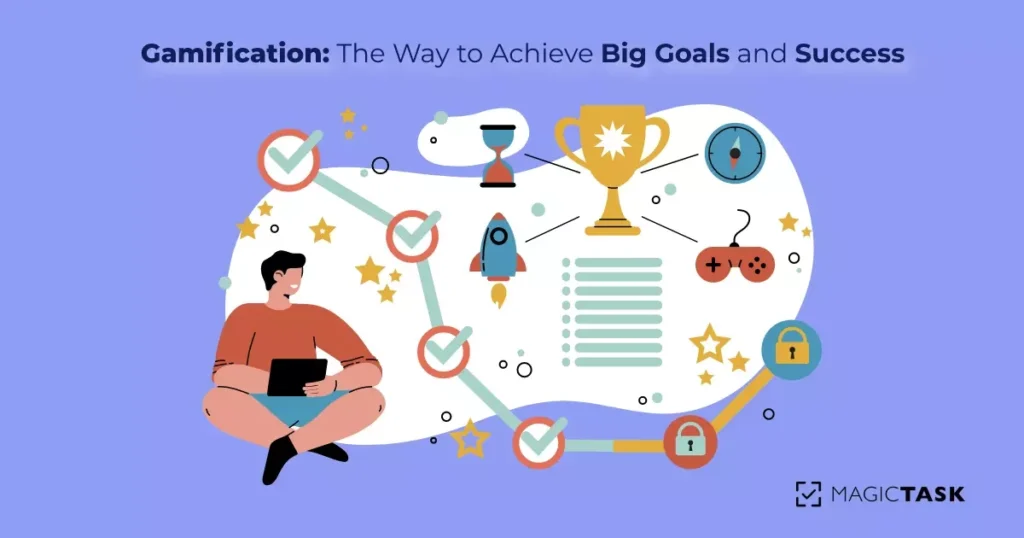
Most people think of gaming as a waste of time. They couldn't be more wrong. Gamification, the process of applying game mechanics to non-game contexts, is one of the most powerful tools you can use to engage and motivate your team.

In this blog post, we will define this process in more detail, its benefits, and how you can use it to your advantage.

Furthermore, we will also introduce a task management program that uses gamification to its full advantage.

What is Gamification?

In simple terms, it represents using game design elements in non-game contexts. It can engage users and motivate them to achieve their goals. It often employs points, badges, leaderboards, and other game mechanics to encourage users to take desired actions.

The wonderful thing about it is that it can be used in various settings, including business, education, and health care.

When applied in a business context, it can increase employee productivity, encourage customers to make purchases, or motivate employees to meet sales goals. In an educational setting, it can be used to improve student engagement and motivation. In healthcare, you can use it to promote healthy behaviors or increase patient compliance with treatments.

Its success is well documented. Around 90% of employees state that gamification makes them more productive.

How Does Gamification Work – Elements and Practical Usage

The best way to explain how this system works is through examples. While we will be using an imagined fitness app for this purpose, note that the same principles apply to a task management app for your work, an app that helps you organize your day and your week, etc.

Gamification can take many forms, but the basic idea is to use elements and mechanics common in video games to engage users and motivate them to achieve their goals. For example, a fitness app might use this system to encourage users to keep using the app by awarding them points for every workout they complete.

Note that it can be used in any app or website, and there are many different ways to implement it. As we've already mentioned, some common elements include points, badges, leaderboards, and rewards. Let's see how they apply to our fitness app example.

Gamification Elements and Practical Usage

Points

Points are a common element here, and they can be used to encourage users to keep using your app or website.

For example, a fitness app might award points for every workout users complete. Users can then use these points to unlock rewards, such as discounts on future workouts, or maybe change the theme or look of their app. They might even open some paid features for free.

Badges

Badges are pretty standard, too, and can be used to show users their progress. Our gamified fitness app might give users a badge for every ten workouts they do. These badges can be displayed on the user's profile, and they can be used to motivate users to keep using the app or website. It is, essentially, a badge of honor – a reminder of their discipline and hard work.

An example of making these badges extra effective is adding “flavor,” creating an exciting design, and making them humorous or relaxed.

Leaderboards

Then, there are leaderboards. Leaderboards are another element of gamification that can be used to engage users. These are an excellent way for competitive users to see how they rank compared to other users.

For example, a fitness app might have a leaderboard that ranks users based on the number of workouts they have done or by duration or intensity. This can be used to motivate users to keep using the app or website so that they can move up the leaderboard.

Rewards

Rewards can be used to engage and motivate users. Prizes can be given for completing specific tasks or reaching certain goals. Let's say our fitness app gives people discounts if they do ten workouts in a month. Or maybe people high on the leaderboard get an extra month’s subscription-free (if that's the model you are going for).

Another reward can be extra content within the app. So, after several days of continuous use, you might get a new template or theme for your app. Perhaps a new feature unlocks after a while.

These can be somewhat complicated since you need to figure out how much content should stay locked initially. Furthermore, discounts and coupon rewards works as incentive to increase loyalty.

When used effectively, this system can be a powerful tool for motivating people to achieve their goals. However, it is vital to use it in a way that is appropriate for the context and audience. This system should not be used simply to add game elements to a situation; it should be used thoughtfully and strategically to ensure that it is an effective motivator.

Gamification and Motivation – Why It Works

This system can engage users and motivate them to achieve their goals. It can have several benefits, all centering around increased productivity, motivation, and engagement.

It can improve engagement by making activities more enjoyable and rewarding.

Different businesses have different methods of gamifying their processes, but generally speaking, the idea is to make work more like a game. This can be done in several ways, such as adding points, levels, and leaderboards to tasks or offering rewards for completing particular objectives. The goal is to make employees more engaged with their work and to make them more likely to stick with the company in the long run.

There are a few reasons it works so well as a means of engagement and motivation. First, games are fun and engaging by nature. They provide a sense of challenge and reward that can motivate people. Second, games often have built-in social elements that encourage competition and collaboration, which can be powerful motivators. Finally, games can be very addictive, and this addiction can keep people coming back for more.

Gamification works because it taps into our natural desires to compete, cooperate, and be engaged. When these desires are harnessed correctly, they can lead to some fantastic results.

One of the most famous examples of gamification is the case of Foursquare. This social media platform encourages users to “check in” at different locations using their smartphones. The more check-ins a user has, the more points they earn and the higher their ranking on the leaderboard.

This simple act has led to some incredible results for Foursquare. In just a few years, the platform has amassed millions of users and become one of the world's most popular social media platforms.

How to Gamify Your Life with MagicTask?

Now let's talk a bit more about MagicTask.

MagicTask is a gamified project and task management platform that gives a beautiful combination of order and fun, helping you maximize your work and daily routine. Here is how it works.

Practical Stuff and Design

On a purely practical level, it practices “hyper-simplicity.” The entire interface is exquisite and simple. It's super easy to navigate, with an intuitive design,

Adding tasks, projects, and subtasks is a piece of cake, giving lots of control to every team member.

One of the co-founders stated that the app is light enough to make a simple shopping list he shares with his wife and powerful enough to run a multi-year project.

The interface is transparent, allowing a project manager to see who is doing what. First-floor employees know precisely how their simple tasks are connected to something far more significant.

Gamifying Your Work And Life

Regarding the fun, gamer part, we should talk about the “Theme Marketplace.” This feature offers unique themes that will make completing daily tasks much more fun. It's just a little extra variety that helps people stay motivated when working.

This motivation comes from the point system, where the more you use the system, the more points you get, which you then use to unlock new levels within the app. So with new levels you can expect things like cool animations and sound effects.

Since it has been built by gamers, for gamers, of course, it has an equipment rarity system. Each theme on offer has its rarity level, such as standard, rare, legendary, and grandmaster.

Essentially, you stick to your work and your tasks thanks to the rewards, the points, and the extra general sense of achievement you get

Of course, both of these elements are important. Them working together is what makes this tool stand out.

Conclusion

If you have read our blog post, you probably know how gamification works and how it's applied. However, if you genuinely want to see it work in practice, we suggest you check out MagicTask, a gamified task management tool to help you achieve your goals and work.

MagicTask Best Practices: Smart Ways to Organize Your Work

MT best practices

Project management tools are only effective when they are actually “used". You need to use these tools efficiently to see the results. So, how do you use MagicTask so that it brings maximum productivity and efficiency?

Unlike other project management tools such as JIRA which are so complex (and sometimes counterproductive), MagicTask gives you the flexibility to use it the way you want. 

You have all the features right there, and it is minimalistic without being overly simplistic. Now that’s brilliant!

In this blog, we are going to discuss the best ways to organize your work with MagicTask and improve productivity.

Let start.

Working Smarter with MagicTask: Best Practices

MagicTask is an excellent tool for managing multiple projects and teams. The way it is designed is what really makes it stand apart from others.

MagicTask is thoroughly user-driven, which means users can develop their own best practices and let the tool do the work for them. 

Imaginovation team uses MagicTask for their day-to-day business operations and here’s how they make the best use of this tool.

1. Use MagicTask as a communication tool

There is no denying that effective communication is critical for the success of any project. When your team has the right communication channel, it can lead to improved collaboration between team members and project stakeholders. 

Many businesses rely on internal communication tools like Slack and Microsoft Teams to collaborate, inform, stay in touch, share ideas, and assign tasks. But wouldn’t it be simpler to communicate using the same tool as used in project management?

MagicTask eliminates the need for a separate communication tool. Check out how MagicTask is used as an effective communication tool.

  • You can create a MagicTask project for each applicable chat channel. This will allow you to keep track of the to-do items that come in through slack that need to be added to the MagicTask.
  • You will be able to combine communication channels with your task lists to track progress, share ideas, raise questions, and keep all of your content in one channel.
  • You can use “Comments” to add your comments about a specific task. 
  • In future updates, you will be able to integrate MagicTask with different other communication tools.

2. Schedule meetings easily and regularly with MagicTask

Regular meetings are the key to keeping projects on track.

Whether you have to disseminate information and communicate with your team and stakeholders, address issues, propose ideas, take decisions, or solve problems, meetings ensure that everyone is on the same page.

We at Imaginovation strongly recommend that you must schedule regular meetings for yourself and your team to go through your action items and reorganize, prioritize, and re-assign the tasks.

This is precisely where MagicTask can help us.

  • MagicTask is designed based on the Pragmatic approach that “the best way to get things done is to schedule it.”
  • What makes scheduling tasks simple with MagicTask is that it only takes a few minutes to add in new items, knock off completed tasks, reorganize, and evaluate everything at a glance. Taking only a few minutes every day or weekly can keep you progressing forward.

3. Use MagicTask as soon as you have something to share

Unlike many other project management solutions, MagicTask isn’t designed in a complex manner. It is so simple that you can write down whatever comes to your mind before you forget about it or feel overwhelmed with too many thoughts.

When handling multiple projects and dealing with many thoughts, anyone can feel overwhelmed. And then, in no time, you start feeling stuck and unproductive. You feel consistently distracted.

MagicTask is designed for brain dumps – getting all of your ideas and thoughts out of your head so that you can focus on one idea at a time and don’t have to worry about forgetting the other stuff.

  • Use MagicTask as soon as you have a new idea or something to add. Just type it in. It’s a “write it and forget it” kind of tool, so you don’t have a bunch of thoughts floating around in your head, slowing down your process.
  • The tool is only as good as the information that is stored in it.
  • MagicTask’s simple design is purposeful so that you will use it every day.

4. Hyper Focus versus Daily Focus

While tackling tasks, people recommend and follow one of the two common approaches – Hyper-focus and Daily Focus.

Hyper-focus is when you only tackle one task at a time and then move your way down your to-do list.

Daily Focus, is when you start each day with a "sprint," meaning that you plan out exactly what you need to get done on that day. You prioritize your tasks from the most important to the least important and check off the tasks as you go. The next day, you begin the process all over and include any tasks you did not finish the day before.

Imaginovation company conducted personal experiments of both approaches with MagicTask. They tried applying both Hyper Focus, and Daily Focus approaches for one month each.

They found that using any of the approaches with MagicTask has to be a personal choice of the user.

Some methods work for some persons better than others. Irrespective of the choice, MagicTask is designed to support the approach that you would want to utilize.

5. Be Pragmatic and Proactive with MagicTask

Embrace both pragmatism and proactivity while managing things with MagicTask.

As soon as something comes up in your mind, please enter it right away and get it out of your mind.

It helps to declutter your mind, but it also requires discipline to be consistent in dumping out all of your tasks and organizing them. It would help if you did this as soon as a new task pops into your head.

My neighbor Andy Hunt has written a book, "The Pragmatic Programmer." In this book, he describes an analogy of driving past a building with a broken window every day. At some point, you stop noticing the broken window because it is part of the scenery.

So that this one broken window doesn’t turn into a hundred broken windows at some time, it is essential to fix it right away or make a note to keep track of what needs to be fixed later.

Sudo Innominate’s Best Practice with MagicTask

With endless meetings, constant reminders, alerts and notifications of emails and messages, and coworkers popping in for a quick chat, your productivity barely makes it through the day.

Sudo Innominate, Co-Founder of Imaginovation, uses MagicTask to organize his daily schedule. He shares the following tips to make the most out of MagicTask.

  • Schedule a daily 5-10 minutes time block focused solely on priority tasks.

Not every task is equal in value to you and your business. Some are urgent and important, while others are not. Start your day by planning for priority tasks. It doesn't take longer than 10 minutes. Doing this at the beginning of the day makes you feel better organized.

  • Clean up anything from the previous day and add in new items.

Unless your task list is fairly static, you must reprioritize your task list every day. Clean up anything from the previous day here. You can add new tasks and remove any unimportant tasks.

  • Check for alerts and any projects that are falling behind.


There are many reasons why a project moves past its deadline – underestimated activities or tasks time-consuming than anticipation. Regardless of the reason, it would help if you got such projects back on track. Keep an eye on any alerts or on projects that are falling behind. It will help you save a difficult situation before it occurs.

Sign-Up To MagicTask

If you are looking for a single project management tool to cover all your needs instead of using multiple tools for different activities, look no further. MagicTask completes your search. It is an all-in-one project management tool that can help you work smarter and improve your productivity.

Check out this link to sign-up to MagicTask now: https://app.magictask.io/sign-up

What is MagicTask? Why is it the Best Project Management Platform?

What is MagicTask

There’s nothing like the feeling of accomplishment you get after finishing a task. Sometimes your mind gets too cluttered with all the tasks and deadlines that it becomes hard to focus on a single task. 

With tasks piling up, staying productive becomes harder and more challenging. 

Wouldn’t it be smart if there was a system that could help you plan all your tasks and finish them without getting overwhelmed? 

Check out MagicTask – a gamified task management tool that aims to make your work feel like play.

MagicTask is a next-generation project and task management system that has unique gamification features.

It is designed to be used for all kinds of projects across different industries. You can use MagicTask to manage your professional as well as personal tasks. 

Sudo Innominate (the creator of MagicTask) and his entire family use MagicTask to keep everything on track. He uses it to manage his schedule, keep the track of his business projects, identify important business milestones, and so on. His wife uses this tool to manage her sales company that she runs out of her home. Not to mention the exciting themes in MagicTask that keep them hooked to this platform.

MagicTask offers them a shared “room” where they add items to their to-do lists to keep up with their chores. They have their shopping lists, home projects like cleaning out the garage, reminders for paying bills, etc. – all at the same place, LITERALLY!

The Story of MagicTask

MagicTask is a brainchild of Sudo Innominate. After using several project management systems such as Basecamp and JIRA, Sudo realized these systems aren’t solving the underlying problem that they were originally built for. 

While these tools were great and got the job done, Sudo felt most of these platforms had a lot of clutter and unnecessary features that only made things more complicated and added to the stress in the company on numerous fronts. 

Another issue with these solutions was the bugs, especially with the JIRA system, which, they realized, were geared mostly towards the development teams. These systems worked well with specific teams, but with others, they proved too clunky, saturated, and had an overkill of features. 

And most importantly these systems were missing the FUN element. 

As the team went looking for a tool that has both productivity and fun elements, they soon realized they would need to create one. 

How Was MagicTask Built?

MagicTask is built by developers at Imaginovation. Team Imaginovation started building the solution from absolute scratch sometime in late 2019.

In the beginning, MagicTask was essentially a text editor that was used by internal teams to create to-do lists. But, the developers kept working on the new features and integrations.

The team then started focusing completely on the user experience and endeavored to find ways to make the solution easy to use and customizable.

This is what the team did:

  • The team decided to take its time to test thoroughly and build the product well, rather than rushing to launch it.
  • The Focus of building and improving the tool always remained on users – what did they need? What kind of feature will enhance their experience of using the tool? 
  • All the MagicTask revisions were made to build a clean, uncluttered system that is super-easy to use but is still robust and powerful. 
  • Then through trial and error, the team noted which features were absolutely essential without adding anything extra.
  • MagicTask follows a security-first mindset. Realizing the continuous rise in data leaks and hacks, data security is given a lot of importance.

As a task management product, MagicTask has become better with all the revisions and internal releases.

So, How Does MagicTask Work?

While there are many different project management solutions out there, what makes MagicTask unique is that it is designed to be driven by the user – and not the other way around.

Each user can set up and organize their own space exactly the way they want, rather than trying to fit into the program’s own design structure. This allows people to use MagicTask for both business and personal activities.

It is the simplest form of a project management system that cuts out all of the unnecessary clutter, leaving you with the essential features you often use.

Let’s read on and understand what makes MagicTask unique and how it works.

1. Hyper Focus

MagicTask is designed to help its users stay hyper-focused. In this world of distractions, it isn't easy to manage more than one task at once and stay productive. We are constantly distracted by Slack messages, new emails, notifications, reminders, etc. 

All this makes it nearly impossible to stay focused on our tasks at the moment and thus hurts our productivity. 

MagicTask is designed to be intuitive from a UI/UX perspective, so it hides distracting features and keeps the user focused on the task at hand.

2. Top-Down Methodology

MagicTask follows a Top-Down Methodology. It is the most common and efficient approach for project management. 

With centralized decision-making, MagicTask follows straightforward planning. The task allocation approach flows from the general to very specific tasks. 

It focuses on business outcomes and goals first and then breaks them down into smaller tasks.

3. Decluttering your Mind

MagicTask supports improving productivity. It helps to declutter your mind by allowing you to brain dump all of your ideas/action items. It can relieve stress by eliminating forgotten steps and putting your tasks into a logical order.  

Many other task management systems are an overkill of features. Only about 10-15% of features are typically utilized – MagicTask cuts through the clutter and focuses on efficiency and productivity, while making it fun at the same time. 

Start knocking tasks off one by one, rather than looking at a long to-do list. It is easy to learn and use.

4. Gamification & Themes

Last but not least! MagicTask also comes with cool gamification features that not only turn your work into fun but also help you get things done in a unique way. 

MagicTask is essentially designed by gamers but its use isn’t limited to just gamers. 

There are new animated themes that users can purchase to boost their overall experience. As you keep using the system, you unlock new levels and get the UI upgraded to the next levels. There are a lot of exciting gamification features that you can explore on MagicTask after creating your own account.

Sign-Up To MagicTask

MagicTask brings immense value as a user-centric and powerful task management system that is minimalistic without being overly simplistic. You get the benefit of managing everything from a single place by keeping an eye on all the tasks in a project. 

Check out this link to sign-up to MagicTask now: https://app.magictask.io/sign-up